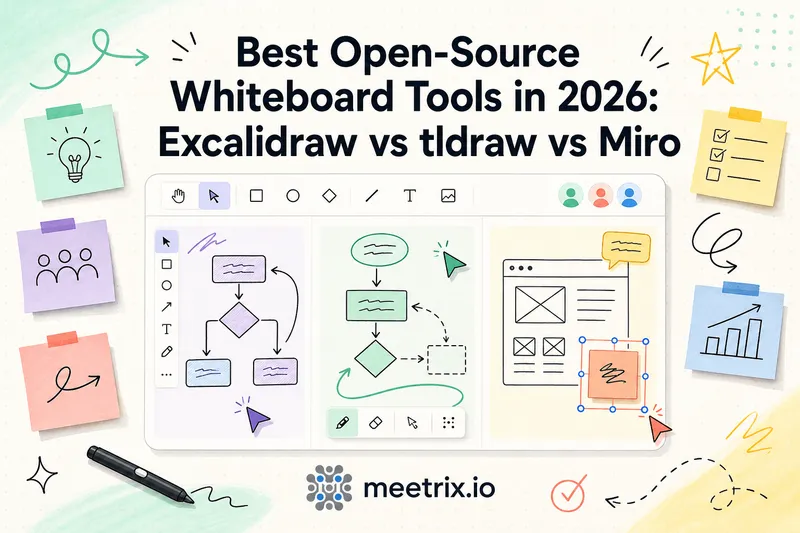
Open source whiteboard searches usually land on the same three names: Excalidraw, tldraw, and Miro. Most tldraw vs Excalidraw comparisons miss that one of the three stopped being a fair "open source" pick in late 2025. tldraw's SDK 4.0, released in September 2025, made a license key mandatory in production. The free hobby key is for non-commercial projects only and keeps a watermark on the canvas. Anything commercial needs a paid license.
That change actually simplifies this comparison. Here's where each tool genuinely stands, what self-hosting each one costs in practice, and where Miro still wins on raw feature depth despite not being open at all.
Quick answer
Jump to a section
How to choose an open source whiteboard
Three questions actually matter here, before feature lists:
- Do you need to actually self-host it, or just want the option? Only Excalidraw genuinely offers that today at zero license cost, and it's the only one you could run on the same infrastructure you control without asking anyone. tldraw's source being visible on GitHub doesn't mean production use is free.
- Does real-time multi-user collaboration matter? All three support it, but self-hosted Excalidraw needs a small extra backend service running alongside the main app, it's not automatic out of the box.
- Do you need Miro's structured features, templates, voting, facilitation tools, or just freeform sketching? Excalidraw and tldraw are both closer to a shared canvas than a workshop platform. Miro is built for the latter specifically.
1 Excalidraw: MIT licensed, free to self-host
Excalidraw is MIT licensed on GitHub end to end, no license key, no watermark, no revenue threshold. Self-hosting runs comfortably on a $5 to $10 a month VPS via Docker, and the hand-drawn sketch style has become something of a default look for technical diagrams precisely because it's this easy to stand up. Excalidraw+ is a separate, optional paid hosted product ($7/month per user) with cloud storage, voice hangouts, and extra AI features, useful if you want a managed version, but the open source core doesn't need it.
Key Features
- MIT license, free for any use including commercial, no watermark
- Docker self-hosting, minimal server requirements
- Real-time collaboration via the excalidraw-room backend service
- Hand-drawn sketch aesthetic, widely embedded in other tools (including Jitsi Meet's whiteboard)
Is Excalidraw open source and free for commercial use?
Yes to both. People ask because Excalidraw+ exists and costs money, but that's a hosted workspace sold by the same team, not a license on the code. The MIT license lets a company self-host it, change it, or embed the editor in a paid product with no fee.
2 tldraw: visible source, paid production license
tldraw's SDK is what powers the polished infinite-canvas apps a lot of people have seen. Up to version 3 you could ship it commercially for free as long as the "made with tldraw" watermark stayed visible. Version 4.0 (September 2025) ended that: production now needs a license key, the free hobby key is non-commercial only and keeps the watermark, and commercial use needs a paid license (custom pricing, reportedly around $6,000/year at launch). Development on localhost is still free, plus a 100-day trial.
Key Features
- Polished, well-documented React SDK for building custom canvas apps
- Free 100-day trial license for development and evaluation
- Free hobby license for non-commercial use, watermarked
- Commercial license required for any production, revenue-generating use
Is tldraw open source? And what does tldraw pricing look like?
tldraw describes itself as source-available, not open source. You can read every line on GitHub, but the license decides what you can do with it. On pricing, there is no public list: the commercial license is "talk to sales", with discounts for new companies. If the plan was "self-host tldraw for free at work", that plan no longer works.
3 Miro: the proprietary standard, not self-hostable
Miro isn't open source and never has been, it's included here because "open source Miro alternative" is exactly what people searching this topic are trying to find. The free tier allows unlimited team members but only 3 editable boards at a time, older boards lock to view-only. Starter runs $8/user/month and Business $20/user/month (annual billing, as of mid-2026), with Enterprise custom-priced starting around 30 seats.
Key Features
- Deep template library and structured facilitation tools (voting, timers, breakout frames)
- SCIM, data residency, and org-wide governance on Enterprise
- Metered AI credits even on paid tiers
- No self-hosting option at any tier
Excalidraw vs tldraw: feature comparison (with Miro)
| Feature | Excalidraw | tldraw | Miro |
|---|---|---|---|
| License | MIT | tldraw license (paid for commercial production) | Proprietary |
| Self-hostable free | ✅ | ❌ (watermarked, non-commercial hobby tier only) | ❌ |
| Real-time collaboration | ✅ (extra backend service) | ✅ | ✅ |
| Structured facilitation tools | ❌ | ❌ | ✅ |
| Paid tier price | $7/user/mo (Excalidraw+, optional) | Custom, ~$6,000/yr commercial license | $8-$20/user/mo |
| Best for | Free self-hosted sketching | Custom canvas apps, paid | Structured team workshops |
Excalidraw vs Miro and tldraw vs Miro
These two searches come from the same person: someone paying for Miro, or about to, who wonders if they can stop.
Excalidraw vs Miro
Excalidraw is a blank canvas with a pen. Miro is a workshop room with templates, sticky-note voting, timers and a facilitator mode. If your boards are architecture sketches and quick diagrams, Excalidraw does the job for nothing. If your boards are retros and planning sessions with 20 people clicking at once, Miro's structure earns its price.
tldraw vs Miro
This one is less of a fair fight. tldraw.com is a minimal whiteboard, and the SDK is a building block for developers, not a team product with admin controls and integrations. You'd pick tldraw over Miro to build your own canvas feature, not to replace Miro for a team.
Just need the web app? excalidraw.com and tldraw.com
A lot of tldraw vs Excalidraw searches aren't about licenses at all. Someone wants to sketch a diagram with a colleague in the next five minutes. For that, both excalidraw.com and tldraw.com work in the browser for free, and the license fight above doesn't touch you. Pick on taste: Excalidraw's hand-drawn style reads as "rough draft", tldraw's cleaner shapes read as "finished". The license only matters once you self-host it or build it into something.
Exporting your work and format lock-in
Worth checking before you commit to any of these, since it's the thing people forget to ask until they want to leave: Excalidraw saves to an open .excalidraw JSON format, plain text, readable without the app, and exports cleanly to SVG or PNG for use anywhere else. tldraw's .tldr format is similarly open on disk, though obviously the app itself still needs a valid license to run in production. Miro is the one with real lock-in, boards live on Miro's platform, and while exports to PDF or image exist, you're exporting a flattened snapshot, not the editable board structure, so a mass migration off Miro means redoing the actual board work, not just moving a file. It's the same lock-in question as Nextcloud vs Google Drive for files: easy to start, expensive to leave.
Already using Jitsi? You may not need a separate tool
Here's the part that ties back to something a lot of teams already run: Jitsi Meet's built-in whiteboard is Excalidraw. When Jitsi added whiteboarding, they didn't build a new canvas from scratch, they embedded the same open source engine reviewed above directly into video calls. If your team is already meeting in Jitsi, the whiteboard is a toggle in the call, not a second account or a separate tool to adopt. Teachers running Jitsi virtual classrooms get it for free the same way.
Self-hosted Jitsi servers don't enable it by default, though, it needs the excalidraw-backend service deployed and a config change. Our guide to enabling the Jitsi Meet whiteboard covers that setup step by step, and our roundup of Jitsi Meet's less obvious features covers what else is sitting in the same call interface most teams never turn on. If BigBlueButton is also on your shortlist for education or webinar-style use, our BigBlueButton vs Jitsi Meet comparison covers that specifically, BBB ships its own separate whiteboard tool rather than embedding Excalidraw. And if you're still choosing the video tool itself, our list of open source video conferencing software is the place to start.
Where I'd start
Want a free, self-hosted, genuinely open source whiteboard? Excalidraw. On that specific criterion there's no real competition anymore. Building a product on a canvas SDK and fine paying for it: tldraw's commercial license is a legitimate option, just budget for it, it's not the free permissive tool it used to be. Need Miro's structured workshop and facilitation depth and self-hosting isn't the point: Miro still does that better than either open source option, that's a real, earned strength, not a knock against the open source picks.
And if video calls are already part of the workflow, check whether Jitsi's built-in whiteboard covers the need before adding a fourth tool to the stack.
Frequently Asked Questions
tldraw vs Excalidraw: which one should I use?
For a free whiteboard you can self-host, Excalidraw. For building your own canvas product with a polished SDK and a budget for a license, tldraw. For a quick sketch in the browser, both free web apps work fine.
Is Excalidraw open source?
Yes. Excalidraw is MIT licensed and the full source is on GitHub. You can self-host it, fork it and ship it inside your own product with no license key and no watermark.
Is Excalidraw free for commercial use?
Yes. The MIT license allows commercial use, so a company can self-host Excalidraw or embed it for free. Excalidraw+ is a separate paid hosted service, and you only need it if you want their cloud workspace.
Is tldraw open source?
Not anymore, in the usual sense. The source is public on GitHub, but tldraw calls it source-available. Since SDK 4.0 in September 2025, production use needs a license key: a free hobby key for non-commercial work, or a paid commercial one.
How much does tldraw cost?
Development and a 100-day trial are free. A hobby license is free for non-commercial projects and keeps the "made with tldraw" watermark. Commercial licenses are quoted by sales, with startup discounts; there is no public price list.
What's an open source tldraw alternative?
Excalidraw is the closest one: the same kind of infinite canvas, MIT licensed, with real-time collaboration if you run its small room server. It has a hand-drawn look instead of tldraw's cleaner shapes.
What's a good open source Miro alternative for a small team?
Excalidraw, self-hosted, covers freeform sketching and diagrams for free. It has no Miro-style templates, voting or Kanban boards, so for run-of-show workshops Miro is still ahead. You trade that for cost and data control.
Is there a collaborative whiteboard open source option that needs no separate setup?
If you already run Jitsi Meet, its built-in whiteboard is Excalidraw. Once the backend is enabled, anyone in the call can open it. No second app, no extra accounts.
Get Video Calls With a Built-In Whiteboard
Launch a pre-configured Jitsi Meet server on AWS with the Excalidraw-powered whiteboard ready to enable, no separate whiteboard tool or account needed.
Launch Jitsi Meet 250-User on AWS