Search "bigbluebutton vs jitsi" (or "jitsi meet vs bigbluebutton," people type it both ways) and you mostly get feature-table posts that never actually tell you which one to pick. Both are free. Both are open source. Both let you self-host instead of paying a SaaS vendor by the seat. Where they split is what they were built for, and that split matters more than any spec sheet.
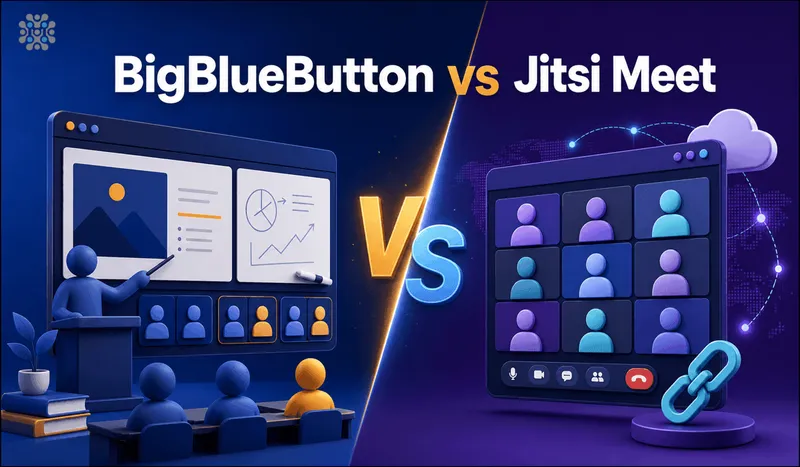
BigBlueButton was built for the classroom: breakout rooms, a shared whiteboard, polling, an LMS-shaped workflow. Jitsi Meet was built to be the fastest way to get a private video call running, with none of that ceremony. So the real question isn't which tool is "better." It's which job you actually have.
Quick answer
Jump to a section
How to choose between BigBlueButton and Jitsi Meet
Skip the 20-row spreadsheet. Three questions settle it for almost every team we've talked to:
- Are you teaching or meeting? If the session involves an instructor, students, and structured activities (breakout groups, a shared whiteboard, quizzes), BigBlueButton's feature set maps directly onto that. If it's a call between colleagues or clients, that same feature set is mostly overhead you'll never touch.
- What server can you actually afford to run? BigBlueButton wants a real server. The official docs recommend 16GB or more of RAM per node for smooth sessions, plus Scalelite once you need more than one node. Jitsi runs comfortably on far less, and that gap shows up on your AWS bill every single month.
- Does it need to plug into something bigger, like Moodle? BigBlueButton has first-class integrations with Moodle and other LMS platforms through Greenlight and the BBB API. Jitsi's API is more general-purpose, it's what powers our own iframe integration guide, so you build the LMS glue yourself if you need it.
BigBlueButton: built for the classroom
BigBlueButton is LGPL-licensed and now on the 3.0 release line, with 3.0.22 shipping as the stable build in February 2026. The project has always aimed at online education rather than general business calls. And it shows, everywhere: multi-user whiteboard, breakout rooms with lock settings a moderator can apply mid-session, live polling, shared notes, and a presentation view built around uploaded slides instead of just a webcam grid.
Key features
- Breakout rooms with per-room moderation and inherited lock settings
- Multi-user whiteboard with real-time drawing and annotation
- Live polling and shared notes during a session
- Presentation upload with slide-by-slide navigation, not just screen share
- Recording built in, with a searchable playback timeline
- Greenlight front-end for scheduling and room management; Scalelite load balancer to run a pool of servers as one
Pros
- The classroom features are genuinely deep, not bolted on
- Recording and playback are built in from the start, no separate service needed
- Native Moodle and LMS integrations
Cons
- Heavier to run. A single node handles roughly 200 concurrent users, and scaling past that means standing up Scalelite plus a TURN server
- Setup and updates ask more of whoever runs the server than Jitsi does
- Overkill if all you need is a quick call between two or three people
Jitsi Meet: the open source BigBlueButton alternative for everyday calls
Jitsi Meet takes the opposite bet: strip video calling down to what most people actually need, and make it cheap to run at any scale. There's no account to create. Anyone with the link joins straight into the call, which kills off a whole category of "why can't my client get in" support tickets before they happen.
We run Jitsi in production for clients, so the numbers below are from our own load testing, not a spec sheet. A single Jitsi conference holds up comfortably to 200 to 250 participants before the frontend starts showing strain, and a single shard can carry over 1,000 concurrent users once you spread them across multiple rooms instead of one giant call. Full test setup and results are in our Jitsi Meet capacity testing writeup.
Key features
- Join by link, no account or app install required
- Recording and live streaming via Jibri, to local storage or straight to YouTube/RTMP, the pattern behind most self-hosted webinars
- Full UI and branding customization, down to the domain and interface
- Native breakout rooms for smaller group work
- A straightforward iframe and JavaScript API for embedding calls in your own product
- Horizontal scaling via videobridge (JVB) instances, so a single deployment grows with demand
Pros
- Much lighter server footprint than BigBlueButton for the same call size
- Faster for a guest to join: no account, no app, just a link
- Easiest of the two to customize and white-label
Cons
- No native whiteboard or polling out of the box (third-party integrations like an Excalidraw whiteboard fill the gap, but they're not built in)
- Recording via Jibri needs a dedicated server component, it isn't a checkbox in the admin panel
- Less classroom structure if your real use case is teaching, not meeting
BigBlueButton vs Jitsi bandwidth and CPU requirements
This is the part people underestimate when they're picking between the two, and it's usually the part that bites them three months in when the AWS bill lands. BigBlueButton's server does more work per participant: it composites the whiteboard, tracks presentation state, mixes recordings, and renders layout changes server-side. That adds up fast. The official BigBlueButton sizing guidance calls for 16GB or more of RAM on a single node, and in practice a server meeting that spec tops out around 200 concurrent users before you need to add a second node behind Scalelite.
Jitsi's videobridge (JVB) does less server-side compositing. It mostly relays media streams between participants, so the CPU and bandwidth curve per user stays flatter as you add people. In our own load testing, a compute-optimized instance in the c5a family carried 1,000 to 1,500 simulated users across a single shard, once we spread them across separate meeting rooms instead of cramming everyone into one huge call. A single room stays smooth up to roughly 200 to 250 participants, and past that point it's the frontend browser choking, not the server, that becomes the bottleneck. Full numbers are in our Jitsi capacity testing writeup if you want to see the raw phases.
Here's the practical takeaway. If your monthly AWS bill matters and your calls are mostly small-to-mid size, Jitsi's lighter footprint saves real money over a year, not a rounding error. If you're running 100-person online classes daily and need the whiteboard and recording pipeline regardless, BigBlueButton's heavier resource use is just the cost of the features you're actually using. Don't fight that trade-off, just budget for it.
What "open source" actually costs here
Neither tool charges a license fee. That's the pitch behind every BigBlueButton alternatives open source roundup you'll find, and it's true. But free software still needs somewhere to run and someone to keep it running, and the two differ more than the marketing suggests. (If your team already runs Nextcloud, there is a third option worth a look: see Nextcloud Talk vs Jitsi.)
- Server cost. A Jitsi deployment for a small team can live on a couple of small EC2 instances. A BigBlueButton deployment sized for real classroom load starts at a bigger single instance and grows fast once you add Scalelite and a second node.
- Setup time. Jitsi's install is a single package on Debian or Ubuntu and a working call in under an hour. BigBlueButton's install script handles the base stack, but wiring up Greenlight, a TURN server, and (eventually) Scalelite is a longer afternoon.
- Ongoing maintenance. Both need security updates and SSL renewal. BigBlueButton's release cadence on the 3.0 line has been active through 2026, which is good for features but means more upgrades to test and apply.
BigBlueButton vs Jitsi Meet: feature comparison
| Feature | BigBlueButton | Jitsi Meet |
|---|---|---|
| License | LGPL, open source | Apache 2.0, open source |
| Join without an account | Yes, via room link | Yes, via room link |
| Breakout rooms | Yes, with lock settings | Yes, simpler controls |
| Shared whiteboard | Built in, multi-user | Third-party integration only |
| Polling / quizzes | Built in | Not built in |
| Recording | Built in with playback UI | Via Jibri, needs setup |
| Recommended server for one node | 16GB+ RAM | Runs on far less for the same call size |
| Scaling beyond one server | Scalelite load balancer | Add JVB (videobridge) instances |
| LMS integration | Native, built for Moodle etc. | General API, build it yourself |
| UI branding / customization | Limited | Fully customizable |
| Best for | Online classes, structured training | General meetings, client calls, embedded video |
Why we run Jitsi Meet for clients
Most teams that ask us about BigBlueButton don't actually need a classroom platform. They need a video call that doesn't leak their data to a third party and doesn't get more expensive as the team grows. That's the exact gap Jitsi fills, and it's why we've made it our default recommendation over the years. We deploy and manage it on AWS and GCP, and the one thing that trips people up every time, TURN server configuration for participants behind strict corporate firewalls, is a problem we've solved often enough that it barely counts as a problem for us anymore.
If you'd rather not hand-roll the install, we maintain a pre-configured Jitsi Meet AMI on the AWS Marketplace with TURN and SSL already sorted, plus full deployment and GCP setup guides if you want to run it yourself.
Mobile: browser vs native apps
BigBlueButton is deliberately browser-only. The project's own FAQ explains the reasoning: a single HTML5 web app means every user, on any device, always gets the current version without an app store update cycle. It works fine in Safari on iOS and Chrome on Android, with one carve-out: there's a native iOS wrapper app specifically because iOS Safari doesn't support browser-based screen sharing, and the app works around that with a native webview.
Jitsi Meet takes the opposite approach and ships real native apps, iOS, Android, and even an Android Tablet build, alongside the browser version and an F-Droid release for people who care about that. For a guest joining once, browser-only is fine either way. For a team that lives in video calls daily, a native app with proper background handling and notifications is the nicer experience, and that's Jitsi.
Where I'd start
Running a class, a workshop, or anything with an instructor and structured group work: BigBlueButton. The whiteboard, breakout rooms and built-in recording are worth the heavier server. Don't fight it, just size the box correctly from day one.
Everything else, client calls, internal standups, embedding video into your own product, a support line where a guest needs to join in one click, Jitsi Meet. It's cheaper to run, faster to join, and easier to bend into whatever you're building. This is the one we'd pick for our own team, for what it's worth.
Still stuck between the two? Ask yourself what happens the day a guest without an account needs to join in the next five minutes. Both handle that fine today. So the real decision isn't the call itself, it's what you're building around it.
Frequently Asked Questions
Jitsi Meet vs BigBlueButton: which uses less CPU and bandwidth?
Jitsi Meet, by a wide margin. A single Jitsi videobridge handles a plain call on modest hardware. BigBlueButton's recording, whiteboard and layout engine push CPU and RAM needs much higher, and the docs recommend 16GB+ RAM per node once you're past a handful of meetings.
What is a good open source BigBlueButton alternative for simple calls?
Jitsi Meet. If you don't need breakout rooms, a shared whiteboard or LMS integration, Jitsi gives you a lighter, cheaper-to-run open source video call that anyone can join from a link, no account required.
Does Jitsi Meet have breakout rooms like BigBlueButton?
Yes, Jitsi Meet added native breakout rooms a few years ago and they work well for smaller groups. BigBlueButton's version is more built out, with per-room moderation and lock settings aimed squarely at classroom use.
Is BigBlueButton free to self-host?
Yes. BigBlueButton is LGPL-licensed and free to run yourself, same as Jitsi. The real cost with either one is the server and the time to run it, not a license fee.
OpenMeetings vs BigBlueButton: which should you pick?
BigBlueButton, for most teams. Apache OpenMeetings covers similar ground, video, whiteboard, screen sharing, but its interface and community feel dated next to BigBlueButton's active 3.0 release cycle. Most teams evaluating classroom tools in 2026 shortlist BigBlueButton over OpenMeetings.
Can I run BigBlueButton or Jitsi Meet on AWS?
Both, yes. We run Jitsi Meet on AWS ourselves and maintain a pre-configured AMI for it. BigBlueButton also deploys to EC2, though it needs a heavier instance and a Scalelite load balancer once you add more than one server.
Run Jitsi Meet Without Managing the Server
Launch a pre-configured Jitsi Meet server on AWS with TURN and SSL already set up, ready for up to 100 users out of the box.
Get Jitsi Meet on AWS Marketplace