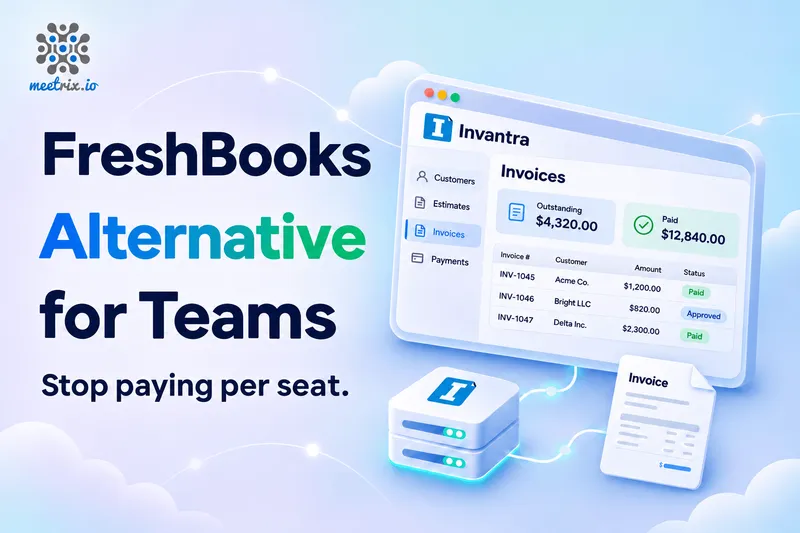
FreshBooks is priced for one person. Lite, Plus and Premium each include a single user, and every teammate you add costs another $11 a month. That's fine when it's just you. Around the third hire, the seat fees start to outgrow the plan you picked.
A FreshBooks alternative for teams fixes that in one of two ways: hosted software that bundles users into the plan (Xero doesn't charge per user at all), or self-hosted software where nobody charges for seats because you run it yourself. Below are ten FreshBooks competitors across both, with real prices, what each does better than FreshBooks, and what you'd give up.
The quick answer
Decide first whether you want to keep paying for hosted software, just without seat fees, or stop paying for software altogether.
Xero
Full accounting, bank feeds, and the price doesn't move when you hire.
Invoice Ninja, self-hosted
Time tracking, expenses, client portal and payments, with unlimited users.
ERPNext
A real general ledger, timesheets and approvals, no user fees.
Invantra
Draft, approve, then send. Simple, but no tax or recurring invoices.
Kimai
Team timesheets that turn into invoices, free to self-host.
Zoho Books
Paid plans start with 3 users included; extra users are $3.
One disclosure up front: Meetrix makes Invantra and packages ERPNext and Odoo as ready-made AWS images, so three tools on this list are ones we sell. Where they're the wrong pick, I say so.
FreshBooks pricing per user: what a growing team really pays
FreshBooks lists Lite at $23 a month (5 billable clients), Plus at $43 (50 clients) and Premium at $70 (unlimited clients), each for one user. Additional team members are $11 a month each, on every plan. Here's what that does as the team grows, using monthly list prices from each vendor's pricing page in November 2026 (introductory discounts left out, because they end).
The Invantra row is the software fee plus the AWS server it runs on: about $28 a month paying hourly, or about $22 a month on the $99 yearly plan. Current prices are on the Invantra AWS Marketplace listing.
| Monthly cost for a team of | 1 | 3 | 5 | 10 |
|---|---|---|---|---|
| FreshBooks Plus ($43 + $11 per extra user) | $43 | $65 | $87 | $142 |
| FreshBooks Premium ($70 + $11 per extra user) | $70 | $92 | $114 | $169 |
| QuickBooks Online (cheapest plan with enough users) | $38 | $85 | $140 | $340 |
| Xero Growing (no per-user fees) | $59 | $59 | $59 | $59 |
| Invantra on AWS (software fee + t3a.small server) | $22-28 | $22-28 | $22-28 | $22-28 |
| Other self-hosted (ERPNext, Odoo, Invoice Ninja) | Your server, plus a Marketplace fee if you use a ready-made image. The same at every team size. | |||
A ten-person team on FreshBooks Plus pays $99 a month, $1,188 a year, just for the nine extra seats. That's before the $20 Advanced Payments add-on. For the self-hosted side of the same maths, see our Invantra cost breakdown for a 10-person team.
To be fair to QuickBooks, its bigger plans aren't only selling seats: Plus and Advanced add inventory, projects and reporting that FreshBooks doesn't have. But if what you need is the same invoicing for more people, you're paying for features to get the users.
Why teams look for a FreshBooks alternative
FreshBooks is genuinely pleasant to use. The invoicing, time tracking, expenses and client view are well designed, and for a solo freelancer it's hard to beat. Teams leave for reasons that only show up as they grow:
Every hire raises the bill
$11 a month per team member, on every plan. The cost scales with headcount, not with how much you invoice.
Client caps on the cheaper plans
Lite stops at 5 billable clients and Plus at 50, so a growing team often has to move up a plan and keep paying for seats on top.
Add-ons stack up
Advanced Payments is another $20 a month on Lite, Plus and Premium, and Payroll is $40 a month plus $6 per person.
Your billing data lives with the vendor
FreshBooks is cloud-only. There's no self-hosted edition if a client contract or data rule says your financial records must stay on your own infrastructure.
Two ways to stop paying per seat
Hosted FreshBooks alternatives with users included
Xero, Zoho Books, QuickBooks Online and Wave. Someone else runs the servers, bank feeds work out of the box, and you either pay no seat fees (Xero) or get several users in the plan price.
The catch: you're still paying a monthly subscription, and your data still lives with the vendor.
Open source, self-hosted FreshBooks alternatives
Invantra, ERPNext, Odoo Community, Invoice Ninja, InvoiceShelf and Kimai. You run the software on your own server, so there's no one to charge per user. The bill is the server, and it stays flat at 3 users or 30.
The catch: someone looks after that server, and automatic bank feeds are usually missing or extra work.
If you only want tools under a real open source licence, see our open source invoicing software roundup. If you've already ruled out hosted tools and are comparing self-hosted ones, our Invoice Ninja alternatives comparison goes deeper on licences and features across nine of them.
How to choose a FreshBooks alternative for your team
Write down what your team actually uses in FreshBooks today, then check each option against it:
- How the price moves with headcountPer user, users bundled by plan, or flat. Work it out for the team you'll have in a year, not today.
- Time tracking and expensesIf your team bills hours, the replacement needs timesheets that flow into invoices.
- Accounting or just invoicingFreshBooks does double-entry books. Some alternatives only invoice, which is fine if your accountant uses something else.
- Bank feeds and card paymentsHosted tools connect to your bank and take cards out of the box. Self-hosted tools usually need statement imports and a payment gateway you set up.
- Who runs itSelf-hosting removes seat fees but adds upkeep: updates, certificates and backups. Decide who owns that before you migrate your invoicing data.
Self-hosted: no seat fees at any size
You run the software on your own server. Users cost nothing.
1Invantra: invoicing with a sign-off step
Invantra is the one we make. It does a narrow job on purpose: estimates, invoices, payments received and clean PDFs, with an approval step in the middle. A team member drafts an invoice, an admin approves or rejects it with a reason, and only then does it go to the client. FreshBooks has no equivalent. There are three roles (Admin, Member, Viewer) and no limit on users.
On AWS Marketplace it has a 5-day free trial, where you pay only for the AWS server. After that, the software fee on the default t3a.small is $0.019 an hour (about $14 a month) or $99 a year paid upfront, plus about $14 a month for the server itself. There's no per-user fee, so a team of 10 pays the same as a team of 1. Check the Marketplace listing for current prices.
Pros
- Built-in approvals and an activity log of who created, edited or approved each document.
- Unlimited users, multi-currency per customer, partial payments with attachments.
- CSV import for customers and items, and a number series you can set to carry on from your FreshBooks invoice numbers.
- A pre-configured AWS image with HTTPS, a firewall and nightly backups set up.
Cons
- No tax calculation, recurring invoices, time tracking, emailing from the app or card payments. Coming from FreshBooks, that's a lot to lose.
- Not accounting software.
- Released in October 2026, so the community is still small.
Pick it if your problem is several people raising invoices and one person needing to check them. If your team leans on FreshBooks' time tracking or recurring billing, skip it. The Invantra developer guide walks through the AWS launch, and the Invantra store page has the specs.
2ERPNext: full accounting with no user fees
ERPNext is the answer when FreshBooks' accounting is the part you'd miss. Sales invoices post to a real general ledger, and you get timesheets that bill to projects, expense claims, recurring invoices, tax templates, payment gateways and configurable approval workflows. The approval chain isn't a single toggle: Frappe's Workflow engine lets you route a document through as many roles as you need, for example Sales User → Sales Manager → Regional Manager, with each step's conditions and transitions defined in the UI. Self-hosted, there's no fee per user or per module.
Pros
- Double-entry accounting, timesheets and expenses in one system.
- No user or module fees when self-hosted.
- A Meetrix AWS image; the ERPNext developer guide covers the launch.
Cons
- Much more to learn than FreshBooks. Plan the setup as a project.
- Needs a bigger server than a pure invoicing app.
To see what you get before committing, our ERPNext demo walkthrough goes through every module after install.
3Odoo Community: invoicing now, more apps later
Odoo Community includes the Invoicing app (customers, invoices, taxes and payments) plus timesheets, CRM and sales in the same interface. Self-hosted, Community has no user fees. Odoo's own hosted plans and the Enterprise edition do charge per user, so check which edition a feature belongs to before you plan around it.
Pros
- A polished interface, closer to FreshBooks in feel than most open source tools.
- Start with invoicing and add apps as the team grows.
- A Meetrix AWS image; see the Odoo developer guide.
Cons
- Subscriptions and recurring billing are Enterprise-only: Community's edition matrix marks them "No". Third-party modules can add a subscription engine to Community, but you're then maintaining a non-standard layer. Full accounting and bank sync are also Enterprise, priced per user.
- Upgrading Community between major versions takes real work.
Choosing between the two ERPs? Our ERPNext vs Odoo comparison lays out pricing, modules and licensing side by side.
4Invoice Ninja (self-hosted): the closest match to FreshBooks
Invoice Ninja covers almost everything a FreshBooks team uses: invoices, quotes, recurring billing, time tracking with tasks and projects, expenses, a client portal and dozens of payment gateways. Its hosted plans do charge for extra users, but the self-hosted version is free and includes every Pro and Enterprise feature, with no user limit.
Pros
- The broadest FreshBooks feature overlap on this list, including time tracking and a client portal.
- Unlimited users when self-hosted.
- Card payments through Stripe, PayPal and many other gateways.
Cons
- Not double-entry accounting, so your accountant still needs separate books.
- A big Laravel app to install and upgrade yourself.
- Source-available under the Elastic License, not OSI open source. Removing its branding needs a paid yearly white-label licence, at $40 a year.
5InvoiceShelf: lightweight and fully open source
InvoiceShelf is the actively developed fork of Crater. It covers customers, estimates, invoices, recurring invoices, payments, expenses and a customer portal, in a clean interface that FreshBooks users will find familiar. Lighter than Invoice Ninja, and under a real open source licence.
Pros
- Recurring invoices, expenses and tax types, with a Docker image.
- AGPL-3.0, with no branding licence to buy.
Cons
- No built-in time tracking, so it's a poor fit for teams that bill hours.
- PHP version matters. The stable 2.4.x line runs on PHP 8.3 or 8.4; the 3.x line requires PHP 8.4+. Check your server before you commit.
- The community is smaller than Invoice Ninja's.
6Kimai: for teams that bill by the hour
Plenty of teams pick FreshBooks for its time tracking. Kimai is a time tracker first: team timesheets, projects, activities and budgets, turned into invoices with templates you can edit. Self-hosted, it has no seat limit. Its cloud version is priced per user, but far below FreshBooks' $11: €2.99 per user per month on annual billing (€3.99 monthly).
Pros
- Team timesheets with projects, activities and budgets, built for billing hours.
- Very active project and plugin store.
Cons
- No recurring invoices or online payments in the core.
- Not accounting software, and not built for product sales.
Watch for user caps in 'free' editions
Hosted: users bundled into the plan
Someone else runs the software. You still pay monthly, but seats cost less or nothing.
7Xero: hosted accounting with no per-user fees
Xero is the most direct hosted answer to this article's title. Its US plans (Early, Growing and Established) list "no per-user license fees", so a growing team pays for the plan, not the people. It's full double-entry accounting with bank feeds, invoicing, bills and a large app marketplace.
Pros
- Adding teammates doesn't change the bill.
- Proper accounting and bank reconciliation, which accountants know well.
- Hundreds of integrations, including time tracking apps.
Cons
- Early has hard limits: 20 invoices and 5 bills a month, so most teams land on Growing or Established.
- Less friendly for non-accountants than FreshBooks, and US prices rose in October 2026: Early from $25 to $27, Growing from $55 to $59, Established from $90 to $97.
8Zoho Books: several users included, cheap extras
Zoho Books does charge for users, but differently: paid plans start with three users included and go up to fifteen, and each extra user is $3 a month ($2.50 billed yearly). It covers invoicing, expenses, projects with timesheets, bank feeds and full accounting, and plugs into the rest of the Zoho suite. If you're on Zoho's free invoicing app instead, our Zoho Invoice alternative comparison covers its two-user limit.
Pros
- Extra seats cost a fraction of FreshBooks' $11.
- A free plan for one user plus one accountant, but only while annual revenue stays at or below $50,000, and capped at 1,000 invoices a year.
- Projects and timesheets for teams that bill time.
Cons
- Still a per-seat model once you pass the included users.
- Prices and limits vary by country, so check your region's pricing page.
9QuickBooks Online: more users, more features, higher price
QuickBooks Online bundles users into plans: Simple Start has one, Essentials three, Plus five and Advanced twenty-five. It's the most complete accounting package on this list, and many accountants prefer it. It's also the most expensive way to add people, because more users means a bigger plan.
Pros
- The deepest accounting, reporting and inventory features here.
- The tool most accountants already know.
Cons
- Going from 5 to 10 users means moving from $140 to $340 a month.
- Essentials, Plus and Advanced prices went up for renewals from August 2026.
10Wave: free invoicing for the smallest teams
Wave is what most "FreshBooks alternative" lists put first, and for a freelancer it deserves it: the Starter plan includes unlimited invoices, estimates and bookkeeping for free, and you pay only card processing fees. It's on this list for completeness. Pro ($19 a month or $190 a year) explicitly adds unlimited users, along with bank imports and receipt capture, so multi-user access isn't as locked down as it used to be. Still, Wave is built around one owner, not a team.
Pros
- Free invoicing and bookkeeping on Starter.
- Pro removes Wave branding and adds bank feeds and unlimited users, for less than FreshBooks Lite.
Cons
- No time tracking, and not designed for teams.
- Card payments are only available to businesses in the US and Canada.
FreshBooks alternatives compared
FreshBooks is in the first column for reference. On a phone, scroll the table sideways.
| Feature | FreshBooks | Invantra | ERPNext | Odoo Community | Invoice Ninja (self-hosted) | InvoiceShelf | Kimai | Xero | Zoho Books | QuickBooks Online | Wave |
|---|---|---|---|---|---|---|---|---|---|---|---|
| Hosting | Cloud | Self-hosted | Self-hosted | Self-hosted | Self-hosted | Self-hosted | Both | Cloud | Cloud | Cloud | Cloud |
| How users are charged | $11 per extra user | No user fees | No user fees | No user fees | No user fees | No user fees | None self-hosted | No per-user fees | 3 to 15 included, $3 per extra | 1 to 25 by plan | Unlimited on Pro |
| Double-entry accounting | Yes | No | Yes | Enterprise only | No | No | No | Yes | Yes | Yes | Yes |
| Recurring invoices | Yes | No | Yes | Enterprise only | Yes | Yes | No | Yes | Yes | Yes | Yes |
| Data on your own server | No | Yes | Yes | Yes | Yes | Yes | Yes | No | No | No | No |
| Meetrix AWS image | No | Yes | Yes | Yes | No | No | No | No | No | No | No |
Prices and plan limits change often, so confirm them on each vendor's pricing page before you switch.
Which FreshBooks alternative should your team pick?
If you want to keep paying for hosted software and just stop paying per person, Xero. Your accountant will probably thank you too. Just budget for Growing rather than Early, since Early's 20-invoice cap bites quickly.
If your team uses FreshBooks for invoices, time and expenses, and someone on the team can run a server, this is the closest swap with no seat fees at all. Just budget $40 a year if you want to remove branding.
If you'd miss FreshBooks' accounting and want to own your data, ERPNext. Expect a proper setup project, not an afternoon.
If the team mostly bills hours, go with Kimai. Its timesheets beat FreshBooks' for billing-focused teams, and they're free to self-host.
If several people raise invoices and one person has to approve them first, Invantra does exactly that, as long as you can live without tax, recurring invoices and card payments. It's about $22 to $28 a month all in, whether your team is three people or thirty.
And if it's just two of you, stay. One extra seat is $11 a month, and a migration costs more than that in time.
Self-hosting removes the seat fee, but the server still needs looking after: updates, certificates and backups. The ready-made AWS images for Invantra, ERPNext and Odoo handle the setup part, and new AWS accounts occasionally need a vCPU quota increase before the first launch. To keep an eye on what the server costs, set an AWS billing alarm on day one.
Frequently Asked Questions
How much does FreshBooks charge per user?
FreshBooks includes one user on every plan. Each additional team member costs $11 a month, on Lite, Plus and Premium alike. Select includes two team-member accounts.
What is the best FreshBooks alternative for teams?
If you want hosted software without seat fees, Xero. If you want to stop paying for software entirely, Invoice Ninja self-hosted is the closest feature match. If you need approvals, Invantra; if you need full accounting, ERPNext.
Is there a free FreshBooks alternative?
Yes. Wave Starter is free for invoicing and bookkeeping (one owner, card fees only). On the self-hosted side, Invoice Ninja, InvoiceShelf, Invantra and Kimai are all free to run on your own server; you only pay for the server. Zoho Books also has a free plan, but it's capped at one user plus one accountant, $50K annual revenue, and 1,000 invoices.
Is there an open source FreshBooks alternative?
Yes. Invantra is MIT-licensed, InvoiceShelf and Kimai are AGPL-3.0, ERPNext is GPL-3.0 and Odoo Community is LGPL-3.0, and all are free to self-host with unlimited users. Invoice Ninja is source-available under the Elastic License rather than OSI open source.
How much does Invantra cost?
About $22 to $28 a month all in: the software fee on the default t3a.small is $0.019 an hour (about $14 a month) or $99 a year paid upfront, plus roughly $14 a month for the AWS server. There's no per-user fee, and a 5-day free trial covers the software fee while you pay only for the server. Current prices are on the Marketplace listing.
Does Xero charge per user?
No. Xero's plans list 'no per-user license fees', so adding teammates doesn't change the bill. The Early plan does cap you at 20 invoices and 5 bills a month, though.
Can I self-host FreshBooks?
No. FreshBooks is cloud-only. If self-hosting is a requirement, you need a different tool.
Can I move my clients out of FreshBooks?
FreshBooks supports CSV exports for clients and invoices, so a basic migration is possible. Recurring schedules, payment links and attached files usually need manual handling, so plan a parallel run before switching. Invantra's CSV import and configurable number series let you carry on from your existing FreshBooks invoice numbers.
Invoicing for the Whole Team, No Seat Fees
Launch Invantra on your own AWS account in about five minutes, with HTTPS, a firewall and nightly backups set up. Add as many users as you need.
Get Invantra on AWS Marketplace