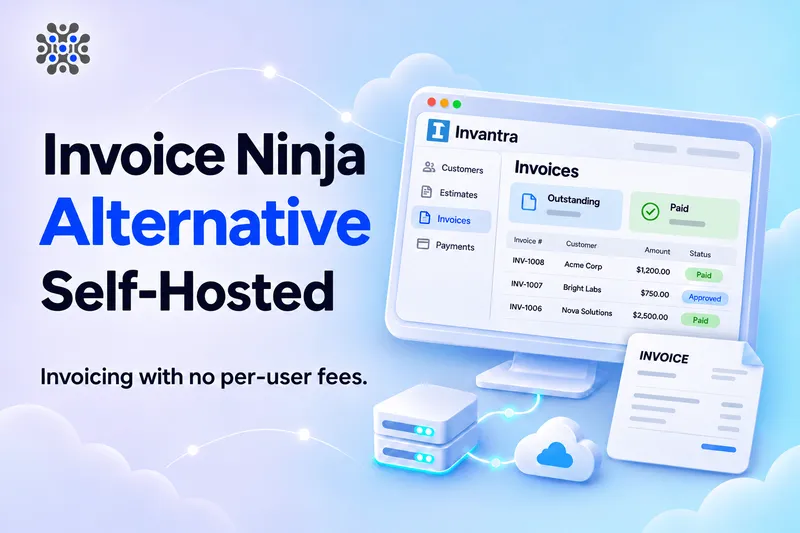
If you're looking for an Invoice Ninja alternative because of per-user fees, check one thing first: are you on the hosted plan? Self-hosted Invoice Ninja doesn't charge per user at all. Only the hosted Enterprise plan does, starting at $18 a month for two users and climbing to $300 a month at 51 to 100.
So the cheapest fix might be Invoice Ninja itself, on your own server. If that's not it, you're probably here for one of the other usual reasons: the licence isn't really open source, the Laravel install is more upkeep than you want, you need someone to sign off invoices before clients see them, or you'd rather launch a ready-made server image than build one. Below are nine self-hosted options that never charge per user, with what each is actually good at and where it falls short.
The quick answer
Pick by the problem you actually have, not by the longest feature list.
Self-host Invoice Ninja
Same app, every feature, no user fees. The least disruptive move.
InvoiceShelf
AGPL fork of Crater with recurring invoices, tax and a client portal.
Invantra
Draft, approve, then send. No tax or recurring invoices, though.
Kimai
Timesheets turn straight into invoices.
InvoicePlane
MIT, runs almost anywhere, e-invoicing since 1.6.3.
ERPNext
Invoices post to a real ledger, with approval workflows.
One disclosure up front: Meetrix makes Invantra, one of the tools on this list, and packages ERPNext and Odoo for AWS. I've tried to be clear where each of those is the wrong pick, too.
Invoice Ninja pricing: hosted plans vs self-hosted
Here's what Invoice Ninja charges, from its pricing page in November 2026. The last row is the one most "alternatives" lists leave out.
| Plan | Price | Users | Clients |
|---|---|---|---|
| Free (hosted) | $0 | 1 | Up to 5 |
| Ninja Pro (hosted) | $14 a month, or $140 a year | 1 | Unlimited |
| Enterprise (hosted) | From $18 a month for 1-2 users, up to $300 a month for 51-100 | Priced in bands by headcount | Unlimited |
| Self-hosted | Free, plus an optional yearly white-label licence | No limit | Unlimited |
So a five-person team pays for Enterprise every month on the hosted version, and nothing per user on its own server. That's worth knowing before you migrate anywhere.
Why people look for an Invoice Ninja alternative
Invoice Ninja is good software. It does recurring invoices, a client portal, dozens of payment gateways, expenses, time tracking and quotes, and it's been around since 2014. People leave for narrower reasons than "it's bad":
Hosted pricing climbs with the team
Every extra user moves you into a bigger Enterprise band, as the table above shows.
The licence
Version 5 moved to the Elastic License 2.0. You can read the code and run it yourself, but it isn't an OSI-approved open source licence, and some legal teams won't accept that.
Upkeep
It's a big Laravel app with a queue worker, a scheduler, PDF rendering and a database to look after. Upgrades are mostly smooth, but you're the one doing them.
It does too much
Some teams want estimates, invoices and payments, and nothing else on the menu.
Is Invoice Ninja open source?
Source-available, not open source. The distinction matters for two things. You can't take the code and run it as a paid hosted service for other people. And if your company has a policy of "OSI licences only" for anything that holds financial data, Invoice Ninja v5 doesn't meet it.
For an internal billing system, the Elastic License rarely gets in your way. If you need a strict OSI licence, our list of the best open source invoicing software covers only tools that qualify. If it does, InvoicePlane, SolidInvoice and Invantra are MIT-licensed, and InvoiceShelf, Kimai, Dolibarr and ERPNext use GPL-family licences.
The white-label licence
How to choose a self-hosted invoicing tool
Every tool below can make an invoice and print a PDF. The differences that actually decide it are these:
- LicenceOSI open source (MIT, AGPL, GPL) or source-available (Elastic, BSL).
- Cost as the team growsSome "free" self-hosted editions still cap users.
- Recurring invoices and taxIf you bill retainers or charge VAT, these two are dealbreakers when missing.
- Online paymentsA "Pay now" button on the invoice, or payments recorded by hand.
- ApprovalsWhether a second person can check an invoice before it goes out.
- Who keeps the server patched and backed upThe boring one. A free tool with no backups is the most expensive thing on this list.
1Invantra: invoicing with an approval step
Invantra is the one we make, so read this section with that in mind. It's MIT-licensed, version 1.0.0 shipped on 14 October 2026, and it does a deliberately small job: estimates, approvals, invoices, payments received and clean PDFs. One Node.js app and a PostgreSQL database.
What it has that Invoice Ninja doesn't is an approval workflow. Every estimate and invoice goes Draft, Pending approval, then Approved or Rejected with a reason. Approval freezes the customer and business details, so changing a client's address next year doesn't rewrite invoices you already issued. Users get one of three roles: Admin (everything, including approvals and user management), Member (create and edit customers, items, estimates and invoices, and record payments) or Viewer (read and print). There's no limit on how many.
Pros
- Approval workflow with an audit trail of who created, approved, rejected or reopened each document.
- Unlimited users, no per-user fee.
- Multi-currency per customer, partial payments with attachments, CSV import for customers and items.
- A pre-configured AWS image with HTTPS, a firewall and nightly backups already set up.
Cons
- No tax calculation, no recurring invoices, no emailing from the app and no card payments. That's a lot of what Invoice Ninja does.
- Fixed invoice layout (your logo and details, not a template editor).
- Brand new, so a small community so far.
If two or more of those missing features are dealbreakers, skip Invantra. If what you need is "several people bill, one person approves," it's the closest fit here. On AWS Marketplace it has a 5-day free trial, then costs about $22 to $28 a month in total (software fee plus the t3a.small server), with no per-user fee; current prices are on the Marketplace listing. The Invantra developer guide covers the AWS launch step by step.
2ERPNext: invoicing inside a full ERP
ERPNext is GPL-3.0 and does everything: quotations, sales invoices, subscriptions, tax templates, payments, accounting, stock and HR. It's on this list for one reason Invoice Ninja can't match: its Workflow builder lets you put multi-level approval chains on a sales invoice (Draft → Submitted → Cancelled, with configurable intermediate states and role-based transitions), so it covers the approval need too, at much larger scale than Invantra.
Pros
- Proper accounting, so invoices post to a real general ledger.
- Configurable approval workflows, roles and permissions, and no user fees when self-hosted.
- A Meetrix AWS image is available; the ERPNext developer guide covers the launch.
Cons
- Far more than an invoicing tool. Setup is a project, not an afternoon.
- Needs a bigger server than anything else on this list.
3Odoo Community: the Invoicing app on its own
Odoo Community Edition is LGPL-3.0 and includes the Invoicing app: customers, invoices, taxes, payments and PDF layouts, with CRM, sales and inventory one click away. Self-hosted Community has no user fees. Odoo's own hosted plans do charge per user, which is worth knowing if you ever move.
Pros
- A polished interface and a huge app ecosystem.
- Easy to start with invoicing alone and add apps later.
- A Meetrix AWS image is available; see the Odoo developer guide.
Cons
- Subscriptions and Recurring Billing are Enterprise-only: Community Edition's feature matrix marks them "No". So are the full Accounting app and the Approvals app.
- Community upgrades between major versions take real work.
If you're torn between the two ERPs, our ERPNext vs Odoo comparison goes through pricing, modules and licensing side by side.
4InvoiceShelf: the closest like-for-like swap
InvoiceShelf is a fork of Crater, the Laravel invoicing app that went quiet in 2024. The fork is AGPL-3.0, actively developed through 2026, and feels the most like Invoice Ninja of anything here: customers, estimates, invoices, recurring invoices, payments, expenses and a customer portal.
Pros
- Recurring invoices, tax types and expenses, so most Invoice Ninja workflows carry over.
- A clean, modern interface and a Docker image.
- Real open source licence, and the code is under active development.
Cons
- The stable 2.4.x line needs PHP 8.3 or 8.4; the 3.0 alpha (moved to Laravel 13) requires PHP 8.4+.
- A smaller ecosystem than Invoice Ninja, with fewer payment gateway options.
5InvoicePlane: old, stable and MIT
InvoicePlane has been around for a decade and looks it. That's mostly a compliment. Version 1.6.3, released in August 2025, added e-invoicing infrastructure and an e-invoice processing flow, which matters if you bill in Germany, Italy or anywhere else moving to mandatory e-invoices. It's MIT-licensed and runs on a basic PHP and MySQL host.
Pros
- Quotes, invoices, recurring invoices, tax rates, a client portal and online payments.
- Runs on cheap shared hosting, no containers required.
- MIT licence, no white-label fee.
Cons
- The interface feels dated next to Invoice Ninja or InvoiceShelf.
- Releases are slow; a rewrite (v2) is in progress, so expect a migration at some point.
6SolidInvoice: small and MIT-licensed
SolidInvoice is a Symfony app built by one developer to scratch their own itch, and it still has that focus. Clients, quotes, invoices, recurring invoices and online payments through common gateways. MIT-licensed.
Pros
- Covers the invoicing basics without much else to configure.
- Payment gateways built in, and a REST API.
Cons
- A small project with a small community, so check the release history before you depend on it.
- Less polished reporting than the bigger tools.
7Kimai: if you bill by the hour
Kimai is a time tracker first. It turns tracked hours into invoices using templates you can edit, which is exactly right for consultancies and agencies that bill time, and wrong for anyone selling fixed-price products. AGPL-3.0, free to self-host with no seat limit; the hosted version is around €2.99 to €4.99 per user a month.
Pros
- Timesheets, projects, activities and budgets feed straight into invoices.
- Very active project with a large plugin store.
Cons
- No recurring invoices or online payments in the core. Some invoicing extras are paid plugins.
- Not built for product sales or estimates.
8Akaunting: accounting with invoicing inside
Akaunting is a full small-business accounting app (banking, bills, reports) with invoicing as one part. Two things to know before you pick it for "no per-user fees." It's under the Business Source License 1.1 now, which is source-available, not open source; each release converts to GPLv3 four years after publication. And the free self-hosted edition is capped at one company, one user plus one accountant, and 1,000 invoices.
Pros
- Double-entry accounting, bank reconciliation and reports alongside invoices.
- A large app marketplace for extra features.
Cons
- User limits on the free edition, which defeats the point of this article for teams.
- Many useful features are paid apps.
9Dolibarr: a modular ERP you can keep small
Dolibarr is a GPL-3.0 ERP and CRM where you switch on only the modules you need. Turn on third parties, proposals and invoices, leave the rest off, and you have an invoicing tool that can grow into stock, orders and accounting later. It's especially popular in France, and it keeps up with French invoicing rules. No user limits on the self-hosted edition.
Pros
- Proposals, invoices, recurring invoices, tax and payments, plus a path to a full ERP.
- Steady releases, a large community and no user limits.
Cons
- The interface takes getting used to, and setup is more involved than a single-purpose invoicing app.
- Many extras come from a paid module store.
What about Crater, Bigcapital and Frappe Books?
Three names that show up on other Invoice Ninja alternative lists, and why they aren't numbered here.
Crater
Crater still turns up in "self-hosted invoicing" lists, and it shouldn't be your pick for a new install. The project is marked as discontinued, and users have reported data loss in open issues.
Its active descendant is InvoiceShelf (number 4 above). If you already run Crater, moving to InvoiceShelf is the natural next step, since it started from the same codebase and publishes a migration guide.
Bigcapital
Bigcapital shows up on most Invoice Ninja alternative lists too. It's AGPL-licensed, runs on Docker and is really an accounting system (double-entry books, bills, expenses, inventory) that also invoices, so it competes with Akaunting more than with Invoice Ninja.
If you want Akaunting's scope without the BSL licence or the free-edition user cap, it's worth a look.
Frappe Books
Frappe Books is the odd one out: a free, open source desktop app that works offline.
Fine for one freelancer on one laptop, but there's no server, so it doesn't solve the team problem this article is about.
Invoice Ninja alternatives compared
Invoice Ninja self-hosted is in the first column so you can see what you'd give up or gain. "Per-user fee" means self-hosted, on your own server. On a phone, scroll the table sideways.
| Feature | Invoice Ninja (self-hosted) | Invantra | ERPNext | Odoo Community | InvoiceShelf | InvoicePlane | SolidInvoice | Kimai | Akaunting | Dolibarr |
|---|---|---|---|---|---|---|---|---|---|---|
| Licence | Elastic 2.0 | MIT | GPL-3.0 | LGPL-3.0 | AGPL-3.0 | MIT | MIT | AGPL-3.0 | BSL 1.1 | GPL-3.0 |
| OSI open source | No | Yes | Yes | Yes | Yes | Yes | Yes | Yes | No | Yes |
| Per-user fee | None | None | None | None | None | None | None | None | Free tier: 2 users total | None |
| Recurring invoices | Yes | No | Yes | Enterprise only | Yes | Yes | Yes | No | Yes | Yes |
| Tax on invoices | Yes | No | Yes | Yes | Yes | Yes | Yes | Yes | Yes | Yes |
| Built on | PHP (Laravel) | Node.js, PostgreSQL | Python (Frappe) | Python, PostgreSQL | PHP (Laravel) | PHP, MySQL | PHP (Symfony) | PHP (Symfony) | PHP (Laravel) | PHP |
| Best for | Full-featured billing | Teams with an approver | Full ERP | ERP, app by app | Like-for-like swap | Cheap PHP hosting | Basic invoicing | Billing hours | Small-business books | Modular ERP |
| Meetrix AWS image | No | Yes | Yes | Yes | No | No | No | No | No | No |
Feature lists change with releases, so check each project's current docs for anything your billing depends on.
Why "no per-user fees" still isn't free
Every option above costs nothing per user once it's on your server. The server is the cost, plus whoever looks after it. For a small invoicing app that's one modest virtual machine, and the real expense is time: TLS certificates, OS updates, upgrades and, above all, backups.
Invoices are legal records. Losing a year of them because a disk failed is a much bigger problem than a monthly subscription ever was.
That's where the Meetrix images for Invantra, ERPNext and Odoo fit. They don't change the software. They set up the parts people tend to put off: HTTPS through Let's Encrypt, a locked-down firewall, and (for Invantra) nightly database dumps kept for 14 days, with an optional copy to your own S3 bucket. You pay AWS for the server and a listing fee for the image, and the bill is the same for 3 users or 30. The same per-seat argument comes up in our Calendly alternatives roundup, and it plays out the same way: past a handful of users, a flat-cost server wins.
New AWS accounts sometimes hit a vCPU limit on the first launch. If that happens, raising the vCPU quota takes a few minutes.
Which Invoice Ninja alternative should you pick?
If your only complaint is the hosted Enterprise price, self-host Invoice Ninja and keep everything you know. It's genuinely the least disruptive move, and the white-label licence is cheap.
If you want real open source and the same feature set, go with InvoiceShelf. InvoicePlane if your hosting is basic PHP or you need e-invoicing in Europe.
If you bill hours, Kimai. Don't force a general invoicing tool to do timesheets.
If more than one person writes invoices and someone has to sign off before a client sees them, that's the gap Invantra was built for, as long as you can live without tax, recurring invoices and card payments. Specs and launch options are on the Invantra store page. When that list of missing features is too long, ERPNext gives you the same approvals with full accounting, at the price of a much bigger setup.
And if you're a freelancer sending five invoices a month with VAT on each, honestly, don't self-host anything. Stay on a free or cheap hosted plan and spend the time on client work. If that hosted plan is FreshBooks and the team is growing, our FreshBooks alternative for teams works out the per-seat maths.
Frequently Asked Questions
Is Invoice Ninja free to self-host?
Yes. The software is free to download and run on your own server, and the self-hosted code includes all Pro and Enterprise features. The only recurring cost is the optional white-label licence ($40/year) if you want to remove Invoice Ninja branding from client-facing pages.
How much does Invoice Ninja cost?
Hosted Invoice Ninja is free for up to 5 clients, $14 a month (or $140 a year) for Ninja Pro, and from $18 a month for Enterprise, priced by number of users. Self-hosting it is free, with an optional white-label licence.
Does self-hosted Invoice Ninja charge per user?
No. Per-user pricing applies only to the hosted Enterprise plan. Self-hosted includes all Pro and Enterprise features with no seat limits.
Is Invoice Ninja open source?
No. It's source-available under the Elastic License 2.0, which is not OSI-approved. If your policy requires an OSI licence, InvoicePlane, SolidInvoice and Invantra (MIT) or InvoiceShelf (AGPL-3.0) are the alternatives.
What is the best open source alternative to Invoice Ninja?
InvoiceShelf is the closest like-for-like swap. For teams that need an approval step, Invantra is the purpose-built option. For a full ERP with accounting, ERPNext.
Is there a free alternative to Invoice Ninja?
Yes. InvoiceShelf, InvoicePlane, SolidInvoice, Kimai, Dolibarr, ERPNext and Odoo Community are all free to self-host with no user limits, so you only pay for the server. If you don't want to run anything, Zoho Invoice has a free hosted plan.
Is Crater still maintained?
No. Crater is marked as discontinued, and users have reported data loss. InvoiceShelf is the maintained fork and provides a migration guide.
Can I move my clients from Invoice Ninja to another tool?
Most tools on this list support CSV import for customers and items, so a basic migration is possible. Invoicing history, recurring schedules and payment links usually need manual setup, so plan a parallel run before switching.
Self-Hosted Invoicing with No Per-User Fees
Launch Invantra on your own AWS account in about five minutes, with HTTPS, a firewall and nightly backups set up for you. Add as many users as you need.
Get Invantra on AWS Marketplace