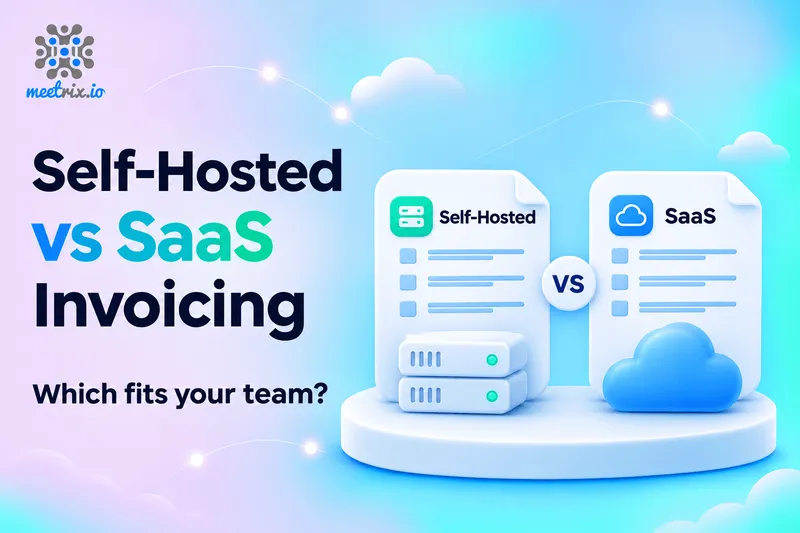
For most of us, invoicing software is something we rent. But lately, a growing number of businesses are asking a different question: should we own it instead?
There's no universally right answer here. If you're a solo freelancer, SaaS (Software as a Service) is usually the sensible default. But once you have several people billing clients (or when strict rules mean client data has to stay somewhere you control), self-hosting starts to look a lot more attractive.
This guide breaks down both models without the sales pitch. We'll look at what each actually costs as your team grows, what you gain, what you give up, and a plain-English list of who should choose which. Since we make Invantra, a self-hosted invoicing app, we'll tell you where it fits perfectly. But we'll also tell you where it doesn't.
Self-hosted vs. SaaS invoicing at a glance
The short answer
SaaS invoicing is rented software living on the vendor's servers. It's quick to start, packed with integrations, and priced per user or per plan. Self-hosted invoicing runs on a server you control. It's a flat cost no matter how many people use it, and your data stays in your account, but you're responsible for the upkeep.
| Feature | SaaS invoicing | Self-hosted invoicing |
|---|---|---|
| Where it runs | The vendor's cloud | Your own server or cloud account |
| How you pay | Monthly plan, often plus a fee per user | Server cost plus any software fee, flat at any team size |
| Setup time | Minutes | An hour or two with a ready-made image; longer from scratch |
| Updates and backups | Handled by the vendor | Your job (or your IT person's) |
| Where the data lives | Wherever the vendor stores it | The server and region you choose |
| Bank feeds, cards, tax | Usually built-in | Often missing or needs extra work |
| Price changes | Set by the vendor, any time | Mostly in your hands |
| Leaving | Depends on the export the vendor offers | The database is yours |
SaaS invoicing: pros and cons
Tools like FreshBooks, Xero, Zoho Invoice, QuickBooks, and Wave are popular for a reason. They do a lot, and you never have to think about the server.
Where SaaS shines
- Sign up and send your first invoice the same day.
- Bank feeds, online card payments, and payment reminders work out of the box.
- Tax calculation, recurring invoices, and email delivery are built-in.
- You get mobile apps, easy accountant access, and integrations with other tools.
- Security patches, uptime, and backups are completely the vendor's problem.
Where SaaS hurts
- Per-user fees: FreshBooks charges $11 a month for every extra team member.
- Plan caps: Limits on clients, invoices, or users often force you to upgrade to a pricier tier. Zoho Invoice's free plan, for example, caps you at 2 users and 500 invoices a year.
- Price hikes: Prices change on the vendor's schedule (Xero's US plans rose in October 2026 to $27, $59, and $97).
- Data location: Client data sits in the vendor's chosen region, under their terms.
- Vendor lock-in: Leaving is only as easy as the export they provide.
That per-user point is what usually catches growing teams. A tool that costs $43 a month for one person can easily cost three or four times that once everyone who raises invoices or chases payments needs a login.
Self-hosted invoicing: pros and cons
Self-hosted invoicing means running the app yourself, usually on a small cloud server. Most options are open source; our roundup of open source invoicing software compares seven of them.
The perks of self-hosting
- Flat cost: You pay the same whether three people use it or thirty.
- Data control: Client lists, amounts, and payment records stay in your account, in a region you pick.
- Stability: No vendor can suddenly raise the price or retire the plan you're on.
- Transparency: You get open-source code you can read, and a database you can back up and query yourself.
- Team features: There's room for things like an approval step without paying for a premium tier.
The catch with self-hosting
- Someone has to own updates, certificates, and backups.
- Fewer integrations: bank feeds and card payments usually aren't built in.
- Many tools are thinner on tax, recurring billing, and email sending.
- No vendor support desk (unless you pay for one).
- Outages are yours to notice and fix.
Data control matters more for some businesses than others. If you bill EU clients or handle sensitive information, keeping invoices in a region you choose is a real advantage. (Our guide on GDPR-compliant invoicing covers what that does and doesn't solve.)
What each costs by team size
Here is the monthly cost for the people who need to log in, at list prices in November 2026. The self-hosted row is Invantra on AWS (software fee plus server); the full breakdown is in our self-hosted invoicing cost article.
| Team size | Zoho Invoice | FreshBooks Plus | Xero Growing | Self-hosted (Invantra) |
|---|---|---|---|---|
| 1 to 2 people | $0 | $43 to $54 | $59 | $22 to $28 |
| 5 people | Needs a paid Zoho plan | $87 | $59 | $22 to $28 |
| 10 people | Needs a paid Zoho plan | $142 | $59 | $22 to $28 |
A couple of honest takeaways from that table: For one or two people, a free SaaS plan is hard to beat. Self-hosting to save money at that size just doesn't make sense. Also, Xero has no per-user fees, so if you need full accounting rather than just invoicing, it can be the better value even for a team of ten; every plan includes unlimited users.
Don't self-host just to save $20 a month. Self-host when seat fees, data location, or vendor control have become a real problem for your business.
What self-hosting asks of you
Here's the reality check most comparisons skip. Under the AWS shared responsibility model, the cloud provider secures the hardware and data center. Everything on the server is yours. For an invoicing app, that means:
The self-hosting checklist
- Updates and patching: Running outdated software is one of the most common causes of security incidents. Separate urgent security patches from feature updates, and always test in a staging environment before applying to production.
- Verified backups: Take a fresh backup before any update, and confirm it's valid. A database copy alone is not a complete backup if encryption keys are stored separately, so keep them safe.
- HTTPS: Put the app behind a domain with a certificate, and renew it.
- Access control: Decide who has an account, enforce least privilege, and remove people when they leave.
- Monitoring: Notice when the server is down before a client does.
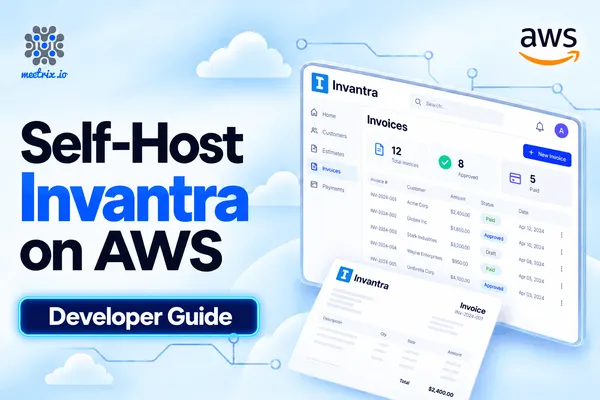
None of this is hard for anyone who has run a server, and a pre-configured marketplace image does the first setup for you. (Our guide to self-hosting Invantra on AWS shows exactly what that looks like.) But if nobody on your team would notice an expired certificate, SaaS is the safer choice.
What Invantra doesn't do
Who should choose which
Stick with SaaS if
- You're a freelancer or a team of two, and a free or low-cost plan covers you.
- You want bank feeds, card payments, and automatic tax in one place.
- You need recurring invoices and automatic email reminders.
- Nobody on the team wants to look after a server.
- You need full accounting, not just invoicing.
Self-hosting makes sense if
- Five or more people need to create, approve, or chase invoices.
- Client data has to stay in a region or account you control.
- You want an approval step before anything reaches a client.
- Someone on the team already looks after servers or cloud accounts.
- You're tired of price rises and plan changes you didn't choose.
Many businesses end up with a hybrid setup: SaaS accounting software for the books and bank feeds, and a self-hosted invoicing tool where the team raises estimates and invoices. If you're leaving a SaaS tool, our guide to migrating invoicing software by CSV covers the move, and the FreshBooks alternative for teams and Zoho Invoice vs Invantra comparisons go product by product.
Frequently Asked Questions
What is the difference between self-hosted vs SaaS invoicing?
SaaS means you pay a vendor monthly (often per user) to use their software on their servers. Self-hosted means you install the software on a server you control, usually paying a flat infrastructure fee with no per-user charges.
Is self-hosted invoicing cheaper than SaaS?
It depends on team size. For one or two people, free SaaS plans are usually cheaper. But for teams of five or more, self-hosted solutions often cost significantly less because you aren't paying per seat.
Is self-hosted invoicing secure?
Yes, provided you maintain it properly. You control the data, but you are also responsible for applying security patches promptly, testing updates in a staging environment, and keeping verified backups with tested restores.
Can I switch from SaaS to self-hosted invoicing later?
Yes. Most invoicing tools allow you to export your clients, items, and invoices via CSV, which you can then import into your new self-hosted tool.
Who should not self-host their invoicing?
If you don't have anyone technical on your team to manage server updates and backups, or if you heavily rely on built-in bank feeds, automatic tax, and online card payments, a SaaS tool is a safer and easier choice.
Try Self-Hosted Invoicing on Your Own AWS Account
Launch Invantra in your own AWS account with a 5-day free trial. Unlimited users, estimates, approvals, invoices, and payments, at a flat cost of about $22 to $28 a month.
Get Invantra on AWS Marketplace