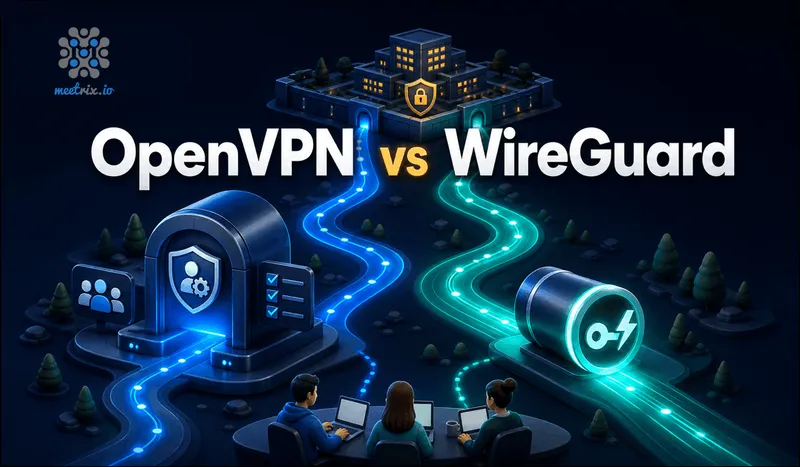
Most OpenVPN vs WireGuard content answers the wrong question. It compares protocol speed for a single person's laptop, which isn't what a business setting up remote access actually needs to know. The real question is: can your team log in with their own accounts, can IT revoke one person's access without touching everyone else's, and does the tool do that out of the box? On that question, OpenVPN Access Server and raw WireGuard aren't even in the same category, WireGuard is a protocol, not a product.
Quick answer
Jump to a section
OpenVPN Access Server: a working business VPN out of the box
OpenVPN Access Server is a self-hosted VPN with a web-based admin console, per-user authentication, and downloadable client software for every major platform. It's free forever for up to 2 simultaneous connections with no credit card required. Past that, the Growth plan runs $7 per connection per month on annual billing, and Enterprise plans (2,000+ connections) are custom quoted with volume discounts. Every tier gets the same feature set, there's no crippled free version, just a connection cap.
Key facts
- Free forever for up to 2 simultaneous connections
- Growth plan: $7 per connection per month (annual billing)
- Web admin console with per-user accounts and one-click revocation
- Runs over TCP or UDP, including TCP port 443 for restrictive networks
WireGuard: a fast protocol, not a management platform
WireGuard is a VPN protocol and kernel module, not a product with an admin panel. It's been part of the mainline Linux kernel since version 5.6, and its entire codebase runs to roughly 4,000 lines, small enough to audit in an afternoon, next to OpenVPN's much larger surface area. That small footprint is exactly why it's fast: less code to execute per packet, and encryption handled by modern primitives (ChaCha20) rather than routing everything through OpenSSL's general-purpose stack. What it doesn't have is a way to add or remove a user without hand-editing config files and redistributing keys yourself.
Key facts
- Built into the Linux kernel since version 5.6, no separate kernel module to install
- UDP only, no TCP fallback mode
- No built-in concept of user accounts, only public-key peers
- Needs a wrapper (Headscale, Tailscale, wg-easy, Netmaker) for any kind of team management
The gap nobody mentions: user management
A full mesh of WireGuard peers needs n(n-1)/2 pairwise connections configured by hand, which is why almost nobody runs raw WireGuard at business scale. The realistic options (compared side by side in our self hosted VPN roundup) layer something on top: wg-easy wraps a single WireGuard server in a Docker container with a web dashboard for adding peers and generating QR codes, fine for a small team on one server. Headscale, which we also package as an AMI, reimplements Tailscale's coordination server so you get proper multi-device identity, access control lists, and SSO, all running on WireGuard underneath, self-hosted.
OpenVPN Access Server skips that step entirely because the management layer was the product from day one. That's the actual tradeoff: WireGuard's protocol is leaner, but you're assembling the business features yourself from separate open source projects instead of getting them in one package.
Performance and protocol design
WireGuard wins on raw performance in nearly every independent test: lower latency, higher throughput, and less CPU overhead per connection, largely because it runs partly in kernel space and uses a deliberately small, modern cryptographic suite. OpenVPN runs in userspace and relies on OpenSSL, which is more flexible (it supports a wider range of ciphers and authentication methods) but slower per packet as a direct result of that flexibility. For a handful of remote employees, the difference is unlikely to be noticeable. For hundreds of concurrent tunnels on modest hardware, WireGuard's efficiency starts to matter.
Cost
OpenVPN Access Server has a transparent price: free for 2 connections, then $7 per connection per month on Growth, custom pricing past 2,000 connections. The open-source Community Edition skips the connection fee entirely, which is what our OpenVPN AMI on AWS Marketplace runs. WireGuard itself has no license cost at all, it's part of the Linux kernel. But "free" undersells it: once you add Headscale or Netmaker to get usable team management, you're running and maintaining that additional service too, which has the same server, backup, and patching overhead as any other self-hosted tool. The honest comparison isn't OpenVPN's price against zero, it's OpenVPN's price against the ops time of running and maintaining a second open source project.
Firewalls and restrictive networks
OpenVPN can run over TCP on port 443, which looks identical to ordinary HTTPS traffic to most firewalls and deep packet inspection systems. That makes it the more reliable choice for employees connecting from hotel Wi-Fi, corporate guest networks, or countries that actively block VPN traffic. WireGuard is UDP-only by design, no TCP fallback exists, and networks that block or heavily throttle UDP (common on restrictive corporate and public networks) will block it outright with no workaround built into the protocol itself.
OpenVPN vs WireGuard: the facts
| Criterion | OpenVPN Access Server | WireGuard (raw) |
|---|---|---|
| What it is | A complete self-hosted VPN product | A protocol and kernel module only |
| User accounts / admin console | Built in | None, peers are just public keys |
| Free tier | 2 simultaneous connections, forever | Free, but no management layer included |
| Paid tier | $7/connection/month (Growth, annual) | N/A (cost shifts to whatever wrapper you add) |
| Transport | TCP or UDP, including port 443 | UDP only, no TCP fallback |
| Kernel integration | Userspace, OpenSSL-based | Mainline Linux kernel since 5.6 |
| Approximate codebase size | Much larger, broader feature surface | ~4,000 lines |
| Team-ready without extra tooling | Yes | No, needs Headscale, Tailscale, wg-easy, or similar |
Where each one falls short
OpenVPN Access Server
- Slower throughput and higher CPU overhead per connection than WireGuard, especially at high concurrent-user counts
- Per-connection pricing on the Growth plan adds up as headcount grows
- Larger codebase means a bigger attack surface to keep patched
WireGuard (raw)
- Zero user management, revoking one employee's access without a wrapper tool means manually editing configs
- UDP-only, no fallback for networks that block or throttle it
- The "free" pitch hides real ops work: you're now running and patching a second service (Headscale, wg-easy, or similar) to get business features
OpenVPN vs WireGuard for a business isn't really a protocol contest, it's a question of whether you want user management included or assembled from parts. OpenVPN Access Server wins for teams that want to log in and revoke access today, not after standing up a second open source project first. WireGuard wins on raw efficiency for teams willing to pair it with Headscale or a similar coordination layer, and it's worth doing that pairing deliberately rather than by accident.
Our OpenVPN developer guide covers the Access Server setup end to end, and the GCP version covers the same for Google Cloud. If WireGuard's performance profile appeals but you still want the account management OpenVPN gives you, our Headscale developer guide covers exactly that combination, self-hosted, WireGuard-based, with real user and device management.
Frequently Asked Questions
OpenVPN vs WireGuard: which should a business pick for remote access?
OpenVPN Access Server if you want a working admin console, user accounts, and client management out of the box. Plain WireGuard has none of that, you'd need to add Headscale, Tailscale, or wg-easy on top before it's usable for a team, not just yourself.
Is WireGuard vs OpenVPN mostly a speed argument?
For raw throughput, yes, WireGuard's small codebase and kernel-level implementation generally beat OpenVPN's userspace, OpenSSL-based design. For running an actual business VPN with multiple employees, the bigger difference is that OpenVPN Access Server ships user management and WireGuard doesn't.
What is OpenVPN Access Server, exactly?
A self-hosted VPN server with a web admin console, per-user accounts, and client software for connecting. It's free for up to 2 simultaneous connections, then priced per additional connection on the Growth plan.
Can I run a business VPN self hosted on WireGuard alone?
Technically yes with wg-quick and manually edited config files, but nobody manages that at team scale. Realistic self-hosted options layer a coordination tool on top: Headscale for a Tailscale-compatible mesh, or wg-easy for a simpler peer-management dashboard.
Does OpenVPN Access Server use the WireGuard protocol?
No. Access Server is built on OpenVPN's own protocol (SSL/TLS-based, running over TCP or UDP). It doesn't use WireGuard under the hood, so throughput and CPU overhead differ from what you'd get running WireGuard directly.
Which is easier to lock down behind strict corporate firewalls?
OpenVPN, because it can run over TCP port 443, which looks like ordinary HTTPS traffic to most firewalls. WireGuard is UDP-only by design, and networks that block or throttle UDP will block it outright, no fallback exists.
Launch an OpenVPN Server on AWS in Minutes
Launch a pre-configured OpenVPN Community Edition server on AWS, with no per-connection license fee and client profiles generated by a single script.
Get OpenVPN on AWS Marketplace