Written in 2019
Out of the box, Openfire generates a self-signed certificate. XMPP clients either warn about it or refuse to connect, and other servers won't federate with it. Replacing it with a free Let's Encrypt certificate fixes both.
Step 1: Generate the certificate with certbot
Point your XMPP domain at the server, open TCP port 80 for the Let's Encrypt HTTP-01 challenge, and request a certificate in standalone mode:
sudo certbot certonly --standalone -d yourdomain.comThe files land in /etc/letsencrypt/live/yourdomain.com/. You need two of them for the import: privkey.pem and cert.pem.
Step 2: Open the Openfire SSL identity store
In the Openfire admin console, open the certificate store management page:
http://yourdomain.com:9090/security-certificate-store-management.jsp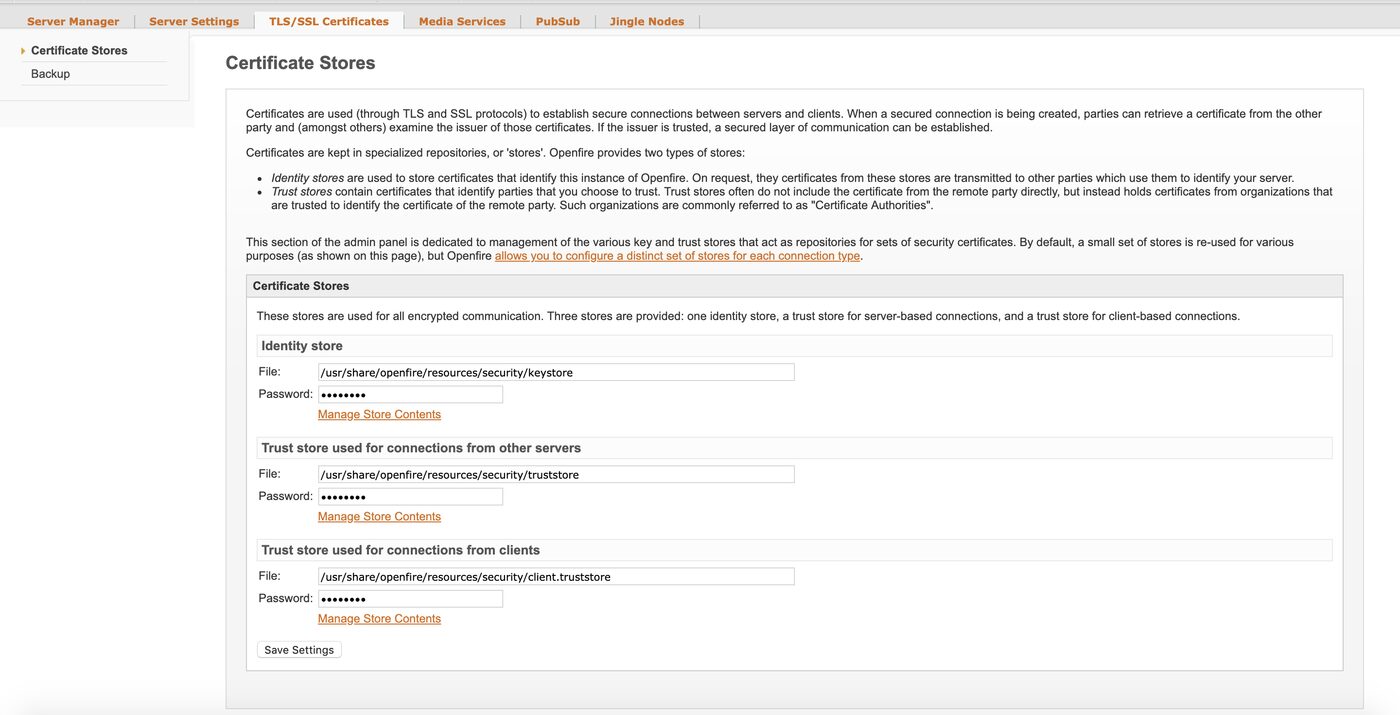
Click Manage Store Contents under the Identity Store.
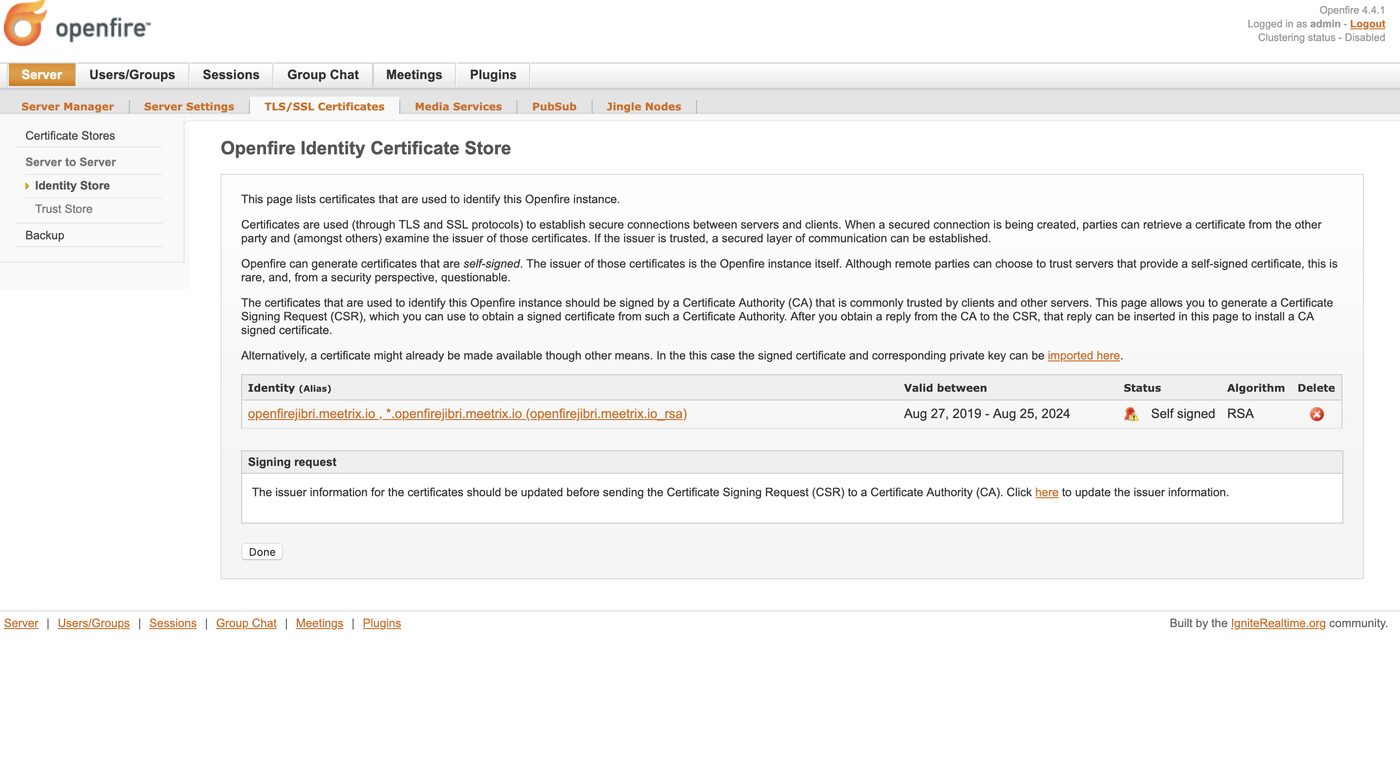
Click the link to import a new certificate.
Step 3: Paste the key and certificate
On the server, print the two files:
sudo cat /etc/letsencrypt/live/yourdomain.com/privkey.pem
sudo cat /etc/letsencrypt/live/yourdomain.com/cert.pem
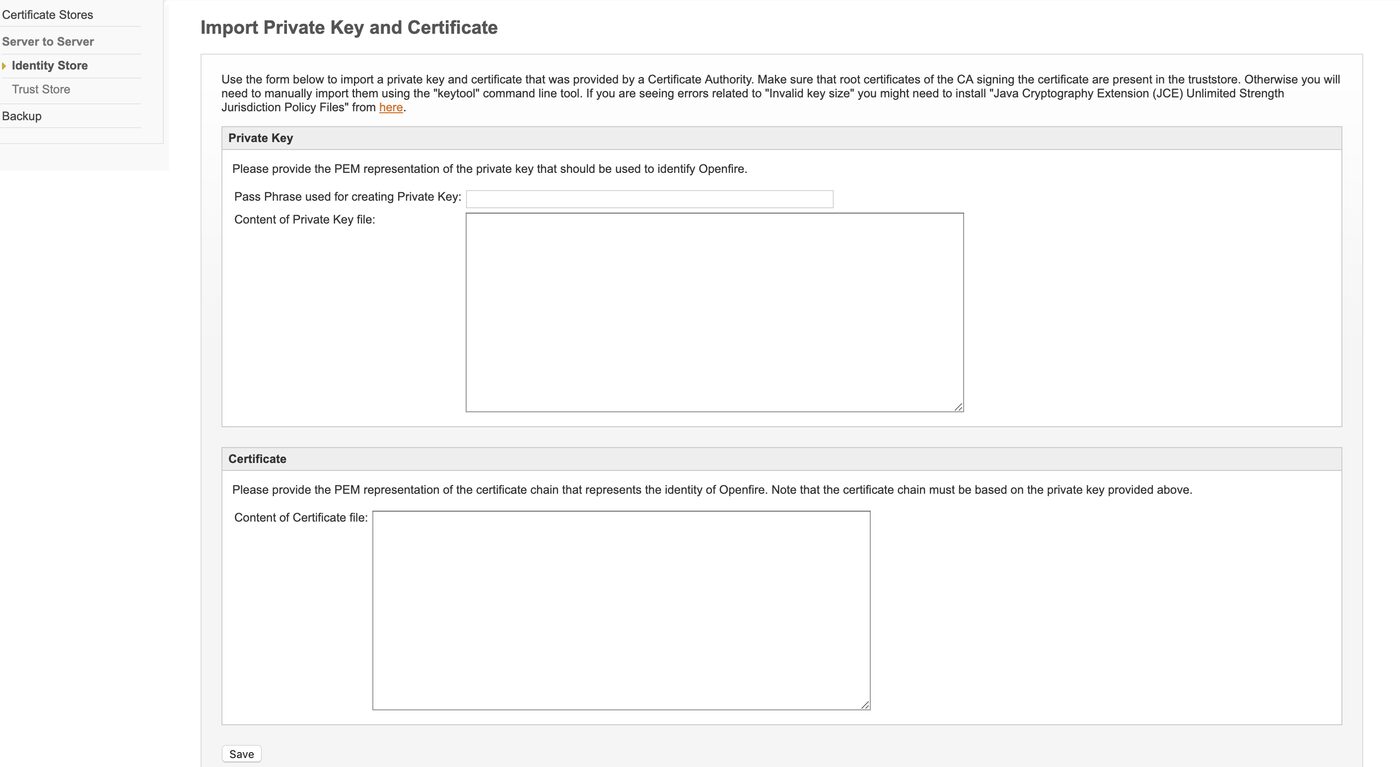
Paste the contents of privkey.pem into Content of Private Key file and the contents of cert.pem into Content of Certificate file, then save.
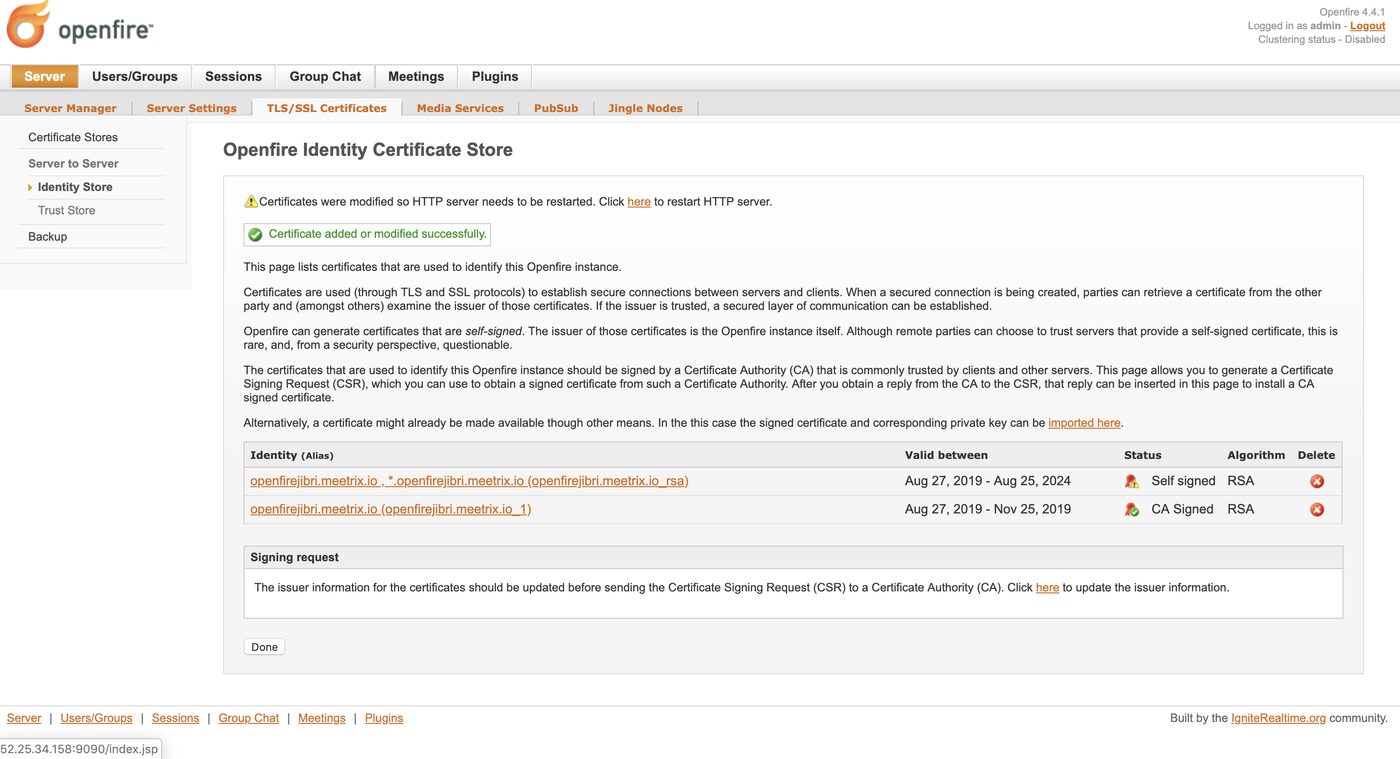
Once the import succeeds, the Let's Encrypt certificate appears in the identity store. Remove the old self-signed certificate for the same domain so Openfire doesn't keep serving it.
Step 4: Add the chain to the server trust store
For server-to-server connections, open the trust store used for connections from other servers:
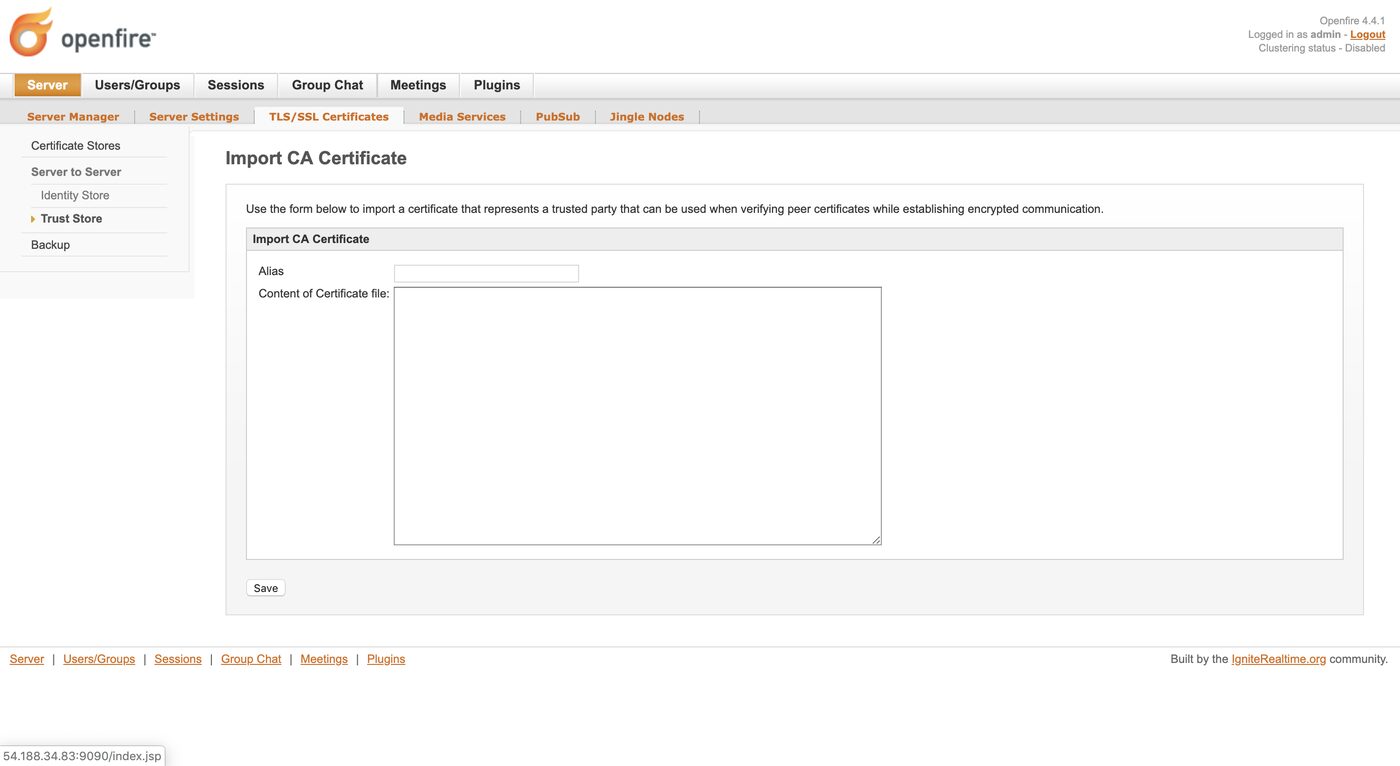
http://yourdomain.com:9090/security-truststore.jsp?connectionType=SOCKET_S2SClick Manage Store Contents, then the import form. Set the alias to Let's Encrypt, paste one certificate from fullchain.pem into Content of Certificate file, and save.
Restart Openfire so it picks up the new identity certificate:
sudo systemctl restart openfire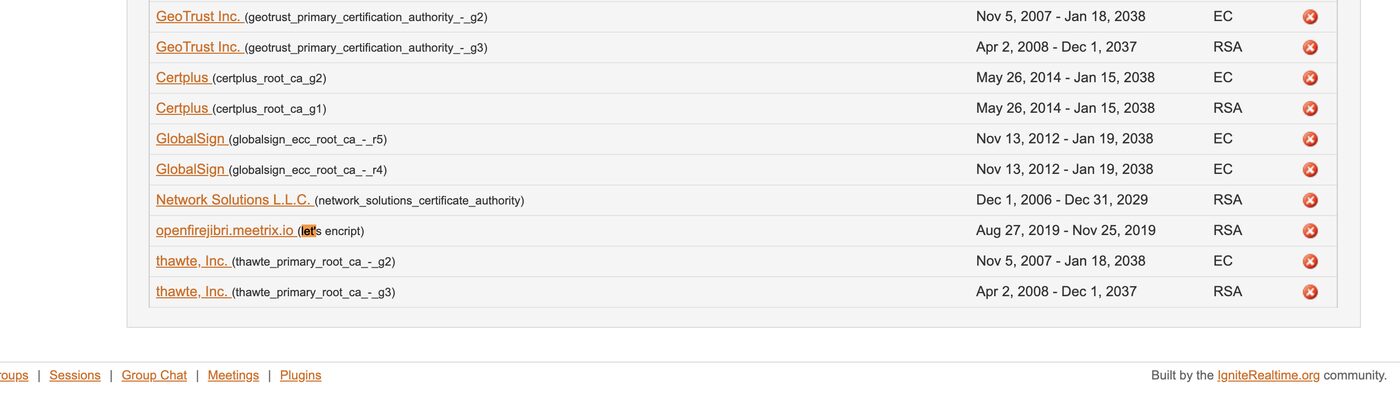
About renewals
The one thing this 2019 method doesn't solve: Let's Encrypt certificates last 90 days. certbot renews the files in /etc/letsencrypt automatically, but Openfire keeps its own copy in its keystore, so the import has to happen again after each renewal. Put a reminder in your calendar at the very least, or script it with a certbot deploy hook. The same deploy-hook pattern is shown for another service in installing Coturn on Ubuntu.
For background on the protocol Openfire serves, see what XMPP is and how it works.
Frequently Asked Questions
Why does Openfire still show a self-signed certificate after importing Let's Encrypt?
Either the old self-signed entry is still in the identity store and being chosen first, or Openfire was not restarted after the import. Remove the self-signed certificate for your domain from the identity store, then restart Openfire.
Do I have to import the certificate again every 90 days?
With the manual method in this guide, yes. Let's Encrypt certificates expire after 90 days and certbot renews the files on disk, but Openfire keeps its own copy in its keystore. Script the import, or terminate TLS in front of Openfire, so renewals don't depend on someone remembering.
Should I use cert.pem or fullchain.pem?
This 2019 guide pasted cert.pem into the certificate field, which worked with the clients we tested then. If clients report an incomplete certificate chain, use fullchain.pem instead so the intermediate certificate is served too.
Which port must be open for certbot?
TCP 80, because certbot's standalone mode answers the HTTP-01 challenge itself. Nothing else can be listening on port 80 during the request, and the port can be closed again afterwards if you prefer.
Where does Openfire store its SSL certificate?
In its own keystore, not on disk beside the certbot files. Openfire's identity store holds the private key and certificate you paste into the admin console, and the trust store holds certificates from the other servers it federates with.