On this page
Coturn is the open source TURN and STUN server almost every self-hosted WebRTC stack ends up using, whether that is Jitsi, Kurento or a custom app with its own signaling server. Installing it takes one command. Configuring it so calls actually connect, stay secure, and survive the next certificate renewal is where the time goes.
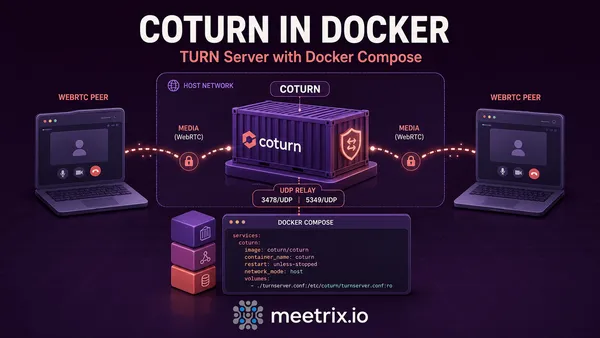
This guide was first written in 2019 for Ubuntu 18.04. The commands have been updated for current Ubuntu LTS releases, where apt gives you Coturn 4.6.1 on both 24.04 and 26.04, and a few things older guides got wrong have been fixed along the way. If you would rather run it in a container, see Coturn with Docker Compose instead.
Open the firewall
Do this first. Half of all "TURN doesn't work" reports are a closed port, usually in the cloud security group rather than on the server itself.
| Port | Protocol | Used for |
|---|---|---|
| 3478 | UDP and TCP | STUN and plain TURN |
| 5349 | TCP | TURN over TLS |
| 49152 to 65535 | UDP | Relayed media |
| 80 | TCP | Only while certbot issues or renews the certificate |
sudo ufw allow 3478/udp
sudo ufw allow 3478/tcp
sudo ufw allow 5349/tcp
sudo ufw allow 49152:65535/udp
sudo ufw allow 80/tcp
sudo ufw enable
Don't reuse Jitsi's port range
Coturn install from the Ubuntu package
sudo apt update
sudo apt install -y coturn
Check /etc/default/coturn before starting it. The Debian and Ubuntu packaging has long shipped with the service disabled by a commented-out line, and on those installs systemctl start reports success while nothing listens. If you see #TURNSERVER_ENABLED=1, uncomment it:
sudo sed -i 's/^#TURNSERVER_ENABLED=1/TURNSERVER_ENABLED=1/' /etc/default/coturn
sudo systemctl enable coturn
Coturn username and password: pick a credential mode
Coturn has two ways of deciding who may relay through it, and choosing the wrong one is the most common security mistake with TURN servers.
Time-limited (use-auth-secret) | Long-term (lt-cred-mech) | |
|---|---|---|
| How it works | Server and app share a secret. The app generates a username with an expiry time and a matching password. | Fixed usernames and passwords in the config or database. |
| If credentials leak | They stop working when they expire | Anyone can use your bandwidth until you change them |
| Use for | Browsers and mobile apps: Jitsi Meet, custom WebRTC apps | Server-side clients that can't generate credentials, such as Kurento |
If credentials end up in JavaScript that a browser downloads, and for WebRTC they always do, use time-limited credentials. The mechanism is described in the TURN REST API draft, and Jitsi, among others, supports it directly.
Coturn config: write turnserver.conf
Replace /etc/turnserver.conf with a short file you understand, rather than editing the 900-line example (every option is documented in the upstream example config if you need one this doesn't set). This is the time-limited version:
listening-port=3478
tls-listening-port=5349
fingerprint

use-auth-secret
static-auth-secret=REPLACE_WITH_A_LONG_RANDOM_STRING
realm=turn.example.com

# public IP / private IP, needed on AWS, GCP and anything behind NAT
external-ip=203.0.113.10/10.0.1.25
min-port=49152
max-port=65535

# filled in by the TLS step below
cert=/etc/coturn/certs/fullchain.pem
pkey=/etc/coturn/certs/privkey.pem

no-cli
no-multicast-peers
denied-peer-ip=10.0.0.0-10.255.255.255
denied-peer-ip=172.16.0.0-172.31.255.255
denied-peer-ip=192.168.0.0-192.168.255.255
syslog
Generate the secret with openssl rand -hex 32. For long-term credentials, replace the use-auth-secret and static-auth-secret lines with:
lt-cred-mech
user=kurento:REPLACE_WITH_A_STRONG_PASSWORD
Two lines in there deserve an explanation, because most guides skip them.
external-ip tells Coturn which address to put in relay candidates. Cloud instances only see their private IP on the network interface, so without it Coturn hands clients an address nobody can reach. Use the public IP, a slash, and the private IP.
The denied-peer-ip lines stop your TURN server being used as a proxy into your own private network. Without them, anyone holding valid credentials can relay traffic to 10.x addresses inside your VPC. The catch: if the thing you relay to also lives on a private address, such as a Jitsi videobridge in the same VPC, you have to allow that specific address with an allowed-peer-ip line.
sudo systemctl restart coturn
sudo journalctl -u coturn -n 30 --no-pager
Add TLS on 5349
Some corporate networks only let TLS out. TURN over TLS on 5349 gets through most of them. Point a DNS name at the server, then request a certificate:
sudo apt install -y certbot
sudo certbot certonly --standalone -d turn.example.com
Here is the step that breaks on renewal. Coturn runs as the turnserver user, and the keys under /etc/letsencrypt/live are readable by root only. Pointing cert and pkey straight at them fails, sometimes silently. Copy them with a deploy hook, which certbot runs after every renewal:
sudo tee /etc/letsencrypt/renewal-hooks/deploy/coturn.sh > /dev/null <<'EOF'
#!/bin/sh
set -e
DOMAIN=turn.example.com
install -d -o turnserver -g turnserver -m 0700 /etc/coturn/certs
install -o turnserver -g turnserver -m 0400 /etc/letsencrypt/live/$DOMAIN/fullchain.pem /etc/coturn/certs/fullchain.pem
install -o turnserver -g turnserver -m 0400 /etc/letsencrypt/live/$DOMAIN/privkey.pem /etc/coturn/certs/privkey.pem
systemctl restart coturn
EOF
sudo chmod 0755 /etc/letsencrypt/renewal-hooks/deploy/coturn.sh
sudo /etc/letsencrypt/renewal-hooks/deploy/coturn.sh
The last line runs it once now, so the copies exist before the first renewal.
Test your Coturn server setup
Use the Trickle ICE test page, or our WebRTC ICE tester, which has a relay-only mode. With time-limited credentials you have to generate a username and password from the secret, the same way your app will:
secret=REPLACE_WITH_A_LONG_RANDOM_STRING
username="$(( $(date +%s) + 3600 )):test"
password=$(printf '%s' "$username" | openssl dgst -binary -sha1 -hmac "$secret" | openssl base64)
echo "username: $username"
echo "password: $password"
Enter turn:turn.example.com:3478 with those credentials and click Gather candidates. The thing to look for is a row with type relay. The page printing "Done" at the end only means gathering finished, and it does that even when authentication failed. No relay row means no working TURN.
Test turns:turn.example.com:5349 too if you set up TLS. If UDP works and TLS does not, it is the certificate path or permissions; the Coturn log will say it cannot read the file.
Use it with Kurento
Kurento Media Server cannot generate time-limited credentials, so give it a long-term user as shown above. Then set the TURN URL in /etc/kurento/modules/kurento/WebRtcEndpoint.conf.ini:
turnURL=kurento:REPLACE_WITH_A_STRONG_PASSWORD@203.0.113.10:3478?transport=udpNote the IP address. Kurento's own config file says domain names are not supported here, and a hostname fails without an obvious error. Restart with sudo systemctl restart kurento-media-server. Installing Kurento Media Server on Ubuntu covers the rest of that setup.
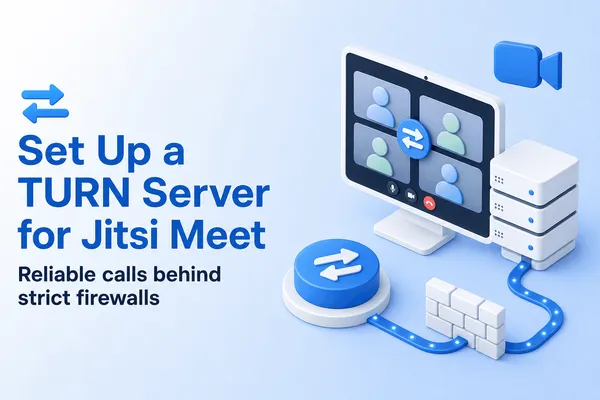
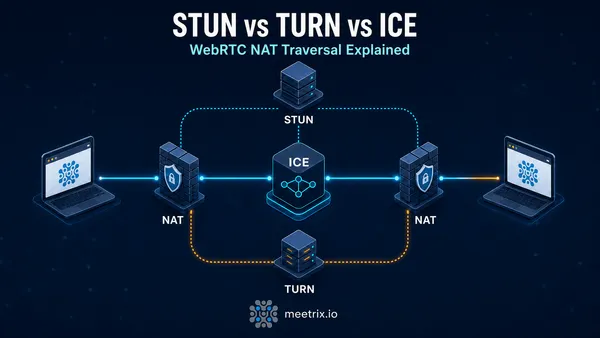
For Jitsi Meet, you don't edit Kurento-style URLs at all; Prosody hands out time-limited credentials from the same secret, which setting up a TURN server for Jitsi Meet walks through. And if you are still deciding whether you need TURN or only STUN, STUN vs TURN vs ICE answers that first.
Frequently Asked Questions
Which ports does Coturn need open?
3478 UDP and TCP for plain TURN and STUN, 5349 TCP for TURN over TLS, and the relay range, UDP 49152 to 65535 by default. If you move TURN to 443 to get through strict firewalls, open that instead and make sure no web server holds it.
How do I set a Coturn username and password?
For fixed credentials, add lt-cred-mech and a line such as user=kurento:password to turnserver.conf. For browsers, use use-auth-secret instead: the username is an expiry timestamp and the password is an HMAC-SHA1 of it, generated from static-auth-secret by your app.
Should I use static-auth-secret or lt-cred-mech?
Use use-auth-secret with static-auth-secret for anything browsers connect to, because the generated credentials expire. Use lt-cred-mech with fixed users only for server-side clients, such as Kurento, that cannot generate credentials themselves.
Why does Trickle ICE show no relay candidates?
Coturn rejected the credentials or never got the request. With static-auth-secret the password must be generated from the secret, not typed in. Confirm UDP 3478 is open in ufw and the cloud security group, and read journalctl -u coturn while you test.
Can I run Coturn in Docker instead?
Yes. The official coturn/coturn image works with host networking, which avoids mapping thousands of relay ports. The same turnserver.conf applies. Our Coturn Docker Compose guide has a working compose file.
Why can't Coturn read my Let's Encrypt certificate?
Coturn runs as the turnserver user, and Let's Encrypt keys under /etc/letsencrypt/live are readable only by root. Copy the certificate and key into a directory owned by turnserver with a certbot deploy hook, and point cert and pkey at the copies.
Can Coturn run on the same server as Jitsi Meet?
Yes, but watch the ports. The videobridge uses UDP 10000, so never set Coturn's min-port to 10000 as older guides do, and nginx normally owns 443. Keep Coturn on 3478 and 5349, or give it its own IP if you need TURN on 443.
Want Coturn Without the Setup?
A pre-configured Coturn TURN and STUN server on AWS with TLS and time-limited credentials ready to use.
Deploy Coturn from AWS Marketplace