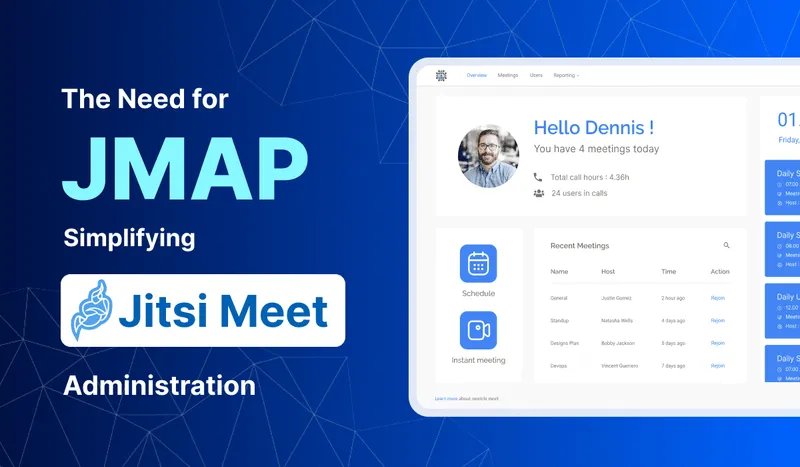
Jitsi Meet is easy to like on day one. You install it, share a link, and people are talking. The trouble starts a few months later, when twenty people across three departments are booking calls and someone asks who has access, which meetings ran last week, and why the logo is still the default one.
Stock Jitsi has no screen for any of that. Users live in Prosody, settings live in config files, and reports don't exist. JMAP, the Jitsi Meet Admin Panel, is the console Meetrix built to fill that gap.
What gets hard as a Jitsi Meet server grows
User access
With secure domain turned on, every host account is a Prosody user created from the command line. Fine for five people. At fifty, nobody remembers who still needs access, and removing a leaver means someone with SSH access remembering to do it.
Meetings nobody can see
A Jitsi room exists while people are in it, then it's gone. There's no built-in list of upcoming meetings, no schedule, no record of what happened. For a team that books client calls in advance, that turns into a shared spreadsheet next to the video tool.
Branding and settings by config file
Logos, colours and feature toggles live in config.js and interface_config.js. Every change is a server edit, and every Jitsi upgrade is a chance to lose it. We wrote up the details in our guide to customizing the Jitsi Meet front end.
What JMAP adds
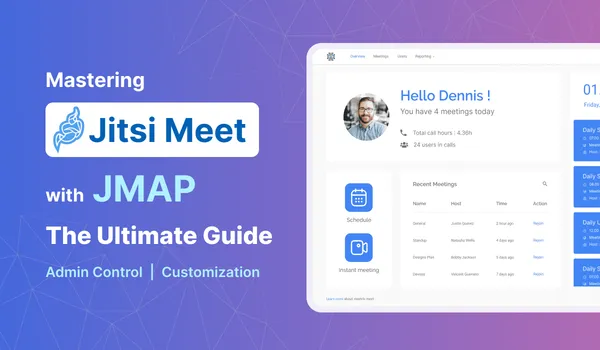
JMAP is a web console that sits next to your own Jitsi Meet server. From it, admins can:
- Create users and set roles. One Super Admin manages everything, including other admins and settings such as who may record. Regular admins create and manage meetings.
- Start instant meetings, or schedule them with a name, date, start and end time and expected participants, then share the link.
- See upcoming meetings and edit them.
- Brand the meeting pages with your own logo and colours, without touching config files.
- Use file upload, the shared whiteboard and the ScreenApp local recording plugin inside meetings.
- Pull usage reports.
Our step-by-step JMAP guide walks through setting up admin users and scheduling a meeting, with screenshots. You can also click through the live JMAP demo.
When you actually need it
Not every Jitsi server does. If you're one team using a handful of links, stock Jitsi is fine and an admin panel is overhead.
It starts paying off in three situations:
- A company with several departments booking calls, where IT wants one place to add and remove users instead of SSH sessions.
- Schools and training providers, where classes are scheduled in advance and teachers aren't going to edit config files. Our piece on Jitsi virtual classrooms covers the teaching side.
- Clinics and other regulated teams, where knowing who can host, who can record and what ran when is part of the compliance story. See HIPAA-compliant self-hosted telehealth for what else that involves.
JMAP manages users and meetings. It doesn't make the server bigger. If calls are getting large, the fix is on the media side: more videobridges, as in our guide to scaling Jitsi videobridges with Octo. And if you want to stream meetings out to an audience, see live streaming with Jitsi and JMAP.
How Meetrix runs it
JMAP isn't a plugin you download. Meetrix sets it up alongside your Jitsi Meet deployment, including media servers, recording servers and SIP dial-in and dial-out if you need them, and updates the system to current Jitsi versions every few months. Pricing is quoted on how many users you have and whether we host and maintain the servers. The details are on the Jitsi Meet Admin Panel page.
Frequently Asked Questions
What is JMAP in Jitsi?
JMAP is the Jitsi Meet Admin Panel, a web console Meetrix runs on top of your own Jitsi Meet server. Admins create users, schedule and edit meetings, set branding and see usage reports from one screen instead of editing config files.
Does Jitsi Meet have an admin panel?
Not out of the box. Stock Jitsi Meet has moderators inside a call, but no web console for users, schedules or reports. That is done through Prosody and config files on the server, which is the gap JMAP fills.
Is JMAP the same as the JMAP email protocol?
No. The JSON Meta Application Protocol (RFC 8620) is an IETF standard for email and calendar sync. The Jitsi Meet Admin Panel just shares the acronym; the two are unrelated.
What is the difference between Super Admin and Admin in JMAP?
There is one Super Admin with full rights, including managing other admins and platform settings such as who can record. Admin users create and manage meetings but have limited access to general settings.
Can I add JMAP to my existing Jitsi server?
It runs alongside a self-hosted Jitsi Meet deployment. Meetrix sets it up, including media servers, recording and SIP dial-in if you need them, and keeps the server on current Jitsi versions.