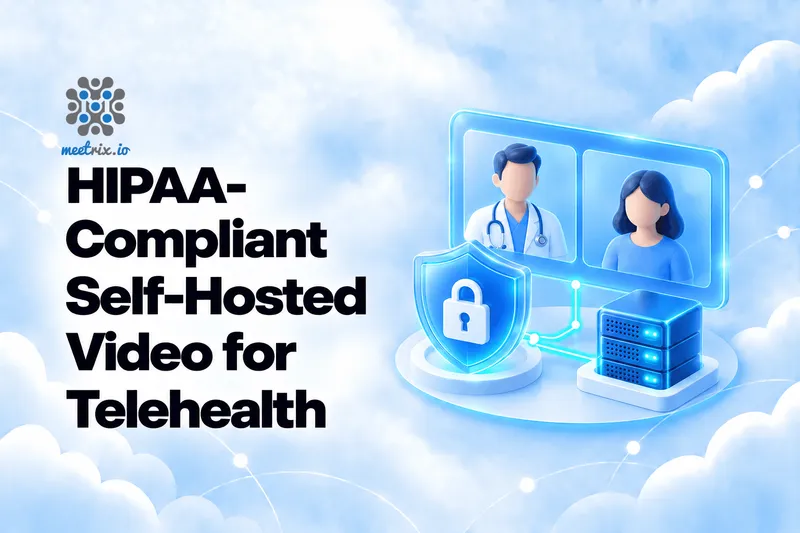
There is no such thing as HIPAA-compliant software. There are covered entities that use software in a compliant way, and that distinction decides everything in a telehealth video project. Self-hosting your video platform does not make you compliant. What it does is shrink the problem: no video vendor holding your patients' sessions, no third-party recording archive, and a much shorter list of companies you have to sign agreements with.
This guide is for the person who has to build or approve that setup. It maps the HIPAA Security Rule's technical safeguards onto a self-hosted Jitsi deployment, covers the agreements you still need even when you host everything yourself, and ends with a checklist. It is a technical guide, not legal advice, so have your compliance officer or counsel review whatever you build. For the broader picture of video in clinical settings, see our overview of video conferencing in healthcare.
The Quick Verdict
A small clinic starting out
Self-host Jitsi in a cloud account covered by a BAA, require sign-in for clinicians, admit patients through a lobby, and do not record.
You need recordings or transcripts
Treat every file as ePHI: encrypt it, restrict who can open it, log access, and delete it on a schedule.
Already on a hosted vendor with a BAA
That can be compliant too. Self-host when you want control over where data lives, what is logged, and who can reach it. 8x8's hosted Jitsi service (JaaS) also offers a HIPAA BAA if you want the middle ground.
Want a guarantee
No tool gives you one. Compliance comes from your risk analysis, policies, training and agreements, with the software as one part.
Prerequisites
- A named person responsible for HIPAA compliance, and a current risk analysis. The Security Rule asks for one, and it is the document your technical choices should trace back to.
- A cloud account covered by a signed business associate agreement (BAA), or your own hardware. See the BAA section below.
- A Jitsi Meet deployment you control, ideally with single sign-on or JWT authentication available for clinicians.
- A way to keep real patient data out of testing. Use fake visits while you build.
This is not legal advice
What "HIPAA-Compliant" Means
HIPAA's Security Rule applies to covered entities (providers, health plans, clearinghouses) and their business associates. It protects electronic protected health information, ePHI, which in a video visit includes the audio and video of the consultation, anything typed in chat, and anything stored afterwards. HHS describes the rule on its Security Rule page. Outside healthcare there is still no federal privacy law; the last big attempt, the American Privacy Rights Act, died in committee in 2024.
The rule is about what you do, not what you buy. It asks for administrative, physical and technical safeguards, a risk analysis, and written policies. Vendors who print "HIPAA compliant" on a product page are describing features that help you meet your own obligations, or promising to sign a BAA. They are not describing a certification, because HHS does not certify or endorse products. There is no government body that issues a HIPAA certification for software. When a vendor says it, ask what exactly they mean.
No product earns a HIPAA seal from the government. A self-hosted Jitsi server can be part of a compliant telehealth setup, and a hosted service with a BAA can be too. Either way, the organisation using it is the one that has to show it meets the rule.
That is why the useful question is never "is this tool compliant?" It is "can we show that our use of it meets each safeguard?"
What Self-Hosting Changes
With a hosted video service, the vendor handles your visits on its infrastructure, so it is a business associate and you need a BAA with it. Self-hosting moves that infrastructure into an account or building you control. The obligations do not disappear. They move.
| Question | Hosted video vendor | Self-hosted Jitsi |
|---|---|---|
| Who handles the visit's media | The vendor's servers | Servers in your own cloud account or data centre |
| BAA needed with | The video vendor, and anything it relies on | Your cloud provider, plus any vendor with access to the servers |
| Who sets logging and retention | Mostly the vendor | You |
| Who patches and hardens | The vendor | You |
| Recordings stored | On the vendor's storage | On storage you choose and encrypt |
The trade is control for responsibility. You decide what is logged, where recordings live and who can reach the server, which is exactly what an auditor will ask about. You also own patching, hardening and monitoring. Our Jitsi Meet security best practices checklist is the starting point for the hardening half.
The Five Technical Safeguards
45 CFR 164.312 lists five technical safeguards. Here is each one and what it looks like on a Jitsi deployment:
| Safeguard | What the rule asks | On a Jitsi deployment |
|---|---|---|
| Access control | Unique user identification and an emergency access procedure are required. Automatic logoff is addressable. | Give each clinician an individual identity through SSO or JWT, never a shared login. Expire visit links. Write down who can reach the server in an emergency. |
| Audit controls | Record and examine activity in systems that hold ePHI. | Keep logs of sign-ins, room creation and admin access, plus your cloud's audit trail. Decide what the logs may contain. |
| Integrity | Protect ePHI from improper alteration or destruction. | Restrict write access to recordings and config, patch promptly, and back up what you must keep. |
| Person or entity authentication | Verify that the person seeking access is who they claim to be. | Sign-in through your identity provider with multi-factor authentication for staff, and a lobby so a clinician admits each patient. |
| Transmission security | Guard ePHI against unauthorised access while it travels over a network. | TLS for the web and signalling, DTLS-SRTP for media, and a TURN server that relays only encrypted packets. |
The first four rows are mostly about authentication and logging, which you configure. The last one is largely built in. Jitsi encrypts media in transit with DTLS-SRTP by default, and in a group call the videobridge briefly decrypts packets in memory to route them. On your own server, that is inside your boundary. Our guide to Jitsi Meet encryption explains the details, and what the optional end-to-end layer does and does not cover.
A Patient Visit Flow
A workable telehealth flow on self-hosted Jitsi looks like this:
- The clinician signs in through your identity provider, with multi-factor authentication. Our Jitsi with Keycloak SSO guide shows one way to wire this up.
- Your scheduling system creates a visit and issues the patient a single-use link containing a signed token for one room that expires shortly after the appointment.
- The patient opens the link and lands in a lobby. The clinician sees who is waiting and admits them.
- When the visit ends, the room is dead. The link no longer works.
The token is a standard Jitsi JWT, which our JWT integration guide walks through. The claims below are the shape to aim for:
{
  "iss": "your-app-id",
  "aud": "your-app-id",
  "sub": "meet.example.com",
  "room": "visit-7f3a9c1e2b",
  "exp": 1760000000,
  "context": {
    "user": {
      "id": "pt-4821",
      "name": "Patient"
    }
  }
}
Note the choices. The room name is random, not a patient's name. The user id is an internal reference, not a name or an email. Anything you put in a room name, a URL or a display name can end up in server logs, so keep identifying details out of all three. The expiry is short. Pin the signing algorithm on the server, as the security guide describes, so a forged token cannot choose its own.
Recordings and Transcripts
The biggest ePHI risk in a video system is rarely the live call. It is the file left behind. A recorded visit, a transcript or an AI summary of it is ePHI, and it sits on disk for as long as you keep it.
- The simplest control is not recording. Many practices decide recordings are not worth the exposure. If a clinical or legal reason requires one, record deliberately and with consent.
- Encrypt at rest. Use an encrypted volume or bucket for wherever Jibri writes. Remember snapshots and backups, which copy the recordings too.
- Limit and log access. Few people should be able to open recordings, and you should be able to say who did.
- Delete on a schedule. Keep recordings only as long as your retention policy says, and make deletion automatic:
# Delete recordings older than 30 days. 30 is only an example:
# use the retention period your own policy sets.
find /srv/recordings -type f -mtime +30 -delete
Recording needs Jibri, and our Jitsi Meet with recording developer guide shows the setup. Jibri cannot record a meeting that uses end-to-end encryption, because it never receives the keys, so for visits you must record, use standard transport encryption on your own server.
The same applies to AI notes. A self-hosted AI notetaker for Jitsi can keep audio on your own hardware instead of sending it to a third party, which is a real advantage here. Several open-source projects now do this with fully local processing, with no audio ever leaving your servers. The transcript and summary are ePHI, so they need the same encryption, access control and retention as a recording.
BAAs and Your Cloud
Hosting yourself does not remove the need for business associate agreements. A cloud provider that stores or processes your ePHI on its infrastructure is a business associate, and HHS's cloud computing guidance says that holds even when the data is encrypted and the provider does not hold the key. So the cloud account that runs your Jitsi server needs a BAA behind it.
AWS lists Amazon EC2, EBS and S3 among its HIPAA eligible services. Eligibility can vary by region, so check before you build, and accept the BAA in your account first. Amazon Bedrock and Bedrock AgentCore became HIPAA-eligible in February 2026, which matters if you plan to use AWS's AI services alongside your video stack. The BAA now includes a direct link to the HIPAA Eligible Services list and no longer restricts HIPAA workloads to dedicated instances.
Google Cloud accepts its BAA through the console. The BAA covers all Google Cloud infrastructure (every region, zone, network path and point of presence) plus a specific list of covered products including Compute Engine, Cloud Storage, Cloud SQL, and Gemini Enterprise Agent Platform (formerly Vertex AI). See Google's HIPAA compliance page.
Two more places agreements hide. Any monitoring, logging or support service that can see ePHI or reach your servers may need a BAA of its own, so do not stream raw logs to a service you have not vetted. And any person or vendor who can log into your servers while helping you should be asked directly whether a BAA applies. Software that you install and run yourself, with no vendor access to your data, is a different situation from a managed service. If you are unsure which you have, ask your compliance officer.
Our deployment guides for AWS and Google Cloud deploy Jitsi into your own account, which is what makes your own BAA with the cloud provider the relevant one.
Where the Rule Is Heading
HHS published a proposed overhaul of the Security Rule on January 6, 2025. The original target for a final rule was May 2026, but that deadline passed without action and the final rule has been pushed back to July 2027. The 2026 Unified Agenda classifies it as a "long-term action," and the date is an estimate rather than a statutory deadline. OCR continues to enforce the current rule in the meantime.
Under the current rule, encryption is an "addressable" specification: you implement it or document why you did not. The proposal would eliminate the distinction between "required" and "addressable" specifications entirely, making encryption of ePHI at rest and in transit a mandatory requirement, along with multi-factor authentication for access and more routine testing and incident-reporting duties. HHS has said encryption tools are now widely available and affordable, which is why the flexibility is being removed.
You can follow the proposal's progress on HIPAA Journal. The practical advice is to build as if the proposal were final. Encryption and multi-factor authentication are cheap to add now and expensive to retrofit under a deadline, and they are good practice whatever the rule says.
The Safeguards Checklist
- Complete a written risk analysis that names the video system and the data it touches.
- Sign a BAA with your cloud provider and any vendor with access to ePHI.
- Give every clinician an individual identity through SSO or JWT, with multi-factor authentication.
- Issue patients single-use, expiring visit links with random room names.
- Use a lobby so a clinician admits each patient.
- Serve everything over TLS and keep DTLS-SRTP media encryption on.
- Keep patient names and identifiers out of room names, URLs and display names.
- Log sign-ins, room creation and admin actions, and decide what the logs may contain and how long they are kept.
- Patch Jitsi and the operating system promptly, and restrict who can reach the servers.
- Do not record unless required. If you do, encrypt it, restrict access, log access and delete on schedule.
- Cover backups and snapshots with the same encryption and retention rules.
- Train staff, write the policies, and test an incident response, because the technology is only part of the rule.
Common Mistakes
- Assuming self-hosted means compliant. It moves obligations onto you. It does not remove them.
- Skipping the cloud BAA. Hosting in your own account still leaves the provider handling ePHI.
- Patient names in room names. Room names and URLs end up in logs and browser histories.
- A shared clinician login. It defeats unique user identification and makes the audit trail useless.
- Unencrypted recordings and forgotten snapshots. The recording folder is often the biggest exposure on the server.
- Logs that live forever. Decide what they hold and how long you keep them, then enforce it.
- Testing with real patients. Use fake visits until the whole setup is reviewed.
Where I'd Start
First
Write the risk analysis and sign the cloud BAA. Everything technical should trace back to those two documents.
Then
Deploy Jitsi in your own account with SSO for clinicians, expiring patient links and a lobby, and no recording.
If you must record
Add Jibri with encrypted storage, access logging and automatic deletion, and write the retention period into your policy first.
Before go-live
Have counsel review it, run a mock incident, and put production monitoring in place so you notice problems before patients do.
Nothing in this guide makes a deployment compliant by itself. It gives you the technical pieces. The risk analysis, policies, training and agreements are what turn those pieces into compliance, and they are your organisation's to write.
Frequently Asked Questions
Is Jitsi Meet HIPAA compliant?
No software is "HIPAA compliant" on its own. A self-hosted Jitsi server can be part of a compliant setup if you configure it correctly, sign the right agreements, and have the policies and risk analysis in place.
Do I need a BAA if I self-host video?
Yes. Your cloud provider is a business associate if it stores or processes ePHI on its infrastructure, even if the data is encrypted and the provider does not hold the key. Sign a BAA with them.
Is encryption required by HIPAA?
Under the current rule, encryption is an "addressable" specification, meaning you implement it or document why you did not. The proposed update would make it required for ePHI at rest and in transit. Build as if the proposal is final.
Can I record telehealth visits on a self-hosted server?
Yes, but recordings are ePHI. Encrypt them at rest, restrict who can open them, log access, and delete them on a schedule. Jibri cannot record meetings that use end-to-end encryption.
Is end-to-end encryption required for HIPAA?
No. Standard transport encryption (TLS and DTLS-SRTP) is sufficient for transmission security on your own server. E2EE is optional and adds its own trade-offs.
Can I use an AI notetaker on telehealth calls?
A self-hosted AI notetaker keeps audio on your own hardware, which is a real advantage. Several open-source projects now do fully local processing with no network path for audio. The transcript and summary are ePHI, so they need the same encryption, access control and retention as any other record.
Run Jitsi Meet in Your Own Cloud Account
Meetrix's pre-configured Jitsi Meet servers deploy into your own AWS or Google Cloud account, so visit data stays on infrastructure you control. Compliance still depends on how you configure and operate it.
Explore Jitsi Meet on the Store