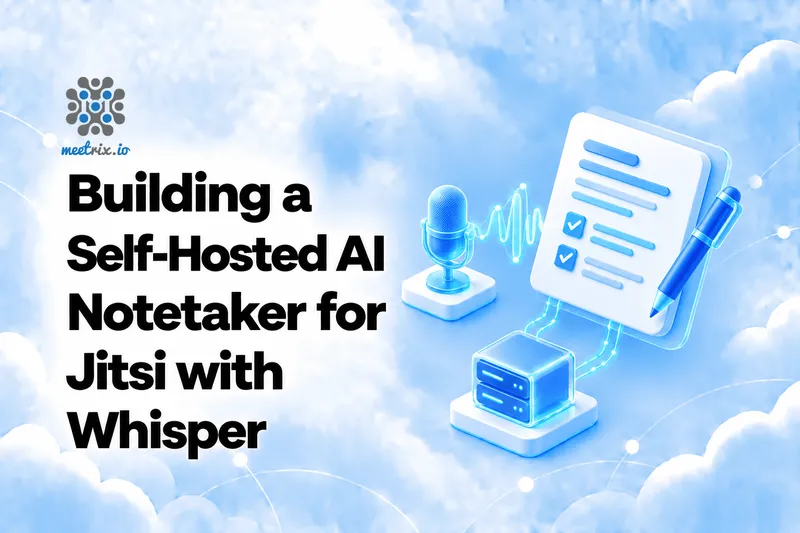
A self-hosted AI notetaker for Jitsi comes down to three pieces working together: Jibri records the call, faster-whisper turns the audio into text, and a local language model writes the summary and action items. No bot joins the meeting. No audio is sent to a third party. The whole setup is one shell script and one Python file. To try the idea first without a server, our audio to text and AI meeting notes tools run the same two steps in a browser tab.
That is the version worth building when your meetings are the kind you would never paste into a SaaS notetaker: client calls, internal reviews, anything covered by an NDA. If you already run Jitsi Meet with recording, you have the hardest part done. Here is the rest.
The Quick Verdict
A few meetings a day
Run Whisper on CPU with int8 and let the queue drain overnight. No GPU needed.
Notes within minutes
Put the worker on a GPU box with the turbo model. This is where a GPU starts paying for itself.
Action items need owners
Start with a meeting habit of saying names out loud. Add WhisperX diarization only if that isn't enough.
Live captions as well as notes
Look at Jitsi's own Skynet first. This pipeline only works on finished recordings.
Prerequisites
- A working Jibri setup that produces MP4 files. If you do not have one, follow a Jibri setup guide for Ubuntu first. Local browser recording will not work here; that is a different thing.
- An LLM endpoint that speaks the OpenAI chat format. vLLM serves
/v1/chat/completionson port 8000 by default, and Ollama exposes the same path on port 11434. If you are not sure which to use, an Ollama vs vLLM comparison will help. - A machine for the worker. A GPU is nice, but it is not required.
- ffmpeg and Python 3.
Tell People They Are Being Transcribed
How the Pipeline Fits Together
- Someone presses Record in Jitsi. Jibri captures the meeting and writes an MP4.
- When the recording ends, Jibri runs
finalize.sh, which moves the recording folder into an inbox. - The worker picks it up, extracts the audio with ffmpeg, and transcribes it.
- The transcript goes to your LLM, which returns a summary, decisions, and action items.
- The finished folder moves to
done. A failed one moves tofailed, so one bad file never blocks the queue.
Why use a queue instead of running Whisper inside the finalize script? Because transcription takes minutes, and you do not want it tied to Jibri's lifecycle. The finalize script should do one quick thing and get out of the way. The worker handles the slow part in its own process, which means you can restart it, move it to another machine, or point it at a GPU box without touching Jitsi again.
One honest limit before you start: Jibri records the meeting the way a participant would see it, so you get a single mixed audio track. Whisper hears a room full of voices and has no way to tell who is who.
Each meeting produces transcript.txt and notes.md right next to the recording, with timestamps but no speaker names. More on that below.
Set Up the Worker
Install the dependencies and create the folders. Everything runs as the jibri user here to keep file permissions boring. Tighten that later if your security team asks.
sudo apt install -y ffmpeg python3-venv
sudo mkdir -p /opt/notetaker /srv/notetaker/inbox /srv/notetaker/done /srv/notetaker/failed
sudo chown -R jibri:jibri /opt/notetaker /srv/notetaker
sudo -u jibri python3 -m venv /opt/notetaker/venv
sudo -u jibri /opt/notetaker/venv/bin/pip install faster-whisper requests
Next, the finalize script. Save it as /srv/notetaker/finalize.sh:
#!/bin/bash
# Jibri runs this after every recording and passes the recording's folder as $1
mv "$1" /srv/notetaker/inbox/
Point Jibri at it in /etc/jitsi/jibri/jibri.conf. The finalize-script setting lives under the recording block alongside recordings-directory. Keep your existing recordings-directory and the rest of the file as it is; only the finalize-script line changes:
jibri {
  recording {
    recordings-directory = "/srv/recordings"
    finalize-script = "/srv/notetaker/finalize.sh"
  }
}
If your Jibri already uploads recordings to S3 through a finalize script, do not replace that behaviour. Add the mv line to the end of your existing script instead, after the upload. And if Jibri and the worker live on different machines, swap the mv for a copy to shared storage and have the worker watch that location.
Transcribe With faster-whisper
faster-whisper is a reimplementation of OpenAI's Whisper on CTranslate2. It is the one to use here because it needs far less memory than the original and handles long files without drama. For the model, start with turbo. The large-v3-turbo model cuts the decoder from 32 layers to 4, which is where the speed comes from. If your meetings are in a lower-resource language or full of heavy accents and turbo stumbles, switch the name to large-v3. That is a one-word change.
Benchmarks show the difference clearly. The turbo model achieves a LibriSpeech clean WER of 2.13% and a seven-set mean WER of 6.58%. On an RTX 3070 Ti, faster-whisper with the Large-v2 model transcribes 13 minutes of audio in 1m03s at fp16 (4525 MB VRAM) or 59 seconds at int8 (2926 MB VRAM). With batched inference (batch_size=8), that drops to 17 seconds at fp16 and 16 seconds at int8.
Two settings in the worker matter more than the model choice:
vad_filter=Trueskips silence before Whisper sees it. Whisper is known to invent text over long quiet stretches, and a meeting recording has plenty of those (everyone waiting for someone to share a screen). The VAD filter bundles Silero VAD internally to detect voice activity and filter out silent segments before transcription. Leave this on.- The 16 kHz mono conversion. It is what the model works with internally, so feeding it a video container only adds work.
Language is detected automatically per file, which is handy if your team switches between languages across meetings. It is less handy inside a single meeting that mixes two. If that is you, test it before you trust it.
Summarise With a Local LLM
A one-hour meeting is roughly 9,000 words of transcript, which is more than a small model should be handed in one go. So the worker splits the transcript into chunks of about 12,000 characters, pulls decisions and actions out of each chunk, then asks the model for one clean set of notes from those partials. A short meeting skips the first step and goes straight to the final prompt.
The prompts do most of the quality work. Two lines in them earn their keep: "only use what is in the text" and "do not guess names." Without them, small models happily assign an action item to whoever sounds plausible. Read the first few outputs against the transcript and tighten the prompt wherever it makes things up. Expect to do this.
The Full Worker
Save this as /opt/notetaker/worker.py. Change LLM_URL and LLM_MODEL to match what you serve:
#!/usr/bin/env python3
import pathlib, shutil, subprocess, time

import requests
from faster_whisper import WhisperModel

INBOX = pathlib.Path("/srv/notetaker/inbox")
DONE = pathlib.Path("/srv/notetaker/done")
FAILED = pathlib.Path("/srv/notetaker/failed")

# vLLM serves /v1/chat/completions on port 8000 by default.
# Ollama exposes the same path on port 11434.
LLM_URL = "http://localhost:8000/v1/chat/completions"
LLM_MODEL = "Qwen/Qwen2.5-7B-Instruct"  # whatever model you serve

CHUNK_PROMPT = (
    "You are taking notes on part of a meeting transcript. List the decisions, "
    "action items (with an owner if one is named) and open questions. "
    "Only use what is in the text."
)
FINAL_PROMPT = (
    "You write meeting notes from a transcript or from partial notes. Output "
    "Markdown with these sections: Summary (3 to 5 sentences), Decisions, "
    "Action items (owner and deadline if stated), Open questions. "
    "If something was not said, leave it out. Do not guess names."
)

# For CPU only: WhisperModel("turbo", device="cpu", compute_type="int8")
whisper = WhisperModel("turbo", device="cuda", compute_type="float16")


def to_wav(mp4, wav):
    # Whisper wants 16 kHz mono, so convert once up front.
    subprocess.run(
        ["ffmpeg", "-y", "-i", str(mp4), "-vn", "-ac", "1", "-ar", "16000", str(wav)],
        check=True, capture_output=True,
    )


def transcribe(wav):
    segments, info = whisper.transcribe(str(wav), beam_size=5, vad_filter=True)
    lines = []
    for s in segments:
        minutes, seconds = divmod(int(s.start), 60)
        lines.append(f"[{minutes:02d}:{seconds:02d}] {s.text.strip()}")
    return "\n".join(lines)


def ask(system, text):
    r = requests.post(LLM_URL, timeout=900, json={
        "model": LLM_MODEL,
        "temperature": 0.2,
        "messages": [
            {"role": "system", "content": system},
            {"role": "user", "content": text},
        ],
    })
    r.raise_for_status()
    return r.json()["choices"][0]["message"]["content"]


def summarise(transcript):
    chunks, current = [], ""
    for line in transcript.split("\n"):
        if len(current) + len(line) > 12000:
            chunks.append(current)
            current = ""
        current += line + "\n"
    chunks.append(current)
    if len(chunks) == 1:
        return ask(FINAL_PROMPT, chunks[0])
    partial = [ask(CHUNK_PROMPT, c) for c in chunks]
    return ask(FINAL_PROMPT, "\n\n".join(partial))


def process(session):
    mp4 = next(session.glob("*.mp4"))
    wav = session / "audio.wav"
    to_wav(mp4, wav)
    transcript = transcribe(wav)
    (session / "transcript.txt").write_text(transcript)
    (session / "notes.md").write_text(summarise(transcript))
    wav.unlink()
    shutil.move(str(session), DONE / session.name)


while True:
    for session in sorted(INBOX.iterdir()):
        if not session.is_dir():
            continue
        try:
            process(session)
        except Exception as err:
            print(f"failed on {session.name}: {err}", flush=True)
            shutil.move(str(session), FAILED / session.name)
    time.sleep(10)
The loop is deliberately dull: poll the inbox every ten seconds, process one folder at a time, move it on success or failure. A second GPU job at the same time is rarely worth the memory, so one at a time is the right default.
Run It as a Service
Create /etc/systemd/system/notetaker.service:
[Unit]
Description=Jitsi AI notetaker worker
After=network.target

[Service]
User=jibri
ExecStart=/opt/notetaker/venv/bin/python /opt/notetaker/worker.py
Restart=always

[Install]
WantedBy=multi-user.target
Then enable it, restart Jibri so it reads the new config, and follow the log while you record a test meeting:
sudo chmod +x /srv/notetaker/finalize.sh
sudo systemctl daemon-reload
sudo systemctl enable --now notetaker
sudo systemctl restart jibri
journalctl -u notetaker -f
Record two minutes of yourself talking, stop the recording, and watch the journal. A folder with transcript.txt and notes.md should appear in /srv/notetaker/done. If it lands in failed instead, the journal line says why.
Getting the notes to people is the last mile, and it is the easy bit. Add a few lines at the end of process() to post notes.md to a chat webhook or send it by email. If your team lives in Mattermost, a Mattermost Jitsi plugin guide is a natural starting point.
Hardware and Speed
I have not benchmarked this pipeline on your hardware, so measure. Take one real ten-minute recording, run the worker against it, and time the transcription and the summary separately. That tells you more than any table.
For a rough sense of scale, the faster-whisper README benchmarks 13 minutes of audio on an RTX 3070 Ti: about 1m03s and 4525 MB of VRAM at fp16, or 59 seconds and 2926 MB at int8. With batched inference (batch_size=8), the same audio takes just 17 seconds at fp16 or 16 seconds at int8. Those figures are for the project's benchmark model and settings, so treat them as an order of magnitude, not a promise.
My opinion on hardware: if you have a handful of meetings a day and nobody needs notes within the hour, do not rent a GPU for this. Run Whisper on CPU with compute_type="int8" and let the queue drain overnight. A GPU starts paying for itself when meetings pile up, or when people expect notes before they have left their chair.
Speaker Labels and Other Limits
Action items are only useful if they have an owner, and that is where this setup is weakest. Because Jibri mixes the audio, the transcript has timestamps but no names. There are two ways around it.
- WhisperX adds speaker diarization on top of faster-whisper through pyannote. It labels speakers as SPEAKER_00, SPEAKER_01, and so on, not by name. The pyannote models are gated on Hugging Face: you need a valid access token and you must manually accept the model's license terms on the model page before the download will work. You still have to match labels to people.
- Make it a meeting habit. "Action for me: I'll send the quote by Friday" costs nobody anything, and the LLM picks it up correctly because the owner is in the sentence.
I would start with the habit and add diarization only if you need it. A pipeline with one more model in it is one more thing to babysit.
Other limits worth knowing: the notes are only as good as the audio, so a bad microphone shows up as a bad summary. Small models can still paraphrase themselves into a wrong fact, which is why the transcript is saved next to the notes. And this is post-meeting only. If you want live captions during the call, that is a different feature.
Skynet or DIY?
Jitsi has its own answer to this: Skynet, an Apache 2.0 API server that wraps live transcriptions with Faster Whisper via websockets and summaries and action items with vLLM or Ollama. It was introduced in a FOSDEM 2024 talk. If you want AI features wired into the Jitsi interface itself, look at it first.
| This pipeline | Skynet | |
|---|---|---|
| Transcription | After the call, from the recording | Live, over websockets |
| Summary and action items | Local LLM through a chat endpoint | vLLM or Ollama |
| Connects to Jitsi through | One finalize script | An API server wired to Jitsi |
| Moving parts | One script, one Python worker | API server plus Redis |
| License | Your own code | Apache 2.0 |
The pipeline in this guide is the plainer option. It touches Jitsi in exactly one place, a finalize script, so a Jitsi upgrade cannot break it, and you can read the whole thing in ten minutes. If your need is "get notes after the call," that is usually enough. If you later want live captions plus notes, that is the moment to move to Skynet.
If you would rather not assemble the Jitsi side yourself, Meetrix's pre-configured servers on the Jitsi Meet store page come with recording available, and a vLLM guide covers the model server this worker talks to. Both give you the pieces this pipeline needs.
Troubleshooting
- The folder lands in failed. Run
journalctl -u notetaker; the worker prints the reason. The usual suspects are a wrong CUDA setup, ffmpeg missing, or an LLM URL that is not reachable from the worker. - Nothing happens after a recording. Jibri did not run the finalize script. Check that
finalize.shis executable and that you restarted Jibri after editingjibri.conf. - Folder moved to failed with no MP4 inside. The worker looks for one
.mp4per session folder. If your Jibri writes something else, change the glob inprocess(). - Invented sentences in quiet stretches. Whisper makes text up over silence. Confirm
vad_filter=Trueis still set. - Notes assign tasks to the wrong person. The model is guessing. Tighten the prompt with "do not guess names", and read the transcript to see who actually said what.
Where I'd Start
Just trying it
Two minutes of you talking, CPU int8, the turbo model. Prove the plumbing works before you think about hardware.
A team with regular meetings
Keep the queue as it is and run the worker overnight on CPU. Move to a GPU only when people complain notes are late.
Owners matter on every action item
Start with the "action for me" habit, then add WhisperX diarization if the habit does not stick.
Want it inside the Jitsi interface
Skip this pipeline and start with Skynet. It is built for live transcription and summaries in the meeting itself.
Already uploading recordings to S3 from a finalize script? Do not replace it. Add the mv line after the upload and the rest of this guide works unchanged.
Frequently Asked Questions
Can Jitsi Meet transcribe meetings with Whisper?
Yes, with a self-hosted pipeline like the one above.
Does this send meeting audio to OpenAI?
No. Everything stays on your own hardware.
Do I need a GPU to run Whisper for Jitsi recordings?
No. CPU with int8 works, especially if notes can wait.
Why do the notes have no speaker names?
Because Jibri records one mixed audio track.
What is the difference between this and Jitsi Skynet?
Skynet is more integrated and supports live transcription. This setup is simpler and focused on post-call notes.
Is it legal to transcribe a Jitsi meeting?
Consent rules vary by country. Tell participants and keep transcripts on storage you control.
Run Jitsi With Recording on Your Own Server
Meetrix's pre-configured Jitsi Meet servers for AWS and Google Cloud come with recording available, so every meeting can end up as a file your notetaker can read.
Explore Jitsi Meet on the Store