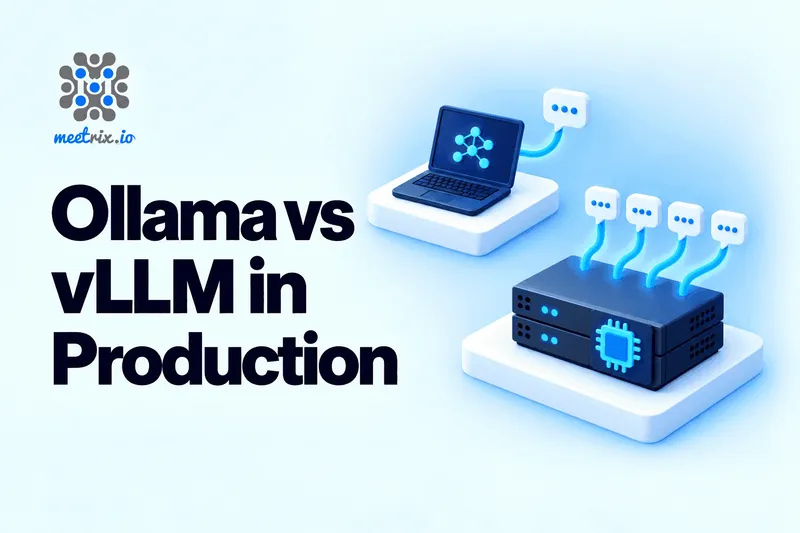
When it comes to running LLMs in production, the Ollama vs vLLM debate really boils down to one thing: how many requests are hitting your server simultaneously? If it's just a handful, Ollama works great and is much simpler to set up. But if you're dealing with dozens or hundreds of concurrent users, vLLM is the way to go. It was purpose-built for that scenario, and the performance difference under load is substantial.
That's the elevator pitch. The full picture is more nuanced, since your choice affects everything from memory allocation to security, and those details tend to surface weeks after you've gone live.
We offer both options at Meetrix: vLLM as a ready-to-deploy AWS and GCP image, and Open WebUI with Ollama as another. So I'm not playing favorites here; I just want you to pick the solution that won't wake you up at 3 a.m. Let's dig into how they actually stack up when real traffic hits.
The Short Answer
- Just you, a small team, a laptop, a Mac, or a prototype? Go with Ollama.
- A public app, an API other services depend on, or lots of simultaneous users? Choose vLLM.
- Not sure yet? Start with Ollama behind its OpenAI-compatible API, then switch the base URL to vLLM once concurrency becomes an issue.
Jump to a section
Ollama in 60 Seconds
Ollama wraps GGML-based inference (the same foundation as llama.cpp, plus an MLX engine on Apple Silicon) in a user-friendly CLI and local HTTP server. Just run ollama run and you're chatting with a model. It handles quantized models beautifully, works on CPU when there's no GPU available, runs like a dream on Macs, and can keep multiple models loaded and swap between them as needed.
The project is evolving quickly, too. The 0.34.1 release in September 2026 cut time-to-first-token nearly in half for repeat requests (from 995 ms down to 524 ms) by caching model metadata between calls. Anyone who wrote off Ollama as "just a toy" a year ago should take another look.
That said, its core design goal is making models easy to run for one person or a small team. Serving hundreds of concurrent users isn't what it was optimized for.
vLLM in 60 Seconds
vLLM is an inference server from UC Berkeley's lab (the same team that introduced PagedAttention), and it's become one of the go-to engines for serving open models. Two key innovations make it fast under heavy load. PagedAttention manages the KV cache (the memory each conversation requires) in small blocks, similar to virtual memory, so very little GPU memory goes to waste. Continuous batching adds new requests to the running batch token by token, rather than waiting for an entire batch to complete.
New releases drop roughly every two weeks. v0.29.0 made the new Model Runner V2 the default engine, and v0.30.0 shipped on September 22, 2026. It supports tensor and pipeline parallelism across GPUs, prefix caching, speculative decoding, and a wide range of quantization formats. The trade-off? It's heavier to install, slower to start, and expects a Linux machine with a proper GPU.
What "Production" Actually Means Here
The term "production" gets thrown around loosely, so let me clarify what I'm evaluating each tool on. These are the factors that determine whether a self-hosted LLM survives contact with real users:
- Throughput under concurrency. Tokens per second when 10, 50, or 100 requests arrive together, not when one person is typing.
- Tail latency. The slowest 1% of responses. That's what ends up screenshotted in support channels.
- Memory efficiency and model format support.
- Multi-GPU scaling.
- Operability. Authentication, metrics, restarts, predictable behavior. The unglamorous stuff that determines whether your on-call engineer gets sleep.
What I'm intentionally not weighing heavily: how easy it is to try on a laptop. Ollama wins that category by a landslide, and nobody's arguing otherwise.
Throughput Under Real Load
This is where the two tools diverge dramatically, and it's the section that should drive your decision.
The most rigorous public comparison I'm aware of is Red Hat's August 2025 benchmark. They ran Llama 3.1 8B at full precision on a single NVIDIA A100 40 GB, and pushed concurrency from 1 to 256 users using GuideLLM. Here's what they found:
- vLLM peaked at 793 tokens per second. Ollama, on its default settings, peaked at 41.
- P99 latency at peak throughput was 80 ms for vLLM and 673 ms for Ollama.
- Even with Ollama tuned to 32 parallel requests (the highest stable setting on that GPU), its throughput flattened out while vLLM kept climbing almost linearly.
Two honest caveats. First, that test is a year old (vLLM 0.9.1, Ollama 0.9.2), and both projects have shipped significant updates since. Second, one GPU, one model, and identical prompts don't generalize to every setup, and Red Hat acknowledges this. I'd still trust the overall shape of the result because it comes from architecture, not tuning. Continuous batching with a paged KV cache simply keeps a GPU busier than a fixed number of parallel slots.
And at one user? The gap mostly disappears. For a single stream of requests, both tools generate at similar speeds, and on quantized models Ollama can even come out ahead. That's why so many people benchmark on their laptop, conclude "they're about the same," and then get blindsided in production.
Latency and Cold Starts
Throughput is the server's perspective. Latency is the user's, and two different things matter here.
Time to first token under load. Red Hat found that vLLM's time to first token stayed low and steady as users increased, while Ollama's rose sharply because requests queued up waiting for a free slot. Users don't care that the server is busy. They just see a spinner.
Cold starts. This one cuts the other way. Ollama starts in seconds and loads models on demand. vLLM takes noticeably longer to boot because it loads weights, profiles memory and captures CUDA graphs before it answers the first request. On a large model, that can take minutes. For an always-on production server that's a one-time cost. For autoscaling from zero, it's a real problem.
There's also a subtle Ollama default that catches people off guard: it unloads a model after 5 minutes of idle time. The next request after a quiet lunch break pays the full load time again. In production, set OLLAMA_KEEP_ALIVE=-1 so the model stays in memory.
Memory and Model Formats
These two tools think about memory very differently, and it changes how you size a server.
vLLM grabs a fixed share of GPU memory at startup, 90% by default (--gpu-memory-utilization), loads the weights, and turns the rest into KV cache blocks shared by every request. That's why it can pack so many concurrent conversations onto one card. It's also why vLLM doesn't play nicely with other processes on the same GPU. It assumes the card is its own.
Ollama allocates per request slot. Its FAQ is explicit that required memory scales with OLLAMA_NUM_PARALLEL times OLLAMA_CONTEXT_LENGTH. Double the parallel slots or double the context, and you need roughly double the cache memory. That's a simple model to reason about, but a wasteful one, because each slot reserves room for a full-length conversation whether it uses it or not.
Then there's format:
- Ollama lives on quantized models. GGUF files (and MLX safetensors on Apple Silicon), usually 4-bit by default, which is why a 7B or 8B model fits comfortably on a consumer GPU or even CPU.
- vLLM is built around Hugging Face safetensors, with quantization through AWQ, GPTQ, FP8 and, on newer NVIDIA cards, FP4 formats. GGUF support was moved out of the core into a separate plugin in 2026, so treat it as a side path, not the main road.
This matters more than people expect when switching. You can't just point vLLM at your Ollama model folder. You'll pick the equivalent model on Hugging Face and possibly a different quantization, which means your outputs will shift slightly. Test your prompts again after the move.
If you're still choosing a model, our Llama vs Mistral vs DeepSeek comparison is a good shortlist, and every model on it runs on both servers.
GPUs and Scaling Out
vLLM supports tensor parallelism, which splits each layer of a model across several GPUs so they work on every token together, plus pipeline parallelism across machines. For a 70B model on four GPUs, that's how you get usable speed. It runs on NVIDIA and AMD GPUs, Google TPUs and several other accelerators. On Apple Silicon there's a community vllm-metal plugin, but that's for tinkering, not serving.
Ollama can spread a model that doesn't fit on one GPU across several, but it's built for fitting a big model into available memory rather than making many GPUs work in parallel on each token. It's also the clear winner on a Mac or a CPU-only box, where vLLM is either experimental or slow.
Scaling beyond one server looks similar for both: run several instances behind a load balancer. vLLM just does more with each instance, so you need fewer of them. The vLLM project also has a production stack and support for disaggregated serving for very large clusters, but most teams won't need that for a long time.
Security and Monitoring
This is the section most comparisons skip, and in my view it's the one that decides whether something is really production-ready.
Authentication
Ollama has no API key check. By default it binds to 127.0.0.1:11434, which is safe, and the Ollama FAQ shows how to change that with OLLAMA_HOST. The trouble starts when someone sets it to 0.0.0.0 to "just make it work" from another machine. Now anyone who can reach port 11434 can run your models, pull new ones and burn your GPU. If you expose Ollama, put a reverse proxy with authentication and TLS in front of it. Always.
vLLM takes an --api-key flag and rejects requests without the matching bearer token. It's a single shared key, not user management, so you'll still want a gateway for per-user keys and rate limits. But the baseline is safer.
Metrics
vLLM exposes a Prometheus-compatible /metrics endpoint out of the box: running and waiting requests, KV cache usage, time to first token, tokens per second. Point Grafana at it and you can see trouble coming.
Ollama doesn't have a native metrics endpoint in its stable releases. It's been one of the most requested features for a long time (GitHub issue #3144), and a pull request adding one has been proposed, but for now teams use community exporters that sit in front of Ollama as a proxy. It works. It's also one more moving part.
Ollama vs vLLM: Side by Side
| Feature | Ollama | vLLM |
|---|---|---|
| License | MIT | Apache 2.0 |
| Latest stable (Sept 2026) | 0.34.2 | 0.30.0 |
| Best at | Easy local and small-team serving | High-concurrency serving |
| Concurrency model | Fixed parallel slots per model (default 1) | Continuous batching, no fixed slot count |
| Throughput under load | Plateaus early | Scales close to linearly until the GPU is full |
| Single-user speed | ✅ Comparable, fast to start | ✅ Comparable, slower to start |
| Main model format | GGUF (MLX on Apple Silicon) | Safetensors, AWQ, GPTQ, FP8 |
| CPU-only / Mac | ✅ First-class | ❌ Experimental or slow |
| Tensor parallelism | ❌ | ✅ |
| Multiple models hot-swapped | ✅ Built in | ❌ One model per server process |
| OpenAI-compatible API | ✅ Port 11434, /v1 | ✅ Port 8000, /v1 |
| API key auth | ❌ Needs a proxy | ✅ --api-key |
| Prometheus metrics | ❌ Needs an exporter | ✅ /metrics |
| Setup effort | Minutes | An hour or more the first time |
If You're Staying on Ollama
Plenty of teams should stick with Ollama. An internal chat assistant for 20 people rarely sees more than two or three overlapping requests. If that's your situation, don't migrate for the sake of it. Just stop running it on defaults.
On a Linux server installed with the official script, Ollama runs as a systemd service. Override its environment like this:
sudo systemctl edit ollama

# Add these lines in the editor that opens:
[Service]
Environment="OLLAMA_NUM_PARALLEL=4"        # requests per model at once (default 1)
Environment="OLLAMA_CONTEXT_LENGTH=8192"   # default is 4096
Environment="OLLAMA_KEEP_ALIVE=-1"         # never unload the model after idle
Environment="OLLAMA_MAX_QUEUE=128"         # reject instead of queueing 512 deep
Environment="OLLAMA_HOST=127.0.0.1:11434"  # stay behind your reverse proxy

# Then:
sudo systemctl daemon-reload && sudo systemctl restart ollama
A few notes on those values, because none of them are universal:
OLLAMA_NUM_PARALLEL: raise it gradually and watch GPU memory. Remember memory scales with parallel slots times context length, so 4 slots at 8K context needs about as much cache as 8 slots at 4K.OLLAMA_CONTEXT_LENGTH: the 4096 default silently truncates long documents and chat histories. RAG apps almost always need more.OLLAMA_MAX_QUEUE: the default 512 means a traffic spike turns into a very long wait instead of a fast error. A clean "try again" often beats a 90-second spinner.OLLAMA_KEEP_ALIVE=-1: no more slow first request after a quiet spell.
Then put Nginx or Caddy in front with TLS and authentication. If you want a chat interface on top, our Open WebUI developer guide covers the full setup, and our Open WebUI vs LibreChat comparison helps if you're still picking a front end.
Moving to vLLM
The good news: if your app already talks to Ollama through its OpenAI-compatible endpoint, the app barely changes. The work is on the server side.
Step 1: Pick the model on Hugging Face
Find the safetensors version of the model you ran on Ollama. If memory is tight, pick an AWQ or FP8 build rather than the full-precision weights. Some models (Llama, for example) are gated, so accept the licence on Hugging Face and set HF_TOKEN first.
Step 2: Start the server
export VLLM_API_KEY="replace-with-a-long-random-string"

vllm serve Qwen/Qwen3-8B \
  --api-key "$VLLM_API_KEY" \
  --max-model-len 8192 \
  --gpu-memory-utilization 0.90 \
  --tensor-parallel-size 1
Set --max-model-len to what you actually need. vLLM reserves KV cache for it, so a model's full advertised context length can eat memory you'd rather spend on more concurrent users. Leave --tensor-parallel-size at 1 until the model doesn't fit on one GPU.
Step 3: Point your app at it
Change the base URL from http://your-host:11434/v1 to http://your-host:8000/v1, set the real API key, and update the model name. A quick smoke test:
curl http://localhost:8000/v1/chat/completions \
  -H "Authorization: Bearer $VLLM_API_KEY" \
  -H "Content-Type: application/json" \
  -d '{"model": "Qwen/Qwen3-8B", "messages": [{"role": "user", "content": "Say hello in five words."}]}'
Our guide to self-hosting an OpenAI-compatible API walks through the client side of this swap in more detail, including the SDK settings.
Re-test your prompts after switching
Different weights, a different quantization and a different chat template can all change outputs a little. Run your evaluation set, or at least your ten most important prompts, before sending real traffic to vLLM.
Running Either on AWS
Most of the pain in self-hosting either tool isn't the server itself. It's the GPU drivers, CUDA versions, SSL and reverse proxy around it. That's the part our images handle.
For vLLM, the Meetrix AMI comes with NVIDIA drivers, the OpenAI-compatible API and SSL already configured. Our vLLM developer guide walks through launching it on AWS step by step. For Ollama, the Open WebUI and Ollama image gives you a working chat interface and model server on your own instance in one launch. Pick whichever fits the concurrency you expect. Both keep your prompts and data inside your own AWS account.
If the model is one layer of something bigger, like a voice agent, the self-hosted voice AI agent stack explains why vLLM's time-to-first-token under load matters so much there.
Where I'd Start
Run Ollama if:
- You're serving one person, a small team, or an internal tool with a few overlapping requests.
- You're on a Mac, a CPU-only box, or a small consumer GPU.
- You need several models loaded and swapped on demand.
Run vLLM if:
- Other services or the public call your model.
- Concurrency is more than a handful of requests.
- You care about P99 latency.
- You're spreading a large model across several GPUs.
- You need auth and metrics without extra proxies.
I'd be wary of anyone who says one of these is "better" without asking about your traffic. Ollama is excellent at what it's for. So is vLLM. They were just built for different jobs, and production usually means vLLM's job.
Frequently Asked Questions
Is Ollama good enough for production?
It depends on your concurrency. For small teams and internal tools, absolutely. For public-facing apps with many simultaneous users, you'll want vLLM.
Is vLLM faster than Ollama?
Under high concurrency, yes, dramatically so. At a single user, they're roughly comparable.
Can Ollama handle multiple users at the same time?
Yes, but you'll need to raise OLLAMA_NUM_PARALLEL from its default of 1, and throughput will plateau sooner than vLLM.
Can vLLM run GGUF models like Ollama?
GGUF support was moved to a separate plugin in 2026. It's possible but not the main path. vLLM is built around safetensors.
Does vLLM run on a Mac?
There's a community plugin for Apple Silicon, but it's experimental. For Macs, Ollama is the clear choice.
Do Ollama and vLLM both have an OpenAI-compatible API?
Yes. Ollama uses port 11434, vLLM uses port 8000. Both expose /v1 endpoints.
How do I secure an Ollama server?
Put a reverse proxy with authentication and TLS in front of it. Never expose port 11434 directly to the internet.
Should I start with Ollama and move to vLLM later?
That's a sensible approach. Start on Ollama behind its OpenAI-compatible API, and switch the base URL to vLLM when concurrency grows.
Serve Open Models at Scale with vLLM on AWS
Launch a pre-configured vLLM server with GPU drivers, SSL and an OpenAI-compatible API already set up, on your own AWS GPU instance.
Get vLLM on AWS Marketplace