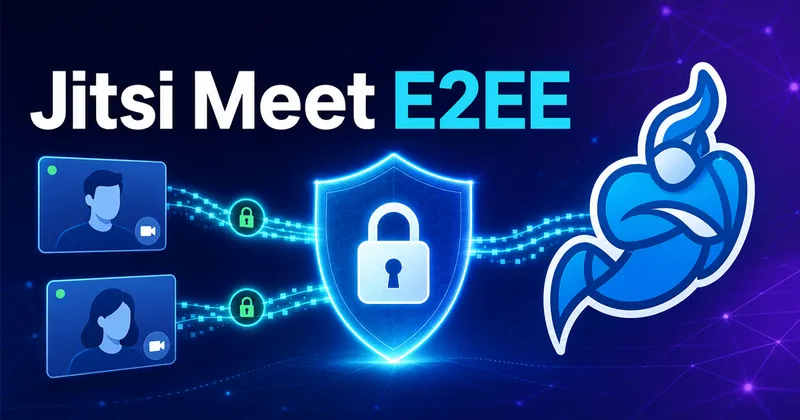
Is Jitsi Meet encrypted by default?
Yes - and this surprises people who assume encryption is something you have to switch on. Jitsi Meet offers strong protection even if you never touch the end-to-end encryption toggle. The detail worth understanding is where that default encryption starts and stops.
Jitsi meetings operate in one of two modes, and the switch between them is transparent to users:
- Peer-to-peer (P2P) - used only for 1-to-1 meetings. Audio and video are encrypted with DTLS-SRTP all the way from sender to receiver, even when packets traverse network components like TURN servers. Nothing in the middle can read the media.
- Via the Jitsi Videobridge (JVB) - used for meetings with three or more participants. All traffic is still encrypted on the network with DTLS-SRTP, but the videobridge removes that outer encryption layer while routing packets between participants. Decrypted packets exist only in the bridge's memory - they are never written to any persistent storage.
So in group calls, the server you run (or whoever runs it for you) is technically inside the encryption boundary. For most teams that is acceptable, especially on a self-hosted server they control (for clinical use, see HIPAA-compliant self-hosted video for telehealth). When it is not - think legal, medical, or source-protection conversations - that is what the end-to-end encryption layer is for. And when packets are end-to-end encrypted, that second layer is never removed at the bridge, nor can it be.
How Jitsi Meet end-to-end encryption (E2EE) works
E2EE in Jitsi adds an extra layer of encryption on top of the transport layer: the audio and video media is encrypted at the source, before DTLS-SRTP is applied. When the videobridge strips the DTLS-SRTP layer to route a packet, what it finds inside is still ciphertext it has no keys for.
This only works in browsers that support the insertable streams API, which lets JavaScript transform media frames between the encoder and the network. Jitsi Meet implements a slight variant of the SFrame specification for this, informally called JFrame.
The encryption itself
Encryption is performed with AES-GCM (128-bit key) through the WebCrypto API. AES-GCM needs a 96-bit initialization vector, which Jitsi constructs from the SSRC, the RTP timestamp, and a frame counter - similar to how the IV is built in SRTP with GCM. The IV travels with the packet (12 bytes of overhead) and the GCM tag adds the usual 16 bytes.
One clever detail: the first few bytes of each frame are deliberately left unencrypted - 10 bytes for VP8 key frames, 3 bytes for interframes, and the Opus TOC byte for audio. This serves two purposes:
- The videobridge keeps access to the metadata it needs to route the packet properly, without having access to the payload or even knowing whether it is E2EE or not.
- A receiver without the key still has a technically valid frame header, so its decoder processes the frame and renders a pixelated rainbow pattern instead of crashing - which is exactly what you see if you join an E2EE meeting without the right key.
Key distribution
Each participant shares their key with every other participant over a secure channel. The current implementation negotiates an E2EE channel over the built-in XMPP signalling transport using Olm - the same double-ratchet-family cryptographic library used in the Matrix ecosystem.
Key rotation
Keys are replaced as people come and go, so former participants cannot decrypt new media and new participants cannot decrypt anything from before they joined. When someone leaves, a full rotation runs: new random key material is generated, derived, and distributed over the Olm channel. When someone joins, each participant ratchets their key (derives a new one from the previous) and shares it with the newcomer.
How to enable E2EE in a Jitsi Meet meeting
On any reasonably recent Jitsi Meet deployment (including meet.jit.si), E2EE is a per-meeting toggle rather than a server setting:
- Join the meeting from a Chromium-based browser (Chrome, Edge, Brave, Opera).
- Open the Security options from the toolbar menu.
- Switch on End-to-end encryption.
Everyone needs a supported browser
What E2EE does not cover
Before turning it on for everything, know the trade-offs:
- Recording and streaming stop working. Jibri, the recording component, joins as a hidden participant without keys, so it cannot decrypt anything. If you rely on recordings, see our Jibri recording setup guide - and accept that E2EE meetings will not be in the archive.
- Practical size limit. The extra encrypt/decrypt work per stream plus key rotation on every join and leave keeps E2EE meetings realistic at up to roughly 20 participants.
- Signalling is not end-to-end encrypted. Meeting metadata (who joined, room names, chat over XMPP) is protected by TLS to the server, not by the E2EE media layer.
Jitsi Meet vs Zoom vs Signal: E2EE compared
| Feature | Zoom | Signal | Jitsi Meet |
|---|---|---|---|
| Key management | Custom (over TLS) | Double ratchet | Double ratchet |
| Media encryption | AES-GCM | AES-CTR | AES-GCM |
| SAS verification | Yes | Yes | No |
| Web browser support | No | No | Yes |
| Participant limit (E2EE) | 200 | 8 | ~20 |
| Open source | No | Yes | Yes |
| Vulnerability to outsiders | Low | Low | Low |
| Vulnerability to insiders | Very high | Medium-high | Medium-high |
| Vulnerability to participants | High | High | High |
Jitsi's standout feature in this table is browser support: it is the only one of the three offering E2EE in a plain web browser, with no client install. The full cryptographic design is documented in the Jitsi E2EE whitepaper.
Is Jitsi Meet safe to use?
For most use cases, yes. Transport encryption is always on, the code is open source and widely audited, and unlike proprietary platforms you can self-host the entire stack, which moves the trust question from "do I trust the vendor" to "do I trust my own server". That is the strongest security argument for Jitsi: on a self-hosted deployment, the party inside the encryption boundary of group calls is you.
If you are evaluating options, we compared the field in our review of the most secure video conferencing tools, and our Jitsi architecture explainer covers what each component in the stack actually does. For sectors where that trust boundary matters most, see how it plays out for secure military communications and for video conferencing in healthcare.
Run your own encrypted Jitsi Meet server
Self-hosting is where Jitsi's security model really pays off. If you want a production-ready deployment without assembling Prosody, Jicofo, and the videobridge yourself, our Marketplace images launch a complete, supported Jitsi Meet stack in minutes:
Jitsi Meet on AWS Marketplace
Pre-configured Jitsi Meet AMIs supported by Meetrix, sized from 50 to 500 concurrent users, with or without recording.
Jitsi Meet on Google Cloud Marketplace
The same Jitsi Meet stack, published for Google Cloud - sized from 50 to 500 concurrent users, with every size also available in a recording variant.
Conclusion
Jitsi Meet encrypts everything on the wire by default, and the optional E2EE layer closes the one remaining gap - the videobridge - for meetings that need it. The cost is browser restrictions, no recording, and a practical cap of about 20 participants, which is why E2EE is a per-meeting decision rather than a default. For sensitive conversations on a server you control, the combination of self-hosting plus E2EE is about as strong a setup as browser-based video conferencing currently gets.
Frequently Asked Questions
Is Jitsi Meet end-to-end encrypted by default?
No. By default Jitsi Meet uses strong transport encryption (DTLS-SRTP): media is always encrypted on the network, but in group calls the videobridge briefly decrypts packets in memory to route them. True end-to-end encryption is a separate, optional layer you enable per meeting.
Which browsers support Jitsi Meet E2EE?
E2EE relies on the insertable streams API, which is available in Chromium-based browsers such as Chrome, Edge, Brave, and Opera. Participants on unsupported browsers cannot join the encrypted media, so for an E2EE meeting everyone needs a supported browser.
Can I record a meeting that has E2EE enabled?
No. Jibri, the Jitsi recording component, joins the meeting as a hidden participant and never receives the encryption keys, so it cannot decrypt the media. Recording and live streaming only work for meetings without E2EE.
How many participants can an E2EE meeting have?
Around 20 is the practical limit. Every participant encrypts and decrypts an extra layer for every stream, and key rotation happens each time someone joins or leaves, so the overhead grows quickly with meeting size.
What is JFrame / SFrame in Jitsi?
SFrame is a draft specification for encrypting media frames end to end so that SFUs can route packets without reading them. Jitsi Meet implements a slight variant of it, referred to as JFrame, using AES-GCM through the WebCrypto API.
Does a TURN server break Jitsi encryption?
No. DTLS-SRTP encrypts media from sender to receiver even when packets traverse a TURN server - the TURN server only relays encrypted packets and cannot read them.
Deploy Your Own Secure Jitsi Meet Server
Launch a production-ready, self-hosted Jitsi Meet server on AWS with a pre-configured Meetrix AMI - your infrastructure, your encryption boundary.
Get Started on AWS Marketplace