Jitsi on Kubernetes looks like a solved problem until the third person joins a call. Two participants connect fine. The third one joins, and everybody's audio and video dies at once.
That moment catches almost everyone, and it is the honest starting point for this whole topic. Jitsi is four services, three of which are boring Kubernetes workloads, and one of which fights the platform's networking model at every step. Get the videobridge right and the rest of the deployment is unremarkable. Get it wrong and no amount of replicas will help you.
The short version
Jump to a section
What breaks first in a Jitsi Kubernetes deployment
Almost every Jitsi Kubernetes problem traces back to one design fact: WebRTC media does not go through your ingress controller. It is UDP, it is high volume, and it needs a path from every participant's browser straight to the videobridge that is holding their conference.
Kubernetes is built around the opposite assumption. Services, Ingress, and most service meshes are TCP-oriented, and an Ingress object will not forward UDP at all. So the default deployment produces a bridge that is perfectly healthy, passes its readiness probe on /about/health, registers itself with Jicofo, and is completely unreachable by any browser.
The two-participant thing is the tell. Jitsi puts one-to-one calls into peer to peer mode, so those work without the bridge being reachable at all. The moment a third person joins, everyone moves onto the JVB and the illusion collapses.
| Component | Kubernetes difficulty | Why |
|---|---|---|
| Jitsi web | Trivial | Stateless HTTP, scales with replicaCount |
| Prosody | Easy | Single instance, XMPP stays inside the cluster |
| Jicofo | Easy | Single instance, talks only to Prosody |
| Videobridge | Hard | Needs direct inbound UDP and a routable advertised IP |
If you want a refresher on what each of those four actually does before wiring them together, our Jitsi architecture breakdown covers the roles in detail. This article assumes you know them and cares about how they behave once they are pods.
Deploy the base stack with Helm
Do not hand-write the manifests. The jitsi-contrib/jitsi-helm chart is the practical starting point and it already models the four components and their XMPP wiring correctly:
helm repo add jitsi https://jitsi-contrib.github.io/jitsi-helm/
helm repo update
helm install jitsi-meet jitsi/jitsi-meet -f values.yaml --namespace jitsi --create-namespace
The defaults are deliberately conservative, and worth knowing because they are exactly the ones you have to change:
jvb:
  replicaCount: 1
  useNodeIP: false
  useHostPort: false
  useHostNetwork: false
  UDPPort: 10000
  portRangeSize: 1
  service:
    type: ClusterIP

octo:
  enabled: false
Note that octo is a top-level key in this chart, not nested under jvb. That trips people up when they go looking for it.
TLS is a separate job
Get JVB media out of the cluster
This is the step that fixes the three-participant failure. Two things have to be true: UDP 10000 has to physically reach the pod, and the JVB has to advertise an address that browsers can actually route to.
For the first, use hostPort. The pod binds UDP 10000 on the node it lands on:
jvb:
  replicaCount: 3
  useHostPort: true
  useNodeIP: true
  UDPPort: 10000
  service:
    type: NodePort
Because a host port can only be claimed once per node, this quietly enforces one bridge per node. That is a feature. Two videobridges sharing a node's NIC and CPU is a bad idea anyway, and if replicaCount exceeds your node count the extra pods just sit in Pending, which is a clear signal rather than a silent degradation.
For the second, the JVB has to know its own public address. By default it advertises the pod IP, something like 10.244.3.17, which is meaningless to a browser on the internet. useNodeIP: true handles this in the chart by passing the node's IP through. If your nodes sit behind NAT with separate public addresses, set it explicitly:
jvb:
  extraEnvs:
    JVB_ADVERTISE_IPS: "203.0.113.10"
JVB_ADVERTISE_IPS replaced the older DOCKER_HOST_ADDRESS, which you will still see in a lot of tutorials. If a guide tells you to set DOCKER_HOST_ADDRESS, it predates the current images.
Then open the firewall. UDP 10000 inbound to every node running a bridge, plus TCP 443 for the web tier. On AWS that means the node security group, not just a Kubernetes NetworkPolicy.
More bridges does not mean bigger meetings
Here is the part that surprises people, and the reason a lot of Jitsi Meet horizontal scaling attempts quietly fail.
Jicofo's default bridge selection strategy is SingleBridgeSelectionStrategy. The name is literal: one conference lives on one bridge, and it will not be split. Scale to ten JVB replicas and a single meeting still sits entirely on one of them. What you have bought is the ability to run ten meetings at once, spread across bridges. The maximum size of any one meeting has not moved.
Two Jicofo defaults set that ceiling:
| Setting | Default | What it does |
|---|---|---|
| max-bridge-participants | 80 | Hard cap on participants Jicofo will place on one bridge |
| stress-threshold | 0.8 | Stops sending new participants once a bridge reports this stress |
| average-participant-stress | 0.01 | Assumed load each participant adds, used to predict stress |
| participant-rampup-interval | 20 seconds | Grace period before a new participant's real load counts |
So the honest question to ask before touching Octo is: do you need many meetings, or one huge meeting? Many meetings is the common case, and it is satisfied by replicas alone. If you are sizing for a specific participant count, our write-up on pushing Jitsi to 1000 users works through where the real limits sit.
Turning on Octo: it is called relay now
If you searched for Jitsi videobridge Octo documentation, this is the single most useful thing on this page: almost everything written about Octo documents the old org.jitsi.videobridge.octo.* properties from sip-communicator.properties, and current builds do not read them.
In modern jvb.conf the block is called relay. Octo is the name of the feature and the protocol. Relay is the config key. The comment in the videobridge source says as much, describing the block as whether relays (octo) are enabled:
videobridge {
  relay {
    enabled = true
    region = "us-east-1"
    relay-id = "jvb-1"
  }
}
Both region and relay-id are mandatory once enabled is true, and relay-id has to be unique per bridge. In Kubernetes the obvious source for that is the pod name, injected through the downward API, which gives you a distinct stable value per replica for free.
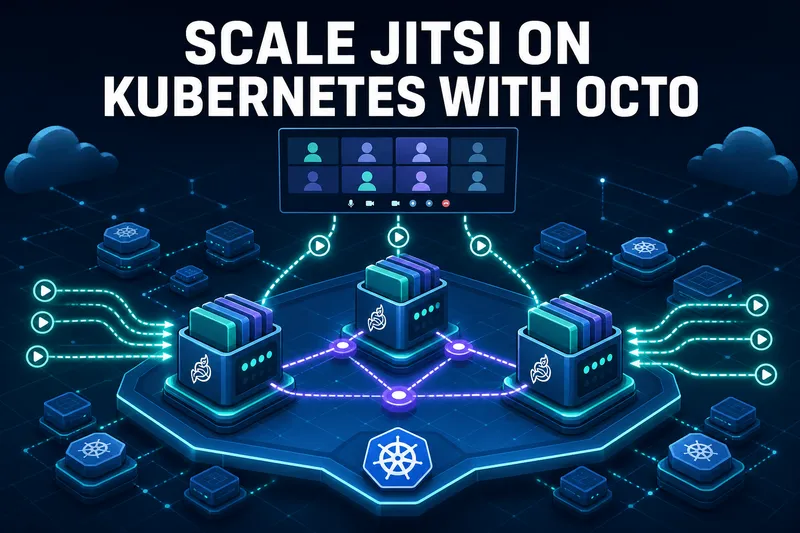
What Octo actually does: bridges connect to each other and forward streams between themselves, so a conference can span several bridges while every participant still only talks to their local one. That is what lets a meeting outgrow a single machine, and it is also what lets participants in different regions each hit a nearby bridge.
On the Jicofo side, enabling relay on the bridges is not enough. Jicofo still has to be told it is allowed to split conferences, which is the next section.
Octo needs bridge-to-bridge reachability
Bridge selection strategies and regions
Jicofo decides which bridge each participant lands on. The strategy is set in jicofo.conf:
jicofo {
  bridge {
    selection-strategy = RegionBasedBridgeSelectionStrategy
    max-bridge-participants = 80
    stress-threshold = 0.8
  }
}
The options that matter in production:
| Strategy | Behaviour | Use when |
|---|---|---|
| SingleBridgeSelectionStrategy | One conference stays on one bridge (default) | Many small or medium meetings, one region |
| RegionBasedBridgeSelectionStrategy | Puts each participant on a bridge in their own region | Geographically spread participants |
| IntraRegionBridgeSelectionStrategy | Adds bridges only when the current one is overloaded | Single region, occasional very large meetings |
| SplitBridgeSelectionStrategy | A separate bridge per participant | Testing Octo only, never production |
For one region with meetings that occasionally get big, IntraRegionBridgeSelectionStrategy is usually the right answer. It keeps the simple case simple and only pulls in a second bridge when a meeting genuinely outgrows the first. Region-based selection is for when you actually run bridges in multiple regions, and it depends on the region value in each bridge's relay block matching the region names Jicofo knows about.
And use SplitBridgeSelectionStrategy exactly once, to prove your Octo mesh works, then change it back. It forces every participant onto a different bridge, which is a superb smoke test and a terrible production setting.
Jitsi autoscaling without dropping live calls
Scaling videobridges up is easy. Scaling down is where people lose meetings, and a naive HPA will do exactly that.
The problem: a JVB running a busy conference sits at high CPU for the whole meeting. That is normal, not overload. A CPU-based HPA sees sustained high utilisation, and when the meeting load dips it removes a pod, which may be a pod with fifty people on it. They get dropped mid-call.
Two things fix this. First, scale on the right signal. The chart ships a Prometheus exporter, which exposes the bridge's own stress_level and participant counts:
jvb:
  metrics:
    enabled: true
    serviceMonitor:
      enabled: true
      interval: 10s
Stress level is the number Jicofo itself uses for bridge selection, so scaling on it means your autoscaler and your conference focus agree about what "busy" means. CPU does not carry that meaning.
Second, drain before terminating. The videobridge supports graceful shutdown: it tells Jicofo to stop allocating new conferences to it, then waits for existing ones to end naturally. Wire that into the pod lifecycle:
lifecycle:
  preStop:
    exec:
      command:
        - /bin/sh
        - -c
        - >
          curl -s -X POST
          -H "Content-Type: application/json"
          -d '{"graceful-shutdown": "true"}'
          http://localhost:8080/colibri/shutdown;
          sleep 5
terminationGracePeriodSeconds: 3600
That grace period is not a typo. An hour is a reasonable ceiling for a meeting to finish on its own. The default 30 seconds guarantees you kill live calls, so if you change one thing about a default JVB deployment, change this.
Worth being honest about the trade: draining means scale-down is slow and unpredictable, because you are waiting on humans to leave meetings. You are paying for idle-ish bridges in exchange for never dropping a call. For most businesses that is obviously the right trade, but it does mean Jitsi autoscaling saves less money than the same setup on a stateless web service.
What I would actually run
For most teams landing on this page, the answer is smaller than they expect:
- Many normal meetings, one region. Three JVB replicas with hostPort, one per node, default selection strategy, Octo off. Add replicas as concurrency grows. This covers the large majority of deployments and it is genuinely boring to operate.
- Occasional very large meetings. Same as above plus Octo enabled and
IntraRegionBridgeSelectionStrategy, so a second bridge joins only when one meeting outgrows a single machine. - Participants spread across continents. Octo plus
RegionBasedBridgeSelectionStrategy, bridges in each region, and relay reachability between them. This is the setup that justifies the operational cost.
And a genuine question worth asking before any of it: does this need to be on Kubernetes? If Jitsi is the only workload on the cluster, you are taking on the platform's hardest networking case to run a system that scales fine on plain instances behind an autoscaling group. Kubernetes earns its place when Jitsi is one service among many that your team already runs there. Our AWS setup guide and GCP setup guide cover the plain-instance route, and JMAP handles the management layer if what you actually want is operational tooling rather than orchestration. If you already run several clusters, Rancher on AWS manages them from one dashboard.
The failure mode I see most often is a team that scaled JVB replicas to twelve, never touched the selection strategy, and still could not get more than 80 people into one room. Check that setting before you buy more nodes.
Frequently Asked Questions
Can Jitsi Meet run on Kubernetes?
Yes, and the web, Prosody, and Jicofo parts are ordinary Kubernetes workloads. The videobridge is the hard part, because it needs direct UDP reachability on port 10000 and Kubernetes Ingress does not forward UDP. Plan the JVB networking first and the rest follows.
Why does my Jitsi call break when a third person joins?
Two participants connect peer to peer and never touch the bridge. The third forces everyone onto the JVB, which is advertising its internal pod IP that nobody outside the cluster can reach. Set JVB_ADVERTISE_IPS to the node's public IP.
Does adding more videobridge replicas make a single meeting bigger?
No, not by itself. Jicofo defaults to SingleBridgeSelectionStrategy, which keeps one conference on one bridge. Extra replicas give you more concurrent meetings. To split one meeting across bridges you need Octo relay plus a different selection strategy.
Where is the Jitsi videobridge Octo documentation?
Most of what you will find online documents the old org.jitsi.videobridge.octo.* properties, which current builds no longer read. In modern jvb.conf the block is called relay, with enabled, region, and relay-id keys. Octo is the feature name, relay is the config key.
How many participants fit on one Jitsi videobridge?
Jicofo's max-bridge-participants default is 80, and it stops sending new participants to a bridge once its stress level passes 0.8. Real capacity depends on the instance size and whether people have video on, so treat 80 as a config ceiling, not a hardware one.
Can I autoscale videobridges with a standard HPA?
You can, but scaling down on CPU will drop live calls. JVB CPU stays high while a meeting runs, so the HPA removes a pod that still has participants on it. Use graceful shutdown via the /colibri/shutdown endpoint in a preStop hook, with a long termination grace period.
Do I need Octo if all my bridges are in one region?
Only if you want single meetings larger than one bridge can hold. In one region with normal meeting sizes, more replicas plus the default selection strategy is simpler and works fine. Octo adds a relay mesh you have to keep reachable between bridges.
Jitsi Meet for 500 Users, Without the Cluster
A pre-configured 500-participant Jitsi Meet deployment with the videobridge networking, brewery wiring, and capacity tuning already handled, if you would rather not operate the scaling layer yourself.
Get Jitsi Meet on AWS Marketplace