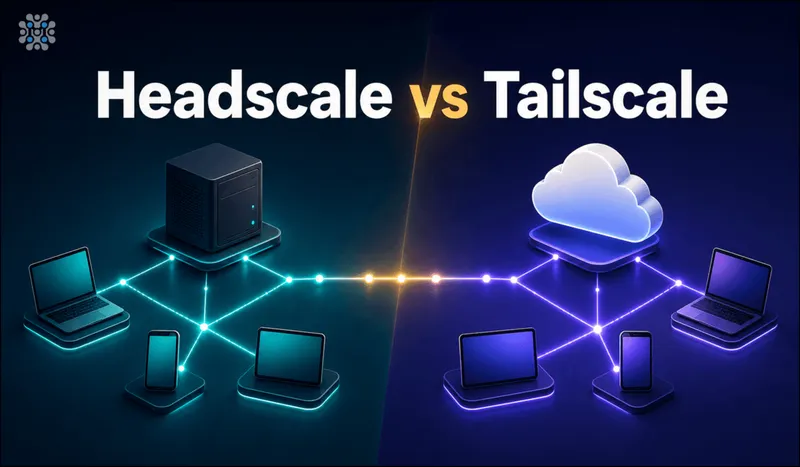
Most people searching "headscale vs tailscale" already know what Tailscale is. What trips people up is what Headscale actually replaces. It isn't a different mesh VPN client, it's a self-hosted, open source stand-in for Tailscale's coordination server. You still install the same official Tailscale app on your laptop and phone, it just talks to a server you run instead of Tailscale's cloud.
That one detail changes the whole calculation. You're not choosing a different client experience, you're choosing who holds the map of your network: Tailscale's infrastructure, or your own.
Quick answer
Jump to a section
What is Headscale, and how does it work?
Tailscale's product is really two things: the client app that builds an encrypted WireGuard mesh between your devices, and a coordination server that helps those devices find each other, hands out keys, and enforces access rules. Headscale, written in Go and BSD-3 licensed, reimplements only the second part. The actual peer-to-peer traffic between your devices never touches Headscale or Tailscale's servers either way, that part was always end-to-end. What changes is who runs the coordination layer that makes the mesh possible in the first place.
How to choose between Headscale and Tailscale
Three questions cover most of the decision:
- Does your network metadata need to stay off a third party's servers? With Tailscale, your device list, network topology, and access rules live on Tailscale's infrastructure, even though your actual traffic is encrypted and peer-to-peer. If that metadata alone is a dealbreaker, Headscale is the only option here.
- Do you want to maintain a server? Headscale means you patch it, back it up, and troubleshoot it when something breaks. Tailscale means none of that, it's a hosted service you sign up for.
- How many devices, and how many awkward networks? Tailscale's free tier (100 devices, 3 users) covers most homelabs and small teams outright, plus its roughly 200 global DERP relays quietly solve NAT traversal problems you'd otherwise have to debug yourself.
Headscale: your own Tailscale control plane
Headscale is BSD-3 licensed and has reached the point where it's stable for personal and small-organization use, with thousands of production deployments. It supports the core of what Tailscale offers: MagicDNS, Taildrop file sharing, subnet routing, exit nodes, dual-stack IPv4/IPv6, access control lists, and single sign-on through OIDC. There's no artificial cap on users or devices, the only limit is what your server can handle.
Key features
- Full compatibility with the official Tailscale client apps, no custom software to install
- MagicDNS, Taildrop, subnet routing, and exit node support
- Access control lists and pre-authenticated keys for automated device enrollment
- OIDC-based single sign-on for user authentication
- No per-user or per-device limits
Pros
- Zero per-user cost, ever, regardless of team size
- Network metadata and device list never leave your own server
- No artificial device or user caps to run into later
Cons
- No official web UI, you're on the CLI unless you add Headplane separately
- You own patching, backups, and uptime for the coordination server
- No built-in global relay network, NAT traversal in tricky networks takes more of your own configuration
Tailscale: managed, zero-maintenance mesh VPN
Tailscale is the commercial product Headscale reimplements the server side of. It's built on WireGuard, adds identity-based access control on top, and backs it with roughly 200 DERP relay servers worldwide that quietly handle the NAT and firewall situations that would otherwise need manual troubleshooting. The free tier covers 100 devices and 3 users, generous enough for most homelabs and small side projects. Paid plans start around $6 per user per month and scale up to a $18 per month Premium tier with deeper SSO integrations (Okta, SAML, Google, Microsoft, GitHub, GitLab).
Key features
- Zero server maintenance, it's a fully managed coordination service
- Roughly 200 DERP relay servers globally for reliable NAT traversal
- Free tier covers 100 devices and 3 users with no time limit
- Deep enterprise SSO integrations out of the box
- Official, polished web console for managing your tailnet
Pros
- Genuinely zero maintenance, sign up and it works
- The free tier alone covers most small teams and homelabs
- Global relay network solves NAT problems you'd otherwise debug yourself
Cons
- Per-user pricing once you outgrow the free tier
- Your network topology and device metadata sit on Tailscale's infrastructure
- Free tier caps (100 devices, 3 users) eventually force a paid plan for growing teams
Relays and NAT traversal: DERP and peer relays
This is the one place the two genuinely differ in what your network can do, rather than just who runs it.
When two devices cannot open a direct WireGuard connection, because both sit behind strict NAT or a corporate firewall, something has to relay the traffic. Tailscale runs roughly 200 DERP relay servers worldwide for that, on every tier including the free one. Headscale speaks DERP too. But you either point it at Tailscale's public relays, which puts you back on their infrastructure for exactly the connections you cared about, or you run your own, and running your own properly means servers in the regions your users actually sit in. Not one box in Frankfurt because that is where everything else lives.
Does Headscale support Tailscale peer relays?
Peer relays are Tailscale's newer answer to the same problem. Instead of routing through DERP, you nominate a device already in your tailnet to relay for the others, which keeps the traffic on hardware you own and lifts the throughput ceiling DERP imposes. Any device on Tailscale 1.86 or later can be one, switched on with tailscale set --relay-server-port.
On Headscale it works, but not identically, and the gap is the kind that costs you an afternoon. Support is tracked upstream. The known problem: on Tailscale's hosted service a peer relay still works when the two endpoints cannot reach the relay node directly, while on Headscale they currently need that visibility, which in practice means adding an ACL rule that exists purely to make the relay reachable. If peer relays are the reason you are switching, read the current state of that issue before you commit to it.
Headscale security, SSO, and ACLs
The encryption is identical on both sides. The client enforces it, WireGuard end to end, and your traffic never crosses the coordination server either way. That surprises people who assume self-hosting the control plane makes the tunnel more private. It does not. The tunnel was already private.
What changes is who holds the map. Your device list, keys, and policy sit on a server you own, which is the whole reason to do this, and it also means the patching, the TLS certificate, and the database backups are now yours.
SSO and OIDC
Headscale does SSO through OIDC: discovery, PKCE, and authorization by domain, email, or group membership. Keycloak, Entra ID and Google all slot in.
One limitation will bite if you planned your access model around it. OIDC groups cannot be referenced in ACLs, and there is no dynamic ACL support. Group membership from your identity provider does not drive access rules the way it does on Tailscale's paid tiers, so you map users to policy by hand.
ACLs
Same HuJSON policy format Tailscale uses, so rules mostly carry across. Editing means a file and a reload. Or Headplane, if you would rather work in a browser.
Headplane: the web UI Headscale doesn't ship
Run Headscale for more than a weekend and the CLI-only workflow starts to wear thin, that's the gap Headplane fills. It's a community-built, feature-complete web interface for Headscale: machine management (expiry, routing, ownership), detailed ACL and tagging configuration, OIDC login, DNS settings, and the ability to edit Headscale's own configuration, all from a browser instead of SSH and a text editor. It isn't an official Headscale or Tailscale project, but it's actively maintained and is the closest thing to Tailscale's own polished admin console that the self-hosted side has.
Headscale vs Tailscale: feature comparison
| Feature | Headscale | Tailscale |
|---|---|---|
| License / model | BSD-3, self-hosted | Proprietary, managed SaaS |
| Client software | Official Tailscale client | Official Tailscale client |
| Pricing | Free, pay only for your server | Free up to 100 devices/3 users, then per-user |
| Web UI | None built in, use Headplane | Official, built in |
| MagicDNS | Yes | Yes |
| Taildrop file sharing | Yes | Yes |
| Exit nodes and subnet routing | Yes | Yes |
| SSO / OIDC | Yes | Yes, plus SAML, Okta, and more |
| Global relay (DERP) network | Self-configured | ~200 relays worldwide, built in |
| Peer relays | Works, but endpoints need visibility of the relay | Generally available, client 1.86+ |
| Server maintenance | Your responsibility | None, fully managed |
| Device/user caps | None | Free tier capped at 100 devices/3 users |
Why we run Headscale for clients
Most teams that come to us about Tailscale aren't unhappy with the product, they're uncomfortable with their network map sitting on someone else's servers, or they've watched the per-user bill grow every time they onboard someone new. Headscale removes both problems without changing what end users see day to day, they still install the same Tailscale app they'd use anyway. We package it as a ready-to-launch AMI with the coordination server, ACLs, and TLS already configured, so the part that normally takes a weekend of reading docs is done before the instance finishes booting.
Our Headscale developer guide covers the full manual setup if you'd rather run it yourself first.
Where I'd start
Want zero maintenance and you're under 100 devices: just use Tailscale's free tier, there's no reason to add server upkeep you don't need yet. Uncomfortable with your network metadata on a third party's infrastructure, or scaling past the point where per-user pricing adds up: Headscale, paired with Headplane if you want a web UI instead of the CLI.
Either way you're not locked in. Since both speak the same protocol to the same client software, moving from Tailscale to a self hosted Headscale setup later is a config change, not a migration project.
Frequently Asked Questions
Headscale vs Tailscale: what's the actual difference?
Headscale is an open source, self-hosted replacement for Tailscale's coordination server. You still run the official Tailscale client on every device, it just talks to your own Headscale server instead of Tailscale's cloud. The mesh networking itself is identical.
What is Headscale?
A BSD-3 licensed, self-hosted implementation of Tailscale's control server, written in Go. It hands out keys, tracks which devices are in your network, and enforces access rules. It is not a VPN client, and it does not replace the Tailscale app on your devices.
Does Headscale support Tailscale peer relays?
Yes, though not identically. Support is tracked upstream, and there is a known gap: Tailscale's hosted service relays even when endpoints cannot reach the relay node directly, while Headscale currently needs that visibility, usually via an extra ACL rule.
Where are the official docs for Headscale, the self-hosted Tailscale control server?
At headscale.net, which covers configuration, OIDC, ACL policy, and device registration, with the source at github.com/juanfont/headscale. Tailscale does not document Headscale, since it is a community project rather than an official one.
Does Headscale support SSO?
Yes, through OIDC, with discovery, PKCE, and authorization by domain, email, or group membership, so Keycloak, Entra ID, and Google work. One catch: OIDC groups cannot be used inside ACLs, and there is no dynamic ACL support.
Is Headscale as secure as Tailscale?
The encryption is identical, because the official Tailscale client enforces it, WireGuard end to end, with traffic that never crosses the coordination server either way. What changes is that patching, TLS, and backups for the control plane become your responsibility.
How do I set up Tailscale self hosted with Headscale?
Run the Headscale server (Docker or a native binary), point your Tailscale clients at it with --login-server, then register each device with a pre-auth key. Add Headplane afterward if you want a web UI instead of the CLI for day-to-day management.
What is Headplane UI and do I need it?
Headplane is a third-party web interface for Headscale that replaces the CLI for managing nodes, ACLs, and DNS. You don't need it, Headscale works fully from the command line, but most people running it beyond a handful of devices add Headplane for the visibility.
Launch Headscale on AWS Without the Manual Setup
Launch a pre-configured Headscale server on AWS, a self-hosted Tailscale alternative with TLS and ACLs already set up.
Get Headscale on AWS Marketplace