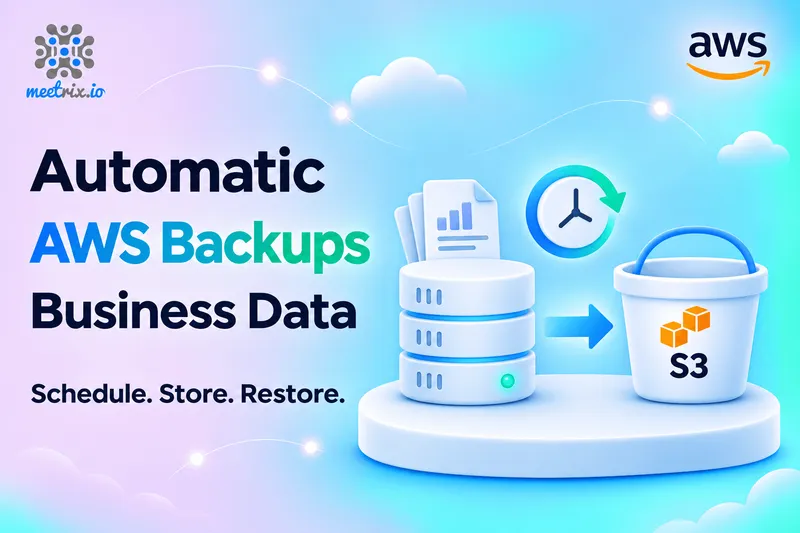
Most small businesses have one copy of the data that matters most. It sits on one server, and nobody has checked whether it can come back.
Your invoices, client list and payment history probably live in a single database. A failed disk, a bad upgrade, a deleted record or a stolen password can wipe it out. An automatic backup costs a few cents a month on AWS. Losing two years of invoices costs a lot more.
This guide shows how to back up business data on AWS without anyone having to remember. We use Invantra, our self-hosted invoicing app, as the worked example, because its AWS image already does nightly backups to S3. The same pattern works for almost any app that keeps its data in a database.
What a good AWS backup looks like
The short answer
- It runs on a schedule, with nobody pressing a button.
- It leaves the server, usually for an S3 bucket.
- It keeps several days of history, not just last night.
- Old copies expire by rule, so storage doesn't grow forever.
- Someone has restored it at least once.
Each part covers a different way of losing data. A copy on the same disk doesn't help when the disk fails. One copy that's overwritten every night doesn't help when someone deleted a client three weeks ago and nobody noticed.
The disk or server fails
What saves youA copy somewhere else, such as S3
Someone deletes or edits the wrong record
What saves youSeveral days of history to go back to
An upgrade breaks the database
What saves youA backup taken just before the upgrade
Someone gets into the server
What saves youS3 versioning, so old copies can't simply be overwritten
You delete the server by mistake
What saves youBackups that don't live on that server
Your backup options on AWS
AWS gives you several ways to do this, and they protect different things. For a small business app on one server, these four cover almost every case:
Database dump to S3
EBS snapshots
AWS Backup
RDS automated backups
EBS snapshots can be scheduled for free with Amazon Data Lifecycle Manager, and AWS Backup covers EC2, EBS, RDS, S3 and more from one place. Both are worth having. But a snapshot brings back the whole server as it was, and it can't hand you one database you can load anywhere else. That's what a dump does, so it's the backup we'll set up here.
If you run PostgreSQL on its own, our PostgreSQL automatic backup tool sets up scheduled backups and retention on AWS for any database. For MongoDB, the same idea is covered in MongoDB backup and restore on AWS.
Example: Invantra's nightly backups
Invantra keeps everything in one PostgreSQL database: customers, estimates, invoices, payments, your logo and every payment attachment. So one database dump is the whole business record. The Meetrix AWS image sets the backup up on first boot:
Dump
Every night at 02:30 UTC, the server dumps the database.
AutomaticKeep
The last 14 nightly dumps stay on the server.
AutomaticCopy
With S3Bucket set, each dump is also copied to invantra-dbbackup/ in your bucket.
Expire
S3 copies are never deleted automatically. Your lifecycle rule does that.
Your ruleSteps 1 and 2 happen whatever you do. Steps 3 and 4 are yours. Without S3Bucket, all 14 backups sit on the same disk as the database they protect, and deleting the CloudFormation stack deletes them with the server.
If you only change one setting when you launch, make it S3Bucket.
Our guide to self-hosting Invantra on AWS walks through the launch and the rest of the defaults. The parameter itself is covered step by step in the developer guide:
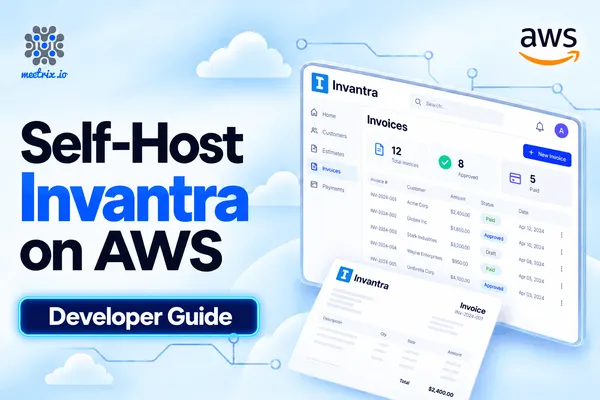
Set up automatic backup to S3
Here's the bucket setup for the Invantra example. The names are placeholders: use your own bucket name and the region your server runs in. All commands use the AWS CLI.
- Create the bucket in the server's region
Keeping the bucket in the same region keeps transfer free and your data where you expect it. New buckets block public access and encrypt objects by default.
aws s3 mb s3://acme-invantra-backups --region eu-west-2 - Turn on versioning
With versioning on, overwriting or deleting a backup keeps the old version. That protects you if a bad script, or a person, deletes files.
aws s3api put-bucket-versioning --bucket acme-invantra-backups --versioning-configuration Status=Enabled - Add a lifecycle rule
This rule deletes dumps after 90 days, and deleted or replaced versions 30 days after that. Change the numbers to suit how far back you need to go. The S3 lifecycle documentation covers moving old copies to cheaper storage instead.
cat > lifecycle.json <<'EOF' { "Rules": [ { "ID": "expire-old-backups", "Filter": { "Prefix": "invantra-dbbackup/" }, "Status": "Enabled", "Expiration": { "Days": 90 }, "NoncurrentVersionExpiration": { "NoncurrentDays": 30 } } ] } EOF aws s3api put-bucket-lifecycle-configuration --bucket acme-invantra-backups --lifecycle-configuration file://lifecycle.json - Point the server at the bucket
For Invantra, enter the bucket name in the
S3Bucketparameter when you create the CloudFormation stack. - Check the next morning
After 02:30 UTC, the first copy should be there. If the list is empty, check the bucket name and region before anything else.
aws s3 ls s3://acme-invantra-backups/invantra-dbbackup/
The same backup for any other app
If your app doesn't come with backups built in, two lines of cron do the same job for PostgreSQL. pg_dump writes a compressed dump, and the AWS CLI copies it to S3:
0 2 * * * pg_dump -Fc -d mydb -f /var/backups/mydb-$(date +\%F).dump
30 2 * * * aws s3 cp /var/backups/mydb-$(date +\%F).dump s3://acme-backups/mydb/
Give the server an IAM role that can only write to that bucket, instead of storing access keys on it. And clear old local dumps too, or they'll fill the disk. If your app runs in containers, our Docker Compose guide for Invantra shows the same nightly dump from inside a container.
Test a restore before you need it
A backup nobody has restored is only a hope. Do this once after setup, and again after any big upgrade:
- Download last night's backup
Pick the newest file in the bucket and copy it to a test machine, not to the live server.
aws s3 cp s3://acme-invantra-backups/invantra-dbbackup/<newest-file> ./latest.dump - Restore it into a scratch database
A custom-format dump (made with
pg_dump -Fc) goes throughpg_restore. A plain.sqlfile goes throughpsqlinstead.createdb restore_test pg_restore --no-owner -d restore_test latest.dump - Check the data, not just the command Open the restored copy and look for something you know: yesterday's invoice, the newest client, a recent payment. For Invantra, the cleanest test is a fresh stack from the same image with the backup restored into it, then a sign-in.
- Delete the test copy Remove the scratch database or test stack, so the test doesn't add to the bill or leave a second copy of client data lying around.
Upgrades are restores too
What backups cost
A 200 MB dump every night, kept for 90 days, is about 18 GB in S3 Standard. An invoicing database for a small team is often far smaller, so the real figure is usually a few cents.
These are list prices for US East (N. Virginia) in November 2026, from S3 pricing and EBS pricing; other regions differ a little.
| Storage | Price | Use it for |
|---|---|---|
| S3 Standard | $0.023 per GB-month | Nightly dumps you may need this week |
| EBS snapshots | $0.05 per GB-month | Whole-server copies; charged for changed blocks only after the first snapshot |
| S3 Glacier Deep Archive | about $0.001 per GB-month | Yearly copies for the long term; minimum 180 days, retrieval takes hours |
The full monthly picture for a self-hosted setup, server included, is in our Invantra AWS cost breakdown. If you want a warning before any line grows, set an AWS billing alarm.
Backup mistakes to avoid
Backups on the same server
They disappear with the disk, or with the stack when someone deletes it. Fix: copy every dump to S3.
No retention rule
S3 copies pile up for years and the bill creeps up quietly. Fix: a lifecycle rule on the backup folder.
Never restored
The first restore attempt shouldn't happen on the worst day of the year. Fix: one test restore now, another after big upgrades.
Only one copy
If last night's backup was taken after the mistake, you need the night before. Fix: keep at least 30 days.
One more: backups in the wrong place. If client data has to stay in one region, keep the bucket there too. Our guide to GDPR compliant invoicing software explains why.
Backups are one of the jobs that come with running your own server, along with updates, HTTPS and access. If you're still deciding whether that trade suits your team, our self-hosted vs SaaS invoicing comparison lays it out.
Frequently Asked Questions
How do I back up business data on AWS automatically?
Schedule a nightly dump of the database, copy it to an S3 bucket in the same region, turn on versioning, and add a lifecycle rule so old copies expire. Then restore one backup into a test server to prove it works.
What is the cheapest way to do an automatic backup to S3?
A compressed database dump copied to S3 Standard. A 200 MB dump kept nightly for 90 days is about 18 GB, roughly $0.41 a month at $0.023 per GB. A lifecycle rule keeps that from growing forever.
Are EBS snapshots enough to back up a database server?
They protect against losing the disk, and Data Lifecycle Manager can schedule them for free. But they restore the whole server, not one record, and a snapshot taken mid-write may need recovery. Keep a database dump as well.
How long should I keep business backups?
Keep daily backups for at least 30 to 90 days, so you can recover from a mistake nobody noticed for a few weeks. Tax records are a separate rule: HMRC asks for at least 6 years, so keep exports or yearly copies for that.
Does Invantra back up automatically on AWS?
Yes. The Meetrix AWS image dumps the PostgreSQL database every night at 02:30 UTC and keeps 14 days on the server. Set the S3Bucket parameter and each dump is also copied to your own S3 bucket.
Invoicing With Nightly Backups to Your Own S3 Bucket
Launch Invantra in your own AWS account with HTTPS, a firewall and nightly database backups set up from the first boot. 5-day free trial, unlimited users, about $22 to $28 a month all in.
Get Invantra on AWS Marketplace