Most internal tools get adopted the same way. A developer tries something on a laptop on a Friday, it works, and on Monday they show it to whoever owns the problem. For invoicing, that's usually the founder, an ops lead, or the one person in finance who chases every approval over Slack.
This guide is for that developer. Invantra is an MIT-licensed, self-hosted invoice app built for Docker: one Node.js container and one PostgreSQL container. You'll have it running locally in a few minutes, then take it to a server with HTTPS, backups and a sane upgrade routine, so what you demo on Monday is something the company can actually keep using.
Quick answer
docker compose --profile app up -d --build. Open http://localhost:8787 and sign in. A plain docker compose up starts only the database, because the app service sits behind a Compose profile.
What you're deploying: a self-hosted invoice app in Docker
Invantra does estimates, invoices, payments received and printable PDFs, with an approval step in between: a member drafts, an admin approves or rejects with a reason, and only approved documents can be invoiced or paid. Version 1.1.0, released on 14 November 2026, added CSV import and export and a set of reports.
The deployment is small on purpose:
| Piece | What it is |
|---|---|
| app | One image built from the repo's Dockerfile: Node.js 24 running a Hono API that also serves the React web app. Listens on 8787, has a built-in health check, and runs as an unprivileged node user. |
| db | postgres:17-alpine with a named volume, pgdata. Every bit of data lives here, including your logo and payment attachments. |
| Migrations | Plain SQL files applied on startup, in order, under a database lock. Nothing to run by hand. |
| None. Invites and password resets are one-time links an admin copies and passes on, so there's no SMTP to configure. |
That last row deserves a second look. Most self-hosted invoice Docker setups stall on email configuration. Invantra skips it entirely, which makes it quick to stand up. The trade-off is that it can't email invoices either: you save the PDF from the print view and send it yourself.
Run it on your laptop
Before you start
- Docker Engine with the Compose plugin (the
docker composecommand, not the olddocker-compose), or Docker Desktop on macOS or Windows. See the Compose install docs. - Git, to clone the repository.
- Port 8787 free on your machine, or pick another with APP_PORT.
Step 1: Clone the repository
git clone https://github.com/meetrix/invantra.git
cd invantra
Step 2: Create a .env file for Compose
Here's the first trap. The repo has a .env.example, but it's written for running the app outside Docker (it sets DATABASE_URL to a local database on port 5433). Don't copy it for a Compose deployment. Compose reads .env to fill in the variables in docker-compose.yml, and those are different:
# .env for Docker Compose
POSTGRES_PASSWORD=replace-with-a-long-random-string
ADMIN_EMAIL=you@yourcompany.com
ADMIN_PASSWORD=temporary-first-password
# Start the app service without typing --profile app every time
COMPOSE_PROFILES=app
Generate the database password rather than typing one. Stick to letters and digits: the password gets pasted into a connection URL inside the Compose file, so characters like @, : or / break the connection string.
openssl rand -hex 24Set POSTGRES_PASSWORD before the first start
docker compose down -v deletes the volume and you start fresh.
Step 3: Build and start it
docker compose --profile app up -d --build --waitThe first build installs dependencies and compiles the web app, so give it a few minutes. --wait returns once both containers report healthy, the same check the project's own CI runs on every commit. If you set COMPOSE_PROFILES=app in .env, the --profile app part is optional.
Without the profile, docker compose up -d starts PostgreSQL and nothing else. That's deliberate (developers working on Invantra itself run the database in Docker and the app on the host), but it confuses almost everyone the first time.
Step 4: Check it's up
docker compose ps
curl -fsS http://localhost:8787/api/health
The health endpoint returns 200 once the app can reach the database. Then open http://localhost:8787 in a browser.
First sign-in and setup
Sign in with ADMIN_EMAIL and ADMIN_PASSWORD. Invantra makes you choose a new password straight away (at least 10 characters), and the account can't do anything else until you do. The admin is only created while there are no users, so you can delete both ADMIN_ lines from .env afterwards.
Then go to Settings before anything else: business name and address, logo, number formats (such as INV- followed by a sequence), and the default notes, payment details and terms that new documents copy. If you're moving from another tool, set the next invoice number so your series carries on where the old one stopped.
To make the demo realistic, add a second user. On the Users page, enter a colleague's email, name and role, and Invantra gives you a one-time invite link (valid for 7 days). They open it and pick their own password, so you never know it.
Showing it to your company
You've got it running. Now the harder part: getting the people who send invoices to care. Different people will look at different things, so show each of them their part.
For whoever approves invoices
Create a draft as a member, submit it, then approve it as an admin. Show the Activity tab: who created, submitted, approved or rejected it, and when, with the reason. Approval also freezes the client's details, so editing a client's address next year doesn't change invoices already sent. Our estimate approval workflow guide walks through setting up the roles.
For finance
Open Reports: receivables aging, customer balances, payments received, time to get paid, and an income summary on an accrual or cash basis. Each one has date presets, prints, and exports to CSV, with every currency kept separate.
For whoever owns the old system
CSV import for customers, items, estimates, invoices and payments, in that order. Importing the same file again updates records instead of duplicating them, so a trial import is safe to repeat.
For IT or security
MIT licence, two containers, and all data in a PostgreSQL database you control. Passwords are scrypt-hashed, five failed sign-ins lock an account for 15 minutes, sessions sit in an HttpOnly cookie, and requests that change data must come from the app's own origin. The container also runs as an unprivileged node user rather than root.
Be upfront about the gaps, too, because someone will find them in the first week. Invantra has no tax calculation, no recurring invoices, no email sending, no single sign-on, and a fixed PDF layout (your logo and details, not a template editor). If your company charges VAT on every invoice or bills monthly retainers, say so in the demo rather than after the rollout. Our roundup of open source invoicing software covers the tools that do have those features.
The pitch that tends to land is a pilot, not a migration: import last quarter's customers and invoices from CSV, have the real approver approve a week of new drafts, and decide after that.
If cost comes up, there's no per-user fee, so the bill is the server. Our breakdown of what Invantra costs on AWS for a 10-person team has the numbers next to FreshBooks, QuickBooks, Xero and Zoho.
Move it to a server with HTTPS
Once there's a yes, move it off your laptop. Any Linux VM with Docker works. For a sense of scale, the Meetrix AWS image runs Invantra on a t3a.small (2 vCPUs, 2 GiB of memory).
Two settings change when you go from localhost to a real domain, and both are about sign-in:
- The bundled Compose file sets
COOKIE_SECURE: "false"so sign-in works over plain HTTP on localhost. Behind HTTPS it should be true, so the session cookie is only ever sent encrypted. (The variable defaults to true; the Compose file deliberately overrides it to false for local testing.) - The server compares the request's Host header with its Origin to refuse cross-site requests, so your reverse proxy must pass the original Host through.
Caddy handles both without extra configuration: it keeps the Host header, sets X-Forwarded-Proto, and gets a Let's Encrypt certificate on its own. Point a DNS record (say, invoices.yourcompany.com) at the server and open ports 80 and 443. Then add a docker-compose.override.yml next to the original file. Compose merges it automatically, and keeping your changes in a separate file means git pull never conflicts with them.
# docker-compose.override.yml
services:
  app:
    environment:
      COOKIE_SECURE: "true"

  caddy:
    image: caddy:2
    restart: unless-stopped
    profiles: [app]
    depends_on:
      - app
    ports:
      - "80:80"
      - "443:443"
    volumes:
      - ./Caddyfile:/etc/caddy/Caddyfile:ro
      - caddy_data:/data

volumes:
  caddy_data:
# Caddyfile
invoices.yourcompany.com {
reverse_proxy app:8787
}The app still publishes port 8787 on every interface, which would let people skip HTTPS. Bind it to localhost by adding one line to .env (the Compose file builds the port mapping from APP_PORT, so this becomes 127.0.0.1:8787:8787):
APP_PORT=127.0.0.1:8787docker compose --profile app up -d --build --wait
docker compose logs -f caddyOnce Caddy logs that it has a certificate, open https://invoices.yourcompany.com and sign in. If you'd rather put an existing proxy like nginx or Traefik in front, the same two rules apply: keep the Host header, and set COOKIE_SECURE to true (or to auto if the proxy sets X-Forwarded-Proto and serves both HTTP and HTTPS).
Backups and restores
Everything is in PostgreSQL, so a database dump is a full backup. This is the step people skip, and invoices are the data you can least afford to lose, and your accountant and your tax office will want them years from now.
docker compose exec -T db pg_dump -U invoice -d invoice -Fc > invantra-$(date +%F).dumpRun it nightly from cron and copy the file somewhere that isn't the same server (object storage, another machine). A backup that lives on the disk it's protecting doesn't count. A crontab line, run from the invantra folder (cron needs the % signs escaped):
0 2 * * * cd /opt/invantra && docker compose exec -T db pg_dump -U invoice -d invoice -Fc > backups/invantra-$(date +\%F).dumpTest a restore at least once, before you need it. Stop the app so nothing writes during the restore, load the dump, then start it again:
docker compose stop app
docker compose exec -T db pg_restore -U invoice -d invoice --clean --if-exists < invantra-2026-11-20.dump
docker compose --profile app up -d --wait
The pg_dump documentation covers the other formats if you'd rather keep plain SQL files.
Upgrading Invantra
New versions come through Git. Read CHANGELOG.md first, take a backup, then pull and rebuild:
docker compose exec -T db pg_dump -U invoice -d invoice -Fc > invantra-pre-upgrade.dump
git pull
docker compose --profile app up -d --build --wait
Database migrations run when the new container starts, so there's no separate step. Your override file and Caddyfile aren't tracked by the repo, so the pull leaves them alone.
One thing not to do casually: bump the postgres:17-alpine tag to a new major version. A PostgreSQL data volume is tied to its major version, and a new major won't start on an old volume. If you ever need to move up, dump, start a fresh volume on the new version, and restore.
Troubleshooting
| Symptom | Likely cause and fix |
|---|---|
| Only the db container starts | The app is behind the app profile. Add --profile app, or COMPOSE_PROFILES=app in .env. |
| App restarts, logs show a password error | POSTGRES_PASSWORD changed after the volume was created. Put the original back, or on a throwaway install run docker compose down -v. |
| Sign-in does nothing over plain HTTP | COOKIE_SECURE is true, so the browser drops the cookie. Use HTTPS, or set it to false for local testing only. |
| Sign-in works, but saving anything fails behind a proxy | The proxy rewrites the Host header, so the origin check refuses the request. Pass the original Host through. |
| Port 8787 already in use | Set APP_PORT in .env to another port, such as 8788. |
| Can't sign in after five tries | The account is locked for 15 minutes. Wait it out, or have another admin issue a reset link from the Users page. |
For anything else, docker compose logs app is the first place to look.
When to skip the Docker setup
Docker Compose is the right way to try Invantra, and a fine way to run it. But once the company depends on it, someone owns the server: patches, certificates, backups that actually get tested, and the 2 a.m. message when the disk fills up. If that someone is you, on top of your actual job, it's worth knowing there's another option.
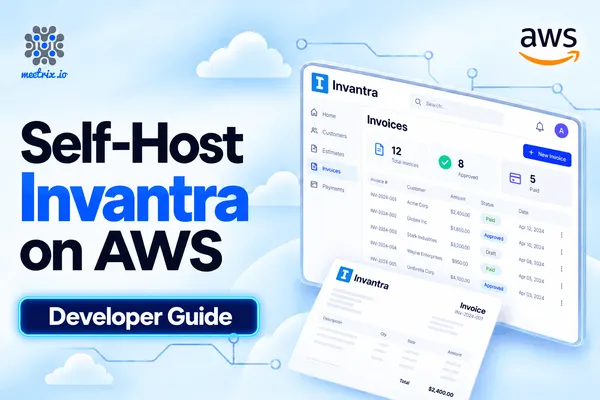
Meetrix publishes Invantra as a ready-made image on AWS Marketplace, with HTTPS, a firewall and nightly backups to S3 already set up. It has a 5-day free trial where you pay only for the server, then a small hourly or yearly software fee with no per-user charge; the Invantra store page has the details. Our Invantra developer guide covers the launch step by step, and self-hosting Invantra on AWS explains who it suits.
Frequently Asked Questions
Is there an official Invantra Docker image?
Yes. meetrix/invantra is published on Docker Hub, tagged by version. You can pull it directly or build from the repository's Dockerfile.
Which port does Invantra use in Docker?
8787 by default. Change it with PORT (or APP_PORT in the Compose setup) in .env.
Why does docker compose up only start the database?
The app service sits behind the app profile. Either add --profile app to the command, or set COMPOSE_PROFILES=app in .env so you don't have to type it every time.
Why can't I sign in after putting Invantra behind HTTPS?
Two common causes: COOKIE_SECURE is still false when it should be true (or vice versa on localhost), or your reverse proxy is rewriting the Host header so the origin check rejects the request. Fix both and sign-in works.
How do I back up Invantra running in Docker?
docker compose exec -T db pg_dump -U invoice -d invoice -Fc > backup.dump. Run it nightly and copy the file off the server. Everything, including logos and attachments, lives in that database.
Does Invantra need a mail server?
No. Invites and password resets are one-time links an admin copies and passes on. The trade-off is that Invantra can't email invoices either.
Can I run Invantra with an existing PostgreSQL server?
Yes, if you're comfortable editing the Compose file. Point the app service's DATABASE_URL at your external PostgreSQL and drop the db service. Most people stick with the bundled one.
Skip the Server Work: Invantra on AWS
Launch Invantra in your own AWS account with HTTPS, a firewall and nightly backups set up, and no per-user fees.
Get Invantra on AWS Marketplace