On this page
Every WebRTC app starts by asking for the camera and microphone, and that first call is where a surprising number of support tickets begin. The API is small: navigator.mediaDevices has a handful of methods. The trouble is in the details, like constraints that fail on one laptop, device names that come back blank, and errors that each need a different message for the user.
The minimum getUserMedia call that works
The full API is defined in the W3C Media Capture and Streams spec, and MDN's getUserMedia reference tracks browser support. This is all you need to start:
const video = document.querySelector('video');

try {
  const stream = await navigator.mediaDevices.getUserMedia({
    video: true,
    audio: true,
  });
  video.srcObject = stream;
  await video.play();
} catch (err) {
  console.error(err.name, err.message);
}
Three things have to be true for this to run at all:
- A secure context.
navigator.mediaDevicesonly exists on HTTPS pages andhttp://localhost. On plain HTTP, even on your LAN, it isundefined. - A user gesture is wise. Browsers allow the permission prompt without one, but prompting the moment a page loads gets denied far more often than prompting after a "Join" click.
- Permissions policy. Inside an iframe, the embedding page must allow it with
allow="camera; microphone", which is the step people miss when embedding a meeting with something like the Jitsi Meet IFrame API.
When you are done, stop the tracks. Removing the video element is not enough; the camera light stays on until every track is stopped:
stream.getTracks().forEach((track) => track.stop());WebRTC constraints without surprises
Constraints ask for a resolution, frame rate, camera direction or audio processing. The rule that matters: use ideal, not exact, min or max, unless failing is really what you want.
const stream = await navigator.mediaDevices.getUserMedia({
  video: {
    width: { ideal: 1280 },
    height: { ideal: 720 },
    frameRate: { ideal: 30 },
    facingMode: 'user',          // 'environment' for the rear camera
  },
  audio: {
    echoCancellation: true,
    noiseSuppression: true,
    autoGainControl: true,
  },
});
ideal means "get as close as you can". exact, min and max are hard requirements, and when a device can't meet them the promise rejects with OverconstrainedError. A min height of 720 works on your desk and fails on half your users' webcams.
Check what you actually got, because the browser may give you less than you asked for:
const [track] = stream.getVideoTracks();
console.log(track.getSettings());   // { width: 1280, height: 720, frameRate: 30, deviceId: ... }
navigator.mediaDevices.getSupportedConstraints() tells you which constraint names the browser understands, not what a particular camera can do. For device capabilities, use track.getCapabilities() after you have a track.
WebRTC device listing and switching with mediaDevices
const devices = await navigator.mediaDevices.enumerateDevices();
const cameras = devices.filter((d) => d.kind === 'videoinput');
const mics = devices.filter((d) => d.kind === 'audioinput');
const speakers = devices.filter((d) => d.kind === 'audiooutput');
If the labels come back as empty strings, that is by design. Browsers hide device names until the page has permission, so call getUserMedia first and enumerate again afterwards. Listen for hardware being plugged in or removed:
navigator.mediaDevices.addEventListener('devicechange', refreshDevicePicker);To open a specific device, pass its deviceId. Inside a call, switch cameras without renegotiating by replacing the track on the existing sender:
const newStream = await navigator.mediaDevices.getUserMedia({
  video: { deviceId: { exact: selectedCameraId } },
});
const [newTrack] = newStream.getVideoTracks();

const sender = peerConnection.getSenders().find((s) => s.track && s.track.kind === 'video');
await sender.replaceTrack(newTrack);
oldVideoTrack.stop();
exact is correct here: the user picked that camera, and silently falling back to another one would be worse than an error.
Errors you must handle
| Error name | What happened | What to tell the user |
|---|---|---|
NotAllowedError | Permission denied by the user, the browser or an OS privacy setting | How to re-enable access in the address bar, and on macOS in System Settings |
NotFoundError | No device of the requested kind | No camera found; offer audio-only |
NotReadableError | Device exists but can't be opened, usually held by another app | Close other apps using the camera |
OverconstrainedError | A hard constraint can't be met | Nothing; retry with looser constraints |
SecurityError | Blocked by permissions policy or insecure context | A bug in your page, not the user's problem |
A pattern worth copying: if video fails with NotFoundError or NotReadableError, retry with { audio: true, video: false } and let the user join without a camera. Far better than a dead end. When users report problems you can't reproduce, debugging WebRTC in Chrome, Firefox and Safari shows where the browser logs device and connection failures, and pointing them at a mic test or webcam test tells you quickly whether the device works outside your app.
Screen capture
Screen sharing uses a sibling method on the same object. Note that it lives on navigator.mediaDevices, not on navigator directly, as some older examples show:
const screen = await navigator.mediaDevices.getDisplayMedia({
  video: true,
  audio: true,   // tab or system audio, where the browser supports it
});
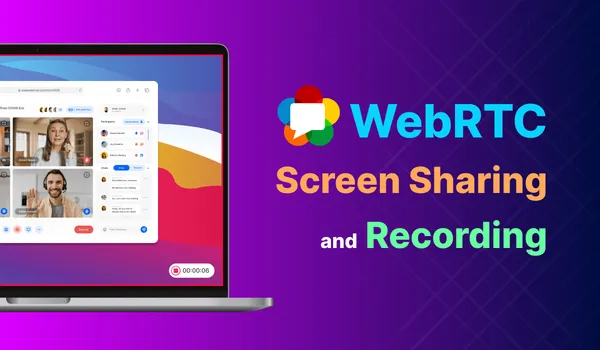
It must be called from a user gesture, and the user always chooses what to share. WebRTC screen share and recording goes into capture options, sending it over a peer connection and recording it.
Testing without a camera
CI machines have no webcams, and a permission prompt blocks any automated test. Two approaches.
Browser flags, the easy one. Chromium can supply a fake device and accept the prompt automatically:
--use-fake-device-for-media-stream
--use-fake-ui-for-media-stream
In Playwright pass them in launchOptions.args; in Cypress add them in the before:browser:launch hook. You get a moving test pattern and a beep tone.
Cypress stub for navigator.mediaDevices.getUserMedia
Stubbing the API when you need control over the stream, for example to test how your UI handles a specific resolution or silence. Build a real MediaStream from a canvas and Web Audio:
function fakeStream() {
  const canvas = Object.assign(document.createElement('canvas'), { width: 640, height: 480 });
  const ctx = canvas.getContext('2d');
  setInterval(() => {
    ctx.fillStyle = '#' + Math.floor(Math.random() * 0xffffff).toString(16).padStart(6, '0');
    ctx.fillRect(0, 0, canvas.width, canvas.height);
  }, 100);
  const video = canvas.captureStream(10);

  const audioCtx = new AudioContext();
  const destination = audioCtx.createMediaStreamDestination();
  const osc = audioCtx.createOscillator();
  osc.connect(destination);
  osc.start();

  return new MediaStream([...video.getVideoTracks(), ...destination.stream.getAudioTracks()]);
}

// Cypress
cy.visit('/call', {
  onBeforeLoad(win) {
    cy.stub(win.navigator.mediaDevices, 'getUserMedia').callsFake(() => Promise.resolve(fakeStream()));
  },
});
Stubbing tests your code, not the browser. Keep at least one test that runs with the fake-device flags against the real API, so a change in permissions behaviour doesn't reach users first.
Once you have streams, the next steps are connecting them. Building a WebRTC signaling server covers exchanging offers and answers, and how WebRTC works puts the pieces together.
Frequently Asked Questions
Why does enumerateDevices return empty device labels?
Browsers hide device names until the page has camera or microphone permission, to stop sites fingerprinting your hardware. Call getUserMedia once and get permission, then call enumerateDevices again and the labels are filled in.
What does navigator.mediaDevices.enumerateDevices() return?
A promise for a list of MediaDeviceInfo objects, one per camera (videoinput), microphone (audioinput) and speaker (audiooutput). Each has a deviceId, groupId, kind and label. Labels stay empty until the page has media permission.
What are WebRTC media constraints?
The object you pass to getUserMedia describing the media you want: resolution, frame rate, facing mode, device ID and audio processing such as echo cancellation. Use ideal values so the browser gets as close as it can instead of failing.
Why is navigator.mediaDevices undefined?
The page is not a secure context. getUserMedia and the whole mediaDevices object only exist on HTTPS pages or on http://localhost. On plain HTTP, including a LAN IP address, the property is simply missing.
What does NotReadableError mean in getUserMedia?
The browser has permission, but the operating system could not open the device, usually because another application or browser tab already holds the camera exclusively, or a hardware or driver error occurred. Ask the user to close other video apps.
How do I mock getUserMedia in Cypress or Playwright tests?
The simplest route is launching Chromium with --use-fake-device-for-media-stream and --use-fake-ui-for-media-stream, which provides a test pattern and auto-accepts permission. To control the stream yourself, stub navigator.mediaDevices.getUserMedia to resolve a MediaStream built from a canvas captureStream plus a Web Audio MediaStreamDestination.
How do I switch cameras during a WebRTC call?
Call getUserMedia with the new deviceId, then use RTCRtpSender.replaceTrack() on the existing sender with the new video track. That swaps the camera without renegotiating the connection. Stop the old track afterwards so its camera light turns off.