LiveKit and Jitsi tend to get mentioned together a lot, and it's easy to see why. Both are open source, both run on WebRTC, and both are free to host yourself. But here's the thing: they're actually solving two pretty different problems.
Jitsi Meet is a complete video conferencing app. You deploy it, share a link, and people can jump straight into a call. That's it (we compare it with another self-hosted option in Nextcloud Talk vs Jitsi). LiveKit, on the other hand, is a Selective Forwarding Unit plus a set of client SDKs, and in 2026, it's increasingly a framework for building real-time AI voice agents. It's aimed at teams who want to build their own product on top of it, not at people who just need a meeting room someone else already made.
So before you pick a side, it's worth getting honest about what you're actually trying to build.
The short version
Go with Jitsi if you want a working meeting room today. Deploy it, share a link, done, no frontend to build.
Go with LiveKit if you're building your own video or voice product, or an AI voice agent. You want an SFU and SDKs to build on, not a branded meeting app you'd have to tear apart first.
Jump to a section
LiveKit: an open source WebRTC platform, not a meeting app
LiveKit is Apache 2.0 licensed and built around a WebRTC Selective Forwarding Unit written in Go. It's designed to run as a single server binary that scales horizontally, and it comes with client SDKs for JavaScript, Swift, Kotlin, Flutter, React Native, Unity, and Rust. There's no meeting UI bundled in, you build the room experience yourself against the SDKs, or you start from one of LiveKit's open-source example apps. Optional services extend what it can do: Egress for recording and streaming out, Ingress for pulling external streams in, and Agents, a Python framework (1.5.x as of April 2026) for building real-time voice and multimodal AI agents, with native Model Context Protocol tool support.
Key features
- Go-based WebRTC SFU, single binary, built for horizontal and Kubernetes-native scaling
- Client SDKs for web, iOS, Android, Flutter, React Native, Unity, and Rust
- Egress (GStreamer-based recording and streaming) and Ingress (bringing external streams in)
- Agents framework for real-time voice and multimodal AI agents, with MCP tool support
- No bundled meeting-room UI, you build the frontend or start from example apps
Jitsi: a finished, self-hostable meeting room
Jitsi is also Apache 2.0 licensed, and Jitsi Meet is the actual product most people mean when they say "Jitsi." It's a ready-to-go video conferencing app built on the Jitsi Videobridge (JVB), an SFU capable of running thousands of streams, coordinated by Jicofo and backed by Prosody for XMPP signaling. Deploy the standard Docker Compose stack and you've got a working meeting room with screen sharing, chat, and breakout rooms, no frontend development required. Recording and live-streaming run through Jibri, which renders the conference in a headless Chrome instance and encodes the output with ffmpeg. 8x8 also offers JaaS, a hosted version of the same stack, billed per monthly active user, for teams that want the product without running servers.
Key features
- Ready meeting-room app: screen sharing, chat, breakout rooms, no frontend to build
- Jitsi Videobridge (JVB) SFU, Jicofo for call control, Prosody for XMPP signaling
- Jibri recording and streaming via headless Chrome plus ffmpeg
- Horizontal scaling by adding JVBs, with Jicofo load-balancing automatically
- JaaS hosted option from 8x8 if you'd rather not self-host at all
Why these serve different needs
This part is worth being direct about, because the "vs" framing suggests there's a winner, and there really isn't one. If what you need is a working video call for your team or your customers, today, with a UI that's already built, Jitsi Meet does that. LiveKit, in that scenario, will feel like a pile of building blocks with no picture on the box.
If what you're building is your own branded video product, or worse, if you try to reskin Jitsi Meet's frontend into something that doesn't look like Jitsi, you'll be fighting its assumptions the whole way. LiveKit was built from the ground up assuming you're writing the client experience, which is exactly the job Jitsi Meet already did for you.
The giveaway is usually in how the project gets described internally:
"We need our customers to have video calls inside our app, with our branding and our own UI."
Jitsi Meet's frontend isn't designed to be white-labeled beyond some config-level branding, so this brief points straight at LiveKit's SDKs.
"We need our team, or our users, to be able to hop into a meeting."
Building that experience from LiveKit's SDKs from scratch means solving a problem Jitsi Meet already solved for you.
Neither framing is wrong, they're just answering different product briefs.
Recording and streaming, compared
The two are more architecturally similar here than the rest of this comparison suggests. Jibri and LiveKit's Egress service both work the same fundamental way (we break down how Jibri recording works separately): spin up a headless Chrome instance, render the room's layout, and capture the output. Where they diverge is the encoding pipeline after that. Jibri hands the captured output to ffmpeg. Egress pipes it through GStreamer instead, which LiveKit chose specifically for more flexible transcoding and the ability to push output to multiple RTMP destinations or formats at once. Neither approach is exotic, but if you need to simultaneously record and stream a session to more than one destination, Egress's pipeline is the more flexible one to build on.
Scaling a self-hosted deployment
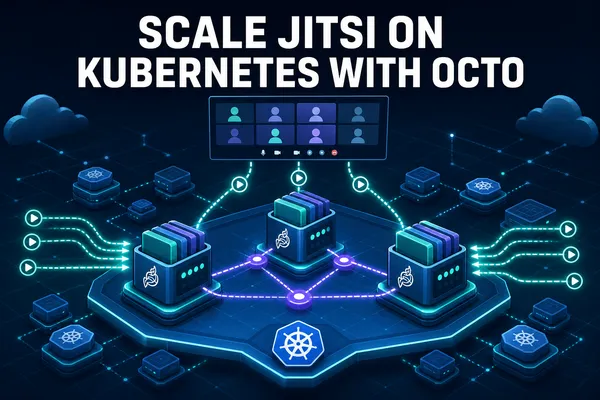
Jitsi's default Docker Compose setup (one web container, Prosody, Jicofo, and a single JVB) comfortably handles somewhere around 30 to 50 concurrent participants before you feel it. Past that, you add more JVBs and Jicofo distributes conferences across them automatically. Octo (covered in our guide to scaling Jitsi videobridges) lets a single large meeting cascade across multiple bridges instead of being capped by one bridge's capacity. It works, but it's manual scaling you plan for as a deployment decision, not something the architecture does for you by default.
LiveKit's SFU was designed for horizontal scaling from day one, as a stateless-ish Go binary meant to run behind a load balancer or inside Kubernetes, distributing sessions across nodes as demand grows. That's less "scaling advice" and more "the default architecture," which makes sense given LiveKit's audience tends to be teams building a product they expect to grow, rather than standing up a single meeting server for internal use.
The AI voice agent angle
This is the part of the comparison that didn't really exist a few years ago and now matters. LiveKit's Agents framework, at 1.5.x as of April 2026 with adaptive interruption handling and native Model Context Protocol tool support, is a real, actively developed path for building voice-driven AI agents that need to listen, think, and respond in real time over WebRTC. If that's the actual project (an AI phone agent, a voice assistant, a multimodal agent with tool access), LiveKit isn't just the video layer, it's arguably the more relevant tool in the comparison entirely. Jitsi has no answer to this category; it wasn't built for it and isn't trying to be. If that's your use case, our LiveKit Agents vs Pipecat comparison goes deeper.
What makes this more than a bullet point is that the same SFU handling your human video calls can carry the audio for an agent sitting in that same room, listening and responding through the identical WebRTC transport. You're not bolting a separate voice pipeline onto your video infrastructure, the agent joins as a participant. That's a meaningfully different design than piping audio out to a separate speech pipeline and back, and it's the reason LiveKit has picked up traction specifically among teams building voice AI products rather than plain meeting apps.
Pricing: self-hosted vs managed
Self-hosting either one, on your own server, means you pay for compute, bandwidth, and storage, and nothing else, no license fee attached to the software itself. Where it gets more interesting is the managed alternative each project offers if you'd rather not run the servers.
LiveKit Cloud runs four tiers, with usage past your plan's included allotment metered separately, roughly $0.01/minute for agent sessions, $0.0004-$0.0005/minute for WebRTC media, and $0.10-$0.12/GB for data transfer depending on direction:
It's a real pay-as-you-go structure, closer to how cloud infrastructure gets billed than a flat SaaS seat price.
8x8's JaaS, the hosted version of Jitsi, works differently: it's billed per monthly active user, with a free developer tier to start. That model scales with how many distinct people join calls in a month rather than how many minutes of media get processed, which suits a meeting-room product better than a per-minute infrastructure bill would.
Neither managed option is objectively cheaper, it depends entirely on your usage shape. A product with occasional long calls between few users looks different on a per-minute meter than on a per-MAU one. Self-hosting sidesteps the question entirely by billing you for the compute instead, which is either the appealing part or the part you're trying to avoid managing, depending on how much you enjoy running servers.
Jitsi vs LiveKit: feature comparison
| Feature | LiveKit | Jitsi |
|---|---|---|
| License | Apache 2.0 | Apache 2.0 |
| Category | WebRTC SFU, SDKs, and agents framework | Finished meeting-room application |
| Ready meeting UI | No, build it or start from examples | Yes, Jitsi Meet, no frontend needed |
| Client SDKs | JS, Swift, Kotlin, Flutter, React Native, Unity, Rust | Web widget and mobile SDKs for embedding Jitsi Meet |
| Recording/streaming | Egress service, headless Chrome + GStreamer | Jibri, headless Chrome + ffmpeg |
| Default scaling model | Horizontal, Kubernetes-native by design | Manual: add JVBs, Jicofo load-balances, Octo for cascading |
| Default participant ceiling | Scales with added nodes, no fixed default | ~30-50 concurrent on the default single-bridge stack |
| AI voice agent support | Yes, Agents framework with MCP tool support | No equivalent |
| Managed hosted option | LiveKit Cloud, metered usage tiers | 8x8 JaaS, billed per monthly active user |
Ecosystem and maturity
Jitsi has the longer track record as a meeting product specifically. It's been embedded into other tools, integrated into platforms like Moodle and Mattermost, and run in production by organizations that needed a Zoom alternative years before "self-hosted video" was a mainstream ask. That history shows up as a large body of existing guides, Docker configs, and hardening write-ups for the exact meeting-room use case, which matters when something breaks at 2am and you're searching for the fix.
LiveKit's ecosystem skews younger but is growing fast in a specific direction: voice AI. Since the Agents framework hit 1.0, a lot of the newer integrations, guides, and community activity around LiveKit are from teams building AI phone agents and multimodal assistants, not classic video conferencing. If your project sits in that lane, you're building on the part of LiveKit's ecosystem that's actively getting the most attention right now. If you're building a plain meeting app, you'll find fewer ready-made examples aimed at exactly that, since it's not where most current LiveKit adopters are focused.
Jitsi hosting: self-hosting Jitsi with Meetrix
If Jitsi is the fit, one honest advantage worth mentioning: getting the JVB, Jicofo, and Prosody stack wired together correctly, with TURN and SSL actually working, is more setup than it looks like from the docs. Meetrix runs pre-configured Jitsi Meet AMIs on AWS Marketplace sized for 100, 250, and 500 concurrent users, TURN and SSL already handled, so you're deploying a working stack instead of debugging a Jicofo configuration error on your first attempt. We don't currently package a LiveKit AMI, so if LiveKit is the fit, self-hosting it means standing up the Go binary yourself, which is more straightforward than Jitsi's multi-container stack but still your own infrastructure to run. Our walkthrough on self-hosting LiveKit on AWS covers that path.
Where I'd start
Start with LiveKit if
You're building your own video or voice product, or specifically an AI voice agent. Fighting Jitsi Meet's UI into something it wasn't built to be will cost you more time than learning LiveKit's SDKs from scratch.
Start with Jitsi if
You need a meeting room and you need it this week. Self-hosted or on JaaS, it gets you there without writing a frontend.
And if this comparison narrows it down to "LiveKit, but I want to see what else is out there," our LiveKit alternatives roundup covers Daily, OpenVidu, mediasoup, and the rest of the field.
Frequently Asked Questions
LiveKit vs Jitsi: are they even solving the same problem?
Partly. Both power video calls and both are Apache 2.0 open source. But Jitsi Meet is a finished meeting app you can deploy today, while LiveKit is a WebRTC SFU plus SDKs and an agents framework for building your own video, voice or AI-agent product.
Is LiveKit actually free to self-host?
Yes. The server and SFU are Apache 2.0 licensed, no license fee, no per-minute charge, no participant cap when you run it yourself. You pay for your own compute, bandwidth, and storage. LiveKit Cloud is a separate, metered option if you'd rather not run the infrastructure.
Is Jitsi Meet actually free?
Yes, self-hosted Jitsi Meet is Apache 2.0 and free of license fees. 8x8's JaaS (Jitsi as a Service) is the hosted alternative, billed per monthly active user with a free developer tier, if you'd rather not run the servers yourself.
How many people can a single self-hosted Jitsi server handle?
The default Docker setup handles roughly 30-50 concurrent participants comfortably. Beyond that, you add more Jitsi Videobridges and Jicofo load-balances conferences across them automatically, with Octo enabling cascaded bridges for larger single meetings.
Does LiveKit come with a ready meeting app like Jitsi Meet?
Not a branded one. LiveKit ships client SDKs and reference example apps to build from, but you're assembling the meeting UI yourself, or using their sample app as a starting point. Jitsi Meet is the finished product, ready to deploy and use without writing a frontend.
Which one should I use to build an AI voice agent?
LiveKit. Its Agents framework, at version 1.5.x as of April 2026 with native Model Context Protocol tool support, is purpose-built for real-time voice and multimodal AI agents. Jitsi has no equivalent, it's built for human meetings, not agent pipelines.
How does recording actually work on each platform?
More similarly than you'd expect. Both render the room with a headless Chrome instance. Jitsi's Jibri pipes that output through ffmpeg. LiveKit's Egress service pipes it through GStreamer instead, which gives more flexible output formats and live-streaming destinations.
What does LiveKit Cloud cost if I don't want to self-host?
Four tiers: Build (free), Ship ($50/month), Scale ($500/month), and custom-priced Enterprise. Usage past your plan's allotment is metered, roughly $0.01/minute for agent sessions and $0.0004-$0.0005/minute for WebRTC media, plus data transfer charges.
What does 8x8 JaaS cost compared to self-hosting Jitsi?
JaaS bills per monthly active user with a free developer tier, rather than a flat license fee. Self-hosting has no per-user charge at all, you pay only for the server, so the cheaper option depends on how many distinct people actually join your calls each month.
Deploy Jitsi Meet on AWS in Minutes
Launch a pre-configured Jitsi Meet server on AWS, TURN and SSL already set up, sized for up to 100 concurrent users.
Get Jitsi Meet on AWS Marketplace