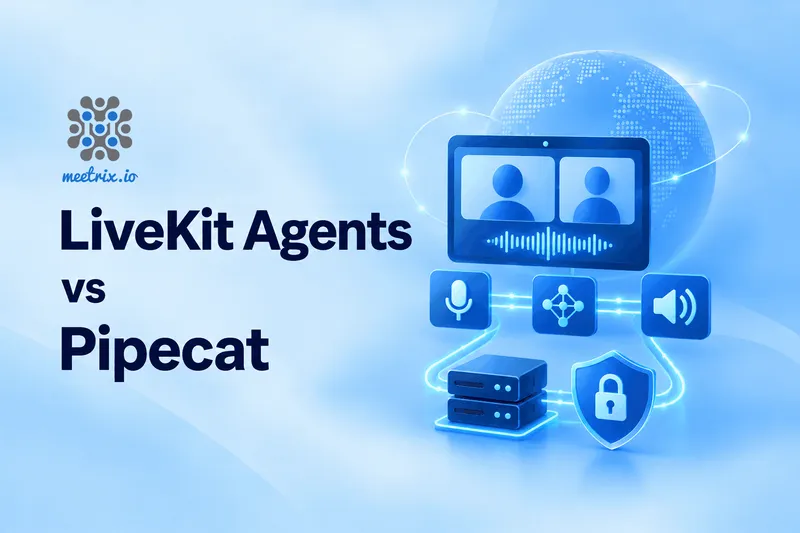
LiveKit Agents or Pipecat? If your agent lives in a WebRTC room with people (video or a phone line included), go with LiveKit Agents. If you want to see and control every step of the audio pipeline and pick your own transport, go with Pipecat. That's the short version, and for most projects, it's the right call.
The longer version: both are open source, both run in production, and they overlap more than most comparisons let on. Below, we walk through the decision one layer at a time, with versions and prices as they stand in September 2026. If you haven't yet settled whether to self-host at all, start with our self-hosted voice AI stack guide. It covers the model layers both frameworks sit on top of.
The short answer
- LiveKit Agents (Apache 2.0): the agent joins a LiveKit room as a participant. Python and Node.js. Turn detection, SIP, and test tooling come built in.
- Pipecat (BSD 2-clause): the agent is an explicit pipeline of processors. Python only. Any transport, a very long service list, client SDKs for web, mobile, and embedded.
- You can mix them, too. Pipecat has a LiveKit transport.
Jump to a section
What Each One Is
LiveKit Agents is a framework for voice, video and physical AI agents that join a LiveKit room as ordinary participants. You write the agent in Python or Node.js and register it with a LiveKit server. When someone connects, the server dispatches your agent into the room. Current release: 1.8.3, from September 23, 2026, with roughly 14,000 GitHub stars.
Pipecat is a Python framework for real-time voice and multimodal agents, maintained by Daily and a large community. You build the agent as a pipeline of processors that audio, text, and control frames flow through. Current release: 1.11.0, from September 18, 2026, with roughly 16,000 stars. Pipecat's maintainer, Daily, is one of the video platforms we compare in Zoom Video SDK vs LiveKit vs Daily.
Most of the differences below trace back to one design choice. LiveKit Agents comes attached to a media platform. Pipecat deliberately doesn't.
What Actually Decides It
Skip the feature checklist. Both frameworks have more features than you'll ever use. These are the questions that hurt when you get them wrong:
- Where does the audio come from: a browser in a room, a phone call, a mobile app, a device on a desk?
- How many people are on the call? One user and one agent is a different problem from six people and an agent.
- Python only, or Python and Node.js?
- Do you want a maintained default, or full control of the pipeline, even if that means more code?
- Where does it run: your own servers, a managed cloud, your own Kubernetes cluster?
- Licences. Your legal team will ask, and one of the answers isn't the one you'd guess (see below).
Architecture: Rooms vs Pipelines
In LiveKit Agents, the agent is a participant. It registers with a LiveKit server and waits for dispatch requests, and each job runs as its own subprocess that joins the room. The framework gives you sessions, tasks, workflows, tools, and multi-agent handoff. You describe what the agent should do, and it wires up the audio path. The catch is that the room model sits at the centre of everything.
LiveKit Agents, in outline
Pipecat turns that around. The pipeline is the thing you write. You list the processors in order: transport input, speech recognition, context aggregation, the LLM, text-to-speech, transport output. Order matters, because audio has to be transcribed before the model sees it, and text has to be synthesised before it's played. Multi-agent handoff, parallel fan-out, and distributed deployments are supported too.
Pipecat, in outline
So with LiveKit Agents, you spend less time on plumbing and more on how the agent behaves. With Pipecat, you can drop a custom processor anywhere (a filter, a mixer, a second model running in parallel) without asking the framework's permission. Which of those you'll miss more depends on your team.
Turn-Taking and Interruptions
This is where a voice agent either feels good or feels broken. Test it with your own audio, not the demo's.
LiveKit Agents ships a turn detector model that predicts the end of a turn from the meaning of the words and the acoustics, on top of voice activity detection (VAD). Prefer something else? Fall back to VAD alone, use your STT provider's endpointing (AssemblyAI and Deepgram both offer it), or lean on the server-side turn detection in realtime models like OpenAI's Realtime API and Gemini Live. Interruption handling has an adaptive mode that tries to tell a real interruption from a backchannel like "mm-hm." It can also resume speech after a false interruption, where the noise produced no actual words.
Pipecat gives you VAD and Smart Turn, an open turn detection model from the Pipecat team that listens to the audio itself. Some STT services also do server-side endpointing that Pipecat can use. You assemble the combination you want rather than getting one default.
There's a licensing wrinkle here. LiveKit's turn detector models aren't Apache 2.0. More on that below.
Models and Integrations
Both frameworks are provider-neutral. Mix an STT, an LLM, and a TTS from three different vendors, or point any of them at your own OpenAI-compatible endpoint.
LiveKit Agents installs providers as extras (for example, livekit-agents[openai,deepgram,cartesia]) and has native MCP server support for tools. Recent releases added DuplexModel for speech models that speak and listen at the same time.
Pipecat's README lists 20+ speech-to-text providers, 25+ LLMs, and 30+ text-to-speech services, and its docs talk about orchestrating 150+ AI services. Releases land often, and recent ones added or reworked several STT and TTS integrations, so pin your version and read the changelog before upgrading. Version 1.10.0 alone carried breaking changes, including a shift to the OpenAI 3 SDK that may affect container images without system CA certificates.
Running your own models? Both work with vLLM or Ollama through their OpenAI-compatible APIs. Our guide to self-hosting an OpenAI-compatible API covers that setup.
Telephony
LiveKit has its own open-source SIP service. It bridges a SIP trunk into a room, so a caller becomes a participant and your agent treats them like a browser user. Inbound, outbound, the agent, and any human supervisor all live in one system.
Pipecat reaches phones through provider integrations. The documented path is Twilio Media Streams over a WebSocket, carrying 8 kHz mono 16-bit PCM audio, with a serializer that can hang up when the pipeline finishes. Dial-in and dial-out both work, and Telnyx, Plivo, and Vonage have integrations too. It's quick to set up and fine for a single-caller phone bot. The price is that you're tied to the provider's stream format instead of a general SIP layer.
If phone calls are your main channel, spend an afternoon testing on your actual carrier. Telephone audio at 8 kHz sounds different from wideband WebRTC audio, and your speech recognition will notice.
Transport and Client SDKs
Pipecat doesn't care how audio reaches it. It supports Daily, its own SmallWebRTC transport for simple peer-to-peer sessions, WebSockets, LiveKit, and Twilio. Its official client SDKs cover JavaScript, React, React Native, Swift, Kotlin, C++, and ESP32. If your users are on phones or embedded hardware, that list is a real advantage. For the peer-to-peer option in more depth, see WebRTC for AI voice agents.
LiveKit Agents uses LiveKit's transport, and LiveKit's own client SDKs handle the frontend, along with RPC and data-exchange APIs for talking to the agent. You get a well-worn media path. In return, you run a LiveKit server or pay for LiveKit Cloud. New to that layer? Our guide to self-hosting LiveKit on AWS walks through it.
Testing and Observability
LiveKit Agents has a built-in test framework with judge utilities, so you can assert on what the agent says and does. It runs in three modes: console for local testing, dev with hot reload, and production. Recent releases added OpenTelemetry tracing, with PII filtering done in-process before export, and a preforking worker that cuts start-up time.
Pipecat has been leaning on evaluation too. Version 1.11.0 added scripted eval improvements: function-call evaluation with custom judge prompts, and multi-scenario eval files. Metrics are available on the pipeline task.
Both are moving fast here. Check the release notes for the version you pin.
Hosting and Pricing
Both frameworks are free on your own servers. The paid options are managed platforms, and they're optional.
LiveKit Cloud starts with a free Build plan: 1,000 agent session minutes a month, one agent deployment, 5 concurrent sessions. Ship is $50 a month for 5,000 minutes (then $0.01 a minute) and 20 concurrent sessions. Scale is $500 a month for 50,000 minutes and up to 600 concurrent sessions. Enterprise is custom. STT, TTS, and LLM usage is billed on top if you use LiveKit's inference. Since August 2026, LiveKit bills agent session minutes, recording, WebRTC connections, and SIP connections per second, with a ten-second minimum increment (announcement). The LiveKit pricing page has the current numbers.
Pipecat Cloud is Daily's hosting for Pipecat agents. It runs in Daily-hosted regions in the US, Europe and India, deploys container images with one CLI command, and scales automatically, including from zero. The agent-1x profile (0.5 vCPU, 1 GB memory) starts at $0.01 per active minute, with reserved pricing at $0.0005 per minute. Daily WebRTC transport is free for 1:1 voice sessions, and video transport is $0.004 per participant minute. Telephony through Daily SIP runs $0.003 to $0.02 per minute, and PSTN is $0.018 per minute. Check Daily's pricing page before you budget. Pipecat Enterprise flips the model: agents run on a Kubernetes cluster you operate, and Daily manages the control plane.
Self-hosting either one changes the maths at steady volume. The framework costs nothing, so your bill becomes servers plus model inference. Our self-hosted voice stack article works through where the break-even point sits.
Licensing
LiveKit Agents is Apache 2.0, and so are the LiveKit server and SIP service. The exception is the LiveKit turn detection models, which ship under a separate LiveKit Model License. That licence allows free use but restricts the models to use together with the LiveKit Agents framework. You can't run them standalone or with other frameworks. If your policy says OSI-approved licences only, read that one before you commit, or swap in a different turn detector.
Pipecat is BSD 2-clause, and so is Smart Turn, so the default open-source path stays permissive end to end. In both frameworks, each provider integration is still governed by that provider's own terms.
LiveKit Agents vs Pipecat Table
| Feature | LiveKit Agents | Pipecat |
|---|---|---|
| Framework licence | Apache 2.0 | BSD 2-clause |
| Server languages | Python, Node.js | Python (3.11+) |
| Maintainer | LiveKit | Daily and community |
| Design | Agent joins a room as a participant | Explicit pipeline of processors |
| Transport | LiveKit | Daily, SmallWebRTC, WebSocket, LiveKit, Twilio |
| Turn detection | Turn detector model plus VAD, or STT and realtime-model endpointing | VAD and Smart Turn, plus STT endpointing |
| Turn detector licence | LiveKit Model License | BSD 2-clause (Smart Turn) |
| Telephony | Built-in open-source SIP service | Provider websockets (Twilio and others) |
| Multi-agent handoff | ✅ | ✅ |
| MCP tools | ✅ native | Check current docs |
| Client SDKs | LiveKit SDKs | JavaScript, React, React Native, Swift, Kotlin, C++, ESP32 |
| Built-in test framework | ✅ with judge utilities | Scripted evals |
| Managed platform | LiveKit Cloud (free Build tier) | Pipecat Cloud (no free tier documented) |
| Self-host in your VPC | ✅ server and agents | ✅ Pipecat Enterprise, or the framework itself |
Checked against each project's documentation and GitHub page in September 2026. Both move fast, so confirm anything that decides a purchase.
Which One to Pick
Pick LiveKit Agents if:
- Your agent sits in a room with several people, or needs video
- You want SIP, transport, and framework from one project
- You expect lots of concurrent calls
- Node.js is on the table
- You want a maintained default turn detector
Pick Pipecat if:
- You want to own and inspect every step of the pipeline
- Your channel is a phone bot or a single-user session
- You need mobile, embedded, or ESP32 clients
- You want a free choice of transport, LiveKit included
- Legal wants a fully permissive default stack
No strong reason either way? Start with LiveKit Agents. There's less to assemble, SIP comes with it, and the turn detector loads automatically. Move to Pipecat when you hit a wall that needs a custom processor or a transport LiveKit doesn't give you. And if you outgrow the pipeline model but like LiveKit's media layer, remember that Pipecat can run on top of it.
Still torn? Build the same small agent in both: a greeting, one tool call, one interruption. It takes a day, and you'll learn more about your own audio, latency, and team preferences than any comparison can tell you. If it's the room model itself you doubt, our LiveKit alternatives roundup and LiveKit vs Jitsi comparison cover the layer underneath.
Frequently Asked Questions
LiveKit Agents vs Pipecat: which is better?
Neither wins outright. LiveKit Agents suits agents that join WebRTC rooms alongside people, video or SIP calls. Pipecat suits teams that want explicit control of every pipeline step and a free choice of transport. Both are open source and production-capable.
Can Pipecat run on LiveKit?
Yes. Pipecat has a LiveKit transport, so a Pipecat pipeline can join a LiveKit room. You keep Pipecat's pipeline model and use LiveKit only for the WebRTC layer. It's a common way to combine the two projects.
Which is easier for a first voice agent?
LiveKit Agents, usually. You define an agent, hand it STT, LLM and TTS plugins, and the framework handles turn-taking and interruptions. Pipecat asks you to assemble the pipeline yourself, which takes longer but shows you every step.
Are LiveKit Agents and Pipecat free?
Both frameworks are free open source: LiveKit Agents under Apache 2.0, Pipecat under BSD 2-clause. You still pay for the STT, LLM and TTS providers you call, plus hosting. LiveKit Cloud and Pipecat Cloud are optional paid platforms.
Does Pipecat support Node.js?
Not on the server. Pipecat's framework is Python only, though its client SDKs cover JavaScript, React, React Native, Swift, Kotlin, C++ and ESP32. LiveKit Agents supports both Python and Node.js on the server.
Pipecat vs LiveKit for phone calls: which is better?
LiveKit Agents if you want SIP handled by the same stack, since LiveKit has its own SIP service. Pipecat reaches phones through provider websockets such as Twilio Media Streams, which is simple but tied to that provider's stream format.
Can I self-host LiveKit Agents and Pipecat?
Yes, both are open source and run on your own servers. LiveKit also lets you self-host the media server. Pipecat Enterprise runs agents on your own Kubernetes cluster, with Daily managing the control plane.
Building a Voice Agent on Your Own Infrastructure?
We help teams run LiveKit, Pipecat and the model layers behind them on their own cloud accounts.
Talk to Our WebRTC Team