On this page
A lot of Jitsi Meet deployments serve one organization in one time zone: a school, a company, a clinic. Meetings happen during working hours, and for the other fourteen hours a day, plus weekends, the servers wait for nobody. On AWS that idle time costs the same as a busy afternoon.
This combines two earlier articles of ours, one on the cost savings and one on scheduling Auto Scaling groups, and brings both up to date.
The savings math
The saving is simply the hours you stop paying for. For a 30-day month:
| Schedule | Instance hours per server | Compute saving |
|---|---|---|
| Always on | 720 | None |
| 10 hours a day, every day | 300 | About 58% |
| 10 hours a day, weekdays only (22 days) | 220 | About 69% |
Multiply your on-demand hourly price by those hours for each server. Our 2021 article worked through an example deployment for about 100 concurrent users (a web and signaling server, an HAProxy server, two videobridges and a Jibri) and found that 10 hours a day cut its fixed compute cost by more than half. The percentages hold at any price; plug in current rates for your region and instance types.
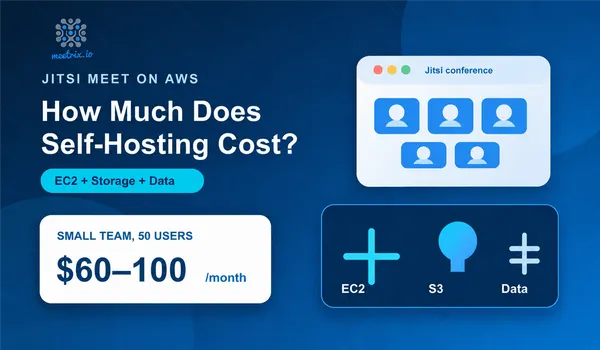
For a fuller picture of where a Jitsi bill comes from, including bandwidth, see how much it costs to self-host Jitsi Meet on AWS.
What keeps billing
Stopping an instance ends its compute charge, not every charge:
- EBS volumes are billed whether the instance runs or not.
- Public IPv4 addresses, including Elastic IPs, are billed hourly while allocated, even when attached to a stopped instance.
- Load balancers and NAT gateways bill by the hour regardless of traffic.
- Snapshots and S3 recordings keep their storage cost.
Keep Elastic IPs anyway. Without one, a stopped instance comes back with a new public IP, and your DNS records, the videobridge's NAT mapping and anything that allowlists the address all break every morning.
ASG scheduled actions for videobridges
If your videobridges run in an Auto Scaling group, you don't stop instances; you change the group's size on a schedule. Two scheduled actions, one to scale to zero in the evening and one to restore capacity in the morning:
aws autoscaling put-scheduled-update-group-action \
  --auto-scaling-group-name jitsi-jvb \
  --scheduled-action-name jvb-evening-off \
  --recurrence "0 19 * * 1-5" \
  --time-zone "Asia/Colombo" \
  --min-size 0 --max-size 0 --desired-capacity 0

aws autoscaling put-scheduled-update-group-action \
  --auto-scaling-group-name jitsi-jvb \
  --scheduled-action-name jvb-morning-on \
  --recurrence "30 7 * * 1-5" \
  --time-zone "Asia/Colombo" \
  --min-size 1 --max-size 10 --desired-capacity 2
The --time-zone option takes an IANA time zone name, so the schedule follows local time and daylight saving. Without it, cron expressions run in UTC, which is how teams end up with bridges shutting down mid-afternoon. You can create the same actions in the console under the group's Automatic scaling tab, in Scheduled actions, as described in the scheduled scaling documentation.
The morning action should restore the minimum your auto scaling normally keeps, not the peak. Let the regular scaling policy add bridges as meetings start.
Schedule EC2 instances to stop and start
The web and signaling server, and often a Jibri or two, run as plain EC2 instances. EventBridge Scheduler can call the EC2 API directly on a schedule, with no Lambda function in between.
Save the target as stop-target.json:
{
  "Arn": "arn:aws:scheduler:::aws-sdk:ec2:stopInstances",
  "RoleArn": "arn:aws:iam::123456789012:role/jitsi-scheduler",
  "Input": "{ \"InstanceIds\": [\"i-0abc1234def567890\"] }"
}
Then create the schedule:
aws scheduler create-schedule \
  --name jitsi-stop-evening \
  --schedule-expression "cron(15 19 ? * MON-FRI *)" \
  --schedule-expression-timezone "Asia/Colombo" \
  --flexible-time-window '{"Mode": "OFF"}' \
  --target file://stop-target.json
Create a matching startInstances schedule for the morning. The role needs a trust policy for scheduler.amazonaws.com and permission for ec2:StopInstances and ec2:StartInstances on those instances. For many instances across accounts, AWS's Instance Scheduler solution manages schedules through tags instead.
Certificate renewal still works
certbot certificates after long breaks.
Start and stop in the right order
Jitsi's components depend on each other, and the order avoids a noisy first few minutes:
- Morning: start the web and signaling server first (nginx, Prosody, Jicofo), then the videobridges 10 to 15 minutes later, then Jibri. Bridges and Jibri need Prosody up to join their brewery rooms.
- Evening: scale bridges and Jibri down first, then stop the signaling server 15 minutes later.
- Leave a buffer after your official hours. Meetings run late, and a bridge that shuts down under a live meeting drops everyone in it.
Two schedules set 15 minutes apart handle this fine. If you want the delay enforced instead of assumed, one scheduled AWS Step Functions workflow can start the signaling server, wait, then scale the bridges.
When not to do this
- Users across time zones make "off-hours" disappear.
- Public-facing services, such as telehealth or customer support, where an unavailable meeting link loses you a patient or a sale.
- Deployments already scaling to near zero. If auto scaling removes idle bridges on its own, the remaining saving is just the small always-on servers.
For everyone else, scheduling is the cheapest cost reduction there is: no architecture change, a few commands, and a bill that stops charging for empty nights.
Frequently Asked Questions
How much can I save by turning Jitsi servers off at night?
On compute, a lot: running 10 hours a day instead of 24 cuts instance hours by about 58%, and 10 hours on weekdays only cuts them by about 69%. The total bill falls by less, because storage, public IP addresses and load balancers keep billing while instances are stopped.
Do stopped EC2 instances still cost money?
Their EBS volumes do, and so does any public IPv4 address kept allocated, including Elastic IPs, which AWS bills hourly. Load balancers and NAT gateways also keep charging. Only the instance hours stop.
Can I schedule an Auto Scaling group in my local time zone?
Yes. Scheduled actions accept a --time-zone value with an IANA name such as Asia/Colombo or Europe/Berlin, so the cron expression follows local time and daylight saving instead of UTC.
What happens if someone joins a meeting while the servers are off?
The page doesn't load, or loads without being able to start a meeting. Publish the schedule to users, choose hours with some margin, and consider leaving a tiny static page up that explains when meetings are available.
How do I schedule EC2 instances to stop and start?
Use EventBridge Scheduler to call the EC2 stopInstances and startInstances APIs directly, through an IAM role it can assume. No Lambda function is needed. For instances in an Auto Scaling group, use ASG scheduled actions to change capacity instead.
Right-Size Your Jitsi Deployment
Terraform-based Jitsi setups with auto-scaling videobridges and Jibri, designed so you only pay for the capacity your meetings use.
See Jitsi Infrastructure as Code