A Lambda that calls another Lambda that calls a third one works fine right up until the middle one fails. Then you are reading three separate log groups trying to work out which invocation died and what it was holding at the time. That is usually the week a team moves to AWS Step Functions.
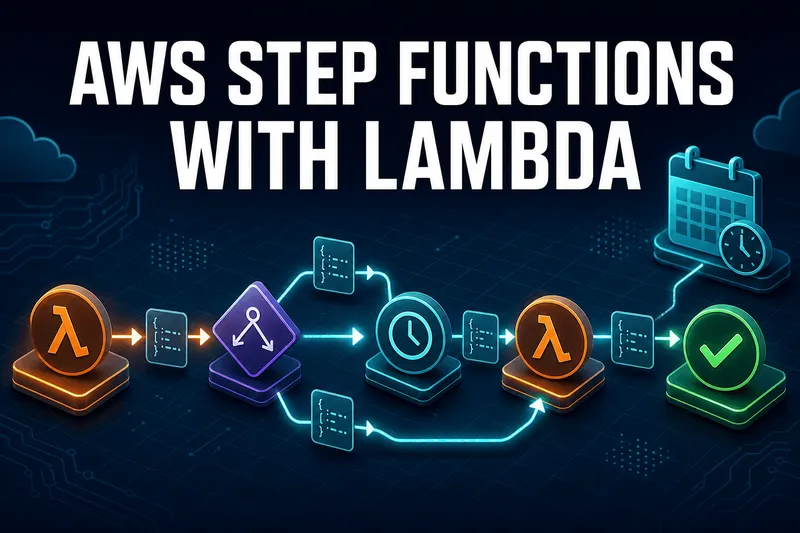
We run this pattern for scheduled meeting recordings: a workflow that starts a recorder at a timestamp the user picked, waits, then stops it and uploads. Simple on paper. The two things that actually cost us time were getting the Lambda return value out of the response wrapper, and deciding where the scheduling should live. Both are covered below, with the state machine JSON that works.
Quick answer
Jump to a section
AWS Step Functions vs Lambda alone: what actually changes
Step Functions is a state machine service. You describe your workflow as JSON in Amazon States Language, and each step is a state: a Task that calls something, a Choice that branches, a Wait that pauses, a Map that fans out. Lambda is just one of the things a Task can call, but it is the one most people start with.
Three things you get that a chain of Lambdas does not give you:
- Execution history you can actually read. Every state transition, its input, and its output are recorded. When a workflow fails you open one execution and see exactly which state broke and what it was handed.
- Retries and catches as configuration. A
Retryblock with backoff on a Task state replaces the try/catch/sleep code you would otherwise write in every function. - Waiting that costs nothing. A Lambda that sleeps for an hour bills you for an hour and cannot do it anyway, because the function timeout maxes out at 15 minutes. A Wait state in a Standard workflow can sit for a year and costs one state transition.
That last point is the whole reason the scheduling pattern in this article works.
AWS Step Function invoke Lambda: the two Task styles
There are two ways to point a Task state at a Lambda function, and picking the wrong one is where the return value confusion starts. The Lambda integration page in the Step Functions docs lists every field both styles accept.
Optimized integration (what you almost always want)
Set the Resource to the Step Functions Lambda integration ARN and name your function in the arguments:
{
  "StartRecorder": {
    "Type": "Task",
    "QueryLanguage": "JSONata",
    "Resource": "arn:aws:states:::lambda:invoke",
    "Arguments": {
      "FunctionName": "arn:aws:lambda:us-east-1:123456789012:function:startRecorder",
      "Payload": {
        "meetingId": "{% $states.input.meetingId %}",
        "quality": "720p"
      }
    },
    "Next": "WaitForMeetingEnd"
  }
}
If you are still on JSONPath, the same state uses Parameters instead of Arguments, and fields ending in .$ to pull values from the input:
{
  "StartRecorder": {
    "Type": "Task",
    "Resource": "arn:aws:states:::lambda:invoke",
    "Parameters": {
      "FunctionName": "arn:aws:lambda:us-east-1:123456789012:function:startRecorder",
      "Payload": {
        "meetingId.$": "$.meetingId",
        "quality": "720p"
      }
    },
    "Next": "WaitForMeetingEnd"
  }
}
The optimized integration is what unlocks InvocationType set to Event for fire-and-forget calls, the Qualifier field for a specific version or alias, and the .waitForTaskToken callback pattern where the workflow pauses until something external calls SendTaskSuccess.
AWS Step Function wait for callback
Add .waitForTaskToken to the integration ARN and the workflow hands your Lambda a task token, then pauses until something calls SendTaskSuccess or SendTaskFailure with that token. Two cases fit it well: a human approval step, and a job that runs outside AWS and reports back over a webhook:
{
  "WaitForApproval": {
    "Type": "Task",
    "QueryLanguage": "JSONata",
    "Resource": "arn:aws:states:::lambda:invoke.waitForTaskToken",
    "Arguments": {
      "FunctionName": "requestApproval",
      "Payload": {
        "recordingId": "{% $recordingId %}",
        "taskToken": "{% $states.context.Task.Token %}"
      }
    },
    "HeartbeatSeconds": 3600,
    "Next": "PublishRecording"
  }
}
The Lambda stores the token somewhere (a DynamoDB row, an email link) and returns. The execution stays paused until the approver's click hits an endpoint that calls SendTaskSuccess with the token and an output JSON. Without HeartbeatSeconds or TimeoutSeconds, a lost token leaves the execution waiting until the one-year Standard limit. In JSONPath the token comes from "taskToken.$": "$$.Task.Token". The callback pattern only exists on Standard workflows; Express does not support it.
Direct function ARN (the quiet alternative)
You can also put the function ARN straight in the Resource field:
{
  "StartRecorder": {
    "Type": "Task",
    "Resource": "arn:aws:lambda:us-east-1:123456789012:function:startRecorder",
    "Next": "WaitForMeetingEnd"
  }
}
The task result here is only your function's output, with no metadata wrapper. Cleaner, and honestly tempting. But you cannot use .waitForTaskToken, you cannot set InvocationType, and the whole state input is passed as the event with no shaping. I use it for small internal utility steps and the optimized form everywhere else.
The IAM gotcha with versions and aliases
:* suffix on the function ARN in the policy to allow any version or alias.
The AWS Step Function Lambda return value trap
This is the single most searched problem with this pairing, and the cause is one line in the docs. With the optimized integration, the task result is the full Lambda Invoke API response, not your function's return value:
{
  "ExecutedVersion": "$LATEST",
  "Payload": {
    "recordingId": "rec-8841",
    "startedAt": "2026-07-29T10:00:03Z"
  },
  "SdkHttpMetadata": {
    "HttpHeaders": { "Content-Type": "application/json" },
    "HttpStatusCode": 200
  },
  "SdkResponseMetadata": {
    "RequestId": "6b3bebdb-9251-453a-ae45-512d9e2bf4d3"
  },
  "StatusCode": 200
}
So the recordingId your function returned is not at $.recordingId. It is at $.Payload.recordingId. Every "my Choice state never matches" thread comes down to this.
Three ways to fix it, depending on what you want downstream.
OutputPath: throw the metadata away
The one-liner. Everything except the function output is discarded:
{
  "Type": "Task",
  "Resource": "arn:aws:states:::lambda:invoke",
  "Parameters": { "FunctionName": "startRecorder" },
  "OutputPath": "$.Payload",
  "Next": "WaitForMeetingEnd"
}
ResultSelector: reshape before anything else runs
ResultSelector rewrites the raw result into a shape you choose, and it runs before ResultPath. Useful when you want the payload plus one piece of metadata:
{
  "Type": "Task",
  "Resource": "arn:aws:states:::lambda:invoke",
  "Parameters": { "FunctionName": "startRecorder" },
  "ResultSelector": {
    "recording.$": "$.Payload",
    "httpStatus.$": "$.SdkHttpMetadata.HttpStatusCode"
  },
  "ResultPath": "$.recorder",
  "Next": "WaitForMeetingEnd"
}
JSONata Output: read the result directly
In a JSONata state, the raw task result is available as $states.result, so you say what you want and skip the path juggling entirely:
{
  "Type": "Task",
  "QueryLanguage": "JSONata",
  "Resource": "arn:aws:states:::lambda:invoke",
  "Arguments": { "FunctionName": "startRecorder" },
  "Output": "{% $states.result.Payload %}",
  "Next": "WaitForMeetingEnd"
}Passing data between Lambdas without the payload growing
By default a task's output completely replaces the state input. So if Lambda A returns a recording ID and Lambda B needs both that ID and the original meeting ID from the execution input, B only sees the recording ID. This surprises people once, then they learn ResultPath.
The JSONPath way: merge with ResultPath
ResultPath says where in the existing input to graft the result, instead of replacing it:
{
  "StartRecorder": {
    "Type": "Task",
    "Resource": "arn:aws:states:::lambda:invoke",
    "Parameters": { "FunctionName": "startRecorder" },
    "ResultSelector": { "recordingId.$": "$.Payload.recordingId" },
    "ResultPath": "$.recorder",
    "Next": "StopRecorder"
  }
}
The next state now receives the original input with a recorder object added to it. Set ResultPath to null and the task result is discarded entirely, which is the clean way to call a notification Lambda mid-workflow without it clobbering your payload.
The catch is that the object gets fatter with every state, and you end up threading data through five steps that do not care about it. Which is exactly the problem variables solve.
The JSONata way: assign once, read anywhere
AWS added variables and JSONata to Step Functions in late 2024, and for workflows longer than about four states it is a real improvement. Any state except Succeed and Fail can carry an Assign block that stores values, and any later state can read them with a $ prefix:
{
  "StoreRequest": {
    "Type": "Pass",
    "QueryLanguage": "JSONata",
    "Assign": {
      "meetingId": "{% $states.input.meetingId %}",
      "endsAt": "{% $states.input.endsAt %}"
    },
    "Next": "StartRecorder"
  },
  "StartRecorder": {
    "Type": "Task",
    "QueryLanguage": "JSONata",
    "Resource": "arn:aws:states:::lambda:invoke",
    "Arguments": {
      "FunctionName": "startRecorder",
      "Payload": { "meetingId": "{% $meetingId %}" }
    },
    "Assign": {
      "recordingId": "{% $states.result.Payload.recordingId %}"
    },
    "Next": "WaitForMeetingEnd"
  }
}
Five states later, $recordingId is still there. No state in between had to carry it.
Two details that catch people out. Assignments are evaluated all at once using the values as they were on state entry, so referencing a variable you are also assigning in the same block gives you the old value, not the new one. And variables are workflow-local: states inside a Map or Parallel can read outer-scope variables but get their own scope for writing, and when the branch ends those inner variables are gone. Use the Output field to get data back out.
Distributed Map cannot see outer variables
You do not have to migrate anything to start using this. QueryLanguage can be set per state, so a state machine can hold JSONPath states written in 2022 next to JSONata states written today.
Scheduling: Wait state or EventBridge Scheduler
"Scheduling a Lambda with Step Functions" covers two genuinely different problems, and people pick the wrong tool because they sound the same.
| Question | Wait state | EventBridge Scheduler |
|---|---|---|
| Where it lives | Inside the state machine definition | Outside it, pointed at StartExecution |
| Good for | Pausing a running execution until a runtime-known time | Recurring runs, and one-time runs on a fixed calendar |
| Time zones | UTC timestamps only | Cron expressions evaluated in a time zone you choose |
| Max delay | 1 year (Standard), 5 minutes (Express) | No workflow-lifetime constraint |
| Retries | Your Retry and Catch blocks | Retry limit and max retention on the schedule itself |
Wait state: pausing inside an execution
Use this when the workflow already started and needs to hold until a time it was told about at runtime. The Wait state has four fields, and you pick exactly one:
{
  "WaitForMeetingEnd": {
    "Type": "Wait",
    "TimestampPath": "$.endsAt",
    "Next": "StopRecorder"
  },
  "WaitTenSeconds": {
    "Type": "Wait",
    "Seconds": 10,
    "Next": "PollStatus"
  }
}
Seconds and Timestamp are literals. SecondsPath and TimestampPath read from the input and are JSONPath-only. In a JSONata state you drop the Path variants and put an expression in Seconds or Timestamp instead.
Timestamps must be RFC3339 with a capital T separator and a capital Z, like 2026-07-29T11:00:00Z. JavaScript's toISOString() gives you a valid one; the milliseconds are simply truncated. A lowercase z or a numeric offset like +05:30 is rejected at execution time, not at deploy time, which is a fun way to find out in production.
EventBridge Scheduler: recurring runs
For "every night at 2am Colombo time", the schedule belongs outside the workflow. EventBridge Scheduler has a templated target for Step Functions StartExecution, so no glue Lambda is needed:
aws scheduler create-schedule \
  --name nightly-recording-cleanup \
  --schedule-expression "cron(0 2 * * ? *)" \
  --schedule-expression-timezone "Asia/Colombo" \
  --flexible-time-window '{"Mode":"OFF"}' \
  --target '{
    "Arn":"arn:aws:scheduler:::aws-sdk:sfn:startExecution",
    "RoleArn":"arn:aws:iam::123456789012:role/SchedulerInvokeSfnRole",
    "Input":"{\"job\":\"cleanup\"}",
    "SfnParameters":{"StateMachineArn":"arn:aws:states:us-east-1:123456789012:stateMachine:RecordingWorkflow"}
  }'
That command needs AWS CLI v2 with the scheduler commands; if your machine is on an old v1 install, update the AWS CLI first.
Scheduler beats the old CloudWatch Events rule on three counts: cron expressions get a time zone, one-time schedules are first-class instead of a rule you have to remember to delete, and flexible time windows let you spread thousands of invocations over a window so you do not slam a downstream API at exactly 02:00:00. That last one is off by default; turn it on if you are scheduling at any volume.
If the scheduled workflow spins up EC2 capacity, say a fleet of recorder or transcoder instances, a fresh AWS account will hit the vCPU service quota long before it hits any Step Functions limit. Our guide to increasing the AWS vCPU quota covers the request. The same nightly-job shape works for database maintenance too, which is roughly what our automated MongoDB backup on AWS walkthrough sets up.
A full working example
Here is the recording workflow, trimmed to the parts that matter. The execution input carries a meeting ID and an end timestamp. The workflow starts a recorder, waits until the meeting is scheduled to end, stops it, and stores the result.
{
  "Comment": "Start a recorder, wait until the meeting ends, stop it",
  "QueryLanguage": "JSONata",
  "StartAt": "StoreRequest",
  "States": {
    "StoreRequest": {
      "Type": "Pass",
      "Assign": {
        "meetingId": "{% $states.input.meetingId %}",
        "endsAt": "{% $states.input.endsAt %}"
      },
      "Next": "StartRecorder"
    },
    "StartRecorder": {
      "Type": "Task",
      "Resource": "arn:aws:states:::lambda:invoke",
      "Arguments": {
        "FunctionName": "arn:aws:lambda:us-east-1:123456789012:function:startRecorder",
        "Payload": { "meetingId": "{% $meetingId %}" }
      },
      "Assign": { "recordingId": "{% $states.result.Payload.recordingId %}" },
      "Retry": [
        {
          "ErrorEquals": ["Lambda.ServiceException", "Lambda.TooManyRequestsException"],
          "IntervalSeconds": 2,
          "MaxAttempts": 4,
          "BackoffRate": 2
        }
      ],
      "Next": "WaitForMeetingEnd"
    },
    "WaitForMeetingEnd": {
      "Type": "Wait",
      "Timestamp": "{% $endsAt %}",
      "Next": "StopRecorder"
    },
    "StopRecorder": {
      "Type": "Task",
      "Resource": "arn:aws:states:::lambda:invoke",
      "Arguments": {
        "FunctionName": "arn:aws:lambda:us-east-1:123456789012:function:stopRecorder",
        "Payload": {
          "meetingId": "{% $meetingId %}",
          "recordingId": "{% $recordingId %}"
        }
      },
      "Catch": [
        {
          "ErrorEquals": ["States.ALL"],
          "Next": "AlertOnFailure"
        }
      ],
      "Output": "{% $states.result.Payload %}",
      "End": true
    },
    "AlertOnFailure": {
      "Type": "Task",
      "Resource": "arn:aws:states:::lambda:invoke",
      "Arguments": {
        "FunctionName": "arn:aws:lambda:us-east-1:123456789012:function:alertOps",
        "Payload": {
          "recordingId": "{% $recordingId %}",
          "error": "{% $states.errorOutput %}"
        }
      },
      "End": true
    }
  }
}
Note $states.errorOutput in the catch handler. It is only available inside a Catch, and it is how you get the actual error message into your alert instead of a generic "workflow failed" page at 2am.
The Lambda side is unremarkable, which is the point. Node.js 22 runtime:
export const handler = async (event) => {
  const { meetingId } = event;

  const recordingId = await startRecording(meetingId);

  // Whatever you return here arrives at $states.result.Payload
  return { recordingId, startedAt: new Date().toISOString() };
};
And starting an execution from your API, using AWS SDK v3:
import { SFNClient, StartExecutionCommand } from "@aws-sdk/client-sfn";

const sfn = new SFNClient({ region: "us-east-1" });

await sfn.send(new StartExecutionCommand({
  stateMachineArn: process.env.STATE_MACHINE_ARN,
  name: `recording-${meetingId}`,
  input: JSON.stringify({
    meetingId,
    endsAt: "2026-07-29T11:00:00Z"
  })
}));
That name is doing more work than it looks. Execution names must be unique within 90 days on a Standard workflow, so deriving it from the meeting ID gives you free idempotency: a duplicate API call throws ExecutionAlreadyExists instead of starting a second recorder. Catch that specific error and treat it as success. We learned this after a retrying client kicked off two recorders for the same meeting and both wrote to the same S3 prefix.
One more thing about the recording case specifically: the recorder is a headless browser that joins the call like any other participant, so it needs the same TURN relay as everyone else. If you are self-hosting that piece, our Coturn developer guide covers the deployment. If you want a transcript once the recording lands in S3, a fourth Task state can start an Amazon Transcribe job on the file.
AWS Step Functions limitations and costs that bite
The numbers worth knowing before you design around this, all current as of July 2026 and taken from the Step Functions quotas and pricing pages:
- 256 KB payload between states. Standard and Express both. If a Lambda returns a big result set, write it to S3 and pass the object key instead. The pattern has a name, claim check, and you will end up using it eventually.
- Variables: 256 KiB for a single variable, 256 KiB combined per Assign block, and 10 MiB total across an execution. Variable names cap at 80 characters.
- Wait: one year on Standard, five minutes on Express. This alone rules Express out for most scheduling work.
- Standard pricing: $0.000025 per state transition in us-east-1, with 4,000 free per month. A six-state workflow run 10,000 times a month is 60,000 transitions, so about $1.40. Step Functions is rarely the expensive part of a serverless bill, but a runaway loop can be, which is one reason to keep an AWS billing alarm on the account.
- Express pricing: $1.00 per million requests plus $0.00001667 per GB-second. Much cheaper at high volume, but no five-minute-plus waits and weaker execution history.
Do not reach for Express because it is cheaper
If you are starting from scratch today, write new states in JSONata, keep the optimized Lambda integration, set OutputPath or an Output expression on every Lambda task so downstream states see a clean object, and put recurring schedules in EventBridge Scheduler rather than a workflow that loops forever. That combination has held up well for us, and it is a much shorter list of things to remember than the JSONPath-only version was.
Frequently Asked Questions
How do I get the AWS Step Function Lambda return value?
With the optimized integration, your function output lands under Payload, not at the root. Add OutputPath set to $.Payload to pass just the function output on, or ResultSelector if you want to keep part of the metadata. In JSONata states, use an Output field reading $states.result.Payload.
Why is my Lambda output wrapped in Payload and SdkHttpMetadata?
Because the Resource is arn:aws:states:::lambda:invoke, the optimized integration, which returns the whole Lambda Invoke API response. If you set the Resource to the function ARN directly, the task result is only the function output with no wrapper. You lose the callback pattern and InvocationType options in exchange.
How do I pass data between Lambdas in Step Functions?
Two options. With JSONPath, use ResultPath to merge each task result into the running state object so the next Lambda sees both. With JSONata, use Assign to store a value in a variable once and read it in any later state, which avoids threading data through steps that do not need it.
Should I schedule Lambda with a Wait state or EventBridge Scheduler?
EventBridge Scheduler for anything recurring, like a nightly job, because it handles cron, time zones, retries, and one-time schedules outside the workflow. A Wait state for a pause inside a running execution where the target time is only known at runtime, such as an event that ends at a user-supplied timestamp.
What is the maximum wait time in a Step Functions Wait state?
One year for Standard workflows and five minutes for Express workflows. Seconds accepts an integer from 0 to 99,999,999. If your pause is longer than five minutes, you need a Standard workflow.
Can a Step Functions workflow loop?
Yes. Point a Choice state rule back at an earlier state to build a loop, and keep a counter in a variable or in the state payload so it can terminate. For fan-out over a list, use a Map state instead, it is cheaper in state transitions and runs iterations concurrently.
Do I have to rewrite my JSONPath state machines to use JSONata?
No. QueryLanguage can be set per state, so you can leave existing states on JSONPath and write new ones in JSONata inside the same state machine. Existing JSONPath workflows keep working unchanged.
AWS Step Functions vs Lambda: do I need both?
They do different jobs. Lambda runs your code for up to 15 minutes per call. Step Functions decides what runs next, retries failures, and can wait up to a year between steps. One short task needs only Lambda. Three or more steps with waits or retries is where Step Functions pays off.
How do I invoke a Step Function from Lambda?
Call StartExecution with the AWS SDK, passing the state machine ARN and a JSON input string. The Lambda's execution role needs states:StartExecution on that state machine. Give each execution a name derived from your own ID so a retried call fails with ExecutionAlreadyExists instead of starting a duplicate.
What are the main AWS Step Functions limitations?
A 256 KB payload between states, a one-year maximum execution on Standard workflows, and a five-minute cap on Express workflows. Express also skips the callback and .sync patterns. Large results belong in S3 with only the object key passed between states.
Skip the Setup: Launch Meetrix Images on AWS
We publish pre-configured AWS images for the infrastructure most of these workflows end up orchestrating, from WebRTC and TURN servers to BI, chat, and identity stacks. Launch one from Marketplace instead of building it from a blank AMI.
Browse Meetrix on AWS Marketplace