Jitsi Meet controls who can start a meeting through a small set of authentication methods rather than a single built-in login system. Which one fits your deployment depends on whether you already run a directory service, want a lightweight token-based gate, or need to plug into an existing SSO provider.
What Is Jitsi Authentication?
Jitsi authentication restricts room creation, not room access. In every method below, only an authenticated user can open a new conference; once the room exists, guests can still join anonymously from a separate domain unless you lock that down separately. Jitsi Meet's core supports three methods out of the box - Secure Domain, JWT (token), and LDAP - and SSO/OIDC is added on top by combining JWT with an external identity provider.
How to Enable Jitsi Meet Authentication
Where you switch it on depends on how Jitsi was installed. The method itself (JWT, LDAP and so on) is the same either way; only the place you configure it changes.
- Debian or Ubuntu packages: you edit Prosody's config for your domain in
/etc/prosody/conf.avail/, add a guest VirtualHost and pointanonymousdomainat it inconfig.js. For JWT thejitsi-meet-tokenspackage does most of this for you. -
Docker (docker-jitsi-meet): it's three lines in
.env, then recreate the containers. The Docker guide in the handbook lists every variable.ENABLE_AUTH=1 ENABLE_GUESTS=1 AUTH_TYPE=jwt # or internal, ldap, hybrid_matrix_token
Jitsi auth in Docker: what each AUTH_TYPE does
internal is the Docker version of Secure Domain: users live in Prosody and you add them with prosodyctl register inside the prosody container (the command prints nothing when it works, which confuses everyone the first time). jwt and ldap map to the sections below. hybrid_matrix_token is the odd one out. It checks people arriving from a Matrix room (Element's Jitsi widget, for example) against your Matrix homeserver through a separate user verification service, while everyone else still uses JWT. It only matters if your team already runs Matrix.
Jitsi login: what guests and hosts actually see
With ENABLE_GUESTS on, a guest who opens a room before anyone has logged in gets a "waiting for the host" screen. When an authenticated user arrives and logs in through the "I am the host" prompt, or arrives with a token, the room is created and the guests drop straight in. With guests off, everyone has to log in. That waiting screen is the most common support question after turning auth on: nothing is broken, the room just doesn't exist yet.
Secure Domain Authentication (Deprecated)
No longer recommended
The official Jitsi Meet handbook explicitly marks Secure Domain as deprecated: "This method of authentication is deprecated and should not be used in new installations. It is recommended to use JWT authentication instead."
Secure Domain was the original approach: Prosody is configured with hashed-password authentication, Jicofo restricts room creation to that authenticated domain, and an anonymous guest domain handles everyone else. Users are registered directly with prosodyctl. It still works on existing installs, but new deployments should use JWT instead. The handbook's Secure Domain page is still there if you're maintaining one.
JWT (JSON Web Token) Authentication
JWT is the method the Jitsi project now recommends. Prosody's virtual host config sets authentication = "token" and is given an app_id and app_secret, installed via the jitsi-meet-tokens package, with the token_verification module enabled on the conference component. config.js points anonymous users to a separate anonymousdomain. Jicofo itself needs no configuration changes - authentication stays disabled there when token auth is active. Only a request carrying a valid, signed token can create a room; everyone else can join an existing one from the anonymous domain.
The token format itself (which claims Jitsi reads, like room, context.user and moderator) is documented in lib-jitsi-meet's tokens.md. For a full setup walkthrough, see our guides on integrating JWT with Jitsi Meet and generating a JWT token.
LDAP Authentication
Jitsi Meet can also authenticate against an existing directory service, though the official documentation still labels this a first draft that might not work on every system. It's been verified on Debian 11 (Prosody 0.11) against OpenLDAP, and on Ubuntu 24.04 (Prosody 0.12) against Active Directory. Setup involves installing Cyrus SASL and Prosody's mod_auth_cyrus module, pointing /etc/saslauthd.conf at your LDAP server, and adding the prosody user to the sasl group so it can reach the SASL socket. If you're authenticating against Samba or Microsoft AD, expect to adjust the LDAP filter to match your schema. Our step-by-step Jitsi LDAP setup covers the whole thing, including the Active Directory filter.
Jitsi SSO and OIDC Through an Identity Provider
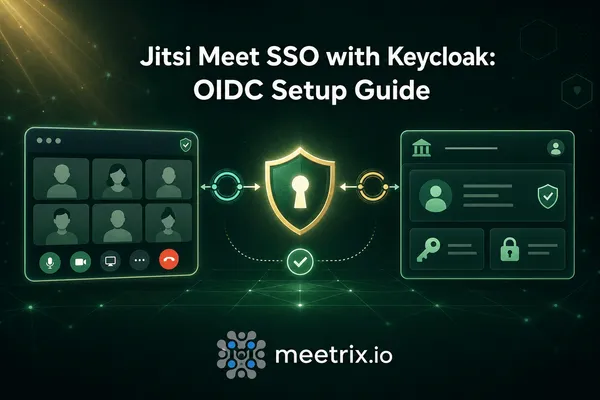
Jitsi Meet has no native OIDC or SAML module. Single sign-on is achieved by pairing JWT authentication with an external identity provider: the IdP handles the actual OIDC/SAML login, then issues the signed JWT that Prosody verifies. Keycloak and Auth0 are the two most common choices for this, and Okta works the same way (see Jitsi Meet with Okta SSO). We cover a full Keycloak-based setup in adding SSO to Jitsi Meet with Keycloak, and compare identity providers in Keycloak vs Auth0 if you're still choosing one. Authentik is another self-hosted option worth a look - see our Authentik on AWS guide, or how Authentik and Keycloak compare if you are choosing between the two.
Which Method Should You Use?
| Method | Status | Best for |
|---|---|---|
| JWT (Token) | Recommended | New deployments, app-controlled room creation |
| Secure Domain | Deprecated | Existing installs only - migrate to JWT |
| LDAP | First draft | Organizations with an existing OpenLDAP/AD directory |
| SSO / OIDC | Via JWT + IdP | Teams already on Keycloak, Auth0, or Authentik |
Frequently Asked Questions
What is Jitsi authentication?
Jitsi authentication controls who can create a conference room on your Jitsi Meet instance. Jitsi Meet ships with three built-in methods: Secure Domain, JWT (token), and LDAP, plus SSO/OIDC when paired with an external identity provider.
Is Secure Domain authentication still recommended for Jitsi Meet?
No. The official Jitsi Meet handbook marks Secure Domain as deprecated and recommends JWT authentication for all new installations instead.
How does JWT authentication work in Jitsi Meet?
Prosody is set to authentication = "token" with an app_id and app_secret from the jitsi-meet-tokens package. Only requests carrying a valid signed token can create a room; Jicofo needs no changes.
Does Jitsi Meet support LDAP authentication?
Yes, though the official docs describe it as a first draft. It has been tested on Debian 11 with OpenLDAP and Ubuntu 24.04 with Active Directory, using Cyrus SASL and Prosody's mod_auth_cyrus module.
How do I enable Jitsi Meet authentication in Docker?
Set ENABLE_AUTH=1 in the .env file and pick AUTH_TYPE: internal (Prosody accounts), jwt, ldap, or hybrid_matrix_token for Matrix plus JWT. Add ENABLE_GUESTS=1 if guests should still be able to join once an authenticated user has opened the room.
Why does Jitsi ask me to log in as the host?
The server has authentication turned on. The first person into a room has to log in (or arrive with a valid token) to create it. Until then, guests see a waiting screen and join automatically once the host has started the meeting.
Can I set up SSO or OIDC login for Jitsi Meet?
There's no built-in OIDC module. SSO is implemented by pairing JWT authentication with an identity provider such as Keycloak or Auth0, which issues the token after the user logs in via SAML or OIDC.