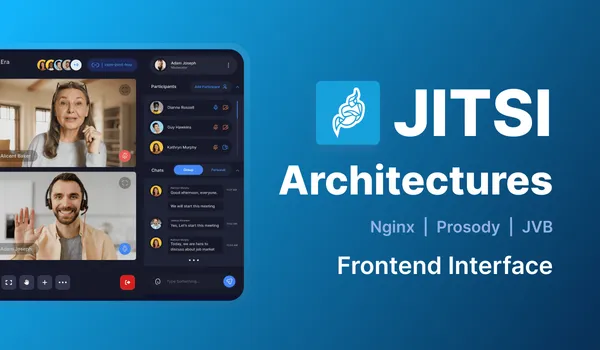
Pioneer Communications Platform Huddle XR leveraged Meetrix to strengthen the core of their communication platforms and enhance security.
Introduction
Huddle XR is a virtual platform that encourages collaboration in remote work by integrating immersive technologies. Its focus is to use both Augmented Reality (AR) and Virtual Reality (VR) to bridge the gap between remote workers and their peers. Users of Huddle XR are able to participate in virtual meetings as well as interactive presentations in real-time.
Huddle XR caters to many different fields of work and has a versatile design to it. The team at Huddle XR employed Meetrix to deploy the Jitsi infrastructure set up with Octo Configuration. Huddle XR was founded with a specific focus on using AR and VR to establish mainstream virtual communication. It employs three in-built platforms to facilitate the streams of Real-time Communication such as Community, Conference, and Exhibition. It hosts an array of features typical of a communication platform and has an interactive and user-friendly interface.
Process: shards, Octo and auto-scaling videobridges
Huddle XR acquired Meetrix’s assistance to solve specific problems related to video quality and security. Meetrix was able to provide them with JVB Shard setup as well as Octo Configuration, which are discussed in-depth below:
Meetrix was able to assist Huddle XR increase the scalability and performance of its platform by introducing Multi shard setup. There were two shards that were hosted in two different regions. Two of the HA Proxy servers were configured to distribute traffic across the Jitsi Meet servers, in order to balance the load and increase scalability ensuring that the network resources available are used in an efficient manner. By implementing these configurations, Meetrix was successful in regulating the Huddle XR platforms’ functionality.
This is the layout the Jitsi scalable setup guide describes, with HAProxy in front. Our write-up on load balancing multiple videobridges goes through the HAProxy side in detail.
Similarly, Meetrix also arranged for two separate setups of Octo Configuration in the Huddle XR platforms using Jitsi Meet. Octo is one of Jitsi’s unique features that allow the distribution of video conferencing participants over many geographic locations. Huddle XR was able to route participants to JVB instances closest to their region, allowing them to load balance the data traffic from the conference and optimize the use of network resources. This aided in smoother operation within the conference. Using Octo allows for regional scalability, where users from all across the globe have easy access to the platform, adding to Huddle XR’s success. This particular process is one of Meetrix’s most frequently offered services because of the panel of expert engineers on the team.
Octo has since been renamed: current videobridge releases call it relay, and it is documented in the jitsi-videobridge repo. The region-routing side gets its own write-up in routing users to the nearest videobridge, and if you run Jitsi on Kubernetes, the same idea is covered in scaling videobridges with Octo on Kubernetes.
Another important component in which Meetrix was deployed was autoscaling groups for JVBs. When the traffic in the setup goes high, the number of JVB instances will be increased. And when the traffic is low, it will be decreased ensuring the cost optimization. That aids the Huddle XR team’s ability to support large-scale events virtually, elevating their status as a top contender for most sought-out communications platforms. Our guide to auto-scaling Jitsi videobridges on AWS shows how the scaling group is built.
Following are the versions we have used when deploying the setup.
| Component | Version |
|---|---|
| Jitsi-meet | 2.0.7001 |
| Prosody | 0.11.4-1 |
| Jicofo | 1.0-862-1 |
| Jitsi-videobridge2 | 2.1-634-gff8609ad-1 |
| Haproxy | 2.3 |
Client Review
Conclusion
Huddle XR platforms have benefited immensely after the integration of Jitsi’s feature by the team at Meetrix. The components of Jitsi Meet that were introduced to the platform have boosted its growth and aided its productivity such that the systems are still in use today. Building solutions using Jitsi Meet has broadened the horizons of Huddle XR’s reach and secured its spot as a leading communications platform. Meetrix is able to integrate Jitsi Meet efficiently into systems because it is a constantly developing software with a multitude of benefits to using it; Meetrix is constantly striving to develop easier and more efficient features in Jitsi Meet to help create lasting and impactful networks across the globe.
Not every Jitsi project needs shards. For a smaller one, see how a single Jitsi server kept a cruise ship's crew connected, or how we fixed Orga-Support's Jitsi bugs on demand.
Frequently Asked Questions
What is Huddle XR?
A collaboration platform for remote teams built around AR and VR. It runs three spaces for real-time communication, Community, Conference and Exhibition, and uses Jitsi Meet underneath for the audio and video.
What is a Jitsi Meet shard?
A complete Jitsi stack (web front end, Prosody and Jicofo) with its own videobridges. Huddle XR ran two shards in two regions, with two HAProxy servers spreading conferences between them.
What does Octo do in Jitsi Meet?
Octo lets one conference span videobridges in different regions, so each participant connects to the bridge closest to them. Newer videobridge releases call the same feature relay.
How does auto-scaling the videobridges save money?
The auto-scaling group adds JVB instances when traffic climbs and removes them when it drops, so you pay for large-event capacity only while a large event is running.
Which Jitsi versions did the Huddle XR deployment use?
jitsi-meet 2.0.7001, Prosody 0.11.4-1, Jicofo 1.0-862-1, jitsi-videobridge2 2.1-634 and HAProxy 2.3. Those are 2023 releases, so a deployment today would start from current packages.