Learn how to install and configure changedetection.io on AWS with our step-by-step deployment guide. This resource walks you through launching the Meetrix changedetection.io AMI with CloudFormation, pointing your domain at it, securing it with SSL, and keeping it running on your own AWS account. Whether you're tracking competitor pricing, product restocks, release notes or regulatory updates, this guide will help you run your own website change monitoring without a per-watch subscription.
changedetection.io is an open-source web page monitor that checks the pages you choose on a schedule and notifies you when their content changes. Self-hosting it keeps your watch list and history on your own infrastructure, and it sits comfortably alongside the rest of your self-hosted software on AWS. Let's get started deploying changedetection.io on AWS.
Prerequisites
Before you get started with the changedetection.io AMI, ensure you have the following prerequisites:
- Basic knowledge of AWS services, including EC2 instances and CloudFormation.
- An active AWS account with appropriate permissions.
- An EC2 key pair in the region you plan to deploy to.
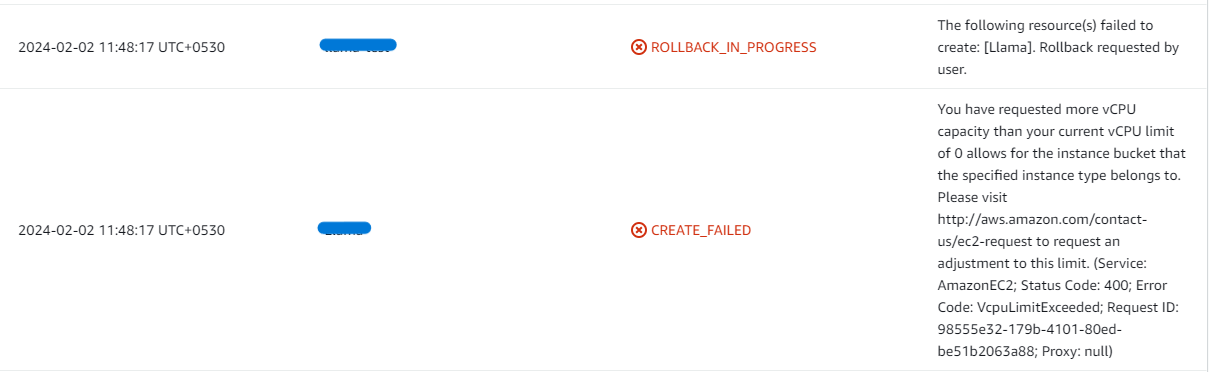
- If you encounter a vCPU quota error when launching the stack, follow https://meetrix.io/blogs/increase-aws-vcpu-quota/ to increase your vCPU limit.
Launching the AMI
Step 1: Find and Select the changedetection.io AMI
- Log in to your AWS Management Console.
- Navigate to 'changedetection.io' in AWS Marketplace.
Step 2: Initial Setup & Configuration
- Click the "Continue to Subscribe" button.
- After subscribing, accept the terms and click "Accept Terms".
- Wait a few minutes until processing completes, then click "Continue to Configuration".
- Select "CloudFormation script to deploy changedetection.io" as the fulfillment option and choose your region. Click "Continue to Launch".
- From the "Choose Action" dropdown, select "Launch CloudFormation" and click "Launch".
Create CloudFormation Stack
Step 1: Create a stack
- Ensure the "Template is ready" option is selected under "Prepare template".
- Click "Next".
Step 2: Specify stack options
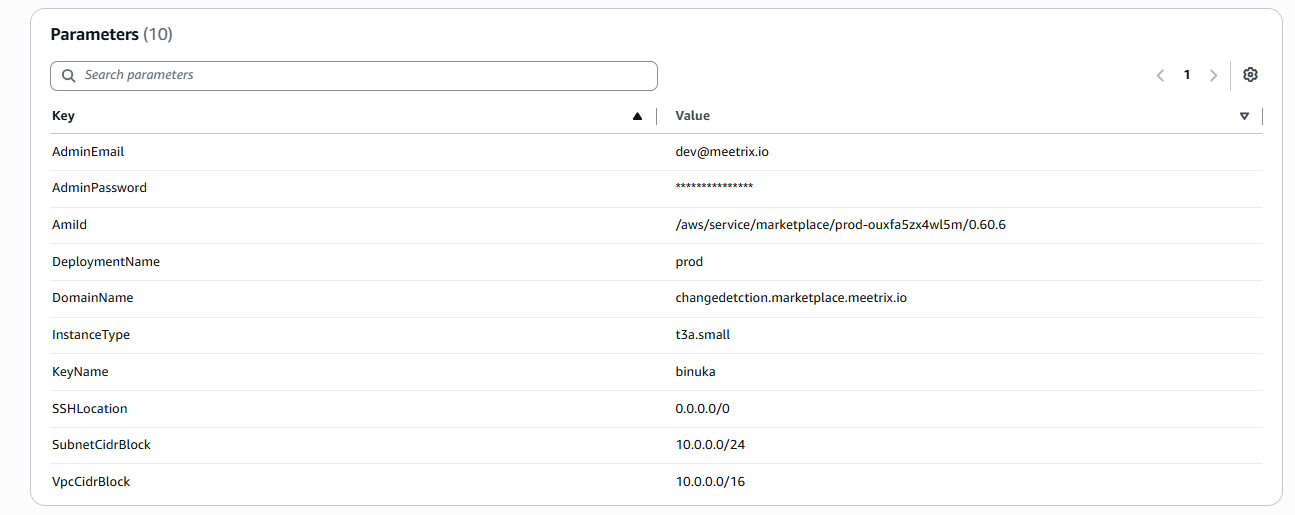
- Provide a unique "Stack name".
- Enter the "AdminEmail" used for SSL certificate generation.
- Enter an "AdminPassword". This is the password you will use to log in to changedetection.io.
- Enter a value for "DeploymentName".
- Provide a public domain for "DomainName". changedetection.io will automatically try to set up SSL if the domain is hosted on Route53. If unsuccessful, you must set up SSL manually.
- Choose an instance type "InstanceType" (Recommended: t3a.small).
- Select your preferred "KeyName".
- Set "SSHLocation" to 0.0.0.0/0.
- Keep "SubnetCidrBlock" as 10.0.0.0/24.
- Keep "VpcCidrBlock" as 10.0.0.0/16.
- Click "Next".
Step 3: Configure stack options
- Choose "Roll back all stack resources" and "Delete all newly created resources" under "Stack failure options".
- Click "Next".
Step 4: Review
- Review and verify the details you've entered.
- Tick "I acknowledge that AWS CloudFormation might create IAM resources with custom names".
- Click "Submit".

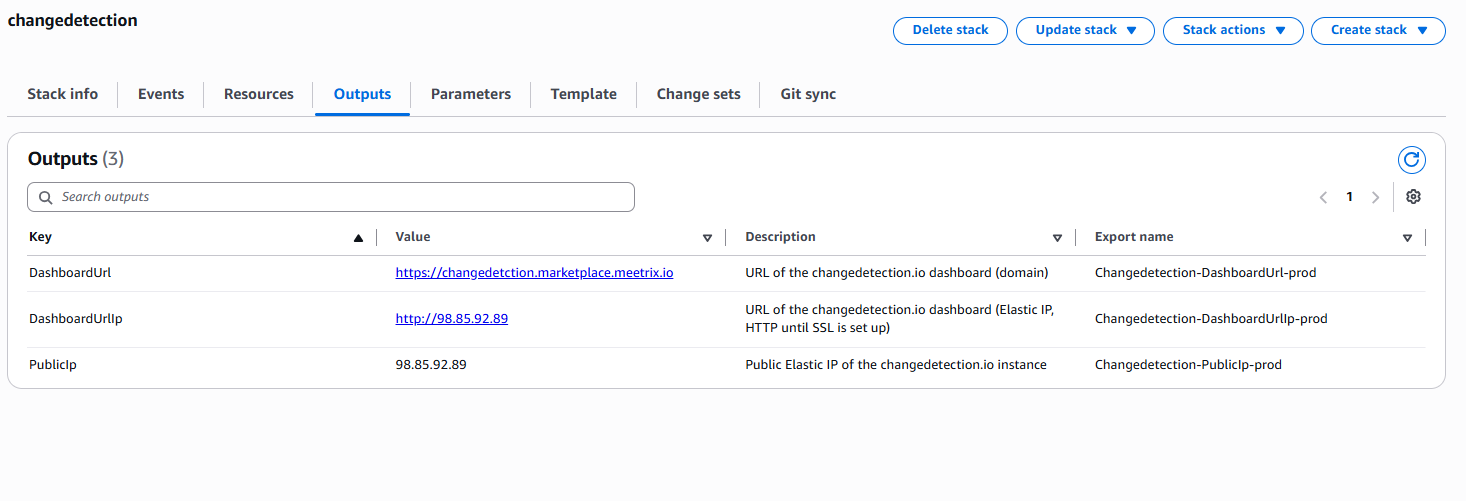
Afterward, you'll be directed to the CloudFormation stacks page. Please wait for 5-10 minutes until the stack has been successfully created.
Update DNS
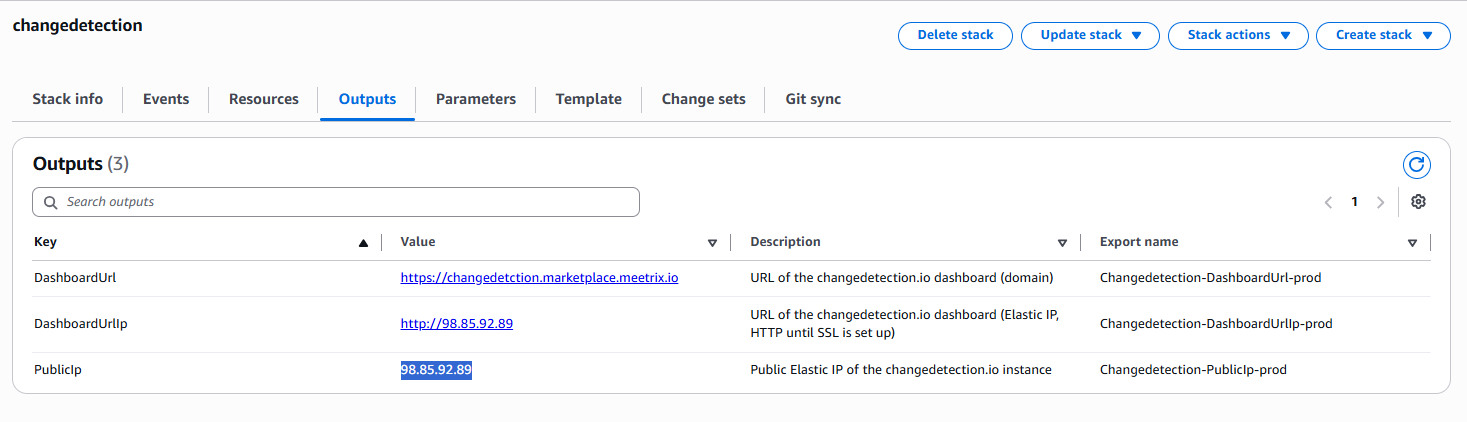
Step 1: Copy IP Address
Copy the public IP labeled "PublicIp" in the "Outputs" tab.
Step 2: Update DNS
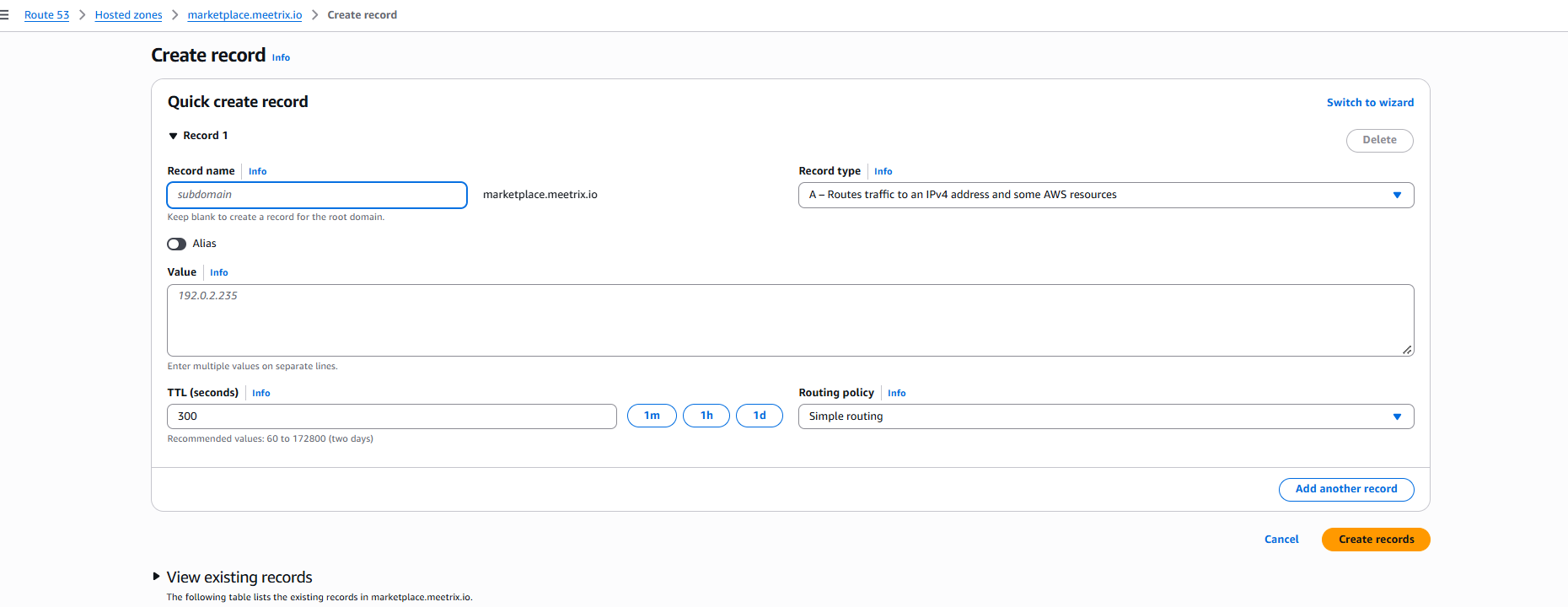
- Go to AWS Route 53 and navigate to "Hosted Zones".
- Click Create record.
- Add a record name and paste the copied PublicIp into the value textbox.
- Click "Create records".
Access changedetection.io
Access changedetection.io using the "DashboardUrl" or "DashboardUrlIp" provided in the Outputs tab. The IP address URL serves plain HTTP until SSL is set up.
Note
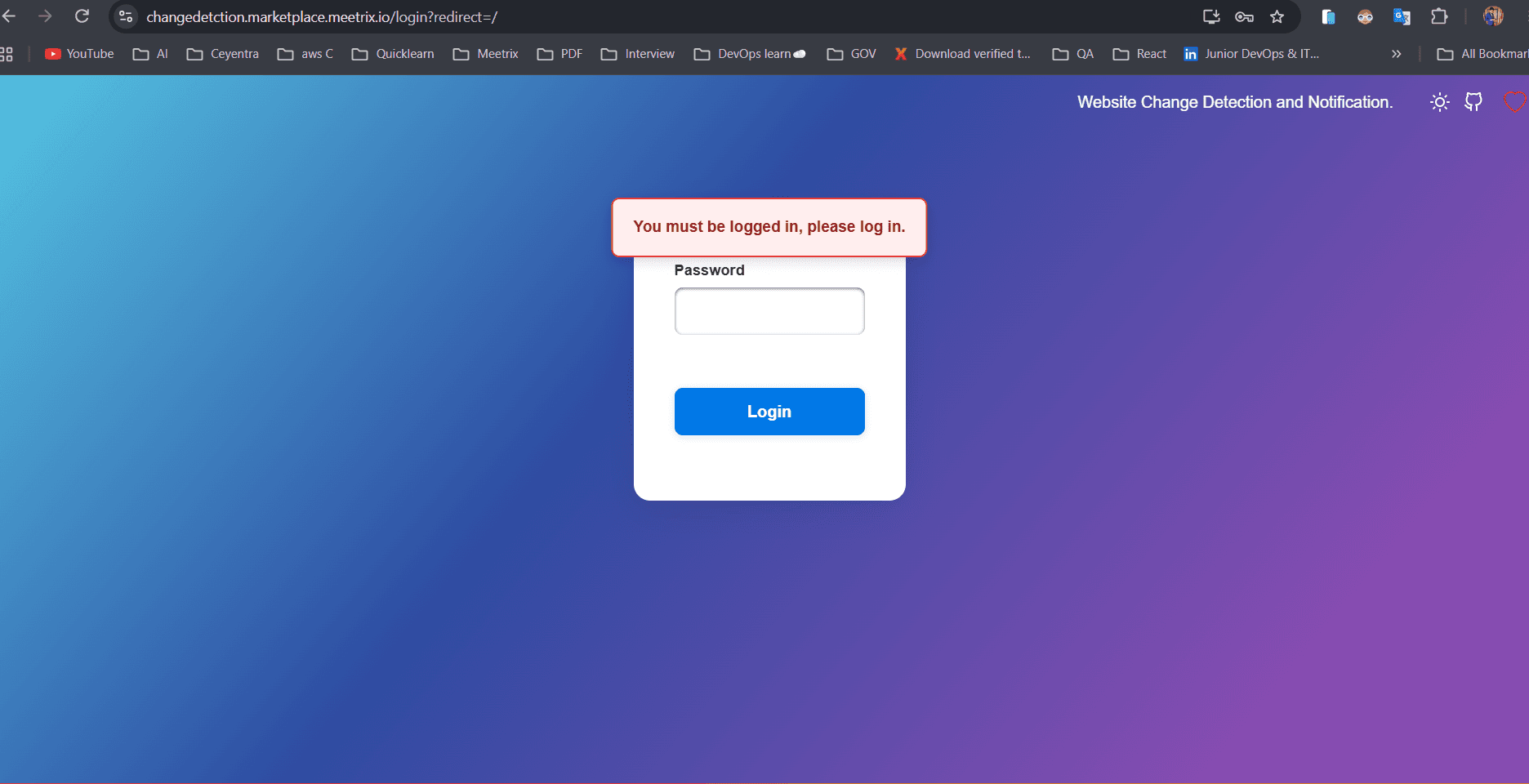
changedetection.io uses a password-only login. Enter the AdminPassword you provided during stack creation and store it securely for future reference.
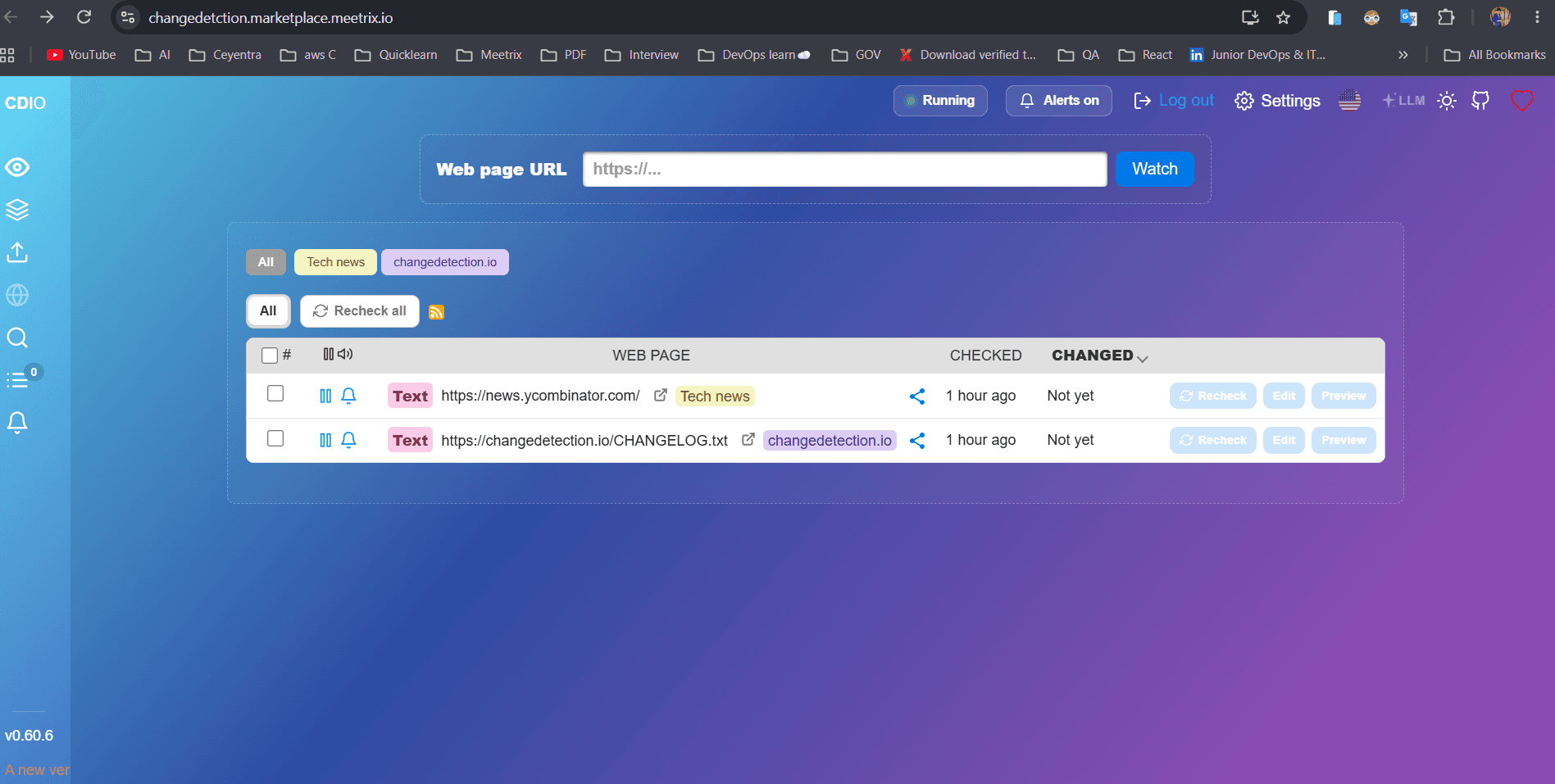
To start monitoring a page, paste its address into the Web page URL field and click Watch. From Settings you can set the default check interval and add notification targets. changedetection.io sends alerts through Apprise, so email, Slack, Discord, Telegram and webhooks all work. The changedetection.io wiki covers filters, visual selectors and restock detection in depth.
Generate SSL Manually
changedetection.io will automatically try to set up SSL when a Route53-hosted domain is provided. If it fails, follow these steps to generate SSL manually.
Step 1: Copy IP Address
- Follow the Update DNS steps above, if not already done.
- Copy the Public IP indicated as "PublicIp" in the "Outputs" tab.
Step 2: Log in to the server
- Open the terminal and go to the directory where your private key is located.
- Run the SSH command below.
- Type "yes" and press Enter to confirm.
ssh -i <your key name> ubuntu@<Public IP address>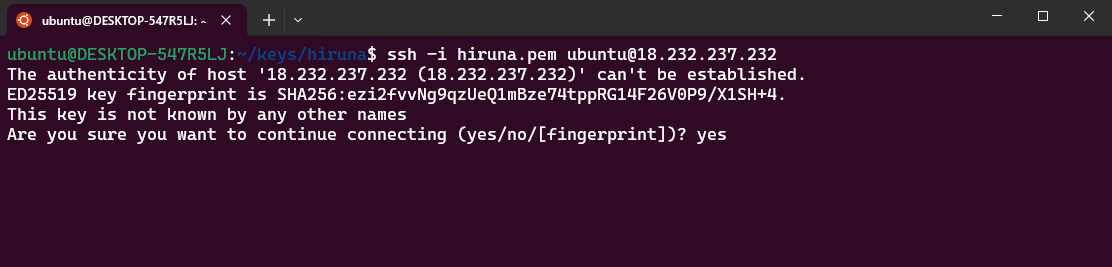
Step 3: Generate SSL
Run the following command and follow the prompts:
sudo /root/certificate_generate_standalone.shCheck Server Logs
Step 1: Log in to the server
ssh -i <your key name> ubuntu@<Public IP address>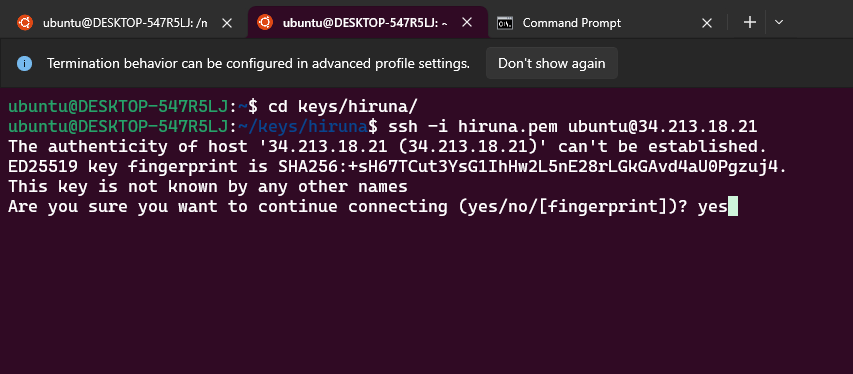
Step 2: Check the logs
changedetection.io runs in Docker on Ubuntu 26.04. List the running containers, then view the logs of the one you need:
sudo docker ps

sudo docker logs <container-id-prefix>
If you want dashboards and alerting for the server itself, not just the pages it watches, our Grafana developer guide shows how to run Grafana on AWS the same way.
Shutting Down changedetection.io
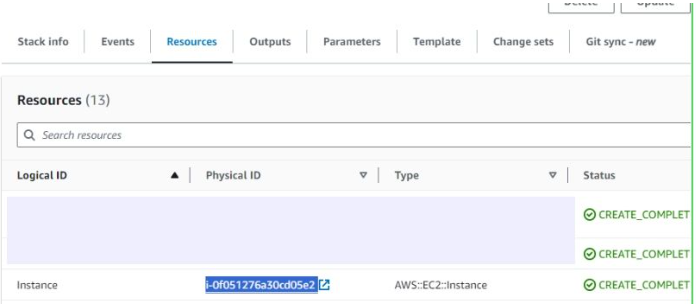
- In CloudFormation, click the link labeled "Instance" in the "Resources" tab to open the EC2 instance.
- Stop the changedetection.io instance from the Instance state dropdown. You can restart it later as needed.
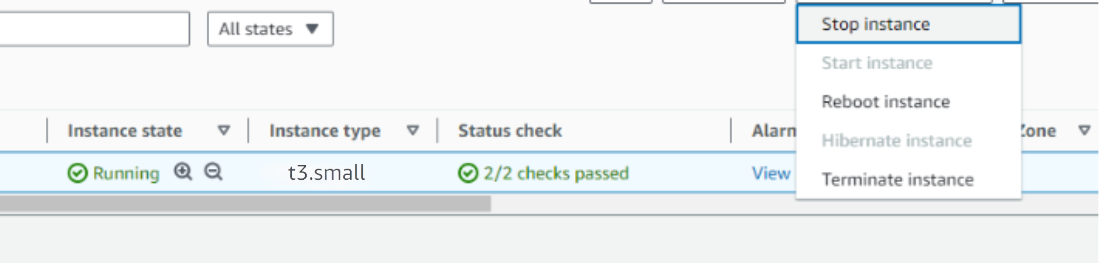
Pages are not checked while the instance is stopped. Checks resume when you start it again.
Remove changedetection.io
Delete the CloudFormation stack from the AWS Management Console under "CloudFormation Stacks" by clicking "Delete".
Upgrades
When a new version is available in AWS Marketplace, back up your watch list and data, remove the previous deployment, and relaunch with the new version. You can export your watches from the changedetection.io interface before removing the stack. The changedetection.io GitHub repository lists what changed in each release.
Troubleshoot
- If you face vCPU quota limits, request an increase: How to increase AWS quota.
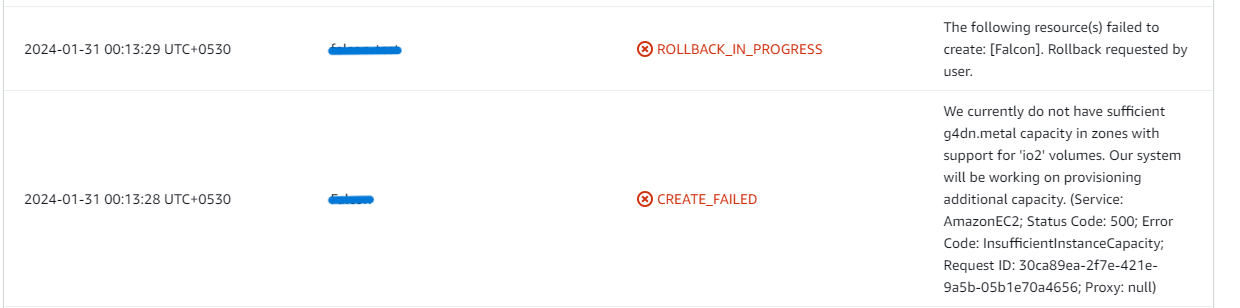
- If you face insufficient capacity errors while creating the stack, try another region or time.
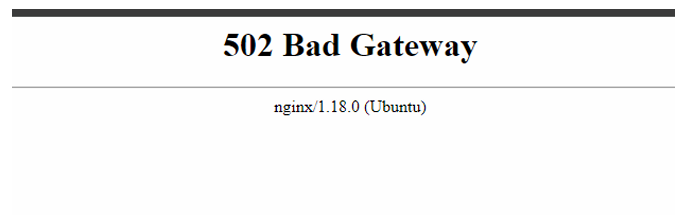
- If the dashboard is temporarily inaccessible, wait 5-10 minutes and retry.
Check whether the instance storage is full. changedetection.io keeps a snapshot of every change it detects, so a long watch list with frequent checks grows over time.
- Log into the server and run:
df -h
- If the root volume is between 90-100%, resize the EBS volume (per AWS docs), then reboot and restart the service.
Conclusion
The Meetrix changedetection.io Deployment Guide helps you run your own website change monitoring on AWS. Whether you're a developer watching dependency changelogs, a marketer tracking competitor pages, or an operations team following vendor status pages, this guide gives you a secure, self-hosted setup you control. If you're comparing automation tools to act on those alerts, see our Flowise vs Langflow vs n8n comparison.
Technical Support
Reach out to Meetrix Support (aws@meetrix.io) for assistance with changedetection.io issues.
Frequently Asked Questions
What is changedetection.io?
changedetection.io is an open-source tool that watches web pages for changes and alerts you when they happen. It can track whole pages or specific parts of a page, and is commonly used for price drops, restock alerts, changelogs, government notices and competitor pages.
What are the prerequisites for deploying changedetection.io on AWS?
You need basic knowledge of AWS services (EC2, CloudFormation), an active AWS account with appropriate permissions, an EC2 key pair, and enough vCPU quota to launch the chosen instance type.
Which instance type is recommended?
t3a.small is enough for a typical set of text-based watches. If you plan to monitor hundreds of pages or check them very frequently, choose a larger instance such as t3a.medium.
How do I log in to changedetection.io?
changedetection.io uses a password-only login. There is no username - enter the AdminPassword you set when creating the CloudFormation stack.
Can changedetection.io send alerts to Slack, email or Telegram?
Yes. changedetection.io uses the Apprise notification library, so you can send alerts to email, Slack, Discord, Telegram, Microsoft Teams, webhooks and many other services. Configure them under Settings, or per watch.
How do I handle upgrades?
When a new version is available in the AWS Marketplace, back up your data, remove the previous deployment, then relaunch with the new version.
How do I get technical support?
Reach out to Meetrix Support at aws@meetrix.io for assistance with changedetection.io issues.
Ready to Deploy Your Own changedetection.io Instance?
Get started in minutes with our pre-configured AMI and monitor any website for changes from your own AWS account.
Deploy changedetection.io from AWS Marketplace