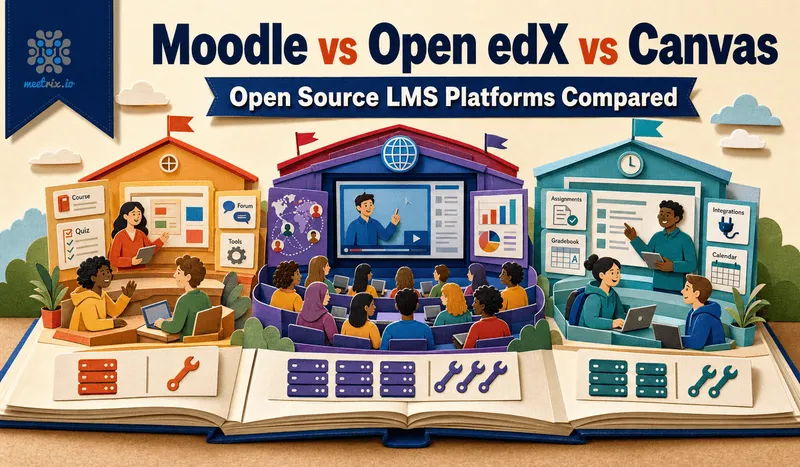
Moodle vs Open edX, moodle vs canvas, open source lms comparison, best lms self hosted: however you're searching for it, the question underneath is usually the same. You've picked open source over a paid LMS to keep control of your data and your budget, and now you need to know which of these three you can actually run. That answer depends far more on your team's infrastructure comfort than on a feature checklist, since all three cover the LMS basics well.
Moodle, Open edX, and Canvas are the three open source options that actually show up in real evaluations, and they solve genuinely different problems: classroom-style course delivery, MOOC-scale online programs, and a modern UX with an open core behind a mostly-commercial product. Here's the honest breakdown, including what self-hosting each one actually takes.
Quick answer
Jump to a section
How to choose between Moodle, Open edX, and Canvas
Three questions cover most of it:
- Is this classroom-style teaching, or a MOOC? Moodle is built around courses, cohorts, and gradebooks the way a school or training department already thinks about them. Open edX is built for large, self-paced online programs with certificates and discussion at MOOC scale.
- What does your team actually want to run? Moodle installs like a normal PHP application on standard web hosting. Open edX, even through the official Tutor installer, is a Docker-based Django stack with 20+ services, real DevOps work. Canvas is technically self-hostable too, but the honest default for most institutions is Instructure's hosted product instead.
- Do you need the biggest plugin library, or the newest UX? Moodle's two decades of plugins cover almost anything you'd want to bolt on. Canvas has the cleanest, most modern interface of the three, which is a large part of why it dominates paid US higher ed even though an open source version exists.
1. Moodle: the classroom LMS, and the easiest to actually run yourself
Moodle is GPLv3 licensed and, unlike the other two, installs like an ordinary PHP application: a web server, PHP, and a MariaDB or PostgreSQL database is genuinely enough to get it running on standard hosting in under an hour. It has over 530 million registered users on 148,000 registered sites across 237 countries (Moodle's own stats, October 2026), and two decades of that install base have produced the largest plugin directory of any open source LMS, covering everything from SCORM and LTI integrations to proctoring and custom gradebooks.
Key features
- GPLv3 licensed, installs on standard PHP hosting with a MariaDB or PostgreSQL backend
- The largest plugin and theme ecosystem of any open source LMS
- Built around courses, cohorts, and role-based access the way schools already teach
- We package it as a pre-configured AWS AMI with SSL and IAM access controls already set up
2. Open edX: MOOC-scale delivery, real DevOps required
Open edX is the platform behind edx.org, originally built by MIT and Harvard and now stewarded by the nonprofit Axim Collaborative. The core platform is AGPLv3, with no license fee for the software itself. It's a Python and Django platform designed for millions of concurrent learners, with an xBlock architecture for interactive content and native support for verified certificates and graded discussion. The honest tradeoff is infrastructure: even Tutor, the official installer, deploys Django, MySQL, MongoDB, Elasticsearch, and Redis across 20-plus Docker containers, which is a genuinely different commitment than pointing a web server at a PHP folder.
Key features
- AGPLv3 and free, stewarded by the nonprofit Axim Collaborative, originally built by MIT and Harvard
- xBlock architecture for interactive content, plus native certificates and graded discussion
- Designed for MOOC scale, millions of learners rather than a single classroom
- Deployed via Tutor as a 20+ container Docker stack, real DevOps experience required
3. Canvas: the modern interface, if you're ready to run it yourself
Canvas is AGPLv3 licensed and genuinely open source, but almost every institution you've heard of using it is actually on Instructure's hosted Canvas Cloud rather than a self-hosted deployment. That's not an accident: Canvas is widely regarded as having the cleanest, most modern UX of the three, which is a big reason it leads paid US higher ed, but self-hosting it well is estimated at $5,000 to $50,000 or more a year once you count infrastructure and staff time. It's a real option for a large institution with a strong IT team that specifically wants full control, not a lightweight weekend install.
Key features
- AGPLv3 licensed, dual-licensed commercially by Instructure alongside the open source core
- The most modern interface of the three, a major reason for its dominance in paid higher ed
- Self-hosting is real but resource-heavy, estimated $5K-$50K+ a year in infrastructure and staff
- Most real-world Canvas deployments run on Instructure's hosted cloud, not self-hosted
Canvas LMS self hosted: what it actually takes
The open source Canvas is a Ruby on Rails application on PostgreSQL and Redis, with a separate background job tier and an object store for uploads. There's no supported one-line installer: you build it from the repo (Instructure's Docker Hub images have fallen years behind) and follow the production setup wiki, which people on the Canvas community forum describe as missing steps. Plan for 8GB of RAM on the app server (4GB is the floor) and a person who is comfortable debugging Rails asset builds. That's the real reason "Canvas LMS hosting" almost always means Instructure's cloud.
Open edX vs Canvas
These two get compared by universities more than you'd expect, and they're both heavy to self-host, just in different stacks: Django and a pile of containers for Open edX, Rails and a hand-built deployment for Canvas. The real split is the kind of teaching. Canvas is built around a term: enrolled students, assignments with due dates, a gradebook the registrar cares about. Open edX is built around self-paced courses that anyone can join, with certificates at the end. A university running its normal semester courses wants Canvas (or Moodle). The same university launching public online programs wants Open edX, and plenty of them run both.
Open edX vs Moodle vs Canvas: feature comparison
| Feature | Moodle | Open edX | Canvas |
|---|---|---|---|
| License | GPLv3 | AGPLv3 | AGPLv3, dual-licensed commercially |
| Stack | PHP, MariaDB or PostgreSQL | Python/Django, MySQL, MongoDB, Elasticsearch, Redis | Ruby on Rails, PostgreSQL, Redis |
| Best fit | Classroom and blended learning | MOOC-scale online programs | Institutions wanting a modern UX |
| Self-hosting effort | Low, standard PHP hosting | High, 20+ container Docker stack | High, resource and staff heavy |
| Plugin/extension ecosystem | Largest of the three | xBlock-based, narrower | Mostly commercial App Center |
| Typical real-world deployment | Self-hosted or managed hosting | Self-hosted with DevOps team | Instructure's hosted cloud |
| Estimated self-hosting cost | Lowest of the three | Infrastructure + DevOps time | $5,000-$50,000+/year |
Why we deploy Moodle
Most of the teams that come to us wanting an open source LMS are running classroom or blended learning, not a MOOC, and they want to be live without hiring a DevOps team just to stand up the platform. Moodle's plugin ecosystem already covers the integrations institutions ask for, SCORM, LTI, proctoring, custom gradebooks, so the real work is a clean, secure deployment rather than building the platform up from scratch. That's what our AWS AMI handles: SSL, IAM-based access controls, and a tuned MariaDB or PostgreSQL backend, ready the same day.
Our Moodle developer guide covers the full setup, and our Moodle on AWS deployment guide walks through launching the pre-configured AMI. If you're also running live classes alongside your courses, our Jitsi virtual classrooms guide and Jitsi Meet on AWS setup guide cover adding video conferencing to the mix.
Where I'd start
Running classroom or blended learning and want to be live today: Moodle, the one we deploy. Running a large, self-paced online program and already have DevOps capacity: Open edX, budget real time for the Tutor stack. Want Canvas's modern interface specifically and have the IT team and infrastructure budget to match: Canvas, with eyes open that most real deployments use Instructure's hosted cloud instead of self-hosting.
All three are legitimate, widely deployed platforms, none of them is the wrong pick in the abstract. The mistake is choosing based on a feature list instead of what your team can realistically operate day to day.
Frequently Asked Questions
Moodle vs Open edX: what's the real difference?
Moodle is a PHP app you can get running on standard web hosting in under an hour, built for classroom and blended learning with a huge plugin library. Open edX is a Python and Django platform built for MOOC scale, millions of learners, xBlock-based interactive content, but it ships as 20+ Docker containers and genuinely needs DevOps experience to self-host, even with the Tutor installer.
Moodle vs Canvas: which is easier to self-host?
Moodle, by a wide margin. Canvas is AGPLv3 and technically free to self-host, but almost every institution running it uses Instructure's hosted Canvas Cloud instead, since self-hosting it well is estimated at $5,000 to $50,000 or more a year in infrastructure and staff time. Moodle runs on ordinary LMS hosting without that overhead.
What is the best open source lms for a university replacing a paid platform?
Moodle for most departments, it matches what Blackboard or a paid LMS already does at zero license cost. Open edX only if you're specifically running MOOC-style courses at large scale. Canvas's open-source version exists, but budget for real infrastructure and DevOps time if you self-host it rather than using Instructure's cloud.
Is Open edX free to use?
Yes, Open edX itself carries no license fee and is stewarded by the nonprofit Axim Collaborative. The real cost is infrastructure and expertise: a default install runs Django, MySQL, MongoDB, Elasticsearch, and Redis across 20+ containers, which is a different proposition than paying for software.
Is Canvas LMS open source?
Yes. The canvas-lms code on GitHub is AGPLv3, and you can self-host it. But almost every institution using Canvas runs Instructure's hosted cloud, and the open source edition is a Rails app you build from source, so it's open source with a lot of assembly required.
Is Moodle open source?
Yes, Moodle is GPLv3 and free to download, modify and self-host. Moodle HQ earns money from MoodleCloud hosting, its partners and Moodle Workplace (a paid corporate-training edition), but the standard LMS is complete on its own.
Can I run Moodle and Canvas at the same time during a migration?
Yes, plenty of institutions run both temporarily during a migration, importing courses in stages rather than a single cutover. Moodle's course export/import tools and Canvas's Common Cartridge support make a phased migration realistic in either direction.
Which of these three has the largest plugin or extension ecosystem?
Moodle, by a significant margin. Its plugin directory covers everything from proctoring to gradebook integrations, built up over two decades as the most widely deployed open source lms. Open edX's xBlock system is powerful but narrower, and Canvas leans on its commercial App Center more than community plugins.
Launch Moodle on AWS in Minutes
Launch a pre-configured Moodle server on AWS with SSL and IAM access controls already set up, ready for classroom or blended learning the same day.
Get Moodle on AWS Marketplace