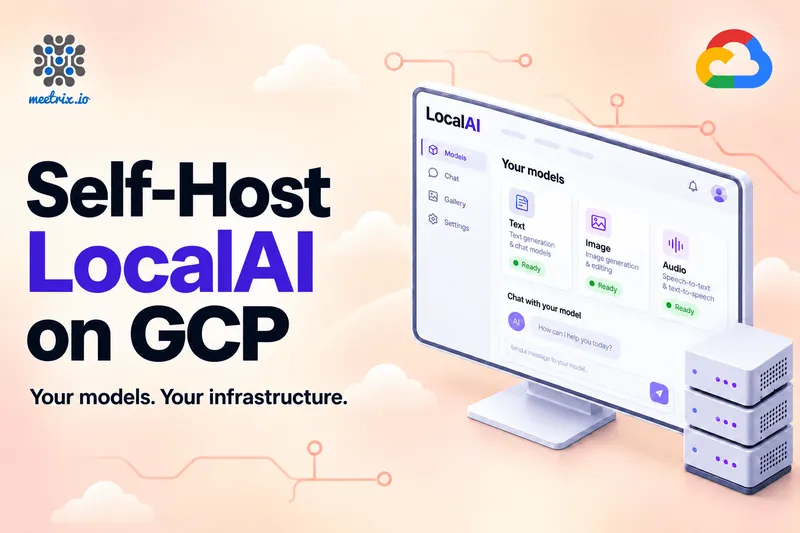
An OpenAI API Inside Your Own Project
Most teams on Google Cloud already have an OpenAI key sitting in Secret Manager somewhere. It works. It's also a per-token bill that moves every month, and every prompt your app sends (the support ticket, the contract clause, the call transcript) leaves your project to be processed by someone else.
That's usually fine until it isn't. Then the question becomes: can we keep the code and move the model?
LocalAI on GCP is that move. It answers the same /v1 API your OpenAI SDK already calls, from a VM in your own project. Meetrix's image deploys it from GCP Marketplace in one form: LocalAI 4.12.1 in Docker on Ubuntu 26.04, Nginx in front, Let's Encrypt SSL, an API key on the web UI and every route, and a chat model that answers on first sign-in. CPU or NVIDIA L4, same image. You can launch LocalAI on GCP Marketplace and have it answering in about ten minutes.
The Quick Verdict
Data has to stay in your project
The model runs on your VM, in the zone you pick. Prompts and outputs never go to a model provider.
High, steady volume
Embeddings, tagging, summarising tickets. A VM billed by the hour doesn't care how many tokens go through it.
You need frontier quality
An 8B or 14B open model on one L4 is good. It is not the biggest hosted model on hard reasoning, and it won't become one.
Just evaluating
Deploy on e2-standard-4, wire up one feature, and request L4 quota in parallel. Move when replies feel slow.
What Is LocalAI?
LocalAI is an open-source, MIT-licensed engine that runs AI models on hardware you control. It puts several inference backends (llama.cpp is the one you'll use most) behind one OpenAI-compatible API, so a single server does chat, embeddings, image generation, speech-to-text, and text-to-speech. It also speaks the Anthropic and ElevenLabs API formats, and the project now ships 60+ swappable backends.
The compatibility is what makes it an OpenAI alternative rather than one more inference server. SDKs, chat front ends, and agent frameworks that call the OpenAI API keep working when you change the base URL and the key. Our explainer on running a self-hosted OpenAI-compatible API covers the pattern in general. LocalAI is the option that covers the most model types from one endpoint.
Text
- Chat and completions on the standard
/v1routes - Embeddings for search and RAG
- Tool calling with models that support it
Images and audio
- Image generation, editing, and (new in 4.12) upscaling via
/v1/images/upscale - Speech-to-text and text-to-speech, with streaming voice in 4.12
Models
- A gallery of 1,896 models in 4.12.0, up from 1,660 in 4.11.0
- Your own GGUF files, or models pulled from Hugging Face
Operations
- A redesigned web UI in 4.12 with shared controls, light and dark themes, and clearer Models and Studio workflows
- Swagger docs for every route
- Auth that's been deny-by-default since 4.9.0
What's New in LocalAI 4.12
The GCP image ships LocalAI 4.12.1, one release line ahead of our AWS AMI (4.11.0). 4.12.0 came out on October 22, 2026, and 4.12.1 the next day. As of early November it's the latest release. Here's what changed that you'll actually notice.
A redesigned web UI
The interface was rebuilt around a shared visual kit, with light and dark themes and clearer Models and Studio workflows. If you've used an older LocalAI, the menu is different: Models, Chat, Studio, and Talk for using models, Build for importing your own, and Operate for activity and system status.
Streaming voice responses
LLM output can now stream straight into Qwen TTS as it's generated, so a voice reply starts speaking before the full answer is written. Other engines get explicit clause streaming. 4.12 also bundles Parakeet audio models for speech recognition, and adds configurable VAD. This is the change that makes a self-hosted voice assistant feel less like a walkie-talkie.
Native decision routing
A /v1/decisions adapter routes predicates, choices, and scores through the existing SystemOne pipeline, so you get structured choices instead of prose your code has to parse. Useful for routing a ticket, picking a category, or deciding which tool an agent should call next.
Privacy and tool settings
The Responses API gained PII filtering and opt-in rejection of uninspectable media, plus protected terms and adjacent-word masking. Remote MCP servers can authenticate with OAuth2 client credentials. Qdrant stores persist across restarts, with TLS and environment-backed credentials.
Live motion capture
GEM-X streams RGB frames into a bounded, session-based pose API on CPU or Vulkan, returning SOMA-77 or SMPL-24 poses. It's API-only for now, with no UI.
Inference controls
MoE expert caching, lazy tensor reads, and explicit slot prompt-cache save and restore. Mostly relevant once you run larger mixture-of-experts models on the L4 and want to squeeze memory.
4.12.1 is a security fix
The point release hardens the external URL policy for user-supplied URLs: redirect targets are now validated on every hop, 100.64.0.0/10 and 0.0.0.0/8 are treated as non-public, and the connection goes to the address that was actually validated. On a cloud VM, where the metadata server answers on a link-local address, that's exactly the kind of fix you want already applied. The full list is in the LocalAI release notes.
One deprecation to note: the separate /reasoning action is gone. Use the per-chat reasoning_effort request instead.
The model matters more than the engine. Going from the preloaded 4B model to a good 8B or 14B model on the L4 changes your results more than any release note will. Our roundup of the best open-source LLMs to self-host is where to pick one.
CPU or NVIDIA L4?
This is the one decision worth thinking about before you click Deploy. The image checks for an NVIDIA GPU at every boot and starts the CUDA build if it finds one, the CPU build if not. So it's also a decision you can change later.
| CPU | GPU | |
|---|---|---|
| Recommended type | e2-standard-4 (4 vCPU, 16 GB RAM) | g2-standard-8 (8 vCPU, 32 GB RAM, one NVIDIA L4 with 24 GB) |
| Speed, qwen3-4b-instruct | About 6-7 tokens per second | About 65 tokens per second |
| Compute cost, us-central1 | $0.134/hr (roughly $97.84 a month) | $0.8536/hr (roughly $623.15 a month) |
| Good for | Evaluation, embeddings, batch jobs, light internal use | Interactive chat, 7B to 14B models, images and speech |
| Quota | Standard vCPU quota | NVIDIA L4 GPU quota in the region, often 0 on new projects |
Compute prices are Google's on-demand list rates for us-central1, before the Meetrix licence fee, disk, and any committed-use discount. Check Google's GPU pricing for your region.
Six or seven tokens a second is readable. It's fine for a background job that summarises tickets overnight, and frustrating for a person waiting on a chat reply. Ten times that on the L4 is the difference people feel.
The L4 is also why GCP is a good home for LocalAI specifically. Its 24 GB of GDDR6 fits quantized 14B models, where the 16 GB T4 on AWS's g4dn.xlarge tops out around 8B. Our breakdown of GPU costs for LLM inference on AWS and GCP runs the monthly numbers side by side.
My advice is still to start on CPU. Deploy on e2-standard-4, connect one real feature, and file the L4 quota request on the same day, because it's the step that most often holds a GPU deployment up. Every g2 type carries exactly one L4, so a bigger g2 buys you vCPUs and RAM, not more GPU.
What the Meetrix Image Adds
You could run the LocalAI container on any VM. What you'd then spend the afternoon on is everything around it.
One form, one deployment
The Marketplace form creates the VM, a 60 GB balanced persistent disk for models, and firewall rules for HTTP and HTTPS. Deleting the deployment removes all of it.
A key on every route
You set the API key on the form (16 to 128 letters, numbers, dashes, or underscores). It guards the web UI sign-in and every API call. A bare container with auth left unconfigured is an open model server.
SSL handled
Nginx and certbot are preinstalled. The image tries Let's Encrypt on first boot, and one script on the VM issues the certificate once your DNS points at it.
Ready to answer
qwen3-4b-instruct is installed and loaded into memory during first boot, so the first message you send gets a reply instead of a download bar.
Billing runs through your Google Cloud account, like the rest of the Compute Engine bill. The licence fee lands on the same invoice as your VMs, so there's no new vendor to get approved. New subscriptions get a 5-day free trial with up to USD 50 in licence fee credits. Compute and disk charges still apply during the trial.
Deploy LocalAI on GCP in Five Steps
- Request L4 quota (GPU only)Under IAM & Admin, Quotas, ask for NVIDIA L4 GPUs in your region, and GPUs (all regions) if that's also zero. Google's quota documentation explains the request flow.
- Open the listingGo to LocalAI on GCP Marketplace, click Launch, pick your project, and accept the terms.
- Fill in the formUse the table below. Tick the trial checkbox if you want it, then click Deploy.
- Point your domainCopy the VM's external IP and create a DNS A record for your domain. Then SSH in and run the certificate script if SSL wasn't issued at boot.
- Sign inOpen your domain (or the
site_urloutput over plain HTTP until SSL is ready) and enter your API key.
Deployment form fields
| Field | What to enter |
|---|---|
| Zone | Close to your users. For a GPU, a zone with L4s, such as us-central1-a or us-central1-b. |
| Machine type | e2-standard-4 for CPU, g2-standard-8 for GPU. CPU types need at least 16 GB of RAM. |
| Boot disk | Balanced persistent disk, 60 GB minimum. Go bigger if you plan to keep several models. |
| External IP | Ephemeral works. A reserved static IP keeps your DNS record valid across stop and start. |
| Domain name | For example ai.yourcompany.com |
| Admin email | Used to register the Let's Encrypt certificate |
| API key | A long random value. Store it like a password. |
One thing that catches people out: with an ephemeral IP, your DNS record can't exist before the VM does, so the certificate request at first boot usually fails. That's expected. Once the A record resolves, run the script:
gcloud compute ssh <deployment-name>-vm --zone=<zone>
sudo bash /root/certificate_generate_standalone.sh
Reserve a static IP and point DNS at it before you deploy, and SSL issues itself. If you get a 502 Bad Gateway right after deploying, LocalAI is still starting. Give it a few minutes before you debug anything. The LocalAI on GCP developer guide has every screen of the form, plus logs, the nvidia-smi check, and troubleshooting.
Your First API Call
The deployment outputs include api_base_url, which is your domain followed by /v1. Send the key as a bearer token and list the installed models:
curl https://ai.yourcompany.com/v1/models \
  -H "Authorization: Bearer <your API key>"
Then switch your existing code over. With the OpenAI Python SDK, three values change and nothing else does:
from openai import OpenAI

client = OpenAI(
    base_url="https://ai.yourcompany.com/v1",
    api_key="<your API key>",
)

response = client.chat.completions.create(
    model="qwen3-4b-instruct",
    messages=[{"role": "user", "content": "Classify this ticket: billing, bug or feature request?"}],
)
print(response.choices[0].message.content)
The first request after a reboot takes 15 to 25 seconds while the model loads. After that it's the speeds in the table above. Every route, including embeddings, images, and audio, is documented at /swagger/index.html on your domain.
To add models, open Models in the web UI, search the gallery and click Install. On CPU, pick something whose file is at most half your RAM, and stay away from reasoning models like qwen3-4b, which think step by step and can take minutes per reply. On the L4, quantized 7B to 14B chat models fit.
LocalAI also slots into other self-hosted pieces on GCP. Use it for both embeddings and answers in a RAG pipeline over a Milvus vector database on GCP, or put it behind a 9Router LLM gateway next to a hosted provider, so each request goes to the cheapest model that can handle it.
Running It Safely
The API key
- Whoever has the key can use your models and install new ones. Give it only to the services that need it.
- Keep it server-side. Never ship it in browser JavaScript.
- Move your apps to the https URL as soon as the certificate exists. Don't keep calling
site_urlover plain HTTP. - To rotate it, edit
LOCALAI_API_KEYin/opt/localai/.envand runsudo systemctl restart localai.
The VM
- SSH is open to the internet by default. Narrow the source range on the form to your own IPs.
- Leave "full access to all Google Cloud APIs" unticked. LocalAI doesn't need it.
- Watch the disk with
df -h. Models are several gigabytes each. - Stop a GPU VM when nobody's using it. An ephemeral IP changes on restart, so update DNS or promote it to static first.
Switching CPU and GPU later
LocalAI vs vLLM vs Ollama
All three serve open models behind an OpenAI-style API. They're good at different things.
| LocalAI | vLLM | Ollama | |
|---|---|---|---|
| Best at | Many model types behind one API | High-throughput text serving on GPUs | The simplest local setup |
| Model types | Text, embeddings, images, speech-to-text, text-to-speech, video | Mainly text and embeddings | Mainly text and embeddings |
| Runs on CPU | Yes | GPU-focused | Yes |
| Auth built in | API keys, plus user accounts with roles | Optional API key | No key validation |
| Web UI | Included, with a model gallery | None | Desktop app; no server UI |
If you're serving one text model to a lot of concurrent users, vLLM gets more out of the L4, and our vLLM inference server on GCP is the better pick. If you want chat, embeddings, images and speech from one keyed endpoint with a UI for managing models, that's LocalAI. The Ollama vs vLLM comparison goes deeper on the serving-engine side.
Marketplace Image, Docker, or Vertex AI
Meetrix image on GCP Marketplace
Best for a private API with the least setup
CPU or L4 from one image, API key auth, Nginx, SSL, and a preloaded model, billed through your Google Cloud account. Supported by Meetrix.
LocalAI in Docker
Best if you want to build it yourself
The official images run on any VM. The CUDA drivers, image choice, proxy, SSL, and auth are yours to set up and keep working.
Vertex AI or another hosted API
Best for frontier-model quality
No VM to run and the strongest models, billed per token, with prompts processed by the provider instead of on your VM.
Plenty of teams run both. The hosted model takes the handful of tasks that need the biggest model, and LocalAI takes the private, high-volume, and good-enough-at-8B work. Because both speak the same API, moving a call between them is a base-URL change.
Resources
Running on AWS too? LocalAI on AWS covers the CloudFormation version, the g4dn sizing and what landed in 4.11. Specs and launch options for both clouds are on the LocalAI store page.
Is It Worth It on GCP?
If your prompts shouldn't leave your project, or your volume is steady enough that an hourly VM beats a per-token bill, yes. You keep your OpenAI code, get text, image and audio models behind one key, and can prove the idea on a $0.13-an-hour CPU VM before you pay for an L4.
If what you need is the best possible answer to hard questions, no. Open models on one GPU are good, not frontier. Sort your tasks into those two piles first, and move the first pile.
Frequently Asked Questions
What is LocalAI?
An open-source, MIT-licensed engine that runs AI models on your own hardware behind an OpenAI-compatible API. One server covers chat, embeddings, images, speech-to-text, and text-to-speech, and it also speaks Anthropic and ElevenLabs formats.
Is LocalAI a drop-in OpenAI alternative?
Mostly, yes. Change the base URL, the API key, and the model name, and code written against the OpenAI SDK keeps working. Endpoints outside the common /v1 surface may need checking.
Does LocalAI on GCP need a GPU?
No. It runs on CPU, and the image preloads a 4B model that answers on e2-standard-4. A GPU makes larger models and interactive speeds practical, but it isn't required to start.
Which model comes preinstalled?
qwen3-4b-instruct, loaded into memory during first boot so the first request gets a reply rather than a download bar.
How much does it cost to run on Google Cloud?
Compute only, $0.134/hr on e2-standard-4 (about $97.84 a month) or $0.8536/hr on g2-standard-8 (about $623.15 a month) in us-central1, plus the Meetrix licence fee, disk, and any discounts. A 5-day trial covers up to USD 50 in licence fee credits.
Can I move from CPU to GPU later?
Yes. Stop the VM, change the machine type, and set On host maintenance to Terminate VM instance. LocalAI detects the hardware and starts the matching build. Models stay on the disk.
LocalAI or vLLM on GCP?
vLLM if you're serving one text model to many concurrent users and want maximum throughput. LocalAI if you want several model types behind one keyed endpoint with a UI.
Where do I get help?
Support goes to the Meetrix team at support@meetrix.io, and the LocalAI on GCP developer guide covers the form, logs, the GPU check, and troubleshooting.
Run Your Own OpenAI-Compatible API on GCP
Deploy LocalAI 4.12.1 in your own Google Cloud project on CPU or an NVIDIA L4, with a preloaded model, API key auth and SSL. Your models, your infrastructure.
Get Started on GCP Marketplace