Most people go looking for a Zoom alternative for one of three reasons: the free plan's 40-minute cap keeps cutting meetings off mid-sentence, the per-host pricing is starting to add up now that half the company schedules its own calls, or someone in legal has asked exactly where the meeting recordings are stored and "Zoom's servers" isn't a great answer. Jitsi Meet solves all three, but not for free in the way people assume. Here's what it actually gets you, and where Meetrix fits in if you'd rather not run the server yourself.
Can You Self-Host Zoom?
Not in the way most people searching for it mean. Zoom's on-premise options are hybrid: you can run servers that keep meeting traffic inside your network, but user accounts, licensing and the management console still live in Zoom's cloud, and you still pay per host. If the goal is a video platform that runs entirely on servers you control, with no vendor account behind it, you need open-source software instead. Jitsi Meet is the most common choice, and it's the one we deploy.
Is Jitsi Free? Jitsi Pricing Explained
The software, yes. Jitsi Meet is open-source under the Apache 2.0 license, so there's no subscription, no per-seat charge, and no feature locked behind a paywall. You can use the public server at meet.jit.si right now, for nothing. Guests join without an account; whoever starts the meeting signs in with a Google, GitHub or Facebook account, a rule Jitsi added to curb abuse of the free service.
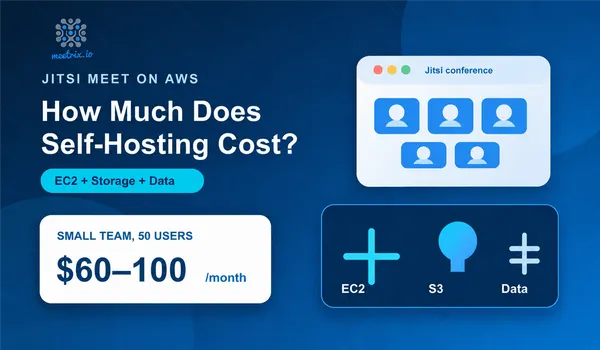
What isn't free is running your own instance, which is the whole point if you want the privacy and control that make people look at Jitsi in the first place. Self-hosting means paying for a server: budget roughly $60-100/month for a small team on AWS. That's still far below what a team of any real size pays Zoom per host per month, but it's not "free," and any article that tells you otherwise is skipping the part that actually matters.
Jitsi Meet free limitations
The free public server has no time cap, but it is shared infrastructure with no SLA, no recording to your own storage, and no control over where the data goes. Those are exactly the limits that self-hosting removes.
Jitsi vs Zoom, Side by Side
| Feature | Jitsi Meet | Zoom |
|---|---|---|
| Cost | Free software; self-hosting runs $60-100+/mo depending on scale | Free (Basic) up to roughly $18-19/host/mo (Business) |
| Free plan meeting cap | None (limited only by your own server) | 40 minutes for 3+ participants |
| Max participants | 200-250 comfortably per room in our own load tests (more with extra videobridges) | 100 (Basic/Pro), 300 (Business) |
| Self-hosting | Yes, full control over the server and the data | No, Zoom-hosted only |
| Account to join | Not for guests; on your own server you decide | Not required by default, unless the host restricts it |
| Recording | Via Jibri, needs a separate server | Included from Pro up |
| License | Open source (Apache 2.0) | Proprietary |
Zoom's figures above are current on its public pricing page as of July 2026. It's worth re-checking before you commit to a plan since these change more often than people expect.
What Jitsi Meet Gets Right
Jitsi runs entirely in the browser, no download required, and joining is just clicking a link. Video and screen sharing hold up well for normal meeting sizes, and calls run over DTLS-SRTP encryption by default, with end-to-end encryption available for smaller meetings. None of that is unique among video tools anymore. What is unique is what you can do with it once you control the server:
- No per-seat cost, ever. Add 200 people to your organization and the license doesn't change.
- Full control over where the data sits. Recordings, transcripts, and metadata stay on your infrastructure, not a vendor's.
- Real customization. Strip the interface down, add your own branding, or bolt on integrations Zoom would never build for you.
- Recording and streaming via Jibri, straight to YouTube or any RTMP destination, even on a self-hosted setup.
What it doesn't get right
Someone has to run it. Prosody, Jicofo, the video bridge, a TURN server for people behind strict NATs, SSL renewal, security patching, none of that is hard individually, but it's real ongoing work that Zoom simply handles for you. The native mobile apps are also noticeably less polished than Zoom's. And the free public meet.jit.si server is shared infrastructure with no SLA, fine for a casual call, not something I'd put a client-facing meeting on.
Jitsi Hosting: What Meetrix Adds to a Self-Hosted Setup
Meetrix deploys and runs Jitsi Meet for teams that want the self-hosting benefits without spending the first week fighting Jicofo configs. Rather than installing Jitsi by hand, you launch a pre-configured AMI from AWS Marketplace, sized to your actual team, 50, 100, or 500 concurrent users, with or without recording built in.
A 50-user setup runs on a c5.large instance (2 vCPU, 4GB RAM), roughly $62/month in EC2 cost, plus Meetrix's software fee on top (typically $0.029-0.048/hour, with 365-day contracts cutting that by 14-41%). All in, that lands around $97/month for a small team, no recording. Turn on recording or scale to 500 concurrent users and you're closer to $580/month, still a fraction of what the equivalent headcount would cost on Zoom's per-host pricing. We break down every line item, instance sizing, bandwidth, S3 storage for recordings, in our Jitsi self-hosting cost guide.
Beyond the hosting, Meetrix tunes the audio and video pipeline (noise reduction, echo cancellation, adaptive bitrate for shaky connections) so the out-of-the-box experience holds up under real network conditions, not just a demo on office wifi.
Hosting a Jitsi server yourself instead
You can skip Meetrix and install everything by hand on any Ubuntu VM. Our Jitsi Meet install guide for Ubuntu covers it, and the official quick-start is the upstream reference. Budget time for the parts after the install: TURN, certificates, upgrades and monitoring.
Which Setup Actually Fits You
If you're a small team having the occasional call, just pay for Zoom and move on, the setup cost of running your own server isn't worth it yet. Jitsi starts winning once you've got enough regular users that per-host pricing outpaces a flat server bill, usually somewhere past 30-40 people, or once data residency stops being optional. In that case, decide between installing Jitsi yourself (free software, all the maintenance) or launching Meetrix's AMI (a small hourly fee, none of the setup week). Our AWS deployment guide walks through the DIY path if you want to compare the two directly.
Jitsi Related FAQs
Is Jitsi free?
The software is. Jitsi Meet is open source under the Apache 2.0 license, with no subscription, per-seat fee or feature paywall, and the public meet.jit.si server costs nothing. Self-hosting it means paying for the server, not a license.
Can Zoom be self hosted?
Not fully. Zoom's on-premise options are hybrid: meeting traffic can run through servers you host, but accounts, licensing and management still go through Zoom's cloud and a paid plan. For a fully self-hosted Zoom alternative, teams run Jitsi Meet.
What does Jitsi pricing look like when you self-host?
There is no license fee, so the bill is infrastructure. A 50-user Meetrix setup on AWS lands around $97/month including EC2 and the software fee; recording or 500 concurrent users pushes it toward $580/month.
Does Jitsi Meet require an account?
Guests never need one to join. On meet.jit.si the person who starts a meeting signs in with a Google, GitHub or Facebook account. On your own server you choose: fully open rooms, a secure domain with passwords, or JWT tokens.
What does Meetrix actually add to Jitsi Meet?
Meetrix packages Jitsi Meet as a ready-to-launch AMI on AWS Marketplace, sized for your team and tuned for call quality, so you skip the week of configuring Prosody, Jicofo and a TURN server by hand.
Can Jitsi Meet be recorded or streamed like Zoom?
Yes, through Jibri, Jitsi's recording component. It needs its own server (at least 8GB RAM for 720p) separate from the main meeting server, and it can push straight to YouTube or any RTMP endpoint.
Is self-hosted Jitsi Meet secure enough for business calls?
It runs the same DTLS-SRTP encryption as Zoom and Google Meet, and supports end-to-end encryption for smaller calls. On a self-hosted instance, patching, TLS certificates and access control are your job, not a vendor's.
Related Articles

Launch Jitsi Meet Without the Setup Week
Meetrix's pre-configured Jitsi Meet AMIs cover 50 to 500 concurrent users, with or without recording, tuned for real call quality and ready to launch straight from AWS Marketplace.
View Jitsi Meet AMIs on AWS Marketplace