For years, meetrix.io was a React site with a Jekyll blog living at meetrix.io/blog, both served from AWS. The blog is still there. This is how that setup works, and the two problems that cost us the most time when we built it.
Why a static blog, and why AWS
Developers would rather write Markdown in their own editor and git push than log into a dashboard. A static generator like Jekyll gives you exactly that, and there are no servers or databases to patch. Put the output in an S3 bucket behind CloudFront and hosting costs close to nothing.
Why /blog and not blog.example.com
Search. A subfolder keeps the blog's links and authority on the main domain, and you manage one site instead of two. Google says it copes with both, but we have seen blog posts pull traffic to product pages much more easily when they share a domain.
Routing /blog to Jekyll with CloudFront
The trick is one CloudFront distribution with two origins:
- Default behaviour (
*): the React app, from its own S3 bucket or hosting provider. /blogand/blog/*: the S3 bucket with the Jekyll output.
Set baseurl: /blog in Jekyll's _config.yml so every link and asset path includes the prefix, and upload the built site under a blog/ folder in the bucket. That way the path CloudFront forwards matches the key in S3 without any rewriting.
The index.html problem
Jekyll writes pretty URLs as folders: /blog/my-post/index.html. S3's website endpoint adds index.html for you, but the recommended setup today is the S3 REST origin with Origin Access Control, which doesn't. So /blog/my-post/ returns an error.
Two fixes. Use permalinks that end in .html (our blog did exactly that), or attach a small CloudFront Function to the /blog/* behaviour:
function handler(event) {
  var request = event.request;
  if (request.uri.endsWith('/')) {
    request.uri += 'index.html';
  } else if (!request.uri.includes('.')) {
    request.uri += '/index.html';
  }
  return request;
}
The React service worker trap
This one took a while to find. Visit the React homepage first, then click a link to /blog, and you get the React app's error page, or a half-broken page. Reload with the cache cleared and the blog appears fine.
The cause was the service worker that Create React App registered by default in 2018. Once installed, it answers every navigation on the domain with the cached index.html. It has no idea /blog belongs to another site. Our fix at the time was to unregister it in the React app's index.js:
import { unregister } from './registerServiceWorker';

unregister();
Create React App is deprecated now, and new React projects on Vite don't register a service worker unless you add one. But the trap is the same with any PWA setup. If you use Workbox or vite-plugin-pwa, exclude the blog from the navigation fallback instead of turning the worker off:
// vite.config.js
VitePWA({
  workbox: {
    navigateFallbackDenylist: [/^\/blog/],
  },
})
Old visitors keep the old worker
Deploying with GitLab CI
We never built the blog by hand. GitLab CI builds the site in a Ruby container and syncs it to S3 on every push to master:
deploy_blog:
  image: ruby:3.3
  script:
    - bundle install
    - JEKYLL_ENV=production bundle exec jekyll build
    - apt-get update && apt-get install -y awscli
    - aws s3 sync _site s3://$BUCKET/blog/
    - aws cloudfront create-invalidation --distribution-id $CF_ID --paths "/blog/*"
  only:
    - master
One lesson from running this for years: aws s3 sync without --delete never removes anything. Rename a post and the old URL stays live forever, with its old content. Decide early whether you want that (it keeps old links working) or not.
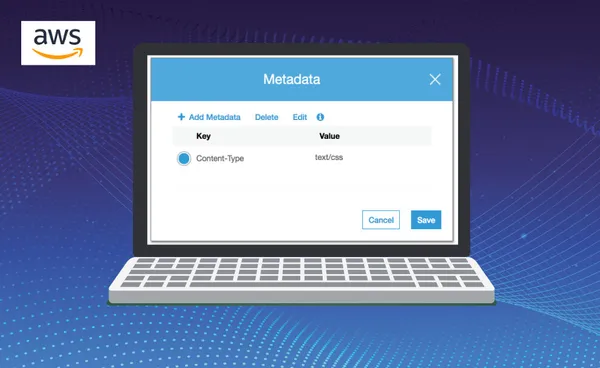
Another: S3 serves each file with the content type set at upload. If a stylesheet goes up with the wrong type, the browser refuses it; see fixing "Resource interpreted as Stylesheet". And for large uploads in the same pipeline, copying large files to S3 covers multipart settings.
The same CI pattern deploys more than blogs. We use it to ship a custom Jitsi Meet front end, described in setting up a GitLab CI/CD pipeline for Jitsi Meet, and the AWS CLI setup is in installing the AWS CLI.
Frequently Asked Questions
Can I use Jekyll with React?
Yes, side by side rather than mixed. The React app and the Jekyll blog are built separately and served from the same domain, with CloudFront sending /blog/* to the Jekyll files and everything else to the React app.
Why does /blog show my React app instead of the blog?
Usually a service worker. Create React App's PWA template registers one that answers every navigation with the app's index.html, including /blog. Unregister it, or exclude /blog from the worker's navigation fallback.
Is a blog in a subfolder better for SEO than a subdomain?
Google says it handles both, but in practice a subfolder keeps the blog's links and authority on the main domain, and you manage one site in Search Console instead of two. That is why we chose example.com/blog.
Why do Jekyll pages 404 on CloudFront with an S3 origin?
The S3 REST origin does not add index.html to folder paths, so /blog/post/ finds nothing. Either use Jekyll permalinks ending in .html, or add a CloudFront Function that appends index.html to paths ending in a slash.
How do I deploy Jekyll to S3 automatically?
Build with jekyll build in CI, sync the _site folder to the bucket with aws s3 sync, and create a CloudFront invalidation for /blog/*. GitLab CI or GitHub Actions can run all three on every push.