Most Teams Already Know What They Want to Hear
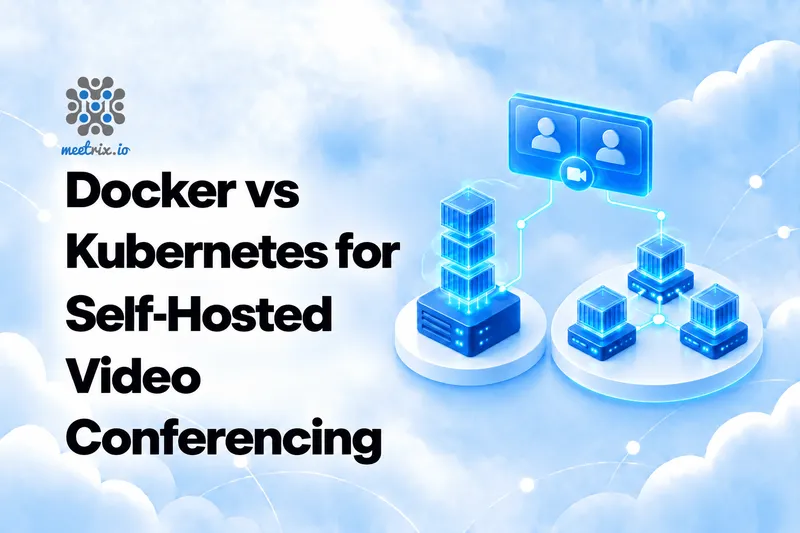
If you run Kubernetes everywhere, you want video on Kubernetes. If you don't, you want to avoid it. The honest answer is more specific than that, because video isn't like the rest of your workloads.
A web app serves HTTP through an Ingress and scales by adding replicas. A video server moves UDP media straight from every participant's browser to a single videobridge, and holds state for the length of a call. That difference decides most of this comparison. This guide covers Jitsi mainly, with LiveKit as the second reference, and links to our step-by-step guides for the how-to detail.
The Quick Verdict
A small team or a trial
Docker Compose on one host. Fast to learn, easy to rebuild, and enough for plenty of real use.
You already run Kubernetes
Use it, but plan for UDP, one bridge per node, and graceful draining from day one.
Video is your main workload
Plain instances behind an autoscaling group are often less work than a cluster.
You want to skip the platform question
A pre-configured image from a cloud marketplace takes both options off the table.
How to Choose
Four questions decide it faster than a feature list:
- Is Kubernetes already your platform? If yes, the cost of adding video is mostly the networking. If no, adopting it for one app is a poor trade.
- How many meetings at once, and how big? Many meetings need more bridges. One huge meeting is a different problem, covered in our 1000-user write-up.
- Who gets paged? Every option puts operations on your team.
- Does it have to stay up during upgrades? That decides how much draining and automation you need.
The Real Problem: UDP Media
Video media doesn't pass through your ingress or reverse proxy. It goes from each browser directly to the videobridge holding their conference, and the bridge has to advertise an address browsers can actually reach.
Jitsi's Docker docs are blunt about this: without the right advertised address, calls crash when more than two users join. The same fact is behind most Kubernetes video failures.
Two-person calls often work either way, because Jitsi uses peer-to-peer mode for them. So a broken bridge goes unnoticed until the third person joins. Always test with three browser profiles. Kubernetes Ingress exposes HTTP and HTTPS routes, so UDP needs another path in, which is why both Jitsi and LiveKit lean on host networking.
1. Docker Compose: One Host, One File
- Single host
- Simplest to run
- Jitsi has an official stack
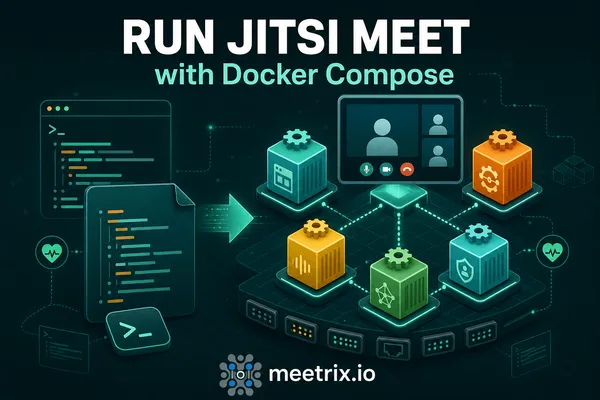
Jitsi publishes an official Docker setup, docker-jitsi-meet. It splits the system into containers: the web UI on nginx, Prosody for XMPP, Jicofo as the conference focus, and the JVB videobridge, with Jigasi for SIP dial-in and Jibri for recording as optional extras. One compose file, one host, and you have a working server. Our Jitsi Docker Compose guide walks through it step by step.
- Containers for web, Prosody, Jicofo, and the videobridge, with Jigasi and Jibri when you need them
- Ports to open: 443/tcp for the web UI and 10000/udp for media, plus 20000-20050/udp only if you run Jigasi. UDP 10000 is the one that matters most, because calls simply won't work without it
- Configuration through an environment file, including JVB_ADVERTISE_IPS for NAT and cloud setups
- XMPP stays on an internal network and is not exposed
A note on current releases. Jitsi's Docker docs say that from release stable-11146 on, every service runs as an unprivileged user (uid and gid 1000) with a read-only container filesystem. The directory layout changed with it: you create the storage and tmp directories yourself before the first start, and the containers refuse to start if they are missing or not writable. A new unstable image is also built every day, so pin a release for production.
Pros
- You can understand the whole stack in an afternoon
- Upgrades are a pull and a restart
- No cluster to run, and no new platform to learn
Cons
- One host is one point of failure
- Adding capacity means adding more videobridges, which is a bigger change than a compose edit, and the official page has no multi-videobridge guide
- You own certificate renewal, patching, and the 11pm debugging
2. Kubernetes: When Video Is One Workload Among Many
- Cluster
- More moving parts
- Pays off with scale or an existing platform
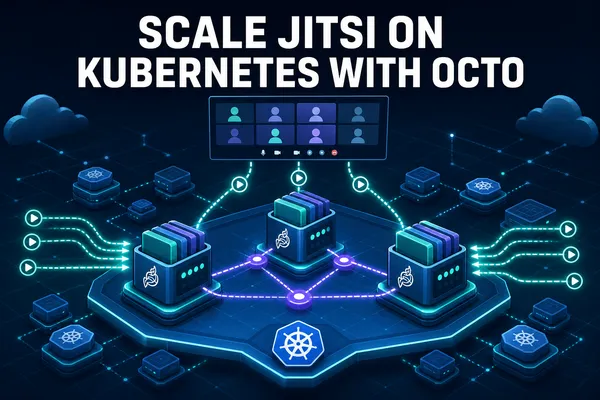
Kubernetes gives you scheduling, self-healing, and a standard way to roll out upgrades across many nodes. For video it also gives you the hardest networking case in the platform, which we cover in scaling Jitsi videobridges on Kubernetes. LiveKit publishes an official Helm chart for the same reason: it's a common target, and it has sharp edges.
- LiveKit: a Helm chart for GKE, EKS, and DOKS, with host networking and one LiveKit pod per node. LiveKit needs direct access to its media ports (UDP 50000-60000 and TCP 7881, per its ports page), so only one LiveKit pod can run on a given node. It does not support serverless or private clusters, because extra NAT layers suit WebRTC badly
- Jitsi: a Helm chart deployment, with hostPort so the bridge binds UDP 10000 on its node. The jitsi-contrib/jitsi-helm chart is the practical starting point, and its defaults are conservative: replicaCount 1, useHostPort false, useHostNetwork false, useNodeIP false, and Octo disabled. Those are exactly the ones you have to change
- Autoscaling that has to respect live calls, so graceful draining and long termination grace periods
- Redis for multi-node LiveKit clusters that autoscale
A note on graceful restarts. LiveKit's Helm chart sets terminationGracePeriodSeconds to 5 hours, so Kubernetes gives pods enough time to drain active sessions before shutting down. That's an extreme number, and it's there because scale-down is the part that loses calls. The trade is worth stating plainly: draining makes scale-down slow and unpredictable, because you're waiting on people to leave meetings.
Pros
- Scaling out, rolling upgrades, and self-healing come built in
- A good fit if your team already runs Kubernetes for everything else
- Standard tooling for monitoring and deployment
Cons
- Media is UDP and does not pass through an Ingress, so the default setup produces a healthy but unreachable bridge
- LiveKit does not support serverless or private clusters
- Scale-down is slow if you drain properly, so autoscaling saves less than it does for web services
3. Plain Instances: The Option People Forget
- Virtual machines
- Autoscaling group
- No orchestrator
Between a single Docker host and a cluster sits a third option: plain virtual machines, with an autoscaling group for the videobridges. It's what our Jitsi scaling on AWS and Terraform autoscaling guides describe, and it's what Meetrix packages as pre-configured images for AWS and Google Cloud. We sell that option, so weigh our view accordingly.
- Each videobridge runs on its own instance, with a public address and direct UDP
- Scaling out and in through the autoscaling built into your cloud
- No container networking layer between the browser and the bridge
A note on scale-in. When an Auto Scaling group removes a bridge that still hosts a conference, that call breaks. The fix is a lifecycle hook that puts the bridge into graceful shutdown and waits for its conferences to end before terminating the instance, as described in our Jitsi scaling on AWS guide. It's the same idea as LiveKit's long grace period, just implemented in your cloud's autoscaling layer.
Pros
- The simplest path to scale if Jitsi is the only workload
- The UDP and NAT problems mostly disappear
- Pre-built images exist, so you can skip the setup
Cons
- Less portable than containers across clouds
- You manage instance images and their upgrades
- No benefit if you already run everything on Kubernetes
Docker vs Kubernetes: Side by Side
| Question | Docker Compose | Kubernetes | Plain instances |
|---|---|---|---|
| Setup effort | An afternoon | Days, plus a cluster to run | Moderate, mostly image and autoscaling work |
| Scaling | Add videobridges by hand, a larger change than it looks | Replicas and autoscaling, with care | Autoscaling group for videobridges |
| UDP media and NAT | Publish 10000/udp and set JVB_ADVERTISE_IPS | hostPort or host networking, one bridge per node | Direct, with a public address per instance |
| Upgrades | Pull and restart, with downtime | Rolling, but drain live calls first | Replace instances from a new image |
| High availability | None on one host | Built in for the platform, not for live calls | Depends on your autoscaling design |
| Skills needed | Docker basics | Kubernetes plus WebRTC networking | Cloud basics |
| Best for | Small teams, trials, internal use | Teams already on Kubernetes | Video as the main workload |
Descriptions come from Jitsi's and LiveKit's official docs and our own deployment guides. Your cloud, your team, and your traffic shape will change the details.
Scaling Without Dropping Calls
Two scaling ideas get mixed up. More videobridges lets you run more meetings at the same time. It does not make any single meeting bigger, because by default one conference lives on one bridge. In our Kubernetes article we found the usual mistake is scaling to a dozen bridges and still hitting the per-bridge participant cap in one room.
Scaling down is the part that loses calls. A busy bridge sits at high CPU for the whole meeting, which is normal, so a CPU-based autoscaler may remove a pod full of people. The fix is the same on every platform: scale on the bridge's own load signal, tell the bridge to stop taking new conferences, and wait for existing ones to end.
Jitsi exposes a stress metric that Jicofo uses to make allocation decisions. Its default stress threshold is 0.8, and there's an average-participant-stress value that estimates how much load each participant adds to the bridge. On AWS, you can publish that stress level as a CloudWatch custom metric and autoscale on it, which is more accurate than CPU alone. For the Jitsi version, with the configuration, see our Kubernetes scaling guide, Jitsi scaling on AWS, and Jitsi horizontal scaling.
The trade is worth stating plainly: draining makes scale-down slow and unpredictable, because you're waiting on people to leave meetings. You pay for some idle capacity to avoid dropping calls, so video autoscaling saves less money than it does for a stateless web service.
Where I'd Start
Trying it out
Docker Compose on a single server. Learn the components, get a three-person call working, and decide from there.
Growing usage
Move the videobridges to plain instances behind an autoscaling group, and keep the rest simple.
Already on Kubernetes
Use hostPort or host networking, one bridge per node, graceful shutdown, and a long termination grace period.
Want it handled
Launch a pre-configured server from a marketplace and spend your time on the product instead.
Docs, charts, and defaults change between releases. Check the current Jitsi and LiveKit documentation before you build, and test with three or more participants and a real autoscaling event before you trust any setup.
Frequently Asked Questions
Should I run Jitsi on Docker or Kubernetes?
If you already run Kubernetes, use it, but budget time for the UDP networking. If you don't, Docker Compose on one host gets you further than you'd expect.
Why does video break on Kubernetes by default?
Media is UDP, and an Ingress only handles HTTP and HTTPS. Without host networking or hostPort, you get a bridge that looks healthy but can't be reached by browsers.
Can I scale Jitsi with Docker Compose?
Not easily. Adding videobridges is a bigger change than editing a compose file, and the official docs don't cover multi-bridge setups.
Does LiveKit run on Kubernetes?
Yes. LiveKit publishes a Helm chart for GKE, EKS, and DOKS, but it requires host networking and one pod per node. It doesn't support serverless or private clusters.
How do I autoscale video servers without dropping calls?
Scale on the bridge's own stress metric (Jitsi's default threshold is 0.8), tell it to stop taking new conferences, and wait for existing calls to end before removing it. On AWS, use a lifecycle hook for graceful scale-in.
Is there an option other than Docker or Kubernetes?
Yes. Plain instances behind an autoscaling group work well for video, and they sidestep most of the UDP and NAT complexity.
Skip the Platform Question
Meetrix's pre-configured Jitsi Meet servers deploy into your own AWS or Google Cloud account, with the networking, SSL, and videobridge sizing already handled.
Explore Jitsi Meet on the Store