How to Install NocoBase on AWS
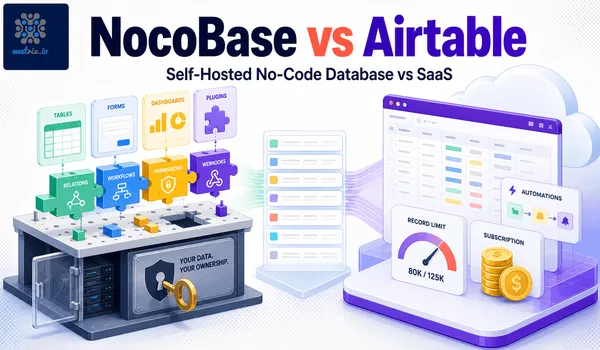
NocoBase is an open-source, no-code platform for building custom databases, internal tools, and full applications without writing code. It's the closest thing to Airtable or Notion you can actually self-host, same drag-and-drop building blocks, but your data stays on infrastructure you control instead of someone else's servers.
Getting a production-ready NocoBase environment running yourself means configuring servers, a database, SSL, and firewall rules before you've even opened the app. Meetrix's pre-configured NocoBase AMI on AWS skips that: instant deployment, security configured out of the box, and 24/7 support if something breaks.
Developer Guide
Watch the Deployment Guide
What is NocoBase?
NocoBase is an open-source no-code platform that turns any database into a smart, collaborative interface. It allows you to:
- Build Custom Databases: Create tables, define fields, and establish relationships with an intuitive UI.
- Design User Interfaces: Generate forms, grids, and calendar views for your data automatically.
- Automate Workflows: Set up triggers and actions to automate repetitive tasks.
- Control Access: Implement granular, role-based permissions for users and teams.
- Extend with Plugins: Integrate with third-party services or build custom functionalities.
By offering the power of a relational database with the simplicity of a spreadsheet, NocoBase is the ideal solution for building internal tools, CRMs, project management systems, and more.
NocoBase Tech Stack
Under the hood, NocoBase runs a Node.js backend on the Koa framework, a React frontend, and stores your data in a real relational database, PostgreSQL by default on Meetrix's AMI (MySQL is also supported). Because your schema lives in an actual database rather than a proprietary format, you can query it directly or connect other tools like a BI dashboard to it without an export step.
Technical Overview of the Deployment
The deployment runs through a single CloudFormation stack. Here's what it actually sets up:
Core Configuration (CloudFormation)
The deployment starts from the AWS Marketplace using our NocoBase AMI. The CloudFormation template automates the setup of all necessary resources.
- Instance Type: Recommended `t3.small` EC2 instance for a balance of performance and cost.
- Networking: Deploys into a default VPC with configurable CIDR blocks. SSH access is restricted by IP for security.
- Domain & SSL: Requires a public domain name. SSL certificates are automatically generated and configured via Let's Encrypt if your domain is managed with AWS Route 53.
Post-Deployment Steps
After the stack is created, you need to point your domain to the instance.
- DNS Configuration: Create an 'A' record in your DNS provider (e.g., Route 53) that maps your domain to the public IP of the EC2 instance.
- Initial Access: Access your NocoBase instance via the URL provided in the CloudFormation outputs. The first user to sign up becomes the super administrator.
Server Management and Upgrades
- Application Logs: NocoBase runs in a Docker container. You can access logs using `sudo docker logs
`. - Upgrades: To upgrade, back up your data, delete the current CloudFormation stack, and launch a new one with the latest AMI version. See the official NocoBase docs for release notes before upgrading across major versions.
- Shutdown: The application can be stopped by stopping the EC2 instance. For complete removal, delete the CloudFormation stack.
Why Choose Meetrix for NocoBase Deployment?
While NocoBase is a powerful open-source tool, deploying it for production requires careful planning around security, scalability, and maintenance. The Meetrix NocoBase AMI on AWS abstracts away this complexity, providing a one-click solution that is secure, scalable, and ready for immediate use.
Included in Meetrix's NocoBase Deployment:
- The latest stable version of NocoBase, fully installed and optimized.
- A server stack that includes Docker, NGINX, and PostgreSQL, already wired together.
- Automated SSL/HTTPS setup with domain mapping.
- Hardened security configurations following AWS best practices.
- 24/7 expert technical support to assist with any infrastructure-related issues.
Who Uses NocoBase?
Our NocoBase solution is perfect for:
- Startups & SMBs needing to build internal tools or MVPs quickly, often as a lighter alternative to low-code builders like Retool or Appsmith.
- Development Teams looking to create admin panels and dashboards without boilerplate code.
- Operations Managers who want to digitize and automate business processes.
- Product Managers prototyping new application features and data models.
- IT Departments providing self-service database solutions to internal teams.
Key Industry Use Cases
| Industry | Use Case Examples |
|---|---|
| Technology | Internal tool development, feature flagging dashboards, API management. |
| Marketing | Campaign trackers, content management systems, marketing asset databases. |
| Operations | Inventory management, order tracking systems, logistics coordination. |
| Human Resources | Employee directories, applicant tracking systems, onboarding workflows. |
| Project Management | Custom project trackers, resource allocation tools, team directories. |
Benefits of Using Meetrix for NocoBase Hosting
| Feature | Meetrix NocoBase Deployment | DIY Setup |
|---|---|---|
| Setup Time | Under 10 minutes | Hours or days of configuration |
| SSL/HTTPS | Automated with Let's Encrypt | Manual setup and renewal required |
| Database & Server | Optimized PostgreSQL and NGINX | Requires manual tuning |
| Security | Follows AWS security best practices | Depends on individual expertise |
| Support | 24/7 infrastructure support | Community forums and self-service |
Frequently Asked Questions
How do I install NocoBase on AWS?
Launch the Meetrix NocoBase AMI from the AWS Marketplace, create the CloudFormation stack, then point your domain's DNS to the new instance. The whole install, including Docker, NGINX, and SSL, is automated and takes under 10 minutes.
Can I use my own domain name?
Yes. Our solution is designed for you to connect your custom domain. The deployment guide provides clear instructions for DNS configuration.
Is my data secure?
Absolutely. The entire environment runs within your own AWS account, giving you full control over your data, network security, and access policies.
Can I install custom plugins?
Yes, you have full administrative access to your NocoBase instance to install and manage plugins as needed.
How do I scale the application?
The deployment is built on scalable AWS infrastructure. You can easily upgrade your EC2 instance type or configure auto-scaling groups for higher traffic loads. Our support team can assist with this process.
Build Without Limits, Hosted on Your Terms
NocoBase gives you the power to build custom applications without code, and Meetrix provides the fastest, most secure way to run it on AWS. Stop worrying about server management and focus on what truly matters: building amazing tools that drive your business forward.
Get Started with NocoBase on AWS