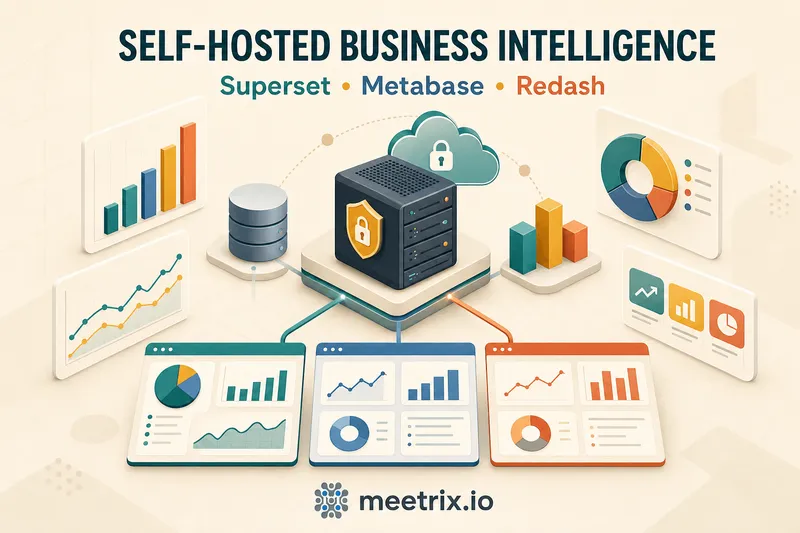
Self-hosted business intelligence means running your BI software on infrastructure you control instead of paying a vendor for a hosted seat. Every time I've set one of these up for a client, the question that actually matters isn't "which tool has more features," it's "who's going to patch this server in six months." Apache Superset, Metabase, and Redash are the three that come up most, and all three are open source, free to license, genuinely production-ready. But "free" only covers the software. You still own the server, the upgrades, and the backups - see our Metabase AWS setup guide for what that looks like in practice.
Here's the practical version of that decision: what self-hosted BI costs in real terms, how the three options differ, and what it actually takes to keep one running.
Quick answer
What is self-hosted BI?
Self-hosted business intelligence is any BI platform you install and run yourself, on a VM, a container, or a cloud instance, rather than logging into a vendor's hosted dashboard. The software itself is open source, so there's no license fee attached to the download. What you take on instead is operational ownership: server costs, OS patching, application upgrades, database backups, and TLS certificates.
That trade-off is the entire pitch. A hosted BI tool charges per user per month and handles all of that for you. Self-hosted open source BI software removes the per-seat cost and hands you the data residency and customization that comes with owning the stack, in exchange for the maintenance work a vendor would otherwise absorb.
Why teams choose self-hosted BI
The reason usually isn't philosophical, it's a line item. A 30-seat hosted BI subscription can run into thousands of dollars a month once everyone who needs a dashboard actually gets a login. A self-hosted server costs whatever the EC2 instance costs, flat, whether five people use it or fifty. A t3a.large, the instance size we recommend for Superset, runs about $0.075 an hour in us-east-1, roughly $55 a month for the compute. Storage and bandwidth add a bit more, but you're not multiplying that by headcount.
Cost is the headline, but it's not the only reason. Query results and connection credentials never leave infrastructure you control, which matters if your contracts or industry have opinions about where data physically sits. You can also migrate, fork, or customize the software freely, a hosted vendor can change pricing or retire a feature with a quarter's notice, and you'd have no say in it. And two of the three tools here, Superset and Redash, include SAML and LDAP SSO for free, features that plenty of paid competitors, Metabase included, gate behind an enterprise tier.
None of that is free of trade-offs, though. You're on the hook for uptime, security patching, and whatever breaks at 2am. Self-host when the cost and control genuinely outweigh that operational load. Don't do it just because the software is free.
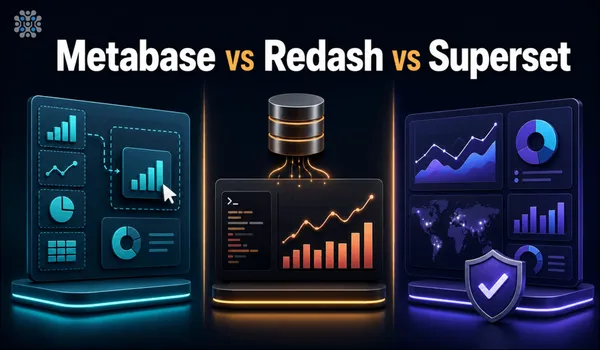
Superset, Metabase, and Redash compared
These are the three self-hosted BI tools that come up most often, and each one optimizes for a different kind of user.
| Tool | License | Query approach | Free SSO | Best for |
|---|---|---|---|---|
| Apache Superset | Apache 2.0 | SQL-first | Yes (SAML/LDAP) | Deepest chart library, scale |
| Metabase | AGPL v3 | Visual, no-SQL builder | Paid tier only | Non-technical dashboard builders |
| Redash | BSD-2-Clause | SQL-first | Yes | Fast SQL-to-dashboard workflows |
Apache Superset is the one I reach for once a BI rollout outgrows a single team. It connects to 40+ databases and ships more than 50 chart types, including geospatial visualizations most BI tools reserve for a paid tier. SAML and LDAP come included, no upsell.
Metabase solves a different problem entirely: getting a marketing or ops person building their own charts without ever touching SQL. The point-and-click query builder is genuinely good at this. The catch is SAML-based SSO sits behind the paid Pro or Enterprise tier, so if free SSO is non-negotiable, factor that in before you commit.
Redash is built for going from a SQL query to a shared dashboard fast. I still recommend it, but with a caveat: Databricks acquired Redash in 2020, shut down its hosted cloud offering in 2021, and releases have slowed to roughly once a year since. It works fine. It's just not the tool to bet on if you want fast-moving new features.
For the full head-to-head, including feature-by-feature scoring, see our Metabase vs Redash vs Superset comparison. If Tableau or another proprietary tool is also on your shortlist, Superset vs Tableau covers that specific match-up, and our guide to choosing a BI tool covers the wider landscape including tools beyond these three.
Choosing the right BI tool
Ask yourself three things, in this order:
- Who's actually building the dashboards? Non-technical staff need Metabase's visual query builder. Analysts and engineers who already write SQL get more out of Superset or Redash.
- Do you need free SSO and row-level security, or can that wait? Superset includes both at no cost. Metabase gates SAML SSO behind a paid tier. Redash includes SSO free.
- Does development pace matter to you? Superset and Metabase both ship regularly. Redash doesn't, and hasn't since 2020.
Full deployment instructions for each are in our dev guides: Superset, Metabase, and Redash.
Deploying self-hosted BI on AWS
Standing up any of these three from scratch means provisioning a server, installing dependencies, configuring a database backend, and setting up TLS, easily a day of work before the first dashboard exists. Meetrix publishes pre-configured AMIs for Superset, Metabase, and Redash on AWS Marketplace that skip that setup: launch the AMI, connect your data sources, and the server is ready with HTTPS already configured. On Google Cloud, the same pre-configured approach is available too - see Redash on GCP Marketplace.
Maintenance is still on you
Security and maintenance realities
Self-hosted BI software puts security squarely on your team. That means keeping the OS and application patched, restricting network access to the instance, using SSO where the tool supports it for free (Superset and Redash both do), and backing up the metadata database on a schedule you actually test. None of this is difficult, but it's easy to skip when there's no vendor SLA forcing the issue. Budget for it up front rather than discovering the gap during an incident.
Where to start
If your team needs self-serve dashboards without SQL, start with Metabase. If you want the deepest chart library and free enterprise auth at scale, start with Superset. If your analysts already write SQL and want dashboards fast, Redash still works well, just know its release cadence has slowed. All three are real open source business intelligence tools we deploy for clients, and none of them requires a per-seat license to get running.
Frequently Asked Questions
What does self-hosted business intelligence actually mean?
You run the BI software, Superset, Metabase, or Redash, on your own server or cloud account instead of paying a vendor for a hosted account. You own the data, the uptime, and the upgrades, but you skip the per-seat licensing fees.
Is self-hosted BI actually free?
The software is free under open source licenses (Apache 2.0, AGPL, or BSD). You still pay for the server it runs on, typically a modest EC2 instance, so it's free-to-license, not free-to-run.
Which open source BI tool should I start with?
Metabase if non-technical staff need to build charts without SQL. Superset if you want the most chart types and free SAML/LDAP at scale. Redash if your team already writes SQL and wants dashboards fast, though it moves slower in development.
Do self-hosted BI tools support single sign-on?
Superset and Redash include SAML/LDAP SSO in their free editions. Metabase supports SSO too, but SAML-based SSO specifically requires its paid Pro or Enterprise tier.
How hard is it to maintain a self-hosted BI server?
Expect to handle OS patches, application upgrades, database backups (see our automated PostgreSQL backup tool if that's your backing store), and TLS certificate renewal yourself. A pre-configured AMI removes the initial setup work, but ongoing maintenance is still on you, that's the trade-off for not paying a vendor.
Can self-hosted BI tools connect to my existing databases?
Yes. Superset connects to 40+ databases including Snowflake, BigQuery, and Redshift. Metabase and Redash both support the common ones too, Postgres, MySQL, and most cloud data warehouses.
Deploy Apache Superset on AWS in Minutes
Launch a pre-configured, self-hosted Superset server with HTTPS already set up, and start connecting your data sources the same day.
Get Superset on AWS Marketplace