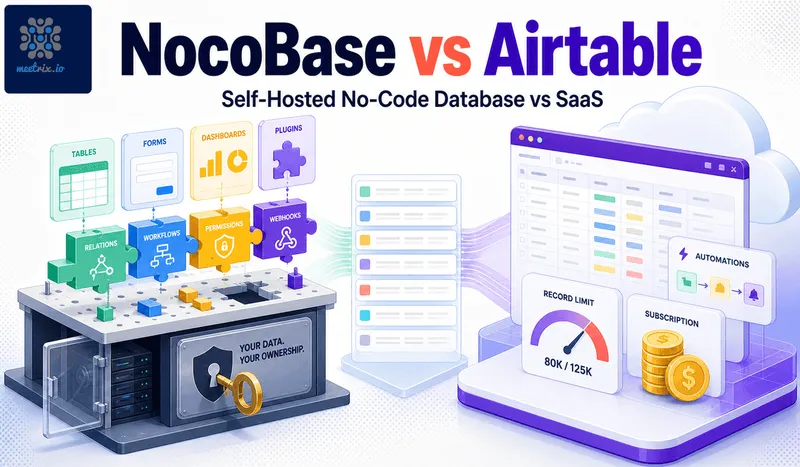
Most of what currently ranks for NocoBase vs Airtable is NocoBase's own blog, which is a reasonable thing for a vendor to publish but not the same as an independent comparison. We package NocoBase as an AWS AMI, so we're not neutral either, but here's the honest version: Airtable's polish and integrations are real advantages, and NocoBase's pricing model and self-hosting are real advantages too. Neither side needs exaggerating.
Quick answer
Jump to a section
NocoBase: plugin-based, self-hosted, no record cap
NocoBase's Community Edition is Apache-2.0 licensed, free, and self-hosted with no limit on records, users, or bases. It's built plugin-first: the core stays lean and you add only the functionality you actually need, workflow automation, specific field types, integrations, through a plugin system. Paid features come as one-time commercial editions, not subscriptions: Standard is $800 (your own branding, external MySQL or PostgreSQL databases, big Excel imports, internal use only), Professional is $8,000 (SSO, approval workflows, building apps for clients), and Enterprise is quoted. Each includes a year of upgrades, and you keep using the version you have after that. The license terms themselves are unpacked in our NocoBase license and pricing explainer.
Key facts
- Apache-2.0 Community Edition, free, self-hosted, no record or user cap
- Plugin architecture, add only the functionality you need
- Commercial editions: one-time purchase from $800 (Standard) to $8,000 (Professional), not a subscription
- Workflow automation plugin for triggers, conditions, and multi-step automations
Airtable: polished, cloud-only, priced per editor
Airtable remains the most polished spreadsheet-database hybrid on the market, with a mature interface, a wide integration library, and no server for anyone to manage. Team runs $20 per editor per month (annual billing), Business runs $45 per editor per month (annual), and Enterprise Scale is custom quoted with limits raised to 500,000-plus records per base. There is no self-hosting option at any tier, Airtable is cloud-only by design, which is a fair tradeoff for teams that want zero infrastructure responsibility.
Key facts
- Free tier: 1,000 records per base, 1GB attachments, 5 editors per workspace
- Team: $20/editor/month, Business: $45/editor/month (both annual billing)
- Enterprise Scale: custom pricing, 500,000+ records per base
- No self-hosting option at any tier, cloud-only
Airtable's free tier limits, exactly
The free plan caps at 1,000 records per base, and that limit applies across the whole base, not per table. Three tables inside one base sharing a 1,000-record ceiling fills up faster than it sounds, especially for anything tracking real operational data rather than a small reference list. Add a 1GB attachment cap, 100 automation runs a month, and a 5-editor limit per workspace, and most teams doing real work outgrow the free tier within the first few months, not years.
One-time license vs recurring subscription
This is the part worth sitting with rather than skimming past. Airtable's Business plan for a 10-person team runs $450 a month, $5,400 a year, forever, with the number only growing as the team does. NocoBase's Commercial Edition, if you need it at all, is an $800 one-time purchase, full stop, regardless of team size, because NocoBase's Community Edition has no per-seat limit to begin with. Most teams evaluating NocoBase specifically for cost reasons won't need the Commercial Edition's extra plugins at all, the free Community Edition alone covers the core no-code database and workflow functionality most Airtable users actually rely on.
Moving data from Airtable to NocoBase
Airtable exports each base to CSV per table, which covers the raw data cleanly but drops relationships between tables, linked records become plain text references you have to reconnect manually on the other side. Automations and views don't export at all, they're rebuilt from scratch using NocoBase's workflow plugin and its own view configuration. For a base with a handful of tables and simple linking, this is an afternoon of work. For a base with years of accumulated automations and complex relational structure, budget real time for it, not a quick weekend migration.
NocoBase vs NocoDB: the other self-hosted option
Anyone shopping for a self-hosted Airtable alternative ends up looking at NocoDB too. The names are confusingly close. The products aren't.
NocoDB is the one that feels like Airtable. Grid views, kanban, forms, a shared link to a table, and it can sit on top of a database you already run (PostgreSQL or MySQL) and turn it into a spreadsheet UI. If your team lives in Airtable grids today and just needs them on your own server, NocoDB is the shorter jump.
NocoBase is closer to an internal-tools builder that happens to have a database inside. You model collections and relations, then build pages, forms, approval flows and role-based views on top, and most features arrive as plugins. More setup, more ceiling.
| Criterion | NocoBase | NocoDB |
|---|---|---|
| Feels like | An app builder (pages, workflows, roles) | Airtable (grid-first spreadsheet UI) |
| License | Apache-2.0 community edition, keep the NocoBase branding | Sustainable Use License (fair-code, not OSI open source) |
| Existing database | External MySQL/PostgreSQL needs the $800 Standard edition | Connects existing databases as data sources |
| Paid model | One-time editions, $800 to $8,000 | Paid cloud and enterprise plans |
| Best for | Replacing Airtable plus the scripts and forms around it | Replacing Airtable grids as directly as possible |
The license row is the one people miss. NocoDB is now under the Sustainable Use License, a fair-code license: you can self-host it for your own internal business use, but you can't offer it to others as a paid hosted service. For an internal team that changes nothing. For an agency planning to host it for clients, it changes everything, and NocoBase's Apache-2.0 community edition (or its Professional edition) is the safer choice there.
NocoBase vs Airtable: feature comparison
| Criterion | NocoBase | Airtable |
|---|---|---|
| License / model | Apache-2.0, self-hosted | Proprietary, cloud-only SaaS |
| Free tier record limit | None (Community Edition) | 1,000 records per base |
| Pricing past free tier | $800 one-time (Commercial, optional) | $20-$45/editor/month, recurring |
| Self-hostable | Yes, default deployment | No, at any tier |
| Architecture | Plugin-based, extend as needed | Fixed feature set by plan tier |
| Workflow automation | Via workflow plugin | Built-in automations |
| Best for | Cost-sensitive teams with real data volume | Teams wanting zero setup and polish |
Where each one falls short
NocoBase
- Self-hosting means you own server setup, patching, and backups
- Smaller integration and template library than Airtable's mature ecosystem
- UI is functional but less polished after years of Airtable's dedicated design investment
Airtable
- Free tier's 1,000-record-per-base cap is restrictive for real operational data
- Per-editor pricing compounds every year with no ceiling
- No self-hosting option at any price, your data stays on Airtable's infrastructure permanently
NocoBase vs Airtable isn't a case of one being objectively better, Airtable's polish and integration depth are genuinely earned advantages. It comes down to whether record volume, per-seat cost, or self-hosting are actual requirements for your team. If they are, NocoBase's free Community Edition and one-time-purchase Commercial tier make the cost argument on their own. If they aren't, Airtable's convenience is worth paying for.
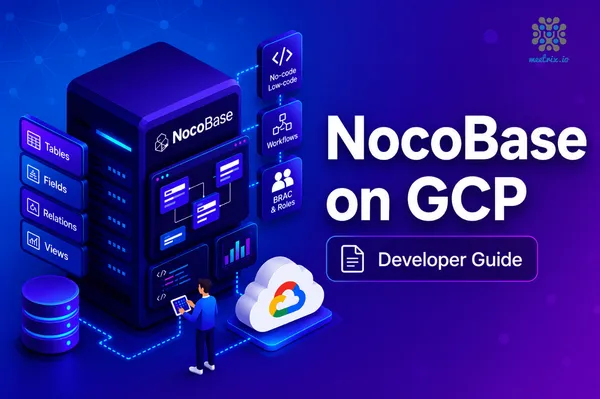
Our NocoBase developer guide and custom database AWS guide cover the self-hosted setup in full, and the GCP developer guide covers that platform too. If your project needs a full internal-tools builder rather than just a database interface, our Appsmith developer guide covers that adjacent use case.
Frequently Asked Questions
NocoBase vs Airtable: which is actually cheaper?
NocoBase, and not by a small margin. The Community Edition is free and self-hosted with no record limit. Even the Commercial Edition, which unlocks extra plugins, is an $800 one-time purchase, not a subscription. Airtable's Business plan runs $45 per editor per month, every month, indefinitely.
Is there a genuine airtable alternative self hosted option that isn't a toy?
NocoBase qualifies. It's Apache-2.0 licensed, self-hosts via Docker, and covers relational data modeling, workflow automation, and a plugin system for extending it, real functionality, not a stripped-down demo of the paid product.
What is a genuine airtable open source alternative worth considering?
NocoBase is one of the more capable options, alongside tools like NocoDB and Baserow. It's built plugin-first, so the core stays lean and you add only the functionality you need, rather than everything shipping in one monolithic app.
NocoBase vs NocoDB: what's the difference?
NocoDB is a spreadsheet-style interface over a database, closest to Airtable in feel. NocoBase is a plugin-based app builder with workflows, roles and custom pages. NocoBase's community edition is Apache-2.0; NocoDB now uses the Sustainable Use License, which is fair-code rather than open source.
Can you self host Airtable?
No. Airtable is cloud-only on every plan, including Enterprise Scale. If self-hosting is a requirement, the realistic options are NocoBase, NocoDB or Baserow, all of which run in Docker on your own server.
What are the real limits on Airtable's free plan?
1,000 records per base, shared across every table inside that base, not per table. Add 1GB of attachment storage, 100 automation runs a month, and a 5-editor cap per workspace. Small projects fit comfortably; anything with real data volume hits the ceiling fast.
Is a no code database self hosted option realistic for a non-technical team?
Yes, with one caveat: someone needs to handle the initial server setup and updates. Once NocoBase is running, day-to-day use, building tables, forms, and workflows, doesn't require more technical skill than Airtable does. The self-hosting overhead is a one-time setup cost, not an ongoing one.
Does NocoBase have Airtable's automation and workflow features?
Yes, through its workflow plugin, covering triggers, conditions, and multi-step automations similar in concept to Airtable's automations. The specific building blocks differ, so existing Airtable automations need to be rebuilt, not imported, when switching.
Launch NocoBase on AWS in Minutes
Launch a pre-configured NocoBase server on AWS, self-hosted with no record cap and no per-seat pricing.
Get NocoBase on AWS Marketplace