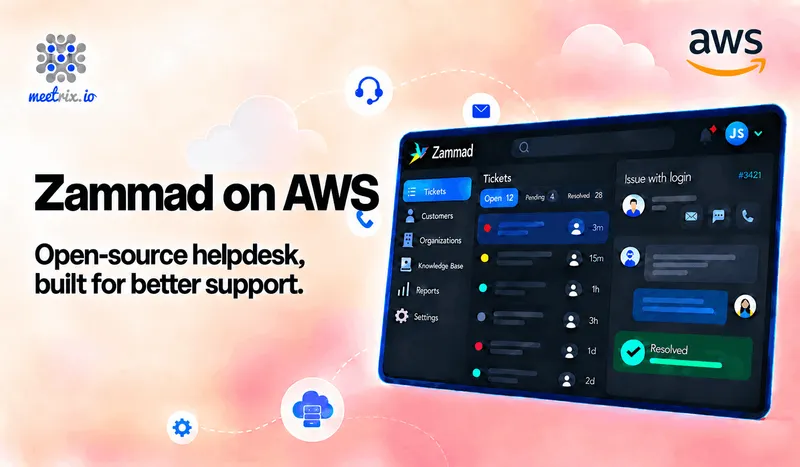
Zammad on AWS by Meetrix is a self-hosted helpdesk you launch from AWS Marketplace and run inside your own account. The image ships Zammad 7.1.3 with PostgreSQL, Redis, Memcached, and Elasticsearch already installed, so you skip the whole Docker Compose setup and go straight to connecting your support channels. You can launch the Meetrix Zammad AMI on AWS Marketplace. Running on Google Cloud instead? See Zammad on GCP Marketplace.
Support tickets hold customer emails, attachments, and account details. Hosted helpdesks charge per agent and keep all of that on their servers. Running Zammad yourself flips both of those: the data stays in your AWS account, and the software has no per-seat licence.
What Is Zammad?
Zammad is an open-source helpdesk and customer support system, written in Ruby on Rails and TypeScript and licensed under the AGPLv3. It pulls requests from several channels into one ticket queue, so an agent sees the full conversation with a customer, whether it started as an email, a chat, or a phone call.
- Channels: email (including Exchange), chat, phone integrations, SMS, Telegram, Facebook, and WhatsApp Business.
- A knowledge base, so repeat questions get answered once.
- SLAs with reaction and solution time targets per customer, plus escalation when they slip.
- Triggers and macros for routing, tagging, and bulk actions.
- Two-factor authentication, LDAP, S/MIME, and PGP, plus SSO over SAML and OpenID Connect. If you need an identity provider for that, our Authentik AWS guide covers one you can self-host.
- A built-in dashboard, with Grafana and Kibana integrations when you want deeper reporting. Our guide to launching Grafana on AWS covers the Grafana side.
Zammad 7.0 added AI agents, ticket summaries, and a writing assistant. All of it is off by default, and you pick the language model provider. Nothing leaves your server until an admin turns it on. The Zammad 7.1.3 release notes confirm this was a security update, and they also flag a few changes coming in 7.2, like a new knowledge base search index field and a stricter default Content-Security-Policy, so it's worth reading if you're planning an upgrade soon.
What's Inside the AMI
The image runs Zammad through the official zammad-docker-compose setup, with every image already pulled, so the first start doesn't sit around waiting on downloads.
| Component | Version | Role |
|---|---|---|
| Zammad | 7.1.3 | Rails server, scheduler, websocket server, nginx, init and backup containers |
| PostgreSQL | 17.11 | Main database for tickets, users and settings |
| Redis | 8.10.1 | Real-time updates over websockets |
| Memcached | 1.6.45 | Caching across the containers |
| Elasticsearch | 9.5.3 | Full-text search across tickets, customers and attachments |
| Base OS | Ubuntu 26.04 | Host operating system |
Zammad's software prerequisites ask for PostgreSQL and Redis, and strongly recommend Elasticsearch. The versions above meet those needs, and Ubuntu 26.04 is on Zammad's supported operating systems list.
Zammad and OpenSearch
A common question once teams see Elasticsearch in that list: can Zammad use OpenSearch instead? Officially, no. Zammad staff have said on the community forum that they don't test it and won't support it. Some users run it anyway with compatibility.override_main_response_version: true in opensearch.yml, so OpenSearch reports an Elasticsearch-style version and passes Zammad's version check. That works until an upgrade changes something nobody tested. On this image you don't need to make that call; Elasticsearch is already running.
How to Deploy Zammad on AWS
- Subscribe and launch Open the Meetrix Zammad listing on AWS Marketplace, subscribe, and launch it with the recommended t3a.xlarge instance type. If the launch fails on a vCPU quota error, follow our guide to increasing your AWS vCPU quota.
- Allow web access Make sure the security group lets your agents reach the instance on ports 80 and 443, and keep SSH (port 22) limited to your own IP addresses.
- Wait for the containers Give the instance a few minutes to start all containers, then open its public address in a browser.
- Create your admin account Complete the first-run setup in the browser, then add your channels, groups, and agents from the admin panel.
- Point a domain and add HTTPS Agents will be typing passwords into this page, so put a domain and a TLS certificate in front of it before anyone logs in for real.
Back Up Before You Rely On It
Zammad Pricing and Instance Size
The listing recommends t3a.xlarge, which has 4 vCPUs and 16 GiB of RAM. Zammad's hardware guidance starts at 2 CPU cores and 6 GB of RAM, plus about 4 GB more when Elasticsearch shares the server. That puts a small install near 10 GB, so 16 GiB leaves headroom for Elasticsearch to keep search responsive as tickets pile up.
The Meetrix software fee is $0.029 per hour on t3a.xlarge, on top of the usual AWS charges for the instance, storage, and data transfer. Zammad itself carries no licence fee, so adding agents doesn't change the bill. Resize the instance when ticket volume or agent count outgrows it.
Zammad vs Zendesk and Others
| Feature | Zammad on AWS by Meetrix | Zammad hosted by Zammad | Zendesk | Manual Zammad install |
|---|---|---|---|---|
| Hosting | Your AWS account | Zammad's cloud | Zendesk's cloud | Your own server |
| Ticket data | Stays in your account and region | Stored by the provider | Stored by the provider | Stays with you |
| Software | Open source (AGPLv3) | Open source (AGPLv3) | Proprietary | Open source (AGPLv3) |
| Setup time | Minutes from Marketplace | Sign up and configure | Sign up and configure | Hours: database, search, proxy, backups |
| Pricing model | Hourly software fee plus AWS costs | Subscription | Per-agent subscription | Server costs only |
| Support | Meetrix engineers | Zammad support plans | Zendesk support plans | Community forums |
Hosted wins on maintenance, and it isn't close. If you have three agents, no residency requirement, and nobody who wants to own a server, a hosted helpdesk is the easier call. Zammad on AWS earns its place when the tickets have to stay in your account, when per-seat pricing gets painful as the team grows, or when you want control over the server and its integrations. The manual install gets you the same software, but the setup and every upgrade are yours.
Who Should Use This?
- Teams whose tickets contain customer data that has to stay in a specific AWS region.
- Support teams that are growing and would rather not pay for each new seat.
- Organisations that already run their tools on AWS, such as a self-hosted Mattermost for internal chat, and want the helpdesk next to them.
- IT teams running an internal helpdesk for another department or a client.
Frequently Asked Questions
What is Zammad used for?
Zammad is a helpdesk and customer support system. It turns emails, chat messages, phone calls and social messages into tickets that a support team can assign, answer, escalate and report on, with a knowledge base and SLA tracking alongside.
Is Zammad free?
The software is open source (AGPLv3) with no per-agent licence fee. On the Meetrix AMI you pay the listed software fee, $0.029 per hour on t3a.xlarge, plus standard AWS charges for the instance, storage and data transfer.
Which instance size do I need?
The listing recommends t3a.xlarge (4 vCPU, 16 GiB). Zammad's docs ask for at least 2 cores and 6 GB of RAM, plus about 4 GB for Elasticsearch on the same server, so this leaves room to grow.
What is included in the image?
Zammad 7.1.3 on Ubuntu 26.04 via the official zammad-docker-compose, images pre-pulled: PostgreSQL 17.11, Redis 8.10.1, Memcached 1.6.45, Elasticsearch 9.5.3, and the Zammad railsserver, scheduler, websocket, nginx, init and backup containers.
Does Zammad need Elasticsearch?
Zammad runs without it, but the documentation says search becomes slow and very limited. Elasticsearch powers the full-text search across tickets, customers and attachments, which is why it ships with the image already running.
Does Zammad work with OpenSearch?
Not officially. Zammad tests and supports Elasticsearch only. Community users report OpenSearch working with its Elasticsearch compatibility setting turned on, but you'd be on your own if it breaks. This image ships Elasticsearch, so the question only matters if you swap it out.
Can I use Zammad's AI features?
Zammad 7.0 and later include AI agents, ticket summaries and a writing assistant. They are off by default and an admin has to switch them on and choose the language model provider, so nothing is sent anywhere until you decide it should be.
Which channels can I connect?
Zammad supports email, chat, phone integrations such as Sipgate and Placetel, SMS, Telegram, Facebook and WhatsApp Business. You configure each channel from the admin panel after the first login.
Does Meetrix provide support for this image?
Yes. Meetrix engineers support the image, including help with sizing, upgrades and configuration questions. Contact us through the AWS Marketplace listing or the Meetrix website.
Run Your Own Helpdesk on AWS
Launch Zammad 7.1.3 in your own AWS account with PostgreSQL and Elasticsearch already set up, and a team that can help when you need it.
Deploy on AWS Marketplace