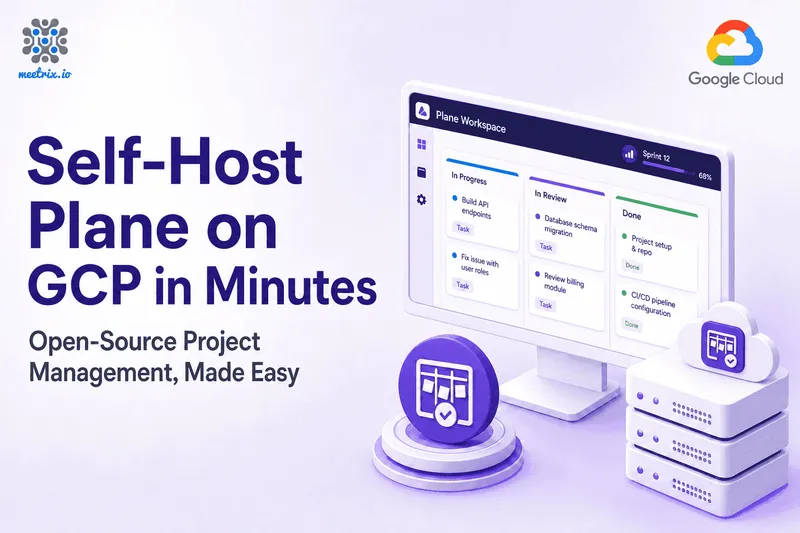
Plane on GCP - Project Tracking Without the Jira Tax
Jira works. Nobody's arguing that. But it's also slow to load some mornings, cluttered with settings nobody on your team ever asked for, and priced per seat in a way that gets harder to justify every time someone joins. A lot of engineering teams end up paying for a tool that fights them as much as it helps them.
Plane on GCP Marketplace by Meetrix is the open-source alternative, packaged so you don't have to build the server yourself. Self-hosting Plane properly means provisioning a VM, wiring up Postgres, and getting SSL right before anyone can log a single issue. We packaged all of that into one Google Cloud listing. Ready to try it? Launch the Meetrix Plane listing on GCP Marketplace.
What is Plane?
Plane is an open-source project management tool built for engineering and product teams who want Jira's core functionality without Jira's weight. You get issue tracking with custom states and priorities, cycles for sprint planning, modules for grouping related work, and product roadmaps - viewed as a list, a Kanban board, a calendar, or a Gantt-style timeline, whichever fits how your team actually thinks about work.
The part that matters most for a lot of teams isn't a feature at all - it's where the data lives. Self-hosted on your own GCP project, every issue, every cycle, every roadmap stays on infrastructure you control, not inside a SaaS vendor's account you're renting access to.
What Jira Actually Costs as a Team Grows
How Deployment Works
Setting up Plane by hand means provisioning a server, installing Postgres, and configuring a reverse proxy with SSL before your team can log a single issue. Through the Marketplace, it's four steps:
- Launch from GCP Marketplace Open the Meetrix Plane listing, choose your region and machine type, and deploy. The image arrives with Plane and its Postgres database already installed and connected.
- Point Your Domain Add an A record pointing your domain at the instance's external IP. Plane needs a real domain for SSL to issue correctly - an IP address alone won't work.
- SSL Issues Automatically Once DNS resolves, the instance requests and installs a Let's Encrypt certificate on its own. If it can't for any reason, a manual fallback script is already on the server.
- Secure God Mode and Create Your Workspace Visit your domain's /god-mode path, sign in with the admin email and password you set during deployment, and create your first workspace. From there you're logging issues.
What Meetrix Brings to This Deployment
- The Stack Wired Together From First Boot - Plane and Postgres are already connected when the instance comes up. You're not debugging a database connection string before your team can create its first issue.
- SSL Handled Without the Babysitting - Certificates issue and renew automatically, with a tested manual script as a fallback. Most people who self-host find out about certificate expiry the hard way, usually right when someone's trying to open a sprint board.
- A Free Trial Built Into the Listing - Five days with license fee credit, so your team can actually use it before anyone commits budget to it. Standard GCP compute costs still apply, but the software itself costs nothing to test.
- No Per-Seat Math - You're paying for the GCP instance underneath, not a monthly fee that grows every time someone joins the team.
- People Who Actually Run This Stack - If you need help with DNS, scaling, or migrating issues over from your old tool, you're talking to engineers who deploy Plane regularly, not a support queue reading from a script.
Who Is Plane on GCP Right For?
This deployment fits any team that wants Jira-level project tracking without the per-seat bill or the SaaS lock-in attached to it. It's a strong match if you're:
- An engineering team leaving Jira for something faster and less cluttered with settings you never use
- A startup that wants a modern, Linear-style interface without the per-seat cost curve that comes with it
- A team that needs its issue and roadmap data to stay inside infrastructure you control, not a vendor's cloud
- A compliance-conscious organization that needs to pick the exact GCP region your project data lives in
- An agency or consultancy running project tracking for multiple client engagements at once
- A team migrating off a legacy tool like Trello or spreadsheets and wanting something built for engineering work
- Anyone already self-hosting the rest of their stack who'd rather not make an exception for project management
Plane on GCP by Meetrix vs Alternatives
| Feature | Plane on GCP by Meetrix | Jira | Linear | Self-Hosted Plane (Manual) |
|---|---|---|---|---|
| Hosting | Your GCP project, fully self-hosted | Atlassian's cloud, or a self-managed Data Center license | Linear's cloud, no self-host option | Your GCP VM, set up by you |
| Data Control | Total - issues and roadmaps stay in your project | Data lives on Atlassian's infrastructure | Data lives on Linear's infrastructure | Total, once configured correctly |
| Deployment Time | Minutes via GCP Marketplace | Instant SaaS signup | Instant SaaS signup | Hours - Postgres, reverse proxy, and SSL by hand |
| SSL & Auth | Automated, issued and renewed on its own | Handled by Atlassian | Handled by Linear | Manual - easy to misconfigure |
| Pricing Model | GCP compute costs only, no per-seat fee | Per-user billing, climbs with premium tiers and add-ons | Per-user billing, higher tiers for advanced features | GCP compute costs only |
| GDPR / Data Residency | Pick your GCP region, data stays put | Limited region control, Atlassian's terms apply | Limited region control, Linear's terms apply | On you to configure correctly |
| Support | Meetrix engineers, 24/7 | Atlassian support tiers | Linear support tiers | Community forums, or you fix it yourself |
Resources

How Teams Use This in Production
Leaving Jira Premium Before the Renewal Hit
The problem
A growing engineering team was on Jira Premium, and the renewal quote had climbed again as headcount grew. Half the team found the tool sluggish day to day, and nobody could point to a feature worth the price increase.
What we did
We deployed Plane on a Meetrix GCP Marketplace instance, mapped their existing sprint and cycle structure over, and ran both tools in parallel for two sprints before the team fully cut over.
"We kept renewing Jira because switching felt like a hassle, not because it was worth what we paid. Once we actually moved, the hassle turned out to be a lot smaller than two more years of that bill." Engineering Manager, SaaS Company, United States
Keeping Product Roadmap Data Inside a Required EU Region
The problem
A fintech company's compliance review required engineering roadmap and issue data to stay inside a specific EU region. Their existing Jira Cloud setup couldn't guarantee that level of region pinning on the plan they were using.
What we did
We deployed Plane inside their europe-west GCP project, migrated open issues and active cycles across, and documented the setup for their compliance team ahead of the review.
"We needed to say exactly where our roadmap data sat, not just trust a vendor's data processing agreement. Running Plane in our own region meant we could actually show that." Head of Engineering, Fintech Company, Germany
Giving Every Client Engagement the Same Project Tracker
The problem
A digital agency was running client projects across whatever tool each engagement happened to start with - Trello for one client, Jira for another, a spreadsheet for a third. Handovers were inconsistent, and the licensing costs across several paid tools kept adding up.
What we did
We standardized every new client engagement on its own dedicated Plane workspace, deployed through the GCP Marketplace listing, with one deployment per client for clean isolation.
"Every client used to mean figuring out which tool we'd use this time. Now it's the same Plane setup every time, and new hires already know where to look." Founder, Digital Agency, Australia
Frequently Asked Questions
Is Plane a real alternative to Jira?
For most teams, yes. Plane covers the core of what people actually use Jira for - issue tracking with custom states and priorities, cycles for sprint planning, modules for grouping related work, and roadmaps - without the years of accumulated menus and settings Jira has picked up along the way.
Is Plane free to use?
Plane itself is open source. This GCP image includes a 5-day free trial with credit toward the Meetrix license fee, so you can try it before committing. Standard GCP compute costs apply during the trial regardless, and the license fee kicks in once it ends.
Can I use my own domain name?
Yes. You set your domain during deployment, point a DNS A record at the instance's external IP, and Plane serves your workspace there once it propagates. SSL is issued automatically for that domain.
Where does my project data actually live?
Inside your own GCP project, on a dedicated VM with its own PostgreSQL database. You control the network and firewall rules, and nobody outside your organization has access to your issues, cycles, or roadmap.
Can I migrate my existing issues from Jira or another tracker?
Plane includes import tooling for common trackers, and we can help you plan the migration path from your existing tool as part of setup. It's worth budgeting time to map custom fields and workflows over, since no two trackers structure issues identically.
What machine type should I pick, and can I scale later?
The default e2-medium works well for small to mid-sized teams. If you outgrow it, resize to a larger Compute-optimized or Memory-optimized machine type - the same deployment scales with the instance underneath it.
Give Your Team a Tracker That Doesn't Fight Them
Stop paying per seat for software your team tolerates instead of likes. Deploy Plane on Google Cloud in minutes, set up by people who run this stack themselves.
Deploy on GCP Marketplace